
🧠 AI Quiz
Think you really understand Artificial Intelligence?
Test yourself and see how well you know the world of AI.
Answer AI-related questions, compete with other users, and prove that
you’re among the best when it comes to AI knowledge.
Reach the top of our leaderboard.


















Gemini 3 pro
Google's Flagship AI for Deep Reasoning and Creation

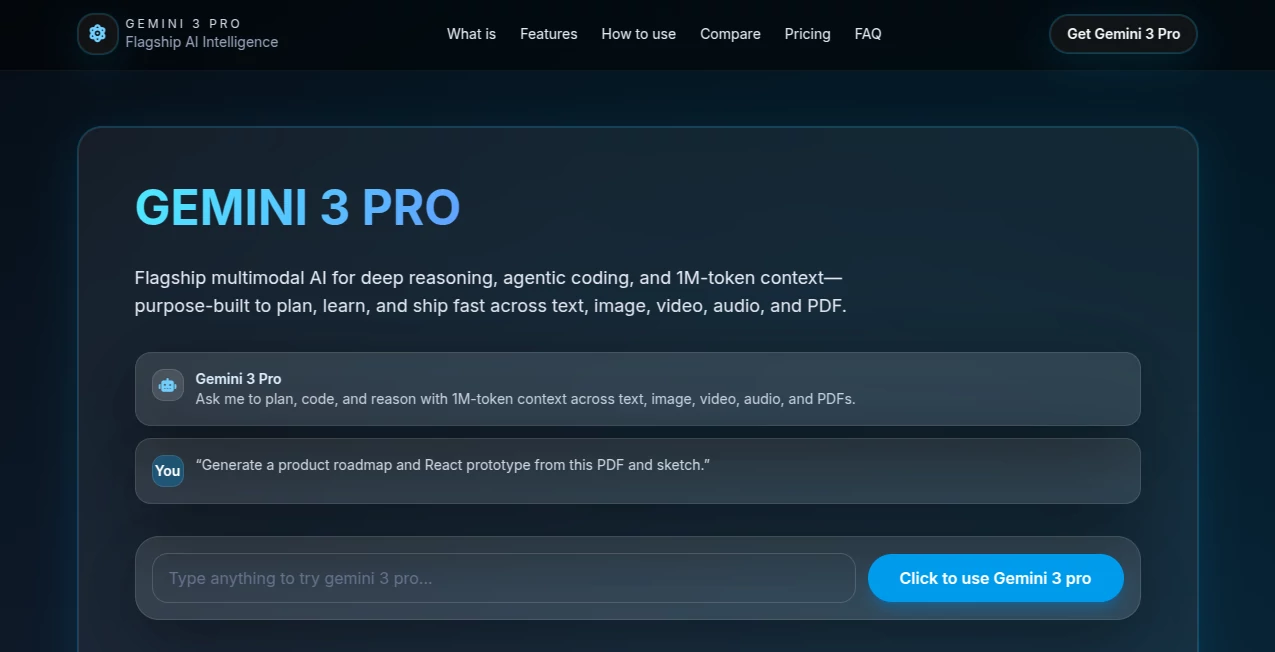
What is Gemini 3 pro?
Gemini 3 Pro steps up as Google's powerhouse in the AI arena, blending sharp thinking with hands-on building to tackle everything from code puzzles to visual blueprints. This model feels like having a brilliant collaborator who not only spots the big picture but dives in to sketch out the details, making it a hit for folks pushing boundaries in tech and beyond. Whether you're prototyping an app or unraveling a complex dataset, it delivers that extra edge without the usual trial-and-error slog.
Introduction
Gemini 3 Pro landed in late 2025 as DeepMind's bold leap forward, born from years of tweaking transformers to handle the messy, real-world mix of text, pics, clips, and sounds. The team behind it drew from frustrations in earlier versions—too short on context or stuck in one mode—and aimed to craft something that plans like a strategist and codes like a vet. Early adopters, from indie devs to enterprise squads, couldn't stop raving about how it turned vague ideas into working prototypes overnight, sparking a wave of experiments that blurred lines between brainstorming and building. It's not just another update; it's the kind of tool that whispers, "What if we tried this?" and then shows you how.
Key Features
User Interface
Jumping in feels straightforward, whether through the Gemini app's clean dashboard where you pick your mode and toss in files, or the search bar that lights up with interactive previews. In Workspace, it slots right into your docs or sheets like an old pal, suggesting tweaks with a simple toggle. Devs get cozy with IDE plug-ins that offload grunt work, all wrapped in layouts that adapt—visual grids for planners, code snippets for scripts—without ever feeling like you're wrestling a clunky menu.
Accuracy & Performance
It shines on tough nuts, acing grad-level brainteasers and coding marathons with scores that leave rivals in the dust, thanks to that dynamic deliberation that mulls over paths before picking one. Even with massive inputs, it hums along, balancing depth with zip so you get thoughtful replies without the wait. Users note how it rarely veers off-script, grounding wild guesses in solid facts, and that million-token window means it holds the whole story without dropping threads.
Capabilities
This thing juggles inputs like a circus pro—snap a sketch, feed a video, or dump a PDF, and it spits back code, essays, or layouts that weave it all together. It's killer for agent setups, calling tools on the fly or churning structured data for apps, and that vibe-coding twist lets you describe a "cozy dashboard" and watch it prototype in React. From dissecting supply chains to scripting terminal runs, it covers the gamut, always with an eye on making outputs actionable.
Security & Privacy
Built with walls up high, it shrugs off sneaky prompts and keeps chats grounded, refusing the dodgy stuff with clear reasons instead of awkward dodges. Your data stays in Google's vault, encrypted and compliant, with controls for teams to gatekeep access. It's that quiet reliability—knowing it won't spill secrets or chase flattery—that lets creators focus on the craft, not the cover-up.
Use Cases
Product leads sketch roadmaps from napkin doodles, seeing full mocks pop up with code ready to tweak. Med pros analyze scans alongside logs for spot-on diagnostics, while marketers blend clips and stats into campaign blueprints that convert. Coders migrate dusty scripts overnight, and researchers sift book-length reports for insights that spark papers. It's the thread pulling together solo tinkers and big-team hustles alike.
Pros and Cons
Pros:
- Crushes benchmarks across the board, from math mazes to video vibes.
- Handles huge contexts without breaking a sweat, perfect for deep dives.
- Multimodal magic turns mixed media into seamless outputs.
- Agent-friendly flows speed up builds from idea to iteration.
Cons:
- Locked behind paywalls, no free joyrides for the full show.
- Token tabs add up quick for heavy multimodal mashing.
- Rollout's patchy, leaving some spots waiting on the wave.
- Output caps at 64k, trimming tails on epic epics.
Pricing Plans
Entry via Google AI Plus at about twenty bucks monthly gets you app access and basics, while Pro at two-fifty ramps up credits for teams grinding prototypes. Ultra hits three hundred for the deep modes and agent perks, starting stateside but spreading. API folks pay per token—coupla bucks input, dozen output—with multimodal bumps, and a free lighter sibling keeps casuals in the loop without the bill.
How to Use Gemini 3 Pro
Snag a Plus sub through the app, flip to Thinking mode, and lob your mix—text plus a pic or clip—for replies that build on it all. In search, toggle the gear for visual pops, or plug into Workspace for doc drafts that reason over pages. Devs hit the API with payloads for code calls, tweaking levels for quick hits or deep thinks, then iterate from the structured spits. It's that loop of prompt, ponder, produce that hooks you fast.
Comparison with Similar Tools
Against its own kin like 2.5 Pro, it laps with wider inputs and sharper agents, though the older one's lighter on the wallet. GPT kin match on chatty depth but lag in Google's ecosystem weave, while Claude's task tenacity bows to this benchmark boss. Grok's zippy quips get edged out here for the heavy-lift reasoning that plans whole horizons.
Conclusion
Gemini 3 Pro carves out a spot as the thoughtful trailblazer in AI's crowded trail, where raw power meets practical polish to fuel real breakthroughs. It nudges creators past the plateau, turning "could be" into "is," one reasoned step at a time. As tools keep stacking, this one's the steady hand guiding the boldest strokes, ready for whatever wild what-ifs come next.
Frequently Asked Questions (FAQ)
What's the big upgrade from older Gems?
Wider world-handling with video and audio, plus mega-context for marathon musings.
Can I tinker without a sub?
Stick to the free Flash for basics; Pro's the gate for the full feast.
How's it at whipping up code?
Spot-on for prototypes and migrations, with agent smarts to run the show.
Safe for sensitive stuff?
Guards against tricks and keeps answers real, with team locks to boot.
Where's it live?
App, search, Workspace, APIs—pretty much everywhere Google glows.
AI Workflow Management , AI Research Tool , AI Code Generator , AI Developer Tools .
These classifications represent its core capabilities and areas of application. For related tools, explore the linked categories above.
Gemini 3 pro details
This tool is no longer available on submitaitools.org; find alternatives on Alternative to Gemini 3 pro.
Pricing
- Free
Apps
- Web Tools
Categories

Gemini 3 pro Alternatives Product

MidJourney

Scillus

Elicit
Robux Tax Ca…

Jujutsu Zero…

AI Podcast I…

Prelight

Sourcetable

ModelsLab
