AI Photo Editor Free logo

AI Photo Editor Free

Create, Edit, and Enhance Images with AI

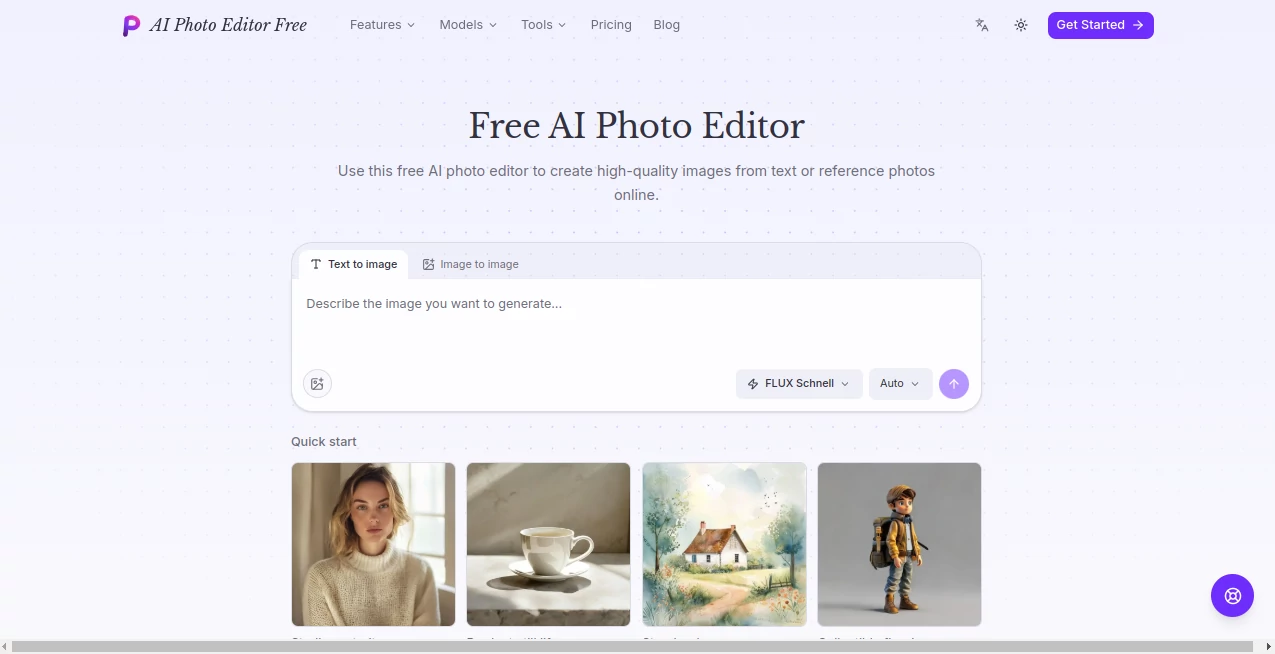
Screenshot of AI Photo Editor Free – An AI tool in the ,AI Photo & Image Generator ,AI Background Remover ,AI Photo Enhancer ,AI Image to Image  category, showcasing its interface and key features.

What is AI Photo Editor Free?

AI Photo Editor Free is a browser-based creative platform for generating and editing images with artificial intelligence. It brings text-to-image generation, image-to-image editing, background removal, upscaling, image expansion, and style transformation into one straightforward workspace.

What makes the experience particularly appealing is the choice of several image models from the same interface. Instead of moving between different services for different jobs, users can experiment with FLUX Schnell, Nano Banana Pro, GPT Image 2, and Seedream 5.0 Pro depending on the type of image they want to create.

The platform is useful for everything from quick creative experiments to product visuals, posters, illustrations, social media graphics, and other everyday image projects. A user can start with a written idea, upload an existing image, or build on one of the available examples.

Key Features

  • Text-to-image generation from natural-language prompts
  • Image-to-image editing using reference images
  • Four AI image models available from one interface
  • Background removal with transparent PNG output
  • 2Γ— and 4Γ— image upscaling
  • Image expansion for new aspect ratios and compositions
  • AI-powered style transformation
  • Generation of up to four variations from a prompt with FLUX Schnell
  • Multiple aspect ratio options including 1:1, 16:9, 9:16, 4:3, and 3:4
  • Private image history containing prompts and model information
  • Full-resolution downloads
  • Reference-image workflows for developing existing ideas

User Interface

The interface keeps the creative process relatively simple. Users can write a prompt, select an image model, choose an aspect ratio, and generate an image without installing desktop software or configuring a GPU. The examples shown on the platform also make it easier to understand the kind of prompts that can produce useful results.

Another practical touch is the ability to switch between models without changing the overall workflow. Someone working on a poster, for example, can try one model for a quick concept and another when typography or layout accuracy matters more.

Accuracy & Performance

Performance naturally varies between models, but the platform gives users several options rather than forcing every project through the same generation system. FLUX Schnell is positioned for fast drafts and multiple variations, while Nano Banana Pro and GPT Image 2 are better suited to detailed scenes and layouts where prompt adherence matters.

Aspect ratio selection is also handled before generation, which is useful when an image is intended for a particular format. Instead of creating a square image and cropping it later, users can choose a suitable frame from the beginning.

Capabilities

The platform goes beyond basic text-to-image generation. Existing images can be used as references for changing a visual's style, lighting, setting, composition, or other creative elements. Dedicated tools can remove backgrounds, enlarge images, extend the canvas, or transform photographs into illustrations.

Text rendering is another notable capability. Posters, packaging concepts, title cards, and other graphics can include requested wording directly inside the generated image. The platform recommends Nano Banana Pro and GPT Image 2 when readable text is particularly important.

Security & Privacy

Generated images are kept in a private image library together with their prompts and model information. This makes it possible to return to previous work, download a full-resolution result, reuse a prompt, or use an earlier creation as a reference for another generation.

The service also handles the underlying models on its own infrastructure, so users do not need to install AI software, provide their own GPU, or paste an API key simply to generate images through the browser.

Use Cases

This platform can fit a surprisingly broad range of creative tasks. A small business owner could use it to develop product photography concepts without arranging an expensive photo shoot. A marketer could create early versions of advertising graphics or promotional posters. Designers can explore compositions and visual directions before moving into a more advanced editing workflow.

  • Product photography: Create polished product scenes and explore different environments or lighting setups.
  • Marketing materials: Produce concepts for posters, promotional graphics, campaigns, and social media content.
  • Content creation: Turn written ideas into illustrations, editorial visuals, thumbnails, and supporting graphics.
  • Photo enhancement: Upscale existing images or remove unwanted backgrounds.
  • Creative experimentation: Transform an existing photograph into a different visual style.
  • Design exploration: Generate several variations and compare different models before settling on a direction.

Pros and Cons

Pros

  • Free tier available for getting started
  • Several modern image models in one workspace
  • Text-to-image and image-to-image workflows
  • Useful image editing utilities beyond generation
  • Multiple aspect ratio choices
  • Private creation history with prompts and model details
  • No local GPU or software installation required

Cons

  • Generation costs vary depending on the selected model
  • Higher-fidelity models require paid credits
  • Results can vary depending on the prompt and model selected
  • Users looking for advanced manual photo-editing controls may still prefer a traditional image editor

Pricing Plans

The service offers a free tier with welcome credits, allowing new users to generate a selection of images without entering payment details. Paid options start at $6.90 per month and provide access to more monthly credits, higher-fidelity models, and API access.

All paid plans can use the available image models, although different models consume different amounts of credits. Generation costs are shown before an image is created, making it easier to understand how many credits a particular request will use.

How to Use It

  1. Open the image generation workspace in a browser.
  2. Write a description of the image you want to create, or upload an existing image to use as a reference.
  3. Select an AI model according to your preferred speed, detail, layout control, or reference handling.
  4. Choose an aspect ratio such as 1:1, 16:9, 9:16, 4:3, or 3:4.
  5. Generate the image and review the result.
  6. Try another model or adjust the prompt if the first result does not match your idea.
  7. Save the result to your private image library or download the full-resolution file.

Comparison with Similar Tools

Many AI image services concentrate primarily on generation, while this platform combines generation with several practical editing utilities. That distinction can make a difference for users who do not want to maintain separate tools for removing backgrounds, enlarging images, expanding compositions, and changing styles.

The multi-model approach is another advantage. Rather than committing to one generation engine, users can compare different models for the same creative task. For quick concept work, a fast model may be the better choice; for detailed layouts, typography, or production-oriented imagery, another model may produce a more suitable result.

For someone who prefers a simple browser workflow and wants both generation and everyday AI image editing in one place, this combination makes the service a strong alternative to using several specialized tools separately.

Conclusion

This is a useful choice for creators who want to generate and refine images without building a complicated editing workflow. The combination of multiple AI models, reference-based editing, image enhancement tools, aspect ratio controls, and private creation history gives users plenty of room to experiment.

Its free starting option is especially helpful for testing different models before deciding whether additional credits are worthwhile. Whether the goal is a product concept, social media graphic, illustration, poster, or simply a better version of an existing photograph, the platform provides a practical place to explore the idea from start to finish.

Frequently Asked Questions (FAQ)

Is it free to use?

Yes. There is a free tier with welcome credits, so users can try image generation without providing payment details. Paid plans provide more credits and additional capabilities.

Which AI models are available?

The platform currently provides FLUX Schnell, Nano Banana Pro, GPT Image 2, and Seedream 5.0 Pro. Each model has different strengths for speed, detail, layouts, text rendering, and reference-based editing.

Can I generate images from text?

Yes. You can describe the desired subject, style, composition, and lighting in a natural-language prompt and use that description to generate an image.

Can I edit an existing image?

Yes. An existing image can be uploaded as a reference for image-to-image work. You can also use dedicated tools for background removal, upscaling, image expansion, and style transformation.

Can AI-generated images contain readable text?

Yes. The platform supports text inside generated images, including designs such as posters and product packaging. Nano Banana Pro and GPT Image 2 are recommended when accurate text rendering is important.

Do I need to install software?

No. The image models run on the service's infrastructure, so you can work directly from a laptop or phone browser without installing software or providing your own GPU or API key.


AI Photo Editor Free has been listed under multiple functional categories:

AI Photo & Image Generator , AI Background Remover , AI Photo Enhancer , AI Image to Image .

These classifications represent its core capabilities and areas of application. For related tools, explore the linked categories above.


AI Photo Editor Free details

Pricing

  • Free

Apps

  • Web App

Categories

AI Photo Editor Free | submitaitools.org