


















AnimGen
What is AnimGen?
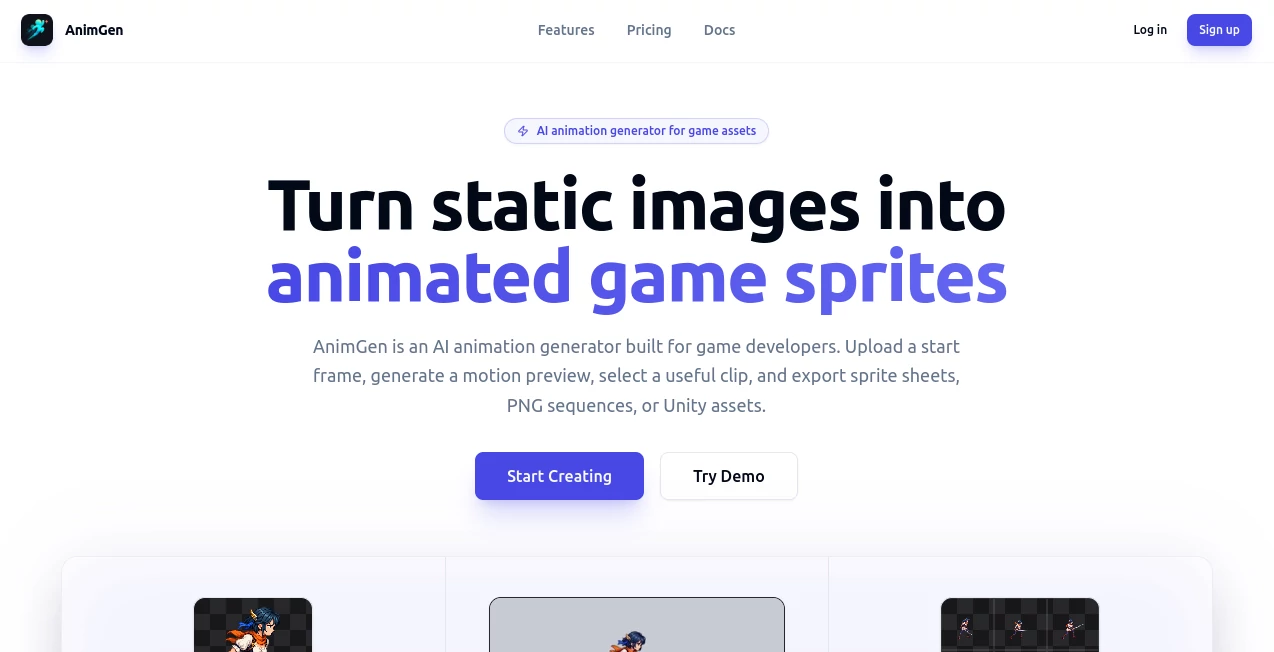
AnimGen is an AI-powered animation platform designed specifically for turning character artwork and other source images into usable 2D game animation assets. Instead of manually drawing every frame of a walking, running, attacking, or idle animation, game developers can upload a starting image, describe the desired movement, and generate a motion preview.
The workflow is particularly practical because generation and export are treated as separate steps. After creating a video preview, users can inspect the motion, choose the strongest section, and export only the frames that actually work for their project. This makes the process more controlled than simply accepting an entire AI-generated clip.
The platform supports workflows for sprite sheets, PNG frame sequences, video clips, transparent animation, and engine-ready assets. It also provides integrations and export options aimed at environments such as Unity, Godot, Unreal, and Cocos.
Key Features
- AI image-to-animation generation for 2D game characters and artwork.
- Prompt-based motion generation where users describe the action they want.
- Video previews before committing to final asset exports.
- Timeline-based trimming for selecting the most useful animation range.
- Frame-by-frame review for cleaner loops and better timing.
- Sprite sheet generation with JSON metadata.
- PNG frame sequence and video exports.
- Transparent animation workflows for game assets that require alpha.
- Unity, Godot, Unreal Paper2D, and Cocos Creator export workflows.
- Video-to-sprite-sheet processing for existing animation footage.
- Public API access for developers who want to integrate animation generation into their own applications.
User Interface
The workflow is organized around a straightforward sequence: upload artwork, describe the movement, generate a preview, review the result, select a useful section, and export it. This approach is easy to understand even for developers who do not regularly work with animation software.
The integrated timeline is one of the more useful parts of the experience. Users can scrub through generated footage frame by frame, identify a clean section, and preview how it loops before exporting it. Export frame rates can also be adjusted, with options including 12, 24, and 60 FPS depending on the workflow.
Accuracy & Performance
Animation quality naturally depends on the source artwork, prompt, selected model, duration, resolution, and other generation settings. The platform does not pretend that every generated frame will automatically be production-ready. Instead, it places a review stage between generation and export.
That distinction is valuable for game development. For example, if a generated running animation looks convincing for the first second but becomes inconsistent afterward, the developer can trim the stronger section rather than exporting the entire result. The documentation also recommends using clear source images with enough room around moving parts, since cropped details can make animation less reliable.
Generation is asynchronous, so processing time can vary according to the selected model, queue, and settings. The API also uses asynchronous jobs and status polling, making it more suitable for applications that need to process animation tasks programmatically.
Capabilities
The platform goes beyond simple image-to-video generation. A developer can start with a character image, generate a motion preview, select a specific range, and turn that range into a sprite sheet or individual frames. Existing videos can also be imported and converted into game-oriented sprite assets.
For transparent game characters, a dedicated transparency workflow can produce formats such as WebM with alpha, ProRes 4444, RGBA frames, and supported engine packages. The system can also work with first and last frames or reference images when the selected generation model supports those modes.
Developers can additionally use a public API to create animation jobs from an application or backend. The API supports image uploads and image inputs, model discovery, quotations, asynchronous generation, asset downloads, and separate export operations.
Security & Privacy
The service collects account information as well as content needed to provide its functionality, including prompts, uploaded images, generation settings, generated videos, exported frames, spritesheets, and project metadata. It states that personal information is not sold and may be shared with service providers when necessary to operate the platform.
One notable privacy detail is that private user inputs and private outputs are not used to train the company's own models by default. However, the platform relies on third-party AI and media-processing providers, which may process submitted content as necessary to complete requested jobs.
Users should therefore review the privacy policy and the terms applicable to their particular project, especially when working with confidential artwork or commercially sensitive assets.
Use Cases
- Indie game development: Quickly prototype character movement without manually creating every animation frame.
- 2D character animation: Turn a static character illustration into walking, running, idle, attack, or other motion sequences.
- Sprite sheet creation: Convert selected animation ranges into organized sprite sheets and metadata.
- Game prototyping: Produce temporary animations while testing mechanics and character movement.
- Existing video conversion: Transform useful portions of video into frame-based game assets.
- Transparent game characters: Prepare animation assets with alpha transparency for supported workflows.
- Developer automation: Use the public API to integrate animation generation into an existing development pipeline.
- Rapid asset iteration: Generate several motion ideas and keep only the version that fits the game's visual direction.
Pros and Cons
Pros
- Designed specifically around practical 2D game animation workflows.
- Turns a single source image into a motion preview without requiring traditional frame-by-frame animation.
- Allows users to review and trim generated motion before exporting assets.
- Supports sprite sheets, PNG frames, video, and several game-engine-oriented packages.
- Useful transparency workflow for suitable source artwork.
- Public API makes the technology accessible to developers building automated pipelines.
- Free access includes one-time welcome credits and does not require a credit card.
Cons
- Results can vary depending on the source artwork and selected generation model.
- AI-generated motion still needs visual review before production use.
- Some export formats and commercial-use rights require paid access.
- Generation consumes credits, so extensive experimentation can increase costs.
- Not every model supports the same input modes or animation controls.
Pricing Plans
A free starting option provides 120 one-time welcome credits and 200 MB of account storage. The free tier includes PNG frame ZIP export, while additional export formats and commercial use require paid access.
- Basic: $9.99 per month with 1,100 credits, 5 GB storage, all export formats, and a commercial license.
- Expert: $29.99 per month with 3,500 credits, 20 GB storage, all export formats, and a commercial license.
- Ultra: $99.99 per month with 12,500 credits, 100 GB storage, all export formats, and a commercial license.
- Small Pack: $4.99 one-time payment for 500 credits.
- Medium Pack: $19.99 one-time payment for 2,000 credits.
- Large Pack: $49.99 one-time payment for 5,000 credits.
The credit packs are particularly useful for developers who do not need a recurring subscription. Paid subscriptions and credit packs also provide commercial-use rights for assets created during the applicable paid access, subject to the service terms.
How to Use
- Sign in and open the animation workspace.
- Upload a suitable PNG, JPEG, or WebP source image.
- Select the available animation model and generation settings.
- Describe the movement you want using a clear motion prompt.
- Review the displayed credit quote before starting generation.
- Generate the animation preview.
- Watch the result and inspect individual frames for consistency.
- Use the timeline to select the strongest portion of the animation.
- Choose the desired export format and frame settings.
- Download the resulting sprite sheet, frames, video, or supported engine package.
For the best results, start with a clearly visible character that has sufficient space around the parts expected to move. A side-view character with clean separation between limbs and other moving elements is often easier to animate than a tightly cropped illustration.
Comparison with Similar Tools
Many AI video generators focus on producing visually appealing clips for social media, advertising, storytelling, or cinematic content. This platform takes a more specialized route by concentrating on the final requirements of game development.
The difference becomes clear after generation. Instead of treating the generated video as the final product, the workflow encourages developers to inspect the motion, trim it, choose useful frames, and package those frames as game assets. Sprite sheets, JSON metadata, transparent exports, and engine-oriented packages make it more relevant to developers than a general-purpose text-to-video service.
It is also useful for teams that already have their artwork and simply need a faster way to explore animation ideas. Traditional animation still offers greater manual control, but this workflow can reduce the amount of repetitive work required during prototyping and early production.
Conclusion
AnimGen takes a practical approach to AI-assisted game animation. Its strongest advantage is not simply generating movement from a still image, but connecting generation with review, trimming, and asset export.
For indie developers, artists, prototype teams, and studios looking to experiment with 2D character motion, the workflow can save considerable time. The ability to generate a preview, keep only the useful portion, and export it into formats suitable for a game pipeline makes the service particularly appealing for asset production rather than general video creation.
It is still important to review every generated animation before putting it into a finished game. AI-generated motion can vary, and the quality of the starting artwork has a direct effect on the result. Used as an acceleration tool rather than a replacement for artistic judgment, it offers a compelling way to move from static artwork to playable animation assets much faster.
Frequently Asked Questions (FAQ)
Can I turn a single image into a game animation?
Yes. The main workflow allows you to upload a starting image, describe the desired movement, generate a video preview, and then export the useful portion as game assets.
Can I create sprite sheets?
Yes. Generated or imported motion can be trimmed and exported as sprite sheets, with JSON metadata available for supported workflows.
Does it support transparent animation?
Yes. A dedicated transparent workflow can be used when the source contains meaningful alpha transparency. Supported outputs include transparent video and RGBA-based assets.
Can I use the generated assets commercially?
Commercial use is available for assets generated with paid subscriptions or paid credit packs, subject to the applicable terms and any third-party restrictions.
Does it support Unity and Godot?
Yes. The service provides export workflows for Unity and Godot, as well as Unreal Paper2D and Cocos Creator. Standard video and image assets can also be used in other development environments.
Is there a free plan?
Yes. New accounts receive 120 one-time welcome credits and 200 MB of storage. The free tier is intended for personal evaluation and does not include commercial use.
Can developers access an API?
Yes. A public beta API is available for verified accounts. Developers can create animation jobs, monitor their status, and download generated assets programmatically.
Are AI-generated results always consistent?
No. Results can vary based on the source image, prompt, model, and generation settings. The review and trimming workflow is designed to help users select the strongest portion before exporting it.
AI Animated Video , AI Image to Video , AI Video Generator , AI Video Editor .
These classifications represent its core capabilities and areas of application. For related tools, explore the linked categories above.

AnimGen Alternatives Product

Sora 2 AI

AISeedance2

Mediagen

Wan 2.7
soro2

Seedance 2

Subclip

Seedance 2.0…

AI Baby Dance
