


















Appkiko
What is Appkiko?
Managing customer conversations across multiple messaging channels can quickly become overwhelming as a business grows. Instead of switching between different apps, support teams and sales representatives benefit from having every interaction organized in one place. A unified communication platform simplifies daily operations, reduces response times, and creates a smoother customer experience from the first message to the final purchase.
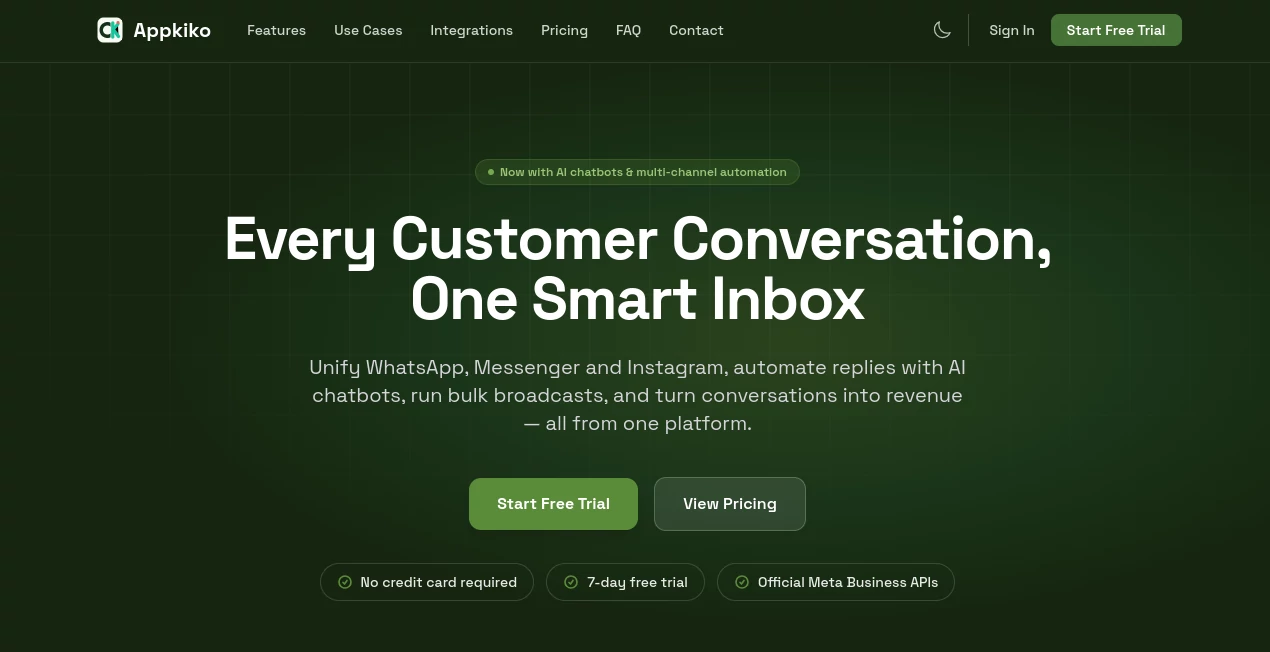
This platform brings together conversations from popular messaging channels into a single intelligent workspace. Businesses can communicate with customers through WhatsApp, Messenger, and Instagram without constantly changing applications or losing important conversations. Every inquiry, follow-up, and sales opportunity remains organized inside one centralized inbox.
Beyond simple messaging, the platform introduces AI-powered automation that helps businesses respond instantly to common questions, qualify leads, and guide customers even outside business hours. Instead of replacing human support, automation works alongside teams by handling repetitive tasks while allowing staff to focus on more valuable conversations.
Whether serving hundreds of daily inquiries or managing thousands of customer interactions each month, organizations gain a reliable solution for communication, marketing, and customer engagement from one dashboard.
Key Features
User Interface
The dashboard is designed to make customer communication simple and organized. Conversations from different messaging platforms appear inside one smart inbox, allowing teams to switch between customers instead of switching between applications.
Messages are grouped clearly, customer history is easy to access, and agents can quickly identify ongoing conversations. This centralized approach significantly reduces confusion while improving collaboration among support and sales teams.
Accuracy & Performance
AI-powered responses help maintain consistent communication while reducing average response times. Automated workflows ensure customers receive immediate attention, even during busy periods or outside office hours.
The platform also minimizes missed inquiries by collecting conversations from multiple channels into one location. This allows businesses to answer faster, maintain better response quality, and improve customer satisfaction.
Capabilities
- Unified inbox for WhatsApp, Messenger, and Instagram conversations
- AI chatbot automation for instant customer responses
- Bulk message broadcasting for promotions and announcements
- Lead management through messaging channels
- Conversation assignment for team collaboration
- Customer history tracking
- Sales-focused messaging workflows
- Automated replies to frequently asked questions
- Multi-agent support
- Centralized communication management
- Improved customer engagement
- Business messaging automation
Security & Privacy
Customer communication often contains sensitive information, making secure message management essential. Centralized conversation management helps businesses maintain better oversight of customer interactions while reducing the risks associated with scattered communication channels.
Businesses can manage permissions for team members and maintain organized records of customer conversations, supporting both operational efficiency and responsible data handling.
Use Cases
- Customer support teams managing inquiries across multiple messaging platforms.
- E-commerce stores answering product questions before purchase.
- Marketing teams sending promotional broadcasts to customer lists.
- Sales representatives nurturing leads through messaging apps.
- Businesses providing automated after-hours customer support.
- Service providers scheduling appointments through messaging conversations.
- Growing companies that need better collaboration between multiple support agents.
- Brands seeking higher customer engagement through conversational marketing.
Pros and Cons
Pros
- Combines several messaging platforms into one inbox.
- AI automation reduces manual workload.
- Supports faster customer response times.
- Bulk broadcasting simplifies marketing campaigns.
- Improves team collaboration.
- Helps convert conversations into sales opportunities.
- Easy-to-understand interface suitable for growing businesses.
Cons
- Some advanced automation features may require initial setup.
- Businesses new to conversational marketing may need time to optimize workflows.
- Feature availability may vary depending on connected messaging platforms.
Pricing Plans
The platform offers commercial subscription plans designed for businesses of different sizes. Pricing may vary depending on the number of users, messaging volume, automation features, and business requirements. Prospective customers should review the latest plans on the official website before making a decision.
How to Use Kiko
Start by creating an account and connecting your supported messaging channels. Once connected, conversations automatically appear inside the centralized inbox.
Configure AI chatbots to answer frequently asked questions, create automated workflows for lead qualification, and organize your support team by assigning conversations to the appropriate agents.
Businesses can also prepare broadcast campaigns for announcements, promotions, or customer updates while monitoring conversations from every connected platform in one place.
As communication grows, reporting and conversation history help teams identify customer needs, improve response quality, and increase conversion opportunities.
Comparison with Similar Tools
Unlike traditional customer support software that focuses primarily on email or ticket management, this solution emphasizes modern conversational commerce through popular messaging applications.
Its combination of a unified inbox, AI chatbot automation, bulk messaging capabilities, and sales-oriented communication creates a practical environment for businesses that rely heavily on social messaging channels.
Organizations looking to replace fragmented messaging workflows with one centralized communication hub will appreciate the balance between automation and human interaction, making customer engagement both faster and more personal.
Conclusion
Modern customers expect quick, convenient communication through the messaging apps they already use every day. Businesses that can respond rapidly while maintaining organized conversations often enjoy stronger customer relationships and higher conversion rates.
By combining multiple messaging platforms into one intelligent inbox, adding AI-powered automation, and supporting large-scale customer engagement, this platform provides an effective solution for businesses that want to improve customer communication without increasing operational complexity.
Whether the goal is providing excellent customer support, generating more sales, or automating repetitive conversations, the platform offers the essential tools needed to build efficient and scalable conversational experiences.
Frequently Asked Questions (FAQ)
Which messaging platforms are supported?
The platform supports WhatsApp, Messenger, and Instagram messaging through one unified inbox.
Can AI automatically respond to customers?
Yes. AI chatbots can answer common questions, automate conversations, and provide instant responses around the clock.
Is the platform suitable for sales teams?
Yes. Businesses can manage leads, engage customers, and convert conversations into revenue through organized messaging workflows.
Can multiple team members manage conversations?
Yes. Multiple agents can collaborate, assign conversations, and work together inside the same centralized inbox.
Does it support marketing campaigns?
Yes. Businesses can send bulk broadcasts and promotional messages to engage customers more efficiently.
AI Chatbot , AI CRM Assistant , AI Team Collaboration , AI Customer Service Assistant .
These classifications represent its core capabilities and areas of application. For related tools, explore the linked categories above.

Appkiko Alternatives Product

ModelsLab

Klyra AI

Gpt Realtime…

Romantic AI

Patches Answ…

Syncity AI

Emochi

Sourcetable

UPDF AI
