


















AppLaunchFlow
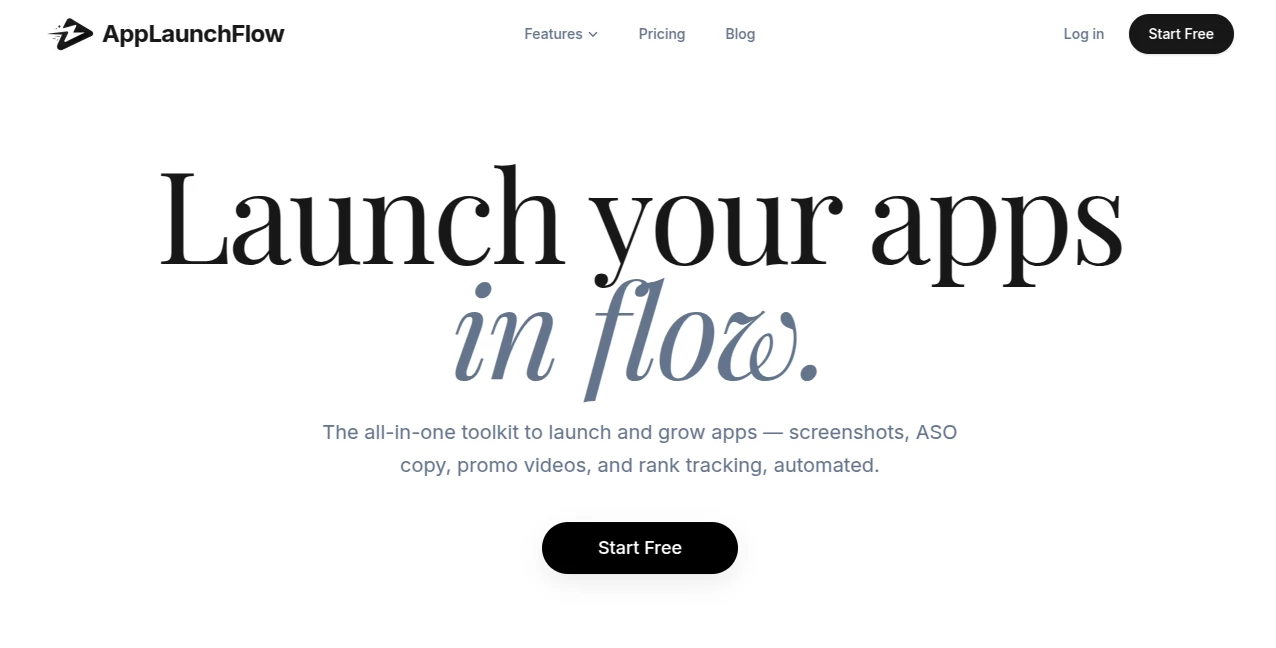
What is AppLaunchFlow?
Launching a mobile app is exciting, but creating all the marketing assets—screenshots, promo videos, store descriptions, and translations—can quickly become a time sink that pulls you away from actually building. This platform changes that. It brings together smart AI tools that handle the repetitive, design-heavy parts so you can focus on what matters most: shipping great software. I’ve seen indie developers go from weeks of manual work to having polished store listings ready in a single afternoon. The difference in speed and quality is noticeable from the first use.
Introduction
Most developers are great at coding but dread the marketing side of launching. AppLaunchFlow was built specifically for that reality. It combines a powerful screenshot editor, AI-generated ASO copy, promo video creation, and even rank tracking into one cohesive dashboard. No more switching between Figma, Canva, translators, and spreadsheets. Everything lives in one place, designed by someone who understands the grind of app launches. The result is faster launches, better-looking assets, and more time spent improving your actual product.
Key Features
User Interface
The dashboard feels built for developers—clean, focused, and fast. You upload raw screenshots or start from templates, then use an intuitive visual editor with drag-and-drop, 3D device frames, and AI assistance. Everything from layout adjustments to text tweaks happens in one canvas with undo/redo and auto-save. No steep learning curve. You can go from raw assets to store-ready exports without leaving the platform.
Accuracy & Performance
The AI understands App Store and Play Store best practices. It generates converting headlines, suggests strong visuals, and creates layouts that actually perform well. Screenshot generation and editing are quick, even when handling multiple device sizes. The system learns from top-performing apps, so suggestions feel grounded in real data rather than generic advice.
Capabilities
You can create full screenshot sets for iOS and Android with 3D mockups, generate localized versions in 25+ languages with automatic layout adjustments, write high-converting ASO copy with competitor insights, produce promo videos from screenshots, and track keyword rankings daily. The visual editor gives you fine control while AI handles the heavy lifting. It’s a true all-in-one launch toolkit.
Security & Privacy
Your app assets and data stay secure. The platform focuses on delivering value without unnecessary data collection. You control what gets generated and exported, and everything is handled professionally so you can work confidently with your real product screenshots and branding.
Use Cases
A solo developer preparing for launch uses it to create professional screenshots and store copy in one weekend instead of two weeks. A small team localizes their app for new markets quickly with automatic translations and layout fixes. An established app studio runs A/B tests on screenshot variants and tracks ranking impact from one dashboard. Indie game makers turn simple gameplay shots into eye-catching store visuals that boost downloads. It fits anywhere you need to look professional without a full design or marketing team.
Pros and Cons
Pros:
- Saves massive amounts of time on repetitive launch tasks.
- High-quality, store-optimized outputs that actually convert.
- All-in-one workflow keeps everything in one place.
- Strong localization and competitor-informed ASO tools.
- Developer-friendly design with real control when you need it.
Cons:
- Best results come when you provide good raw screenshots.
- Advanced video and analytics features are more powerful on paid plans.
Pricing Plans
It offers a generous free tier so you can test the quality on your own app. Paid plans unlock unlimited generations, full localization, promo videos, rank tracking, and priority support. Pricing is reasonable for the time and design costs it replaces—many developers see it pay for itself on their very first launch or major update.
How to Use AppLaunchFlow
Start by uploading your raw app screenshots or connecting your store. Use the visual editor to arrange layouts, add 3D frames, and refine text. Let AI suggest improvements or generate variations. For copy, input your app details and get optimized descriptions with explanations. Generate localized versions with one click. Export everything ready for the stores. The workflow is designed to feel natural—upload, edit, improve, export.
Comparison with Similar Tools
Many screenshot tools are either too basic or require heavy manual work in Figma. Others focus only on copy or only on visuals. This one brings everything together with AI assistance while still giving you full creative control. It’s faster than hiring a designer for every update and more tailored to app store requirements than general design tools. For developers who want speed without sacrificing quality, it often becomes the preferred choice.
Conclusion
Launching and growing an app shouldn’t mean spending more time on marketing assets than on the product itself. This platform automates the repetitive parts while keeping you in control of the final look and feel. It helps indie developers and small teams compete with bigger players by making professional store listings accessible and fast. If you’re tired of the launch grind, this tool gives you back valuable time and helps your app stand out where it matters most—in the stores.
Frequently Asked Questions (FAQ)
Do I need design experience?
No—the AI and editor guide you through creating great-looking assets.
Can I localize for multiple countries?
Yes—automatic translation and layout adjustment for 25+ languages.
Does it work for both iOS and Android?
Absolutely—full support for App Store and Play Store requirements.
How fast can I get store-ready assets?
Many users go from raw screenshots to complete listings in under an hour.
Is there a free way to try it?
Yes—a solid free tier lets you test the full workflow before upgrading.
AI Marketing Plan Generator , AI Digital Marketing Generator , AI E-commerce Assistant .
These classifications represent its core capabilities and areas of application. For related tools, explore the linked categories above.

AppLaunchFlow Alternatives Product
Adscriptly

Surgeflow

Orchestra
BuildRoy

SalesPageNow

Serplux

SEOTakeoff

CapyQR

Techvorizon …
