
BookletAI
What is BookletAI?
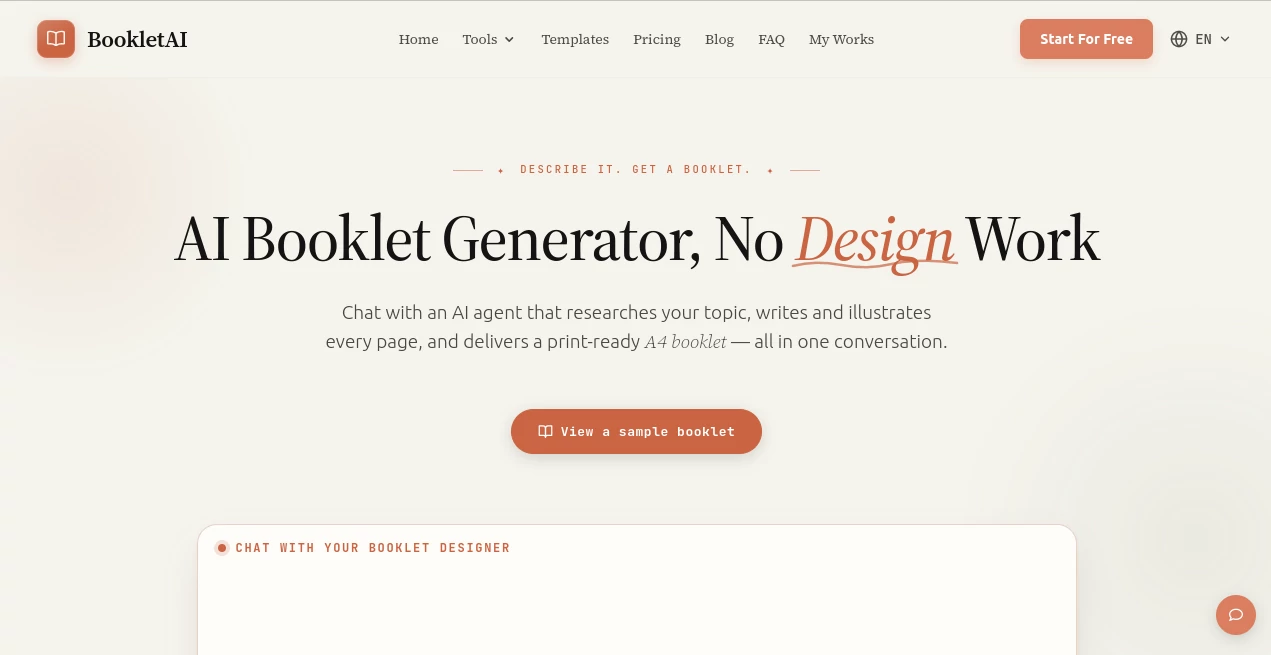
Creating a professional booklet often requires several different tools for writing, graphic design, layout, and exporting. This platform brings every stage together in a single AI-powered workspace where users simply describe an idea or upload existing materials, and the system transforms them into polished, print-ready booklets.
Instead of forcing users to design every page manually, the AI asks follow-up questions about the audience, writing style, and purpose before generating a structured outline. Once approved, each page is written, illustrated, and formatted automatically. Whether the goal is producing educational materials, product brochures, employee handbooks, study guides, or marketing documents, the workflow remains simple and remarkably efficient.
The result is a professional publication that can be edited page by page, shared online, or exported in multiple formats without requiring any design experience.
Key Features
User Interface
The interface feels conversational rather than technical. Users start by entering a topic, uploading documents, or providing existing content. The AI guides the process through a natural chat experience while presenting outlines and live page previews before generating the final booklet. Individual pages can be edited independently without affecting the rest of the project, making revisions fast and practical.
Accuracy & Performance
One of the strongest aspects is its research-driven workflow. Instead of relying solely on pre-trained knowledge, the platform can gather information from high-quality online sources to improve accuracy when building new content. Existing documents such as PDFs, Word files, presentations, and text files can also be used as the foundation, helping preserve factual consistency while improving organization and readability.
Capabilities
- Generate complete AI-designed booklets from a simple prompt.
- Create page-by-page outlines before writing begins.
- Automatically produce illustrations and page layouts.
- Support business brochures, educational guides, manuals, reports, and workbooks.
- Edit individual pages without regenerating the entire document.
- Import PDFs, Word documents, presentations, Markdown files, and text files.
- Export projects as PDF or HTML.
- Create public share links for online viewing.
- Offer industry-specific writing styles for business, education, healthcare, and more.
- Support multiple languages based on the user's input.
Security & Privacy
User projects are automatically saved for future editing, while account information is managed through secure user accounts. Uploaded content remains associated with the creator, and the platform provides dedicated privacy and terms policies explaining how user information is processed and protected.
Use Cases
- Designing product brochures for sales teams.
- Building employee onboarding manuals.
- Creating educational workbooks and classroom materials.
- Producing client proposals and company profiles.
- Generating research summaries.
- Preparing event guides and conference booklets.
- Developing printable study guides.
- Transforming existing articles into professional publications.
Pros and Cons
Pros
- Complete end-to-end booklet creation inside one platform.
- No graphic design skills required.
- Interactive AI conversation simplifies the workflow.
- Automatic illustrations and professional layouts.
- Flexible page-by-page editing.
- Multiple export options including PDF and HTML.
- Supports uploaded source materials.
- Suitable for business, education, and marketing projects.
Cons
- Advanced features require a paid subscription.
- Large projects consume more AI credits.
- Internet connection is required for AI generation.
- Some export formats such as EPUB are not currently available.
Pricing Plans
A free plan is available with complimentary credits for new users, allowing them to explore the platform before upgrading. Paid subscriptions include Basic, Plus, and Premium plans that provide additional monthly credits, faster generation speeds, premium image capabilities, watermark removal, and enhanced export features for professional users.
How to Use BookletAI
Start by entering a topic or uploading your existing documents. The AI asks a few questions to understand your audience and objectives before creating a structured outline. After reviewing and approving the outline, select a preferred design style and allow the system to generate each page. Review the completed booklet, edit individual pages if necessary, and finally export the finished document as a PDF or HTML file or share it using a public link.
Comparison with Similar Tools
Traditional design software focuses primarily on layout, leaving users responsible for writing and organizing content themselves. Standard AI writing assistants generate text but rarely produce complete, publication-ready documents. This platform combines AI research, structured writing, automatic illustration, page design, editing, and exporting within a single workflow, significantly reducing the amount of manual work needed to produce professional booklets.
Conclusion
For anyone looking to transform ideas, notes, research, or existing documents into polished publications, this solution offers an impressively streamlined experience. Its conversational workflow, intelligent research capabilities, automatic design system, and flexible editing tools remove many of the traditional barriers associated with booklet creation. Whether used for education, business, marketing, or training, it provides an efficient way to produce attractive, print-ready documents without requiring professional publishing skills.
Frequently Asked Questions (FAQ)
Is there a free version available?
Yes. New users receive free credits that allow them to generate and test booklets before purchasing a subscription.
Can I upload my own documents?
Yes. PDFs, Word documents, presentations, Markdown files, and plain text files can be uploaded as source material.
Can individual pages be edited?
Yes. Each page can be modified independently without affecting the rest of the booklet.
What export options are supported?
Users can export completed projects as print-ready PDF files or HTML documents and also generate shareable online links.
Who is this platform best suited for?
It is ideal for educators, marketers, businesses, trainers, consultants, students, and content creators who need professionally designed booklets with minimal manual effort.
AI Content Generator , AI Documents Assistant , AI Education Assistant , AI Presentation Generator .
These classifications represent its core capabilities and areas of application. For related tools, explore the linked categories above.

BookletAI Alternatives Product

Fill PDF fro…

Slogan Gener…

BlogBuster

AHelp

Enji

Trending AI …

ReezoAI

TO MD

VideoSnap