ChatArt
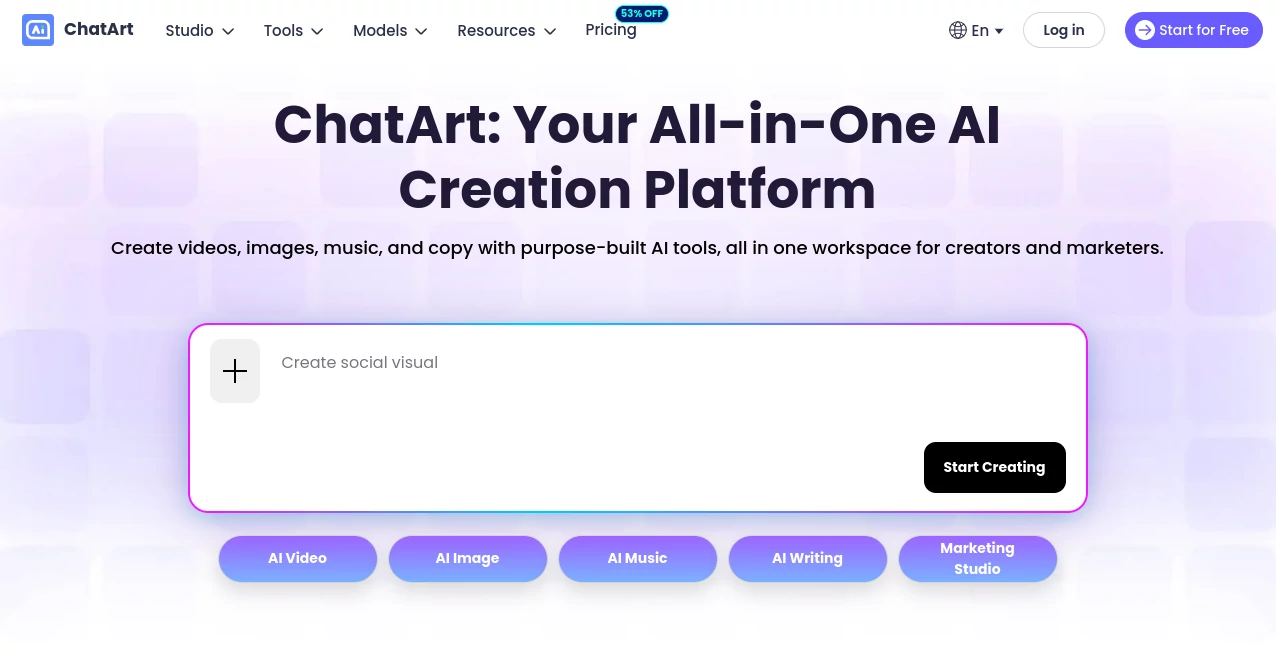
What is ChatArt?
Creating digital content often means jumping between several different applications. One tool handles images, another creates videos, another helps with writing, and yet another is needed for music. ChatArt brings many of these creative tasks together in one workspace, giving creators and marketing teams a more direct way to move from an idea to a finished piece of content.
The platform combines AI video generation, image creation and editing, music production, long-form writing, conversational AI, and visual workflows. It is particularly appealing for people who work across several content formats and would rather keep their creative process in one place than constantly switch between unrelated services.
For example, a marketer can start with a product concept, create an image, turn that image into a short video, generate supporting copy, and continue refining the campaign without rebuilding the entire workflow elsewhere. That connected approach is one of the strongest aspects of the platform.
Key Features
- AI video creation: Generate videos from text prompts, images, or existing video material, with workflows designed for social media, storytelling, advertising, and promotional content.
- AI image generation: Create visuals from written descriptions and work with different image styles, aspect ratios, and generation models.
- Image editing: Remove backgrounds, enhance images, change backgrounds, modify clothing and colors, apply effects, and make other creative adjustments.
- AI music creation: Generate original music and combine generated audio with visual content for music-video projects.
- Story and novel writing: Develop plots, characters, chapters, and longer fictional projects with dedicated writing workflows.
- AI chat and writing tools: Use conversational AI for brainstorming, rewriting, summarizing, drafting, research, and everyday writing tasks.
- AI canvas: Organize prompts, references, images, audio, and creative elements on an expansive visual workspace.
- AI agent workflows: Delegate more complicated creative tasks to an autonomous agent that can plan and execute multiple steps.
- Multiple AI models: The platform provides access to a broad selection of video, image, and conversational models, allowing users to choose models according to the type of result they want.
User Interface
The interface is designed around the idea of a shared creative workspace rather than a collection of disconnected generators. Video, image, music, writing, chat, canvas, and agent features are grouped into recognizable areas, making it easier to move between different types of work.
This structure can be especially useful for creators who are experimenting. Instead of deciding at the beginning exactly which application they will need, they can start with an idea and explore different formats as the project develops.
The availability of web, mobile, Windows, and Mac versions also makes the workflow more flexible. Someone working at a desktop can continue a project on a mobile device without being tied to a single environment.
Accuracy & Performance
Output quality naturally depends on the selected AI model, prompt, input material, and type of generation. The platform addresses this by offering different specialized models for video, images, and conversational tasks rather than relying on one model for everything.
For image work, users can choose from several generation technologies and produce visuals in common formats such as 16:9, 1:1, and 9:16. This is practical for social posts, advertisements, illustrations, and other content where the final dimensions matter.
Video workflows can begin with text, still images, or video clips. Features such as image-to-video, text-to-video, video extension, and motion-oriented tools give creators several ways to approach the same project instead of forcing every idea into a single generation method.
Capabilities
The biggest strength is the range of creative tasks covered by a single platform. A user can generate an image from a prompt, edit it, animate it, add music, and develop accompanying written content as part of the same broader workflow.
For visual creators, the image toolkit covers generation as well as practical editing tasks. Background removal, enhancement, image-to-image workflows, filters, coloring, and descriptive editing can reduce the need for separate image applications.
The video side is equally broad. Text-to-video and image-to-video workflows are suitable for turning simple ideas or static assets into moving content, while video extension and creative effects can be useful when a generated clip needs additional development.
There is also a dedicated writing environment for users working on stories and longer projects. Instead of treating writing as a single text-generation prompt, the workflow can help with outlines, character development, chapters, and ongoing revisions.
The visual canvas adds another interesting layer. Prompts, references, generated images, and audio elements can be connected on an open workspace, which makes it useful for projects where several creative assets need to stay connected.
Security & Privacy
When using any AI creation platform, privacy deserves attention, particularly when prompts contain confidential business information, private documents, unpublished creative work, or customer data. Users should review the current privacy policy and applicable account terms before uploading sensitive material.
For routine creative work such as public marketing concepts, social media ideas, illustrations, fictional stories, and promotional videos, the platform provides a convenient environment for experimentation. For confidential commercial projects, it is sensible to understand exactly how submitted content and generated material are handled before starting production.
Use Cases
Social media content: Creators can produce images, short videos, animated visuals, captions, and other assets for social platforms without moving through several separate applications.
Marketing campaigns: Marketing teams can develop product visuals, promotional videos, advertising concepts, and supporting written content from a common workspace. This can make the early creative stage considerably faster.
Product advertising: A product image can become the starting point for a promotional video, while image editing tools can help prepare backgrounds, colors, and other visual elements.
Content creators: YouTubers, bloggers, social media creators, and independent publishers can combine writing, image generation, video creation, and music production when developing a complete piece of content.
Storytelling: Writers can move from an initial concept to an outline, characters, chapters, illustrations, and even supporting video or audio assets.
Music projects: Users interested in experimental music can generate tracks and then build visual material around them, creating a more complete audio-visual project.
Creative experimentation: Designers and artists can test different visual styles, image transformations, effects, and AI models without maintaining several separate accounts for every experiment.
Pros and Cons
Pros
- Combines video, image, music, writing, chat, and creative workflow tools in one environment.
- Provides access to multiple AI models for different creative requirements.
- Supports both text-to-video and image-to-video workflows.
- Includes practical image editing features alongside image generation.
- Useful for marketing campaigns and multi-format content production.
- Offers dedicated tools for stories and longer-form creative writing.
- Provides web, mobile, Windows, and Mac access.
- Includes a free way to try the platform before committing to higher-level usage.
Cons
- The large number of tools and models may take some time for new users to explore.
- Generation quality and available capabilities can vary depending on the selected AI model.
- Higher-volume or advanced creation may require a paid subscription or additional credits.
- Users producing very specialized professional content may still prefer dedicated applications for certain individual tasks.
Pricing Plans
The platform offers a free trial that allows users to experience its creative workflows before paying. Free usage is limited, with the current service information indicating that free users receive one experience per template for certain features.
More advanced models and higher-volume creation require a subscription or Diamond top-up. The amount of usage required can differ significantly between image, video, music, and other generation tasks, so users should check the current pricing page when deciding which option fits their workflow.
This model makes sense for occasional users who want to experiment without immediately purchasing a long-term plan, while frequent creators and marketing teams can consider paid access when they need greater generation capacity.
How to Use It
Start by choosing the type of content you want to create. For example, select an image workflow if you have a visual concept, or choose a video workflow if you want to animate an image or generate a scene from text.
Write a clear prompt that explains the subject, visual style, mood, setting, composition, and any important details. Specific prompts generally give you more control over the direction of the result.
Choose an appropriate AI model when the workflow provides multiple options. Different models can produce noticeably different results, so testing two or three options can be worthwhile when the first generation does not match your expectations.
Review the result and refine it. Image editing, background changes, enhancement, descriptive editing, and other tools can help improve an initial generation instead of requiring you to start from scratch.
For larger projects, consider using the canvas or connected workflows to keep prompts, references, images, and other assets organized. This is particularly useful when a single campaign involves several related pieces of content.
Comparison with Similar Tools
Many AI products specialize in only one area. Some focus almost entirely on image generation, while others are dedicated to video creation, writing, or conversational AI. The main difference here is breadth.
Instead of choosing a separate application for every stage of a creative project, users can access several formats from one workspace. That does not necessarily make it the best choice for every specialist workflow, but it can be a major advantage for creators who regularly move between text, images, video, and audio.
It is also useful for marketing teams that need several types of assets for the same campaign. A product promotion may require an image, a short advertisement, social media visuals, written copy, and video. Having these capabilities available together can reduce unnecessary switching and make experimentation easier.
Conclusion
For creators who want more than a single AI generator, this platform offers a broad creative toolkit built around one central workspace. Its combination of video generation, image creation and editing, music, writing, conversational AI, and visual project organization gives it a practical place in modern content workflows.
Its strongest appeal is not simply the number of individual features. It is the ability to connect different forms of content. An idea can begin as a prompt, become an image, turn into a video, receive supporting music, and be accompanied by written material without constantly moving between unrelated services.
For social media creators, marketers, writers, visual artists, and anyone experimenting with AI-assisted production, it is a capable option worth exploring. The free trial provides a sensible starting point, while users with heavier production needs can move toward paid access as their workflow grows.
Frequently Asked Questions (FAQ)
What can I create with this platform?
You can create AI-generated images, videos, music, stories, written content, and other creative assets. The platform also includes image editing, conversational AI, canvas-based workflows, and specialized creative tools.
Can I generate videos from images?
Yes. The image-to-video workflow can turn a static image into a moving sequence, while additional video tools can be used to extend or refine the result.
Can I create images from text?
Yes. Text-to-image generation allows you to describe the visual you want and select from available models and styles.
Does it support AI music?
Yes. The platform includes AI music generation and can also combine generated music with visual material for AI music-video projects.
Can I use it for writing?
Yes. Writing features cover tasks such as drafting, rewriting, summarizing, brainstorming, and longer-form story development. A dedicated novel workspace is also available for larger fiction projects.
Is there a free version?
There is a free trial with limited usage. More advanced models and higher-volume generation require a subscription or Diamond top-up.
Which devices are supported?
The service is available through the web and also provides applications for iOS, Android, Windows, and macOS.
Can it be useful for marketing?
Yes. Marketing-oriented workflows can help with promotional videos, product advertisements, visual assets, and supporting content, making the platform particularly useful for teams producing multiple campaign formats.
AI Image to Video , AI Music Video Generator , AI Video Generator , AI Text to Image .
These classifications represent its core capabilities and areas of application. For related tools, explore the linked categories above.

ChatArt Alternatives Product
Whisper Thun…

Freepik
Artifox

gemini video

Seedance 2.0
Veo 4

MixHub AI
Kling 3.0 Vi…

NanoBananaPro