
Clics Analytics
What is Clics Analytics?
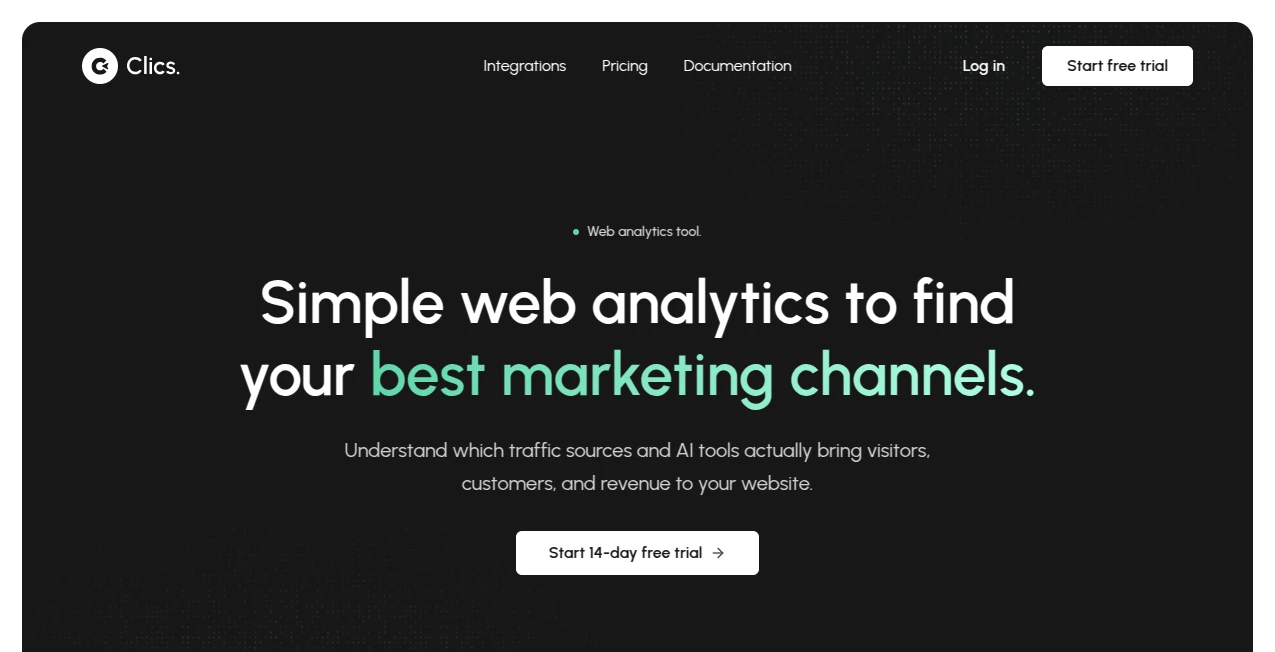
Understanding where website visitors come from is easy in theory, but many analytics platforms make the process feel unnecessarily complicated. Clics Analytics takes a more focused approach, giving website owners a clear way to understand visitors, traffic sources, conversions, funnels, and the growing role of AI-driven referrals.
One particularly useful aspect is its ability to identify traffic coming from AI platforms such as ChatGPT, Claude, Perplexity, Gemini, and Copilot. Instead of treating these visitors as just another line in a generic referral report, the platform gives AI-driven traffic its own analytics view. This can be valuable for businesses, publishers, SaaS companies, and marketers trying to understand whether visibility inside AI tools is actually producing website visits and revenue.
The overall philosophy is straightforward: provide the numbers teams need without turning website analytics into a full-time job.
Key Features
- Website traffic analytics for monitoring visitors and page views
- Dedicated AI analytics for referrals from major AI platforms
- Traffic source and landing page analysis
- Conversion goals and multistep funnels
- Realtime visitor activity
- Session and engagement insights
- Bot and fake traffic detection
- Cookie-free analytics tracking
- Privacy-focused measurement designed around GDPR, CCPA, and PECR
- Team workspaces with unlimited members on supported plans
User Interface
The interface is designed around simplicity rather than an overwhelming collection of dashboards. Core information such as visitors, page views, traffic sources, session activity, conversions, and funnels can be accessed without navigating through layers of complicated reports.
This approach makes the platform particularly appealing to smaller marketing teams and website owners who want to check performance quickly. You can open the dashboard, see what is happening, and move on to the next task instead of spending half an hour figuring out where a particular metric lives.
The funnel interface is another practical touch. Conversion steps can be viewed sequentially, making it easier to see where visitors continue, where they leave, and how long different stages take.
Accuracy & Performance
Clean analytics data is only useful when unnecessary noise is removed. The platform includes bot detection to filter automated and fake traffic, helping teams work with more meaningful numbers.
Performance is also considered at the tracking level. The analytics script is designed to remain lightweight, with the company describing it as being under 5 KB. That makes it a sensible option for websites where adding unnecessary JavaScript weight is a concern.
Realtime reporting adds another layer of usefulness. Rather than waiting for a later report, website owners can watch visitor activity as it happens and quickly identify changes in traffic or campaign performance.
Capabilities
The strongest capability is arguably the dedicated AI referral analytics. AI search and recommendation platforms are becoming increasingly important sources of website discovery, yet traditional analytics reports can make it difficult to understand their actual contribution.
Here, marketers can look at traffic associated with services such as ChatGPT, Claude, Gemini, Perplexity, and Copilot and evaluate how those visitors behave. Seeing traffic alone is useful, but connecting it with conversions and revenue makes the information considerably more actionable.
Funnels are another strong component. A business could, for example, create a journey from landing page to pricing page, signup, payment, and purchase. Looking at each step helps reveal whether a weak conversion rate comes from the landing page, pricing stage, signup process, or final checkout.
Security & Privacy
Privacy is a major part of the product's positioning. The tracking system does not rely on analytics cookies, helping websites reduce the privacy burden often associated with conventional analytics solutions.
The platform states that it is designed to meet GDPR, CCPA, and PECR requirements and uses privacy-first tracking without invasive data collection. Data is encrypted both in transit and at rest, while protected API endpoints, access controls, role-based permissions, and workspace isolation provide additional layers of protection.
For organizations that need more control over access, higher-level plans also include options such as SSO, SCIM, and custom security configurations.
Use Cases
Website owners can use the platform to understand which channels are actually bringing visitors to their websites rather than relying only on surface-level traffic numbers.
For marketing teams, the AI referral reporting is especially interesting. A company publishing content designed to appear in AI-generated recommendations can monitor whether those efforts result in measurable visits, conversions, and revenue.
SaaS businesses can use funnels to examine the path from landing page to signup and purchase. If many visitors reach pricing but few continue to registration, the funnel makes that drop-off visible.
Content publishers can analyze traffic sources, landing pages, visitor activity, and realtime performance without adopting an analytics suite packed with features they may never use.
Agencies and distributed teams can also benefit from shared workspaces, allowing multiple members to access the same analytics environment.
Pros and Cons
Pros
- Clean and approachable analytics experience
- Dedicated analytics for AI-generated referrals
- Realtime visitor monitoring
- Multistep conversion funnels
- Privacy-focused, cookie-free tracking
- Lightweight tracking script
- Bot detection for cleaner reporting
- Unlimited members on supported plans
Cons
- The platform is intentionally focused, so users looking for extensive heatmaps or session-recording suites may need another solution.
- Advanced AI analytics is included with the Business plan rather than the entry-level Pro plan.
- Enterprise security and retention requirements require a custom plan.
Pricing Plans
The pricing structure is based on monthly event volume, with available volume levels ranging from 10K events to more than 10M events. The Pro plan starts at $19 per month and includes three years of data retention, unlimited members, up to 10 projects, and email support.
The Business plan starts at $39 per month and adds five years of data retention, unlimited projects, unlimited members, Slack and priority support, and AI Analytics. This makes it the more suitable option for teams that specifically want deeper insight into traffic generated by AI platforms.
Enterprise pricing is customized according to requirements and can include custom event volumes, unlimited members and projects, custom data retention, SSO, SCIM, custom security, and dedicated support.
Annual billing is also available with two months free, while the platform offers a trial without requiring a credit card.
How to Use It
Getting started is designed to be straightforward. Create an account and add your website or project to the workspace. Once the tracking setup is completed, the platform can begin collecting website activity.
Start with the main overview to understand visitor activity, page views, traffic sources, and engagement. Then check the AI analytics section if your website receives visitors from AI assistants and search platforms.
For conversion-focused websites, create a funnel that follows an important journey such as landing page, pricing, signup, payment, and purchase. Reviewing the drop-off between each step can quickly reveal where improvements are most likely to have an impact.
Realtime analytics can then be used to monitor launches, campaigns, content releases, or unusual traffic spikes as they happen.
Comparison with Similar Tools
Traditional analytics platforms often provide a huge number of reports, integrations, and behavioral features. That can be useful for large organizations, but it can also make simple questions harder to answer.
The approach here is more focused. Instead of attempting to become an all-purpose product analytics suite, it concentrates on the metrics website owners regularly need: visitors, traffic sources, landing pages, goals, conversions, funnels, and realtime activity.
The dedicated AI referral view is another meaningful difference. Rather than leaving traffic from AI assistants mixed into a general referral report, it gives teams a clearer way to evaluate the growing importance of AI-generated website traffic.
Privacy is also central to the comparison. Cookie-free tracking and a lightweight script make the platform an appealing alternative for teams that want useful website analytics without relying on invasive tracking practices.
Conclusion
Website analytics should help teams make decisions, not become another complicated system they have to manage. This platform succeeds by keeping the experience focused while adding features that matter to modern websites, particularly AI referral analytics, conversion funnels, realtime monitoring, and privacy-conscious tracking.
Its strongest appeal is likely to be found among website owners and marketing teams that want a straightforward view of where visitors originate and what those visitors actually do. The ability to connect AI-generated traffic with conversions and revenue makes it especially relevant at a time when visitors increasingly discover websites through AI assistants.
For teams that value simplicity, clean reporting, and privacy while still wanting modern AI traffic insights, it is a compelling analytics option worth considering.
Frequently Asked Questions (FAQ)
What is this analytics platform used for?
It is used to monitor website traffic, visitors, traffic sources, conversions, funnels, realtime activity, and referrals from AI platforms.
Can it track traffic from ChatGPT and other AI tools?
Yes. Its dedicated AI analytics functionality can identify traffic from services including ChatGPT, Claude, Perplexity, Gemini, and Copilot and help teams understand the resulting visits, conversions, and revenue.
Does it use analytics cookies?
No. The tracking approach is designed to operate without analytics cookies, making privacy-focused measurement one of its central features.
Can I create conversion funnels?
Yes. You can build multistep funnels to see how visitors progress through important journeys and identify where they drop off.
Does it provide realtime analytics?
Yes. Realtime reporting lets users monitor live visitor activity and see what is happening on their websites as it occurs.
Is there a free trial?
Yes. The platform offers a trial without requiring a credit card.
How much does the Pro plan cost?
The Pro plan starts at $19 per month based on the published pricing for the selected event volume.
Is there an Enterprise plan?
Yes. Enterprise pricing is customized and can include custom event volume, data retention, security requirements, SSO, SCIM, unlimited members and projects, and dedicated support.
These classifications represent its core capabilities and areas of application. For related tools, explore the linked categories above.
Clics Analytics details
Website unavailable — View Alternatives
Pricing
- Free
Apps
- Web App
Categories

Clics Analytics Alternatives Product

Customer Fee…

Friendify

Creget

Pips Hint

Sound Level …

UPDF AI

IntoTheBlock

X Growth Eng…

QuickFlip.AI