
CrafterQ
What is CrafterQ?
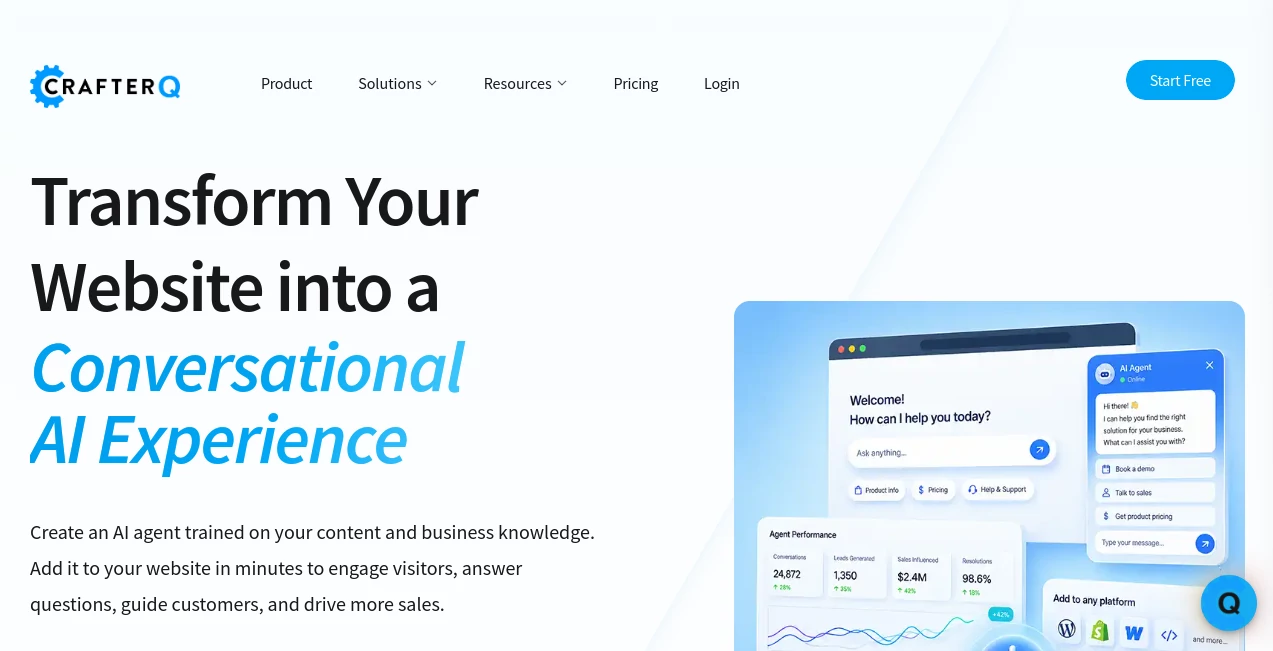
Visitors rarely want to dig through a website looking for one specific answer. They want to ask a question, understand their options, and move forward. CrafterQ takes that simple idea and turns a business website into a conversational experience where visitors can interact with an AI agent trained around the company’s own content and knowledge.
Instead of relying on a rigid collection of scripted questions and answers, the platform can work with websites, documentation, FAQs, knowledge bases, PDFs, Word documents, text, and custom question-and-answer pairs. This gives businesses a practical way to turn information they already have into an interactive customer-facing assistant.
The experience is especially useful for companies that receive repetitive support questions, want to help customers find products or services, or need another way to capture interest from website visitors. The platform is designed to help answer questions, guide users toward relevant resources, generate leads, support sales conversations, and provide self-service assistance around the clock.
Key Features
- AI agents trained on business websites and proprietary content
- Support for websites, PDFs, Word documents, text, FAQs, and knowledge bases
- Custom instructions for controlling personality, tone, and behavior
- Customizable appearance, avatar, colors, branding, and interface settings
- No-code website deployment using a simple script
- API access on selected paid plans
- Automatic website crawling and retraining on paid subscriptions
- Lead capture capabilities for qualifying interested visitors
- Human escalation for conversations that require personal assistance
- Support for sales, customer service, e-commerce, and internal knowledge use cases
- Playground environment for testing prompts and configurations before deployment
- Deployment options for websites, e-commerce stores, mobile applications, intranets, and messaging environments
User Interface
The interface is designed around the idea that a business should be able to create and manage an AI agent without building an entire conversational system from scratch. Agents can be configured from a central dashboard, while their personality, appearance, instructions, content sources, and AI settings can be managed independently.
Businesses can also customize the visitor-facing experience so the assistant feels closer to the brand rather than looking like a generic third-party chatbot. Settings for the avatar, colors, appearance, mode, and branding provide room to create a more natural fit with an existing website.
Accuracy & Performance
The strongest part of the approach is the focus on company-specific knowledge. Rather than expecting an assistant to know every detail about a business out of the box, users provide the material the agent should rely on. Websites can be crawled, documents can be uploaded, and additional information can be supplied through text or custom Q&A entries.
This is useful when important answers are spread across several pages. A visitor might ask about a service requirement, a product detail, a policy, or a particular feature without knowing where that information is stored. The conversational interface can retrieve relevant information and present it directly instead of making the visitor search through multiple pages.
Paid plans also support automatic retraining, with the frequency depending on the selected plan. This can be particularly useful for businesses whose websites and documentation change regularly.
Capabilities
The platform goes beyond simple question answering. Its AI agents can be configured for different business objectives, including customer support, sales assistance, e-commerce guidance, lead generation, and internal knowledge access.
Recent agent actions also allow conversations to become more practical. For example, an agent can present a lead form when the conversation indicates that capturing contact information makes sense. Visitors can also request human assistance, allowing businesses to combine automated conversations with personal support rather than forcing every interaction through AI.
For developers and technical teams, API access on selected plans opens the door to custom interfaces and integrations. The platform's API-first architecture is also useful for organizations that want more control over how their conversational agents are incorporated into existing products and workflows.
Security & Privacy
Business data is an important consideration when deploying an AI assistant. The platform states that customer content remains under the customer's control and is not used to train public AI models. This makes the approach more suitable for organizations that need their website content, documentation, and internal knowledge to remain separated from public model training.
The service also highlights enterprise-grade security and independently audited controls, including SOC 2 Type II compliance. Enterprise customers can additionally choose private hosting, dedicated infrastructure, enterprise SSO, a choice of LLM, and dedicated support arrangements.
Use Cases
- Customer Support: Answer common questions using existing documentation, FAQs, product information, and support resources.
- Lead Generation: Engage potential customers during their visit and capture their information when they show buying intent.
- Sales Assistance: Help visitors understand products and services, compare relevant options, and take the next step toward a purchase or sales conversation.
- E-commerce: Guide shoppers through product-related questions and help them find suitable products without requiring them to browse every category manually.
- Knowledge Bases: Turn scattered company documentation into a conversational source of information.
- Employee Assistance: Provide employees with an easier way to access internal information, FAQs, policies, and documentation.
- Education: Support learners and visitors by making course material and educational information easier to access conversationally.
- Service Businesses: Help visitors understand available services, answer preliminary questions, and direct qualified prospects toward a contact or booking process.
Pros and Cons
Pros
- Can be trained on a company's own content and knowledge.
- Supports multiple types of business information, including websites and documents.
- Fast no-code deployment makes it accessible to non-technical teams.
- Useful for both customer support and revenue-focused conversations.
- Custom instructions allow businesses to control the agent's personality and behavior.
- Lead capture and human escalation make conversations more actionable.
- Free plan available without requiring a credit card.
- Higher plans provide automatic retraining, API access, larger message limits, and more storage.
Cons
- The free plan has relatively small message and storage limits.
- API access is reserved for higher-tier subscriptions.
- Businesses with large knowledge bases may need additional storage as their content grows.
- Removing the platform branding requires an additional paid add-on.
- Organizations needing private hosting and dedicated infrastructure need an Enterprise plan.
Pricing Plans
The pricing structure is designed to accommodate different stages of adoption, from experimenting with a first AI agent to running a larger business deployment.
- Free: $0 per month, with 1 agent, 1 user, 75 messages per month, and 500 KB of training storage.
- Solo: $29 per month, or $23.20 per month when billed annually. Includes 1 agent, 2 users, 750 monthly messages, 15 MB of training storage, and weekly automatic retraining.
- Team: $99 per month, or $79.20 per month when billed annually. Includes 1 agent, 3 users, 5,000 monthly messages, 50 MB of storage, daily automatic retraining, and API access.
- Business: $399 per month, or $319.20 per month when billed annually. Includes 1 agent, 5 users, 20,000 monthly messages, 150 MB of storage, daily automatic retraining, and API access.
- Enterprise: Custom pricing with higher limits, private hosting, dedicated infrastructure, LLM choice, enterprise SSO, and dedicated support options.
Additional paid add-ons are available for message credits, extra agents, additional users, more storage, and removal of the platform branding. This gives growing teams the option to expand their existing plan without necessarily moving immediately to a higher subscription tier.
How to Use the AI Agent
Getting started is relatively straightforward. First, create an account and create an AI agent for the specific purpose you have in mind. A support assistant, sales assistant, and internal knowledge assistant can each have different instructions and content.
Next, connect the information the agent should know. You can provide website URLs or domains, upload documents such as PDFs and Word files, add text directly, or create specific question-and-answer entries. The system processes these sources and builds the knowledge used during conversations.
After that, customize the agent's instructions, personality, appearance, and response behavior. The built-in playground can be used to test configurations before the assistant reaches real visitors.
Once everything looks right, deploy the agent to your website using the provided script. The platform is designed to work with a range of website technologies and digital environments, making it possible to add conversational assistance without rebuilding the entire site.
Comparison with Similar Tools
Traditional website chatbots often depend on predefined menus, decision trees, or fixed responses. That approach can work for simple questions, but it becomes restrictive when customers ask questions in their own words or when answers are spread across different sources.
A knowledge-based AI agent takes a different approach. Instead of manually writing every possible conversation path, businesses provide their existing information and configure how the assistant should behave. This makes the experience more flexible and better suited to questions that do not follow a predictable script.
Another advantage is the focus on business outcomes. A visitor does not necessarily want an answer for its own sake. They may want to choose a product, request information, speak with sales, or get help from a person. Features such as lead capture and human escalation help connect the conversation to those next steps.
For organizations that simply need a basic FAQ widget, a traditional chatbot may be enough. For companies with substantial documentation, changing websites, multiple customer questions, and a need to combine support with sales conversations, a more capable AI agent can provide considerably more room to grow.
Conclusion
A website should do more than display information. It should help visitors understand what a business offers and make it easier for them to take the next step. This platform turns existing business knowledge into a conversational layer that can answer questions, recommend information, support customers, and assist with sales.
The combination of custom knowledge sources, no-code deployment, customizable agent behavior, automatic retraining, lead capture, human escalation, and developer access makes it a strong option for businesses that want more than a basic scripted chatbot.
The free plan also makes it easy to test the concept before committing to a paid subscription. For a small business looking to reduce repetitive support questions or a growing company trying to turn more website visitors into qualified conversations, this approach offers a practical starting point.
Frequently Asked Questions (FAQ)
What is a website AI agent?
A website AI agent is a conversational assistant placed on a website that can understand natural-language questions, retrieve information from connected business content, and guide visitors toward useful outcomes such as finding information, requesting assistance, or starting a sales conversation.
What information can be used to train an agent?
Supported sources include websites, domains, documentation, FAQs, knowledge bases, PDFs, Word documents, text, and custom question-and-answer pairs. This allows businesses to build an agent around information they already maintain.
Can the AI agent capture leads?
Yes. Paid plans support lead capture actions that can be presented during a conversation when the agent determines that collecting visitor information is appropriate.
Can visitors request human support?
Yes. Human escalation allows visitors to request assistance from a member of the team. Businesses can receive notifications and access the relevant conversation so the interaction can continue with a person.
Is there a free plan?
Yes. The Free plan costs $0 per month and includes one agent, one user, 75 messages per month, and 500 KB of training storage. No credit card is required to start.
Does the platform use customer data to train public AI models?
The company states that customer content remains under the customer's control and is not used to train public AI models. The service instead uses connected business knowledge to generate responses for visitors.
Does it support API access?
API access is included with the Team and Business plans and is also available as part of Enterprise deployments. This can be useful for developers who need custom interfaces or integrations.
Can the agent automatically learn from website updates?
Paid subscription plans support automatic website crawling and retraining. The frequency depends on the selected plan, with higher plans offering daily automatic retraining.
AI Lead Generation , AI Chatbot , AI Customer Service Assistant , AI E-commerce Assistant .
These classifications represent its core capabilities and areas of application. For related tools, explore the linked categories above.

CrafterQ Alternatives Product

Quizify - AI…

Domer

Soulthread

Nova AI

InspiroBot

Document Chat

Quso AI

Duct Tape 3

BetterAntisp…