


















Creamify
What is Creamify?
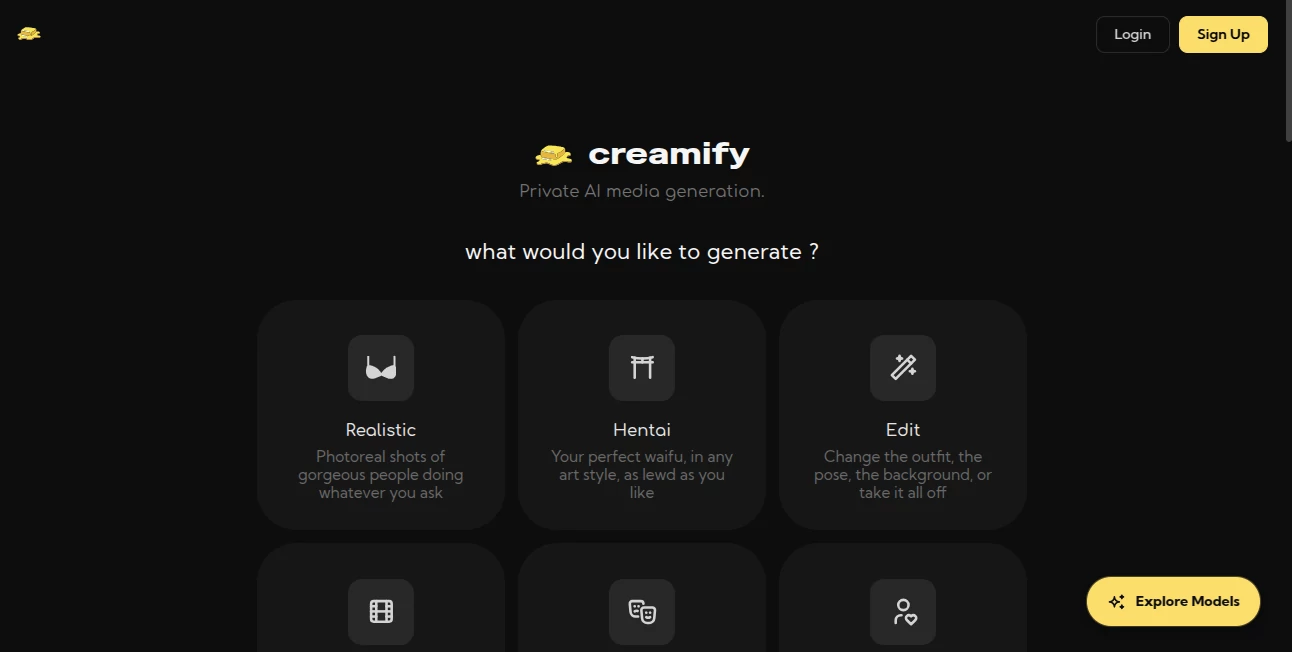
Creamify is a private AI media-generation platform built for creators who want more control over image and video creation. It brings multiple AI models into one workspace, allowing users to generate photorealistic or artistic images, edit existing visuals, build consistent characters, create scenes, and turn images into video. The platform places a strong emphasis on privacy, speed, model choice, and flexible credit-based generation.
What makes the service particularly interesting is the range of workflows available from a single account. Instead of switching between separate generators for still images, editing, character creation, and animation, users can move between these tasks inside the same environment. The platform also supports adult-oriented fictional content while maintaining restrictions around real people and minors.
Key Features
- Multiple AI models for image and video generation
- Photorealistic and anime-oriented generation options
- AI image editing using natural-language instructions
- Character and avatar creation workflows
- Image-to-video and text-to-video generation
- Video generation with synchronized audio on supported models
- Outputs reaching up to 4K resolution for supported image workflows
- LoRA support on compatible models
- Privacy Mode for ephemeral processing
- Credit-based pricing with no mandatory subscription
- Automatic credit restoration for failed generations
User Interface
The interface is designed around the creative task rather than forcing users through a complicated technical setup. Generation pages provide model selection, prompt controls, aspect-ratio choices, output quantities, and privacy options in a relatively straightforward workspace.
The editing workflow is especially practical. A user can upload a JPEG, PNG, or WebP image up to 15 MB, describe the desired modification, and compare the result with the original. This makes it easier to work incrementally rather than throwing away an image that is already close to the desired result.
For character-focused projects, the avatar workflow provides controls for appearance, hair, build, coloring, and styling. Once a suitable character has been created, that visual identity can be carried into additional scenes and edits.
Accuracy & Performance
Generation speed is one of the platform's stronger points. The service states that most images can be generated in under 10 seconds, although actual performance depends on the selected model, workload, and generation settings.
The dedicated editing engines are also designed around preserving parts of an image that were not specifically targeted by the prompt. Instead of regenerating an entire scene, users can request a focused change such as replacing clothing, modifying a background, removing an object, or adjusting lighting. This approach can save considerable time when the original composition is already working well.
Video generation provides additional flexibility, with supported models offering different durations and resolutions. Some video models can generate synchronized ambience, effects, music, or other audio together with the visual output.
Capabilities
The platform covers a broad range of AI media workflows. Text prompts can be turned into images, existing images can be modified, characters can be designed and reused, and still images can be animated into video. Users can also explore different models and styles rather than relying on a single generation engine for every project.
The image editing system is particularly useful for iterative work. A creator might first establish a character and composition, then change the outfit, move the character into another environment, adjust the lighting, and finally prepare the image for animation. Each stage can be handled as a separate operation, making the creative process easier to control.
For users who experiment with custom visual styles, compatible models also support LoRA-based workflows. This gives experienced creators another way to influence the appearance of generated content beyond ordinary text prompting.
Security & Privacy
Privacy is one of the platform's central selling points. Privacy Mode is designed to process generations ephemerally, with completed output delivered to the user's device and then removed from the service's servers. This is particularly useful for creators who do not want their generated media automatically retained in a cloud gallery.
The privacy policy explains that account information, prompts, uploaded media, generation settings, outputs, payment information, and technical data may be processed as necessary to operate, secure, moderate, and improve the service. Users should therefore review the applicable privacy policy and terms before uploading sensitive material.
Content restrictions also apply. The service permits fictional adult-oriented generation, but real people's likenesses and content involving minors are outside the permitted boundaries. Users should only upload media they have the necessary rights and consent to use.
Use Cases
There are several practical ways creators can use the platform. Digital artists can experiment with different visual styles without installing local AI models. Character designers can create a recurring character and place that character into different environments. Social media creators can develop custom images and short animated clips, while concept artists can use image editing to explore alternative clothing, backgrounds, lighting, and compositions.
It can also be useful for creators who frequently move between still and motion content. A polished image can become the starting point for an animated sequence, allowing the creator to develop the visual concept before investing credits in video generation.
Another advantage is experimentation. Because the platform provides multiple engines, a creator can compare different approaches to the same prompt and choose the result that best matches the intended style instead of being locked into one model.
Pros and Cons
- Pros: Multiple image and video models in one workspace
- Pros: Strong emphasis on private generation
- Pros: Dedicated image-editing workflows
- Pros: Character, scene, image, and video workflows work together
- Pros: Most images are designed to generate quickly
- Pros: Supports high-resolution image output on compatible models
- Pros: Free credits are available without requiring a payment card at signup
- Cons: Generation costs vary depending on the selected model
- Cons: There is no traditional unlimited subscription plan
- Cons: Video generation can consume substantially more credits than basic image generation
Pricing Plans
The pricing system uses one-time credit packs rather than a recurring subscription. New users receive 30 welcome credits and can receive an additional 10 credits for each day they sign in. No payment method is required to start using the free allocation.
Paid credit packs start at $5 for 250 credits and go up to $80 for 5,400 credits. The exact number of credits required depends on the selected model and operation. For example, some image engines start at 5 credits per generation, while more advanced operations can require considerably more.
This structure works well for users whose creative work comes in bursts. Someone who only generates occasionally does not have to maintain a monthly subscription simply to keep access to the service. Users should check the displayed credit cost before each generation because model pricing can differ.
How to Use Creamify
- Create an account using an email address or supported Google login.
- Choose the type of media you want to create, such as an image, edit, character, scene, or video.
- Select an appropriate AI model based on the visual style and result you want.
- Write a clear prompt describing the image, modification, character, or movement.
- Choose available resolution, aspect ratio, duration, or other generation settings.
- Enable Privacy Mode when you want the generation handled using the platform's ephemeral storage approach.
- Review the result and refine it with another prompt or editing step when necessary.
- Download and use the finished media according to the platform's terms and applicable rights.
Comparison with Similar Tools
Many AI creative platforms concentrate on one specific task. Some focus primarily on text-to-image generation, others specialize in video, while companion-style products concentrate on persistent characters and conversations. This platform takes a broader generator-first approach.
The biggest difference is the combination of image generation, image editing, character workflows, scene creation, and video generation under one account. The credit model also makes the cost of individual generations easier to understand because the required credits are displayed before an operation is performed.
For someone who only needs a basic image generator, a simpler service may be enough. For creators who regularly move between character creation, image refinement, and animation, having these workflows connected can make the process considerably more convenient.
Conclusion
Creamify stands out as a flexible AI media workspace rather than a single-purpose image generator. Its combination of multiple models, image editing, character creation, scene workflows, and video generation gives creators plenty of room to experiment without constantly moving between different services.
The privacy-focused approach is another notable advantage, especially for users who want more control over how their generated media is handled. Add the free starting credits and one-time credit packs, and the platform offers a relatively low-friction way to test different models before committing money.
For creators looking for a single environment to explore AI-generated images, characters, edits, and video, this is a compelling option worth trying.
Frequently Asked Questions (FAQ)
Is there a free version?
Yes. New accounts receive 30 welcome credits, followed by 10 additional credits for each day the user signs in. The free starting allocation does not require a payment card.
Does it support AI video generation?
Yes. The platform provides several video-generation workflows, including image-to-video and text-based video creation. Supported models can generate clips with synchronized audio.
Can I edit an existing image?
Yes. Users can upload supported image formats and describe the change they want in natural language. Common workflows include changing clothing, replacing backgrounds, removing objects, modifying poses, and adjusting visual styles.
Does it offer private image generation?
Yes. Privacy Mode is designed to process generations ephemerally, delivering finished media to the user's device and removing it from the platform's servers.
Does it have a subscription?
The platform uses one-time credit packs rather than a traditional recurring subscription. Paid packs start at $5 for 250 credits, with larger packs available for users who need more generation capacity.
How much does an image generation cost?
The cost depends on the selected model and operation. Some of the lower-cost image engines use 5 credits per generation, while advanced models and editing or video workflows can require more credits.
Can it generate high-resolution images?
Yes. The service advertises image generation of up to 4K resolution on supported workflows, making it suitable for projects where a higher-resolution output is important.
Can generated characters remain visually consistent?
The character and avatar workflows are designed to establish a visual reference that can then be reused across additional images and scenes. Using a reference image and making controlled edits can help maintain consistency across a project.
NSFW .
These classifications represent its core capabilities and areas of application. For related tools, explore the linked categories above.

Creamify Alternatives Product

PepHop AI Ch…

rule34dle

NSFWChatbots

GirlfriendGPT

Undress Vide…

SinfulX.ai

Nectar AI

Nudify-AI
rule34dle
