
Fiuto
What is Fiuto?
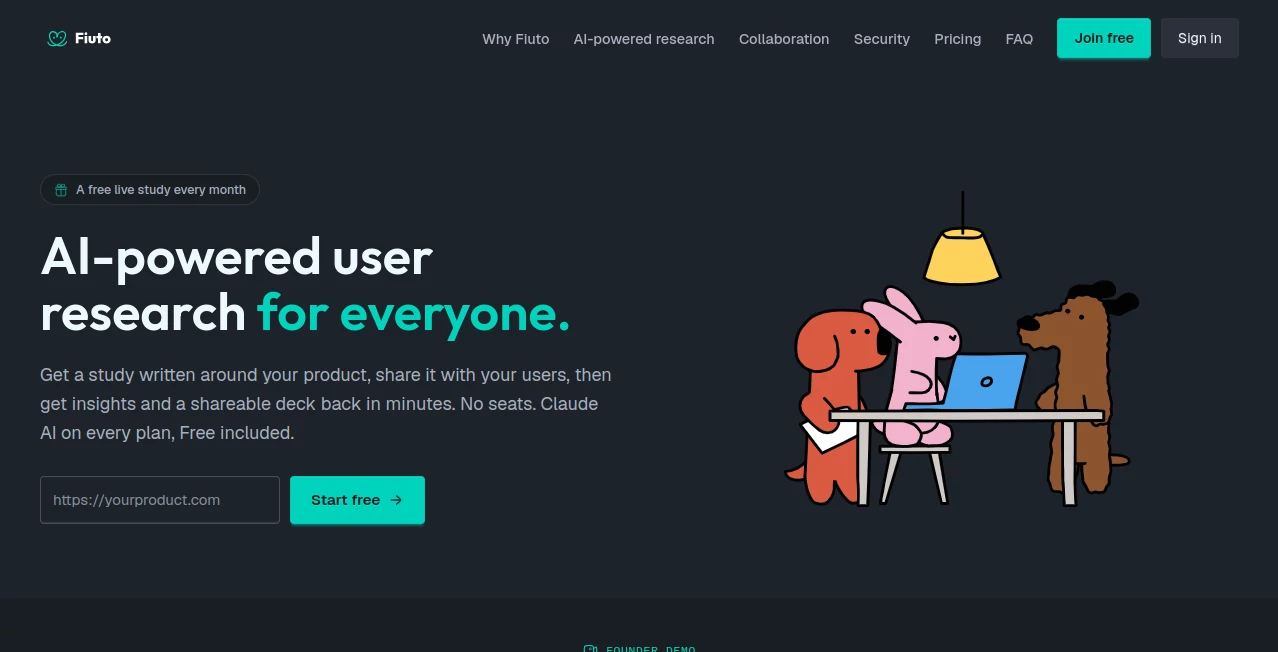
Fiuto brings user research closer to the people who actually build products. Instead of juggling separate tools for surveys, usability tests, response analysis, and presentation decks, teams can plan a study, send it to real users, and turn the responses into useful findings from one place.
The idea is refreshingly practical. You describe what you want to learn, review the proposed research plan, and then decide whether to build it. This makes the process approachable for founders and product teams who need answers quickly but do not necessarily have a dedicated research department.
A particularly useful detail is that respondents do not need to create an account or install anything. A study can simply be shared through a link, making it easier to reach customers, waitlist members, colleagues, or an existing community.
Key Features
- AI-assisted study creation from a plain-language research question
- 18 different research block types that can be combined in one study
- Five-second, first-click, preference, card sort, tree test, and hotspot testing
- Live website and prototype testing
- Survey questions, ratings, rankings, matrices, and open-text responses
- Server-side respondent screening
- Conditional logic for showing or hiding blocks based on previous answers
- Versioned study launches for comparing different research rounds
- AI-powered analysis of collected responses
- Evidence-backed insights with supporting quotes
- Shareable presentation decks generated from research findings
- CSV and JSON exports on the Core plan
- Collaboration with different roles for team members
- MCP support for coding agents including Claude Code, Cursor, Codex, Lovable, v0, Replit, and Bolt
User Interface
The interface is designed around a straightforward research workflow rather than a complicated collection of menus. A researcher can describe the question they want answered, review the suggested study structure, and approve it before anything is built.
The template-based approach is especially helpful when a team already knows the type of test it needs. There are ready-made examples for landing-page first impressions, pricing findability, checkout copy, navigation, feature concepts, and live checkout walkthroughs. Templates can also be previewed before being used.
For teams that prefer working inside their development environment, the MCP connection adds another layer of convenience. A coding agent can help prepare a study and retrieve results without forcing developers to constantly switch between their editor and a separate research workflow.
Accuracy & Performance
The value of a research platform ultimately depends on the quality of the evidence it helps collect and interpret. The platform combines different research methods within a single study, allowing teams to look at behavior, preferences, written responses, clicks, completion rates, and timing rather than relying on one question type.
Its AI analysis is designed to surface takeaways from responses while keeping the supporting evidence nearby. Findings can be traced back to the underlying responses and quotes, which is important when research results are being presented to a product or leadership team.
Performance also benefits from the lightweight respondent experience. Participants can open a shared link without an account or installation, while optional screen, microphone, or camera recording only begins after the participant gives permission.
Capabilities
The range of research methods is one of the strongest parts of the platform. A single study can mix traditional survey questions with more specialized usability techniques. For example, a product team could screen participants by role, show a landing page for five seconds, ask which headline they remember, test two pieces of copy, and then send users through a live website task.
This flexibility makes the platform suitable for both quick validation and more structured product research. Teams can test information architecture with tree tests and card sorting, examine where people click first, compare design preferences, evaluate copy, or observe how users navigate a live website.
Study versions are another thoughtful feature. Launching a study creates a numbered version with its own share link, so changes made to the underlying template do not unexpectedly alter an active research run. This also makes before-and-after comparisons much cleaner.
Security & Privacy
Security and privacy are treated as an important part of the product rather than an afterthought. The platform states that it uses database-level access controls, encryption, consent gates, and documented deletion paths.
Traffic is protected with TLS, managed storage uses encryption at rest, and connector secrets are encrypted using server-only keys. The service also states that it does not sell personal data or use advertising trackers.
AI processing uses Anthropic's commercial API, while PostHog receives LLM metadata rather than prompt content. The underlying providers listed by the service include Supabase, Cloudflare, Stripe, Anthropic, and PostHog, with the company stating that its providers maintain SOC 2 Type II and ISO 27001 certifications.
Use Cases
- Landing page testing: Find out what visitors notice within the first few seconds and whether the main message is clear.
- Pricing research: Test whether people can find pricing, understand plans, and identify confusing language before making changes.
- Checkout testing: Observe how users navigate a real checkout experience and identify points of hesitation.
- Product discovery: Test new feature concepts before spending engineering time building them.
- Information architecture: Use card sorting and tree testing to understand how users expect content to be organized.
- UX research: Combine qualitative responses with behavioral tests to get a broader picture of the user experience.
- Prototype validation: Put early designs in front of users and gather reactions before development.
- Onboarding research: Discover where new users become confused, skip important information, or misunderstand the next step.
- Marketing research: Compare headlines, copy, creative concepts, and messaging with real participants.
- Product teams using coding agents: Prepare and review research from development environments that support MCP.
Pros and Cons
Pros
- Generous free plan with no credit card requirement
- AI assistance is available across all plans
- Wide selection of research and usability testing methods
- Respondents do not need an account or software installation
- Supports both live websites and prototypes
- AI findings include supporting evidence and quotes
- Study versions make repeated research easier to compare
- Shareable decks reduce the effort required to present findings
- MCP support is useful for developer-led product research
Cons
- The platform does not recruit participants, so teams need to bring their own respondents
- AI usage is measured through monthly credits
- The free plan is limited to one live study per month and 10 responses per study
- Teams running large numbers of studies may need a paid plan
Pricing Plans
The pricing structure is straightforward, with a genuinely free option alongside Core and Pro plans. The free tier costs £0 per month and includes one live study each month, up to 10 responses per study, and 300 AI credits per month.
The Core plan is listed at £39 per month at standard monthly pricing, with launch pricing shown as £19 per month. It includes three live studies per month, up to 100 responses per study, and 3,000 AI credits per month. Annual billing is listed at £192.
The Pro plan is listed at £99 per month at standard monthly pricing, with launch pricing shown as £49 per month. It includes 10 live studies per month, unlimited responses per study, and 12,000 AI credits per month. Annual billing is listed at £492.
All plans include the available test methods, unlimited draft studies, AI-powered insights, shareable decks, and the ability to work directly from a coding agent. AI features consume credits, including study drafting and response analysis.
How to Use It
- Start with a research question: Describe what you want to learn about your product, website, prototype, or users.
- Review the proposed study: The AI assistant creates a research plan and suggests blocks that fit the question.
- Approve and build: Nothing is sent to respondents until the proposed plan has been approved.
- Add screening: Define which respondents qualify and which answers should end the study early.
- Launch a version: Create a numbered study version with its own shareable link.
- Invite participants: Send the link to customers, users, community members, or other people who match your target audience.
- Review results: Monitor responses, clicks, completion data, timings, and written feedback.
- Use AI analysis: Let the built-in assistant identify themes and key findings while keeping the supporting evidence available.
- Create and share the deck: Turn the findings into a presentation that can be shared with teammates or stakeholders.
Comparison with Similar Tools
Traditional survey platforms are excellent for collecting answers, but product research often requires more than a list of questions. The platform's combination of surveys, usability tests, live-site tasks, prototype testing, screening, behavioral measurements, and AI analysis makes it particularly interesting for product teams that want to move from collecting feedback to understanding how people actually interact with a product.
Compared with participant-recruitment services, there is also an important distinction: this service expects you to bring your own audience. That can be an advantage for startups and established products that already have customers, a waitlist, or an active community because the research can focus on people who are genuinely relevant to the product.
The integration with coding agents is another differentiator. Developers who already use MCP-compatible tools can create and review research without leaving their development environment, while non-technical users can still use the web application without writing code.
Conclusion
Good product decisions rarely come from guessing what users want. They come from putting ideas in front of people, watching what happens, and paying attention to the reasons behind their behavior. This platform makes that process considerably easier to organize.
Its strongest appeal is the combination of research methods, AI-assisted study creation, evidence-backed analysis, and simple sharing. A founder can validate an idea, a designer can test an interface, and a product manager can investigate a confusing journey without assembling several disconnected tools.
The free plan also lowers the barrier to experimentation. For teams that already have users or a community they can reach, it offers a practical way to start running real research without committing to an expensive research stack from day one.
Frequently Asked Questions (FAQ)
Does it provide research participants?
No. You bring your own participants, such as customers, users, waitlist members, or community members. The service provides the study and research infrastructure but does not operate a paid participant panel.
Do respondents need an account?
No. Participants can open a shared study link and respond without creating an account or installing software.
Can I test a live website?
Yes. Studies can send participants to a live website as well as prototypes, allowing teams to observe real navigation and interaction rather than testing only static designs.
What AI model powers the research assistant?
The built-in AI features run on Anthropic's Claude. AI can help draft studies, analyze responses, identify findings, and support the creation of research decks.
Is there a free plan?
Yes. The free plan costs £0 per month and includes one live study per month, up to 10 responses per study, and 300 AI credits per month. No credit card is required to start.
Can developers use it from coding tools?
Yes. MCP support allows compatible coding agents such as Claude Code, Cursor, Codex, Lovable, v0, Replit, and Bolt to plan, launch, and retrieve research results. Using a coding agent is optional; the web application can be used on its own.
What types of user research can I run?
You can combine 18 research block types, including surveys, five-second tests, first-click tests, preference tests, copy tests, hotspot heatmaps, card sorting, tree testing, rankings, and live website or prototype tasks.
Can research results be exported?
Yes. Raw CSV and JSON exports are available with the Core plan, while the platform also provides AI-generated findings and shareable research decks.
AI Forms & Surveys , AI Testing & QA , AI Research Tool , AI Analytics Assistant .
These classifications represent its core capabilities and areas of application. For related tools, explore the linked categories above.

Fiuto Alternatives Product

Needle

Roipad

TryApplyNow

Crawlly AI

Fillout.com

SearchSpot

langextract.…

Manus

Weekly Brief