

















FluxMov
What is FluxMov?
I’ve tried my share of AI video tools, and most of them leave me guessing. You write a detailed prompt, generate, and hope the character moves the way you imagined. More often than not, the result is disappointing. FluxMov changes that experience completely. You upload a clear character image and a short reference video showing the movement you want, and the AI follows that real motion with impressive accuracy. The difference is night and day — characters stay consistent, timing feels natural, and you spend far less time regenerating failed attempts. It finally makes AI video feel controllable instead of chaotic.
Introduction
Creating consistent character motion has always been one of the biggest headaches in AI video. Generic text prompts are simply too vague for complex actions like dancing, gesturing, or precise camera moves. This platform solves that by letting you guide the AI with actual visual references. Upload your character (or avatar) and a motion clip, add a style prompt if needed, and generate videos where the movement is directly influenced by your reference. It’s especially powerful for dance clips, avatar performances, social content, and any project where the exact motion matters. The workflow feels intuitive, and the results are noticeably more reliable than standard text-to-video approaches.
Key Features
User Interface
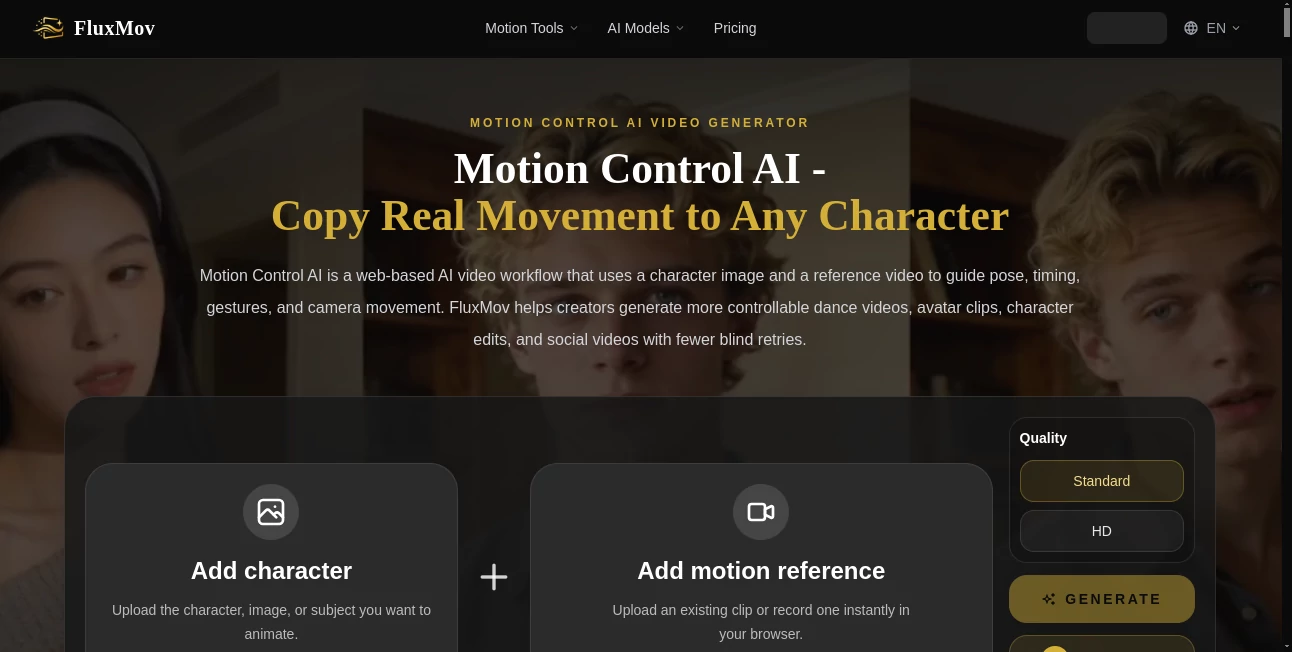
The interface is clean and focused on the essentials. You start by uploading your character image, then add a motion reference video (or record one directly in the browser). A simple prompt field lets you describe style, scene, or additional details. Generation options are straightforward, and previews appear quickly enough to keep the creative flow going. It never overwhelms you with too many sliders — just the controls that actually matter for motion control.
Accuracy & Performance
The real strength shows in how well it transfers motion. Characters keep their identity across frames, poses follow the reference with good timing, and gestures look intentional rather than random. It reduces the usual character drift and weird artifacts that plague many AI video tools. Generation speed is reasonable for the quality level, and the consistency means you waste fewer credits on failed attempts. In practice, it turns what used to be trial-and-error into a much more predictable process.
Capabilities
It excels at dance videos, avatar animations, character performance clips, and social media content where movement is key. You can use it for motion transfer (apply one video’s movement to a new character), replace characters while keeping original motion, and create more controllable image-to-video or text-to-video results. The platform supports various workflows including hybrid approaches, making it flexible for both quick experiments and more refined creative projects.
Security & Privacy
Your uploaded images and reference videos are handled securely during processing. The platform focuses on delivering the generation service without unnecessary data retention or sharing. For creators working with original characters, brand assets, or client material, that respectful approach provides welcome peace of mind.
Use Cases
A content creator uploads their own avatar and a popular dance reference to generate consistent short-form videos for social media. A virtual influencer builder uses motion references to create realistic performances without expensive mocap sessions. An animator prototypes character movements quickly before moving to full production. Marketers create product demonstration clips with natural human gestures. Anyone who needs precise control over how characters move in AI video finds real value here.
Pros and Cons
Pros:
- Significantly better motion consistency and character stability than standard AI video tools.
- Reduces wasted generations by giving the AI a clear visual reference.
- Works well for dance, gestures, and performance-driven content.
- Browser-based recording makes it easy to create custom motion references.
- Flexible workflows that support both quick ideas and more polished results.
Cons:
- Best results require decent reference videos (clear motion, good lighting).
- Very complex or long scenes can still need multiple attempts.
- Advanced features and higher usage may require paid credits.
Pricing Plans
It offers free credits to get started and test the quality. Paid options provide more credits for heavier use, faster generation, and access to higher quality settings. The pricing feels reasonable for the creative control it unlocks, especially when you consider how much time and frustration it saves compared to traditional methods or less controllable AI tools.
How to Use FluxMov
Upload a clear image of your character or subject. Then upload or record a short motion reference video showing the movement you want. Add a prompt describing the scene, style, or additional details. Choose your quality setting and generate. Review the result, tweak the prompt or references if needed, and export. The process is straightforward enough for quick experiments yet powerful for more serious creative work.
Comparison with Similar Tools
Standard text-to-video tools often feel random when it comes to specific movements. This platform stands out by giving you direct visual control through reference videos, leading to far more predictable and consistent results. While some tools focus purely on visual style, FluxMov prioritizes motion accuracy and character performance — making it especially valuable for creators who need their characters to actually do something specific.
Conclusion
AI video is exciting, but it only becomes truly useful when you can control the movement. This tool brings that control within reach without complicated setups or steep learning curves. It respects your time, delivers more reliable results, and opens up new creative possibilities for dance, avatars, social content, and character-driven stories. If you’ve been frustrated by unpredictable AI motion, this feels like the step forward many of us have been waiting for.
Frequently Asked Questions (FAQ)
How long should my reference video be?
Short clips of 5–10 seconds work best for clear, controllable motion.
Do I need professional equipment?
No — you can even record motion directly in your browser using your webcam.
Can I use my own characters or avatars?
Yes — upload any character image and apply motion from your reference videos.
What kind of content works best?
Dance clips, gestures, avatar performances, product demonstrations, and any movement-driven scenes.
Is there a free way to try it?
Yes, free credits are available when you start so you can test the quality yourself.