


















FlyingToast
What is FlyingToast?
Managing social media for a growing company can quickly become a full-time job. There are posts to write, images to prepare, channels to update, trends to follow, approvals to collect, and performance numbers to review. FlyingToast brings these tasks into a single AI-powered workflow designed to keep a brand active without making the marketing team spend every day filling an empty content calendar.
The platform turns brand information from sources such as PDFs, websites, and company descriptions into a reusable brand profile. That information can then guide content creation across multiple social networks. Instead of starting with a blank prompt every morning, teams can give the system their existing brand material and let it use that context when creating posts.
What makes the approach particularly useful is the combination of generation and publishing. Content can be created, adapted for different platforms, reviewed through approval workflows, scheduled, and eventually published from the same environment. For a small marketing team trying to maintain a consistent presence across several channels, that can remove a surprising amount of repetitive work.
Key Features
- AI-powered social media post generation based on brand information.
- Brand voice analysis and reusable brand memory.
- PDF processing, website crawling, and knowledge extraction.
- AI-generated images for social content.
- Content calendar and post scheduling.
- Autopilot publishing for hands-free social media management.
- Approval queues and configurable publishing controls.
- Platform-specific content optimization.
- Industry intelligence with fresh signals and cited sources.
- Brand scoring to evaluate how closely content matches the desired voice.
- Analytics dashboards and engagement tracking.
- Team collaboration and shared publishing workflows.
- Social inbox and AI-suggested replies.
- Hashtag strategy and content strategy tools.
User Interface
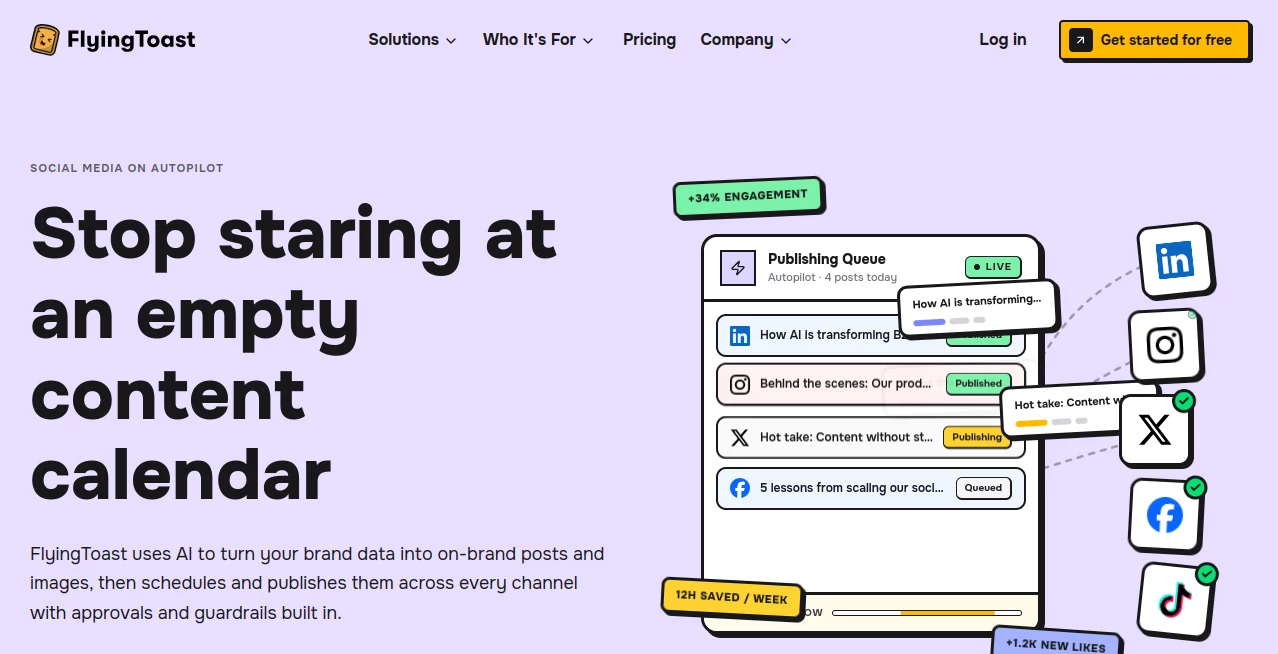
The interface is built around the workflow a social media team already understands: prepare the brand context, create content, review it, schedule it, and track the results. The publishing queue gives teams a practical view of what is live, what is waiting, and what is coming next.
Setup is also deliberately straightforward. Users can upload brand documents, provide a website for analysis, or enter company information manually. After connecting their social accounts through the available authentication flow, they can configure their publishing preferences and begin working with the generated content.
This structure is especially appealing for teams that do not want another complicated marketing dashboard. A marketer can move from brand information to a review-ready post without constantly switching between separate writing, scheduling, and analytics applications.
Accuracy & Performance
The platform takes a more contextual approach to AI-generated social content than a simple text generator. Brand information can be stored and reused, while generated posts receive a brand-voice score that helps identify content that may need attention before publication.
Another useful layer is industry intelligence. Fresh industry signals are collected regularly and can be incorporated into content, giving teams a way to create posts around current developments rather than relying entirely on old information or generic ideas.
The system also keeps track of recent posts and aims to create variety in topics, hooks, and formats. For a company publishing frequently, this matters. A content calendar filled with slightly different versions of the same post becomes boring very quickly, even when the writing itself is technically good.
Capabilities
The core capability is automated social media production. A team can provide its brand voice, source material, offerings, audience information, and other relevant details, then use that context to generate social posts tailored to individual channels.
Multi-platform publishing is another major strength. Supported channels include LinkedIn, Instagram, Facebook, X, Threads, Pinterest, Bluesky, Reddit, TikTok, YouTube, Google Business, and WhatsApp. Content can be adapted to the characteristics of each destination rather than simply copying the same paragraph everywhere.
For organizations that need more control, the workflow does not have to be completely autonomous. Approval queues, brand guardrails, scoring thresholds, and multi-stage review options can keep people involved before sensitive or important content goes live. This makes the system suitable for businesses where consistency and oversight matter as much as publishing speed.
Security & Privacy
Security and governance are important considerations when an AI system is connected to company information and social accounts. The platform states that it is built in the EU and provides GDPR-oriented data export capabilities. Its higher-tier offering also includes security review and dedicated support for organizations with more demanding requirements.
The use of approval workflows and publishing guardrails adds another practical layer of control. Instead of treating automation as an instruction to publish everything immediately, teams can decide where human review belongs in their workflow.
Businesses should still review the privacy policy, terms, account permissions, and security documentation before connecting sensitive company data or production social accounts. That is particularly important for regulated industries and organizations with internal data-handling requirements.
Use Cases
Marketing Teams: Marketing departments can use the platform to turn existing brand documents, campaign information, and website content into a steady stream of social posts while keeping approval processes in place.
Small Businesses: A small business owner who cannot dedicate several hours every week to social media can use automated generation and scheduling to maintain a consistent presence with less manual work.
Agencies: Agencies managing multiple brands can benefit from reusable brand information, content workflows, approvals, and multi-platform publishing when several accounts need attention at the same time.
Technology Companies: Product updates, technical insights, launch announcements, and thought-leadership content can be adapted for professional and social channels without rewriting every post from scratch.
Professional Services: Law firms, consulting companies, accounting firms, and financial businesses can use structured review workflows to maintain an active social presence while keeping greater control over what gets published.
Founders and Operators: Founders who want to build their personal or company presence without becoming full-time content creators can use the system to turn existing knowledge and company material into regular social content.
Pros and Cons
Pros
- Combines AI content creation with scheduling and publishing.
- Can learn from PDFs, websites, and other brand sources.
- Supports multiple social platforms from one workflow.
- Includes brand-voice scoring and publishing guardrails.
- Offers approval workflows for teams that need human oversight.
- Provides industry intelligence based on fresh signals.
- Includes analytics and engagement tracking.
- Offers a 14-day trial without requiring a credit card.
Cons
- The platform is more focused on social media operations than general-purpose AI writing.
- Higher publishing volumes and larger teams require higher-tier plans.
- Teams with very simple social scheduling needs may not need the full automation feature set.
- Autopilot workflows still require sensible brand rules and human oversight for sensitive content.
Pricing Plans
The current pricing page displays several plans based on the number of connected channels and included AI usage. The Starter plan is listed at $39 per month and includes 3 connected channels, 60 AI posts, 60 AI images, 60 content ideas, 10 brand documents, 10 website crawl pages, and one team member.
The Growth plan is listed at $119 per month. It supports 8 connected channels, 250 AI posts, 250 AI images, 250 content ideas, 50 brand documents, 40 website crawl pages, and up to 6 team members. Configurable autopilot publishing and advanced analytics are included.
The Scale plan is listed at $319 per month and is designed for larger organizations. It includes 20 connected channels, 750 AI posts, 750 AI images, 750 content ideas, 250 brand documents, 100 website crawl pages, unlimited team members, configurable autopilot publishing, and advanced analytics.
There is also an Enterprise option with custom channel counts, custom limits, dedicated support, security review, and custom terms. An optional Studio Images add-on is listed at $29 per month, while it is included with the Scale plan.
New users can start with a 14-day free trial without entering payment information. The trial includes a limited amount of AI posts, AI images, content ideas, website analysis, and brand sources before a paid plan is required for continued publishing.
How to Use the Platform
Getting started follows a simple three-step process. First, add the information the AI needs to understand the business. This can include a PDF, website URL, company description, guidelines, campaign notes, or other brand material.
Next, connect the social media accounts that should receive content. The available integrations cover a broad selection of major social networks and business channels, making it possible to manage several destinations from one workflow.
Finally, configure the publishing approach. Teams can review and approve individual pieces of content, schedule posts through the content calendar, or enable an appropriate level of autopilot publishing. For a regulated company, starting with approvals is a sensible approach. For routine evergreen content, more automation may make sense.
Comparison with Similar Tools
The biggest distinction is the depth of automation. Traditional social media schedulers are excellent when the team already has finished content and mainly needs a calendar, queue, and publishing system. General-purpose AI assistants are useful when someone wants help writing an individual post.
This platform sits between those two approaches while going further into automation. It combines brand memory, AI generation, platform-specific variations, scheduling, publishing, approval workflows, industry signals, and analytics in one environment.
That difference becomes more noticeable as the number of channels increases. Publishing one post manually is easy. Creating different versions for LinkedIn, Instagram, Facebook, X, Threads, and other channels every week is another matter. A system that handles those repetitive steps can become considerably more valuable when social media is part of an ongoing marketing operation rather than an occasional task.
Conclusion
For businesses that see social media as a continuous marketing operation rather than a collection of individual posts, this platform offers a compelling workflow. Its strongest idea is not simply that AI can write faster. It is that brand information, content generation, review, scheduling, publishing, and performance analysis can work together.
The brand memory feature is particularly useful for companies that are tired of repeatedly explaining their tone, products, audience, and positioning to an AI assistant. Add multi-platform publishing, approval controls, industry intelligence, and analytics, and the result is a much more complete social media workflow.
It will not eliminate the need for marketing judgment, especially when content involves sensitive claims, current events, or regulated subjects. But for routine publishing and the repetitive work surrounding it, the automation can give a busy team considerably more breathing room.
Frequently Asked Questions (FAQ)
What is this platform used for?
It is an AI-powered social media automation platform that helps businesses generate, adapt, schedule, review, and publish social content across multiple channels.
Can it learn a company's brand voice?
Yes. Users can provide brand information through documents, websites, and other sources. The system extracts brand facts and uses that information when generating content.
Which social platforms are supported?
The platform currently lists LinkedIn, Instagram, Facebook, X, Threads, Pinterest, Bluesky, Reddit, TikTok, YouTube, Google Business, and WhatsApp among its supported publishing channels.
Does it support automatic publishing?
Yes. Autopilot publishing can generate, score, schedule, and publish content automatically, while teams can also use approval workflows when they want people to review content before it goes live.
Is there a free trial?
Yes. A 14-day free trial is available without requiring a credit card. The trial includes limited AI posts, images, content ideas, website analysis, and brand sources.
Is it suitable for marketing teams?
Yes. The workflow is particularly well suited to marketing teams that manage several social channels and need a combination of content generation, brand consistency, approvals, scheduling, and analytics.
AI Content Generator , AI Social Media Assistant , AI Hashtag Assistant , AI Analytics Assistant .
These classifications represent its core capabilities and areas of application. For related tools, explore the linked categories above.

FlyingToast Alternatives Product

Pixelied

Banana Promp…

Husslix1.1

TikoTranscri…

Simplified

Kyncept

Filmpitch

Groniz

LinkedIn Spe…
