


















GlyPho
What is GlyPho?
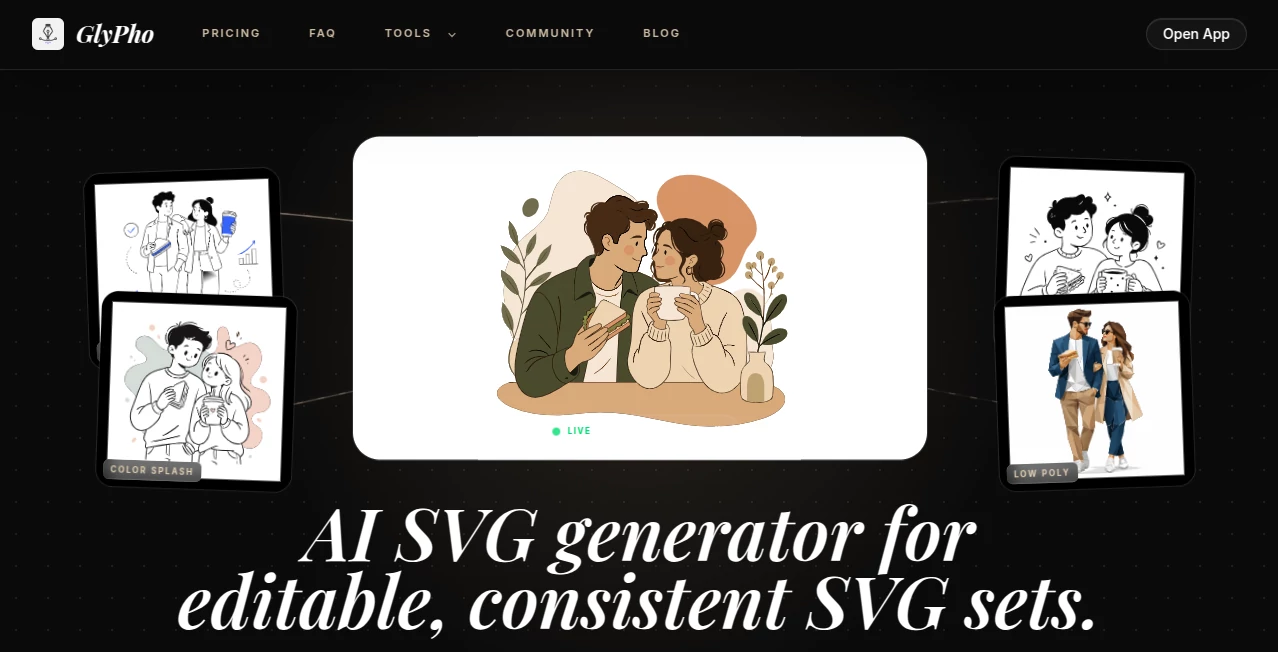
Creating visual assets for digital products often involves switching between multiple design tools, refining countless versions, and trying to maintain a consistent style across every icon and illustration. This platform simplifies that process by turning simple text prompts into clean, editable SVG graphics that are ready for real projects.
Designed for developers, startup founders, designers, and product teams, it focuses on generating scalable vector graphics that remain visually consistent throughout websites, applications, documentation, presentations, and marketing materials. Instead of producing flat raster images, every result is delivered as an editable SVG, making customization fast and practical for professional workflows. The platform is particularly valuable for teams that need production-ready assets without spending hours creating them manually.
Key Features
User Interface
The interface is intentionally minimal, allowing users to begin creating graphics immediately. Simply enter a prompt, choose a preferred visual style, and generate vector artwork within seconds. Asset organization is straightforward thanks to a personal library where previously generated graphics can be saved, reused, and downloaded whenever needed.
Accuracy & Performance
Rather than generating random artistic outputs, the platform emphasizes clean geometry and style consistency. This makes it especially suitable for product interfaces, documentation, branding materials, landing pages, and design systems where visual harmony matters. Generated SVG files remain editable, enabling designers to fine-tune colors, shapes, and layouts using their preferred vector editing software.
Capabilities
- Generate editable SVG icons from text prompts.
- Create scalable logos for digital products.
- Produce vector illustrations for websites and documentation.
- Design repeating patterns and decorative graphics.
- Maintain consistent visual styles across multiple projects.
- Store generated assets inside a private library.
- Download graphics for commercial use.
- Create branding assets suitable for UI design, presentations, and product launches.
Security & Privacy
Users can manage generated assets within their own private workspace, making it easier to organize commercial projects and internal design resources. This private library helps teams keep artwork centralized while allowing convenient access whenever assets need to be reused or updated. Commercial usage is supported for generated graphics according to the platform's available plans.
Use Cases
- Designing icons for SaaS dashboards.
- Creating logos for startups and side projects.
- Building illustrations for landing pages.
- Producing graphics for technical documentation.
- Generating assets for mobile applications.
- Creating visual elements for presentations.
- Developing consistent branding systems.
- Designing marketing materials for product launches.
Pros and Cons
Pros
- Produces editable SVG graphics instead of raster images.
- Maintains a consistent visual style across generated assets.
- Simple prompt-based workflow.
- Commercial usage supported.
- Private asset library improves organization.
- Suitable for developers as well as designers.
Cons
- Focused specifically on vector graphics rather than photo generation.
- Advanced branding projects may still benefit from manual design refinement.
- Premium features require a paid subscription.
Pricing Plans
A freemium model allows users to explore the platform before upgrading. Paid plans unlock additional AI credits, commercial usage, and access to a private asset library, making them suitable for professionals and growing product teams. Pricing may change over time, so users should verify the latest details before subscribing.
How to Use Glypho
Begin by describing the icon, logo, illustration, or pattern you need in a short prompt. Select an available style preset, generate the vector graphic, review the result, and download the editable SVG file. Saved assets remain available inside the personal library, allowing quick reuse across future projects while maintaining a consistent visual identity.
Comparison with Similar Tools
Many AI image generators prioritize artistic creativity and photorealistic outputs, which often require additional editing before they become usable in digital products. This solution takes a different approach by focusing exclusively on scalable vector graphics intended for interfaces, branding, documentation, and software products. Its emphasis on clean SVG output and visual consistency makes it particularly attractive for startups, developers, and product teams that value speed without sacrificing design quality.
Conclusion
For anyone building digital products, having quick access to consistent, editable vector graphics can significantly reduce design time. By combining prompt-based generation with downloadable SVG assets, the platform delivers an efficient workflow for creating icons, logos, illustrations, and branding materials that fit naturally into modern product development. Whether working independently or collaborating across a larger team, it offers a practical solution for producing professional design assets with minimal effort.
Frequently Asked Questions (FAQ)
What type of graphics can be created?
Users can generate SVG icons, logos, illustrations, patterns, and other scalable vector assets.
Are the generated files editable?
Yes. Graphics are provided as SVG files, allowing further editing in compatible vector design software.
Can the graphics be used commercially?
Commercial usage is supported under eligible plans.
Who is this platform best suited for?
It is ideal for developers, designers, startups, product teams, and businesses creating digital products.
Does it help maintain a consistent design style?
Yes. Style presets are designed to generate visually consistent assets across multiple projects.
AI Illustration Generator , AI Logo Generator , AI Design Generator , AI Graphic Design .
These classifications represent its core capabilities and areas of application. For related tools, explore the linked categories above.

GlyPho Alternatives Product

Freepik

deck cleaner

Nanosora

Banana AI
Sento AI

Brave Pink H…

grok images
PNG to 3D

AI Tattoo Ge…
