
PROXe
What is PROXe?
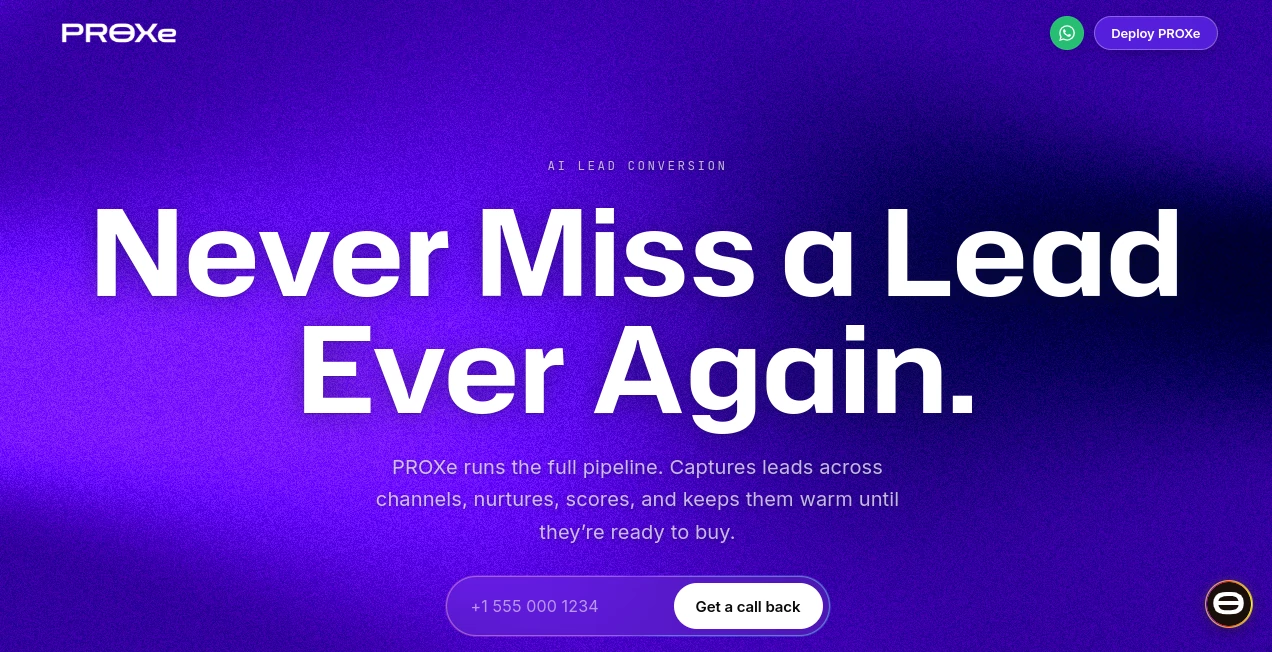
PROXe is an AI lead conversion system designed for businesses that receive customer inquiries through multiple channels and do not want promising prospects to slip through the cracks. Instead of leaving conversations scattered between WhatsApp, website chat, Instagram, email, phone calls, and other channels, it brings those interactions together and keeps the customer's history connected.
The idea is straightforward: capture the lead, understand their intent, respond quickly, follow up when needed, and move the conversation toward a booking, purchase, or another meaningful action. This makes it particularly useful for businesses where response speed can make the difference between winning a customer and losing them to a competitor.
What makes the approach interesting is the shared customer memory. Someone might ask about pricing on WhatsApp, call a few days later, and then return to the website. Instead of treating those as unrelated interactions, the platform is designed to maintain the context across channels. That gives sales teams a clearer picture of what the customer actually wants.
Key Features
- Multi-channel lead capture: Capture conversations and inquiries from website chat, WhatsApp, Instagram, Facebook Messenger, email, and voice.
- Unified customer memory: Keep preferences, history, intent, and previous interactions connected across communication channels.
- Automated follow-ups: Continue conversations with prospects through automated nudges when they stop responding.
- Lead scoring: Identify high-intent prospects based on signals such as pricing questions, demo requests, and previous interactions.
- 24/7 lead handling: Respond to inquiries outside normal business hours instead of leaving potential customers waiting.
- Appointment booking: Qualify prospects and move suitable conversations toward consultations, calls, site visits, trials, or service appointments.
- Live analytics dashboard: Monitor leads, conversations, stages, and activity from a centralized workspace.
- Human handoff: Team members can take over a conversation whenever personal involvement is needed, while retaining the existing context.
User Interface
The interface is built around the idea of keeping the entire lead journey visible in one place. Instead of forcing a team to switch between individual messaging apps and spreadsheets, the dashboard organizes leads, conversations, and pipeline activity into a central view.
The dashboard can show acquisition activity, lead stages, scored prospects, and ongoing conversations. Separate views for leads, conversations, and knowledge also make it easier to understand what the AI knows and how individual prospects are progressing.
For a sales team, this is a practical advantage. A salesperson starting the day can see which prospects are active, which ones have requested information, and which conversations need human attention rather than searching through several inboxes.
Accuracy & Performance
Lead conversion depends heavily on timing. A useful response that arrives several hours late may be much less valuable than a quick answer while the customer is actively considering a purchase.
The platform is designed to capture inquiries as they arrive and respond continuously across supported channels. Its lead-scoring system also helps distinguish stronger buying signals from casual questions, giving teams a way to prioritize conversations instead of treating every inquiry equally.
Another useful aspect is the persistent context. When a customer returns through another channel, their previous interactions can remain available. This reduces repetitive conversations and gives the AI more information when deciding how to respond.
Capabilities
The system goes beyond a basic chatbot. Its workflow covers several stages of the sales process, including capturing new inquiries, qualifying prospects, answering questions, following up, scheduling appointments, and handing promising opportunities to a human team member.
Its multi-agent approach is designed to support different touchpoints such as web, voice, SMS, email, and messaging channels. Businesses can also train the system around their own offers, objections, tone, services, pricing information, and frequently asked questions.
This makes it suitable for different business models. A real estate company can use it to qualify buyers and arrange site visits. A coaching academy can handle student inquiries and schedule counselling calls. An e-commerce business can respond to product questions and recover abandoned carts. Home-service companies can use it to capture requests and schedule jobs.
Security & Privacy
Customer information is encrypted both in transit and at rest. The platform states that it follows GDPR and CCPA requirements and is built around SOC 2 controls, although it is important to note that the service itself is not currently SOC 2 certified.
For larger deployments, additional compliance review and private-cloud deployment options are available. Businesses evaluating the platform for sensitive customer data should still review the provider's current privacy documentation and compliance terms before deployment.
Use Cases
- Real estate: Qualify property buyers, answer questions about listings, identify high-intent prospects, and arrange site visits.
- E-commerce: Respond to product questions, follow up with hesitant shoppers, and recover abandoned carts.
- Coaching academies: Answer questions about courses and fees, qualify prospective students, and book counselling calls.
- Fitness and wellness: Manage trial inquiries, send reminders, reduce missed appointments, and reconnect with inactive customers.
- Professional services: Qualify inquiries, arrange discovery calls, and route suitable opportunities to the right people.
- Automotive: Answer inventory questions, arrange test drives, and re-engage older prospects.
- Home services: Capture service requests, answer common questions, schedule jobs, and send appointment reminders.
- Healthcare and clinics: Handle appointment requests, confirmations, reminders, and follow-up conversations across supported channels.
Pros and Cons
Pros
- Connects several customer communication channels to one lead workflow.
- Maintains customer context across different conversations and channels.
- Automates lead follow-ups instead of relying entirely on manual reminders.
- Includes lead scoring to help teams identify stronger opportunities.
- Supports voice as well as text-based communication.
- Designed for different industries rather than a single business niche.
- Allows human agents to take over conversations when necessary.
- Core plans include a centralized analytics and lead dashboard.
Cons
- The standard Core plan is limited to 500 managed leads per month.
- Businesses with larger volumes need custom pricing.
- Some advanced integrations and API access are reserved for the Scale plan.
- Companies handling sensitive information should review compliance details carefully before deployment.
- The platform is more focused on lead conversion than traditional CRM functionality.
Pricing Plans
The founding-member Core plan is listed at ₹9,999 per month, with the standard price shown as ₹24,999. The offer is described as locked for the first 50 businesses. Two seats are included, while additional seats cost ₹999 per month each.
The Core plan includes website chat, WhatsApp, Instagram direct messages, Facebook Messenger, email, voice, automated follow-ups, a live analytics dashboard, unified customer memory, and management of up to 500 leads per month.
For larger organizations, the Scale plan uses custom volume-based pricing. It adds features such as multi-location deployment, unlimited seats, priority support and onboarding, custom integrations, API access, and additional compliance options.
Pricing can change, particularly for founding-member offers, so businesses should verify the current commercial terms before purchasing.
How to Use
- Start with your business information: Provide the services, products, pricing, FAQs, offers, policies, and other information that the AI needs to understand your business.
- Connect your communication channels: Link the website and supported messaging, email, and voice channels where your customers normally contact you.
- Train the system: Configure the knowledge and conversational behavior around your preferred tone, offers, objections, and customer questions.
- Define lead workflows: Decide how inquiries should be qualified, followed up, booked, or handed to a member of your team.
- Monitor conversations: Use the dashboard to review leads, scores, conversations, and pipeline activity.
- Take over when necessary: Step into conversations that require a human response while keeping the customer's previous context available.
- Improve over time: Review successful and unsuccessful conversations to refine your knowledge base and lead-conversion workflows.
Comparison with Similar Tools
Businesses comparing AI lead-conversion platforms will often encounter products focused primarily on WhatsApp automation, messaging campaigns, or conventional CRM functions. The approach here is broader, with website chat, WhatsApp, Instagram, Messenger, email, and voice brought into the same customer journey.
Another notable difference is the emphasis on unified memory. Rather than treating every channel as an isolated inbox, the system attempts to maintain a persistent profile containing the customer's history, preferences, intent, and context.
That makes it especially attractive for businesses where customers frequently move between channels. A company that mainly needs simple WhatsApp broadcasts may not need such a broad setup, while a business handling large numbers of inbound inquiries across several channels could benefit considerably from having everything connected.
Conclusion
For businesses that lose opportunities because inquiries arrive after hours, remain unanswered, or become buried across different communication platforms, an always-on lead conversion workflow can solve a very real problem. The combination of multi-channel capture, persistent customer memory, lead scoring, automated follow-ups, appointment booking, and human handoff gives sales teams a more organized way to manage inbound demand.
The strongest part of the platform is not simply answering customer messages. It is the attempt to connect the entire journey from the first inquiry to qualification, follow-up, booking, and eventual conversion. For organizations with active inbound sales channels, that can turn scattered conversations into a much more manageable pipeline.
Frequently Asked Questions (FAQ)
How quickly can the platform be set up?
The provider states that most businesses can go live within about 48 hours, with the team handling setup, custom flows, and AI training. Some industry-specific deployment pages describe the process as taking about a week, depending on the business and setup requirements.
Which communication channels are supported?
Supported channels include website chat, WhatsApp, Instagram direct messages, Facebook Messenger, email, and inbound and outbound voice calls.
Can it work with an existing CRM?
Yes. The platform can operate as a centralized lead-management system, while existing CRM users can also sync leads, conversations, and stages into their current CRM where supported.
What happens when the AI cannot answer a question?
The system is designed to acknowledge when it cannot provide an answer and route the conversation to the business team with the existing context attached.
Can a human take over a conversation?
Yes. Team members can step into an active conversation at any time. The existing conversation context remains available, and the AI can resume handling the interaction when the human agent steps away.
What happens after reaching 500 leads in a month?
The Core plan does not simply switch off when the limit is exceeded. The provider states that the account remains operational and may move to the Scale plan with volume-based pricing if usage consistently exceeds the Core allowance.
Does it support multiple languages?
The service states that it can communicate in English, Hindi, Tamil, Telugu, Malayalam, Kannada, and additional languages, with voice support for Indian languages and native accents.
Can the subscription be cancelled?
The Core plan is described as having no long-term contract. Customers can cancel at any time and retain access to their data export.
Is it suitable for small businesses?
It can be useful for smaller businesses that receive enough inbound inquiries to justify automated qualification and follow-up. The main question is whether the monthly cost makes sense compared with the number and value of leads the business handles.
Is it a replacement for a traditional CRM?
It can handle lead capture, qualification, conversations, scoring, and pipeline tracking in one system, but businesses with sophisticated CRM processes may still prefer to keep their existing CRM and connect the two systems.
AI Lead Generation , AI CRM Assistant , AI Customer Service Assistant , AI Response Generator .
These classifications represent its core capabilities and areas of application. For related tools, explore the linked categories above.

PROXe Alternatives Product

FeatureShark

MyReply

ZynfoAI

Customer Fee…

Gpt Realtime…
AILeadz.io

Medialyst
TranAI

Weblo AI