
HeightComparison Hub
What is HeightComparison Hub?
Have you ever wondered how tall your favorite celebrity really is next to you, or whether that basketball player towers over a historical figure? This tool makes those comparisons fun, accurate, and instantly visual. You simply add names or heights, and it creates clean side-by-side charts that show the differences at a glance. I’ve spent way too much time on it comparing actors, athletes, and even fictional characters with friends—always leading to laughs and surprising discoveries. It turns a simple curiosity into an engaging, shareable experience.
Introduction
Height has always sparked conversations—debates about who’s taller, how someone would look next to their idol, or just satisfying random curiosity. Height Comparison Hub takes that natural interest and makes it effortless. No more guessing or searching scattered sources. You build custom charts with real people, celebrities, athletes, or even made-up characters, and the result is a clear visual that everyone understands immediately. It’s become a favorite pastime for trivia nights, social media posts, and settling friendly arguments. The best part? It feels accurate and respectful, focusing purely on the fun of comparison without exaggeration or gimmicks.
Key Features
User Interface
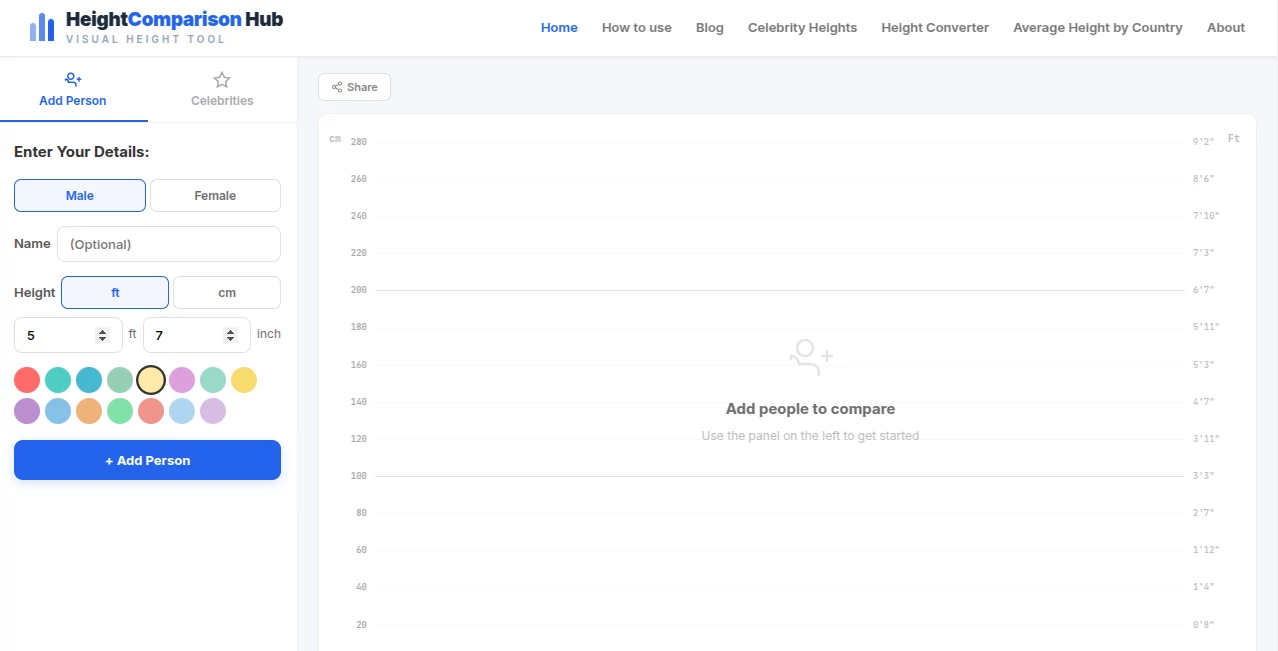
The design is delightfully simple and intuitive. You search for people in their database or add custom entries with names and heights. The chart builds live as you add more, with easy drag-and-drop reordering. Clean visuals, helpful unit toggles (feet/inches or centimeters), and instant updates make the whole process smooth. No complicated menus or clutter—just a straightforward space where you can focus on the comparisons that matter to you.
Accuracy & Performance
It pulls from reliable height data for public figures and allows precise manual entry for anyone else. The visual scaling feels true to life, making differences easy to grasp at a glance. Charts load quickly even with many entries, and the output looks sharp whether you’re viewing on mobile or desktop. Users often comment on how the proportions feel right, which is rare in casual comparison tools.
Capabilities
You can compare unlimited people in one chart, mix real celebrities with fictional characters or custom entries, toggle between measurement units, rearrange order easily, and export or share your creations. It works great for group comparisons (like entire sports teams or movie casts) and supports both serious research and playful debates. The flexibility makes it useful for everything from settling bar arguments to creating content for social media or presentations.
Security & Privacy
Your custom charts and entries stay private unless you choose to share them. No unnecessary account requirements for basic use, and the platform doesn’t push heavy data collection. It’s a clean, low-pressure experience that lets you play around freely without worrying about your comparisons being stored or shared publicly.
Use Cases
Friends settle debates about who’s taller between actors in the same movie. Sports fans compare athletes across different eras or positions. Writers visualize character heights for consistency in their stories. Parents show kids fun comparisons between family members and celebrities. Content creators build engaging visuals for videos or posts. Teachers use it to make math or history lessons more interactive. It fits naturally into any situation where understanding relative height adds value or entertainment.
Pros and Cons
Pros:
- Extremely easy and fun to use—even for quick casual comparisons.
- Strong database of celebrities and public figures for instant adds.
- Clean, accurate visual charts that are easy to understand and share.
- Flexible custom entries let you compare literally anyone.
- Completely free for core features with no annoying limits.
Cons:
- Very large charts with dozens of people can become visually busy.
- No advanced analytical features like average calculations or percentiles.
- Export options are basic but sufficient for most users.
Pricing Plans
The core experience is completely free, which is refreshing in a world of paywalled tools. There may be optional premium upgrades for extra features like unlimited saves or advanced customization, but the main comparison functionality works beautifully without spending a cent. It’s built with generosity that makes you want to return often.
How to Use Height Comparison Hub
Start by searching for people in the database or adding custom names and heights. Add as many entries as you like—the chart updates live. Drag to reorder, toggle measurement units, and adjust as needed. Once satisfied, take a screenshot, export the image, or share the link with friends. For recurring comparisons (like favorite basketball teams), you can revisit and build on previous charts. The whole process is so quick you’ll find yourself making multiple comparisons in one sitting.
Comparison with Similar Tools
Many height tools are either overly simplistic or cluttered with ads and poor visuals. This one stands out with its clean interface, accurate scaling, and good database of public figures. It avoids the cheap gimmicks some competitors use and focuses on delivering clear, trustworthy comparisons that are actually enjoyable to create and share.
Conclusion
Height Comparison Hub turns a simple curiosity into an engaging, visual experience that’s both fun and surprisingly useful. It removes the guesswork and replaces it with clear, shareable charts that spark conversations and settle debates. Whether you’re satisfying personal curiosity, creating content, or just having fun with friends, it delivers consistent value with zero hassle. In a digital world full of complicated tools, its straightforward charm is exactly what makes it special.
Frequently Asked Questions (FAQ)
How accurate are the celebrity heights?
They use well-sourced public data, though official heights can vary slightly by source.
Can I compare fictional characters?
Yes—add them manually with any height you want for fun or story consistency.
Is there a limit to how many people I can add?
You can add quite a few comfortably; very large groups may become visually crowded but still work.
Can I save my charts?
Basic saving is available; premium options may offer more advanced storage.
Does it work on mobile?
Yes—the interface adapts well and charts are easy to view and create on phones.
These classifications represent its core capabilities and areas of application. For related tools, explore the linked categories above.
HeightComparison Hub details
Website unavailable — View Alternatives
Pricing
- Free
Apps
- Web App
Categories

HeightComparison Hub Alternatives Product

Hantavirus C…

AI Dance Vid…

Ao3dle

MEANINGS

videodance

Grow A Garde…

Flow Song

We Are Charl…

VALTRAIN