
Deacon
What is Deacon?
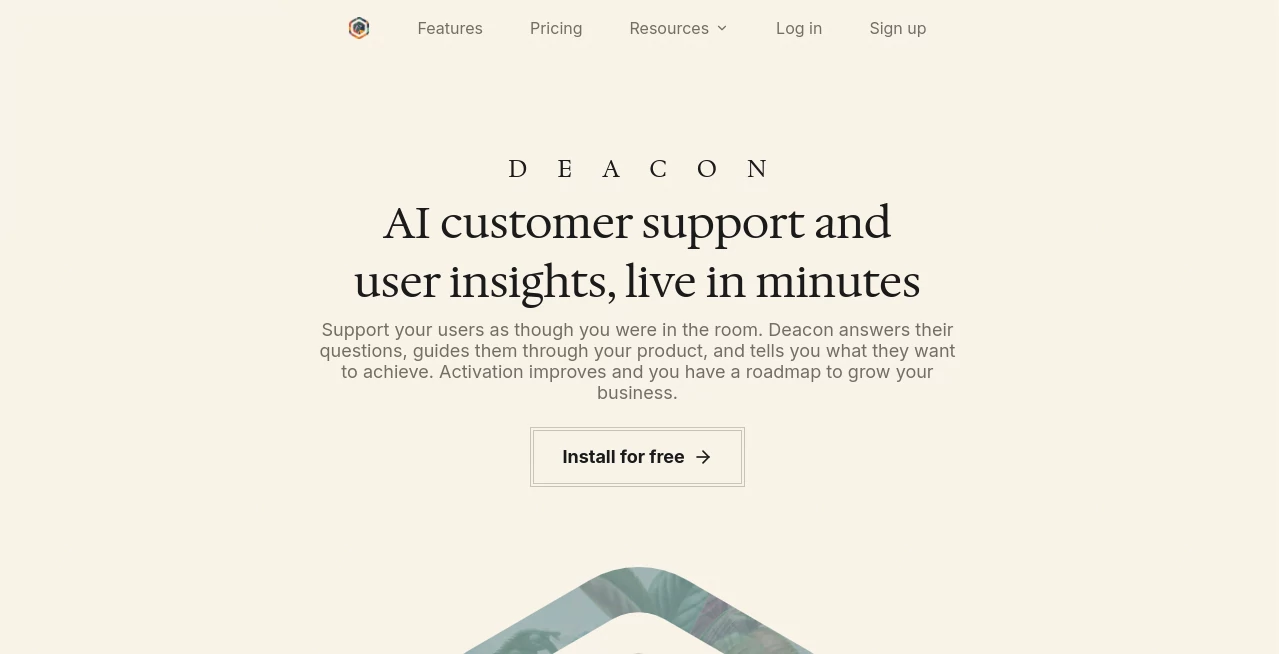
Deacon is an AI customer support agent built for software companies that want to help users without turning every question into another support ticket. It lives inside your product, answers questions using your own documentation and other approved content, guides customers through onboarding, and turns conversations into useful product feedback.
What makes the approach particularly practical is how little infrastructure is required. A typical installation involves adding a single line of script to the application and providing documentation, help pages, URLs, or other learning material. The service can then begin answering customer questions within minutes.
For a small SaaS team, this can be especially valuable. Instead of sending customers through long help-center articles or waiting for someone to respond, they can simply ask what they need to know. At the same time, the product team gets a clearer view of what users are struggling with and which parts of the documentation need attention.
Key Features
- AI-powered customer support based on your own product knowledge.
- Proactive user onboarding that can introduce useful features at the right moment.
- Customer feedback collection based on real conversations.
- Knowledge gap analysis that highlights unanswered questions and missing documentation.
- Fact-checked responses with validity scoring against the supplied knowledge base.
- Complete conversation logs for transparency and review.
- Knowledge ingestion from website URLs, documentation, files, and how-to videos.
- Multilingual conversations across dozens of major languages.
- Custom and stock integrations for connecting with internal systems.
- Developer-friendly installation that can be completed with a one-line script.
User Interface
The experience is designed to sit naturally inside an existing application rather than forcing customers into another support portal. Once the widget is installed, visitors can communicate in plain language and receive assistance in the context of the product they are already using.
For the company operating the service, the dashboard provides a place to manage knowledge sources, review conversations, monitor unanswered questions, and improve the material used for future responses. This separation is useful because day-to-day content management does not require a developer after the initial installation.
Accuracy & Performance
Accuracy is handled through grounding rather than relying solely on a general-purpose model. Responses are generated from the documentation, website pages, files, and written answers supplied by the business. The system checks an answer against that material and can decline to guess when there is not enough supporting information.
This approach is important for customer support. A confident but incorrect answer can create more work than no answer at all. When a question cannot be answered, the conversation can be flagged and passed back to the team, giving them an opportunity to add the missing information to the knowledge base.
Capabilities
The platform goes beyond answering conventional support questions. It can guide users through onboarding, surface features they may have overlooked, collect the reasoning behind requests, and identify recurring themes across customer conversations.
Another useful capability is knowledge-gap analysis. If customers repeatedly ask questions that the existing documentation cannot answer, those gaps become visible to the team. A company can then improve the relevant help material once instead of repeatedly answering the same question manually.
Security & Privacy
The service records conversations, supplied knowledge, and certain technical and usage information as part of operating the platform. Its privacy policy states that personal information is not sold and may be shared with service providers working on hosting, cloud infrastructure, AI models, analytics, payments, and related services.
The company states that it uses commercially reasonable technical, administrative, and organizational measures to protect information. It also explains that personal information is processed and stored on servers in the United States and may be transferred to service providers or affiliates in other countries.
For businesses handling sensitive customer information, reviewing the current privacy policy and terms before deployment is still advisable, particularly when deciding which internal documents and customer data should be made available to the AI system.
Use Cases
- SaaS customer support: Answer common product questions directly inside the application.
- User onboarding: Help new customers discover features and understand how to complete important tasks.
- Documentation improvement: Find recurring questions that existing help content does not address.
- Product research: Understand what customers are trying to accomplish instead of relying only on traditional surveys.
- Small startup teams: Provide a support layer without building a dedicated support department.
- Complex software: Guide users through products where static documentation can be difficult to navigate.
- Multilingual products: Respond in the language used by the customer, including major languages such as Spanish, French, German, Portuguese, Italian, Dutch, Japanese, Korean, and Chinese.
Pros and Cons
- Pros: Very quick installation, answers grounded in company material, proactive onboarding, useful customer insight, knowledge-gap detection, full conversation visibility, multilingual support, and a free plan with no credit card requirement.
- Cons: The quality of answers depends heavily on the quality and completeness of the material provided. Teams with large support volumes may need a paid plan, and organizations with strict data requirements should carefully review the privacy and data-processing terms before deployment.
Pricing Plans
The pricing structure is based on the number of AI answers required each month. A free plan is available with no credit card and no time limit, making it possible to test the service on a real website before committing to a subscription.
- Free: $0 per month, with 50 answers, about 21 conversations, 300 pages crawled per month, 1 MB of knowledge, and 1 seat.
- Starter: $40 per month when billed yearly, with 1,000 answers, about 420 conversations, 1,000 pages crawled per month, 15 MB of knowledge, and 3 seats.
- Growth: $120 per month when billed yearly, with 4,000 answers, about 1,670 conversations, 3,000 pages crawled per month, 50 MB of knowledge, and 10 seats.
There is also a custom option for businesses whose requirements or support volume exceed the listed plans. Importantly, the service does not charge overage fees. When an account reaches its answer allowance, new AI responses pause until the allowance resets or the plan is upgraded, while collected conversations remain available.
How to Use the Platform
- Create an account and set up your workspace.
- Add the documentation, help pages, website URLs, files, or written answers that should form the knowledge base.
- Allow the system to process the supplied material.
- Add the provided one-line script to the application.
- Open the customer-facing experience and let users begin asking questions.
- Review conversations and unanswered questions from the dashboard.
- Improve documentation or add missing answers when knowledge gaps appear.
The initial setup is designed to take around five minutes for a straightforward website. After installation, content management and conversation review can be handled by non-developers.
Comparison with Similar Tools
Many AI support products concentrate primarily on replacing or assisting a conventional helpdesk. This approach is somewhat broader. Alongside answering questions, it focuses on onboarding, customer feedback, knowledge gaps, and the qualitative information hidden inside support conversations.
That distinction can matter for startups and software teams that do not already operate a large support organization. Rather than building a complex helpdesk workflow first, a company can place an AI support layer directly into its product and use the resulting conversations to understand both immediate support needs and longer-term product improvements.
It is also different from a traditional scripted chatbot. Instead of forcing customers through predetermined menus and decision trees, the system accepts questions in natural language and reasons over the company's supplied material. When the available information is insufficient, it can acknowledge the gap rather than inventing an answer.
Conclusion
For SaaS companies, customer support is rarely just about answering questions. The questions themselves reveal where onboarding fails, which features are being overlooked, and what customers expect from the product. This platform brings those pieces together in a lightweight package that can be installed quickly and managed without constant developer involvement.
Its strongest advantage is the combination of support and insight. Customers receive assistance while using the product, while the business gains a running record of what users are asking and where its knowledge base falls short. The free plan also makes it relatively easy for a small team to test the concept before moving to a higher usage tier.
For teams looking for an AI support solution that can do more than reproduce help-center articles, this is a compelling option worth testing.
Frequently Asked Questions (FAQ)
What does this AI customer support platform do?
It answers customer questions inside a software product, guides users through onboarding, gathers feedback, and identifies gaps in the company's existing knowledge base.
Does it work like a traditional chatbot?
Not exactly. Instead of depending on fixed decision trees and scripted responses, it understands questions written in natural language and uses the business's own supplied material to formulate answers.
How does it learn about a product?
The company can provide website URLs, documentation, files, how-to videos, and written answers. These sources are used to build the knowledge base that supports customer responses.
What happens when it cannot answer a question?
The system can acknowledge that it does not have enough information, capture the visitor's details, and bring the conversation to the team. The missing information can then be added to the knowledge base for future questions.
Is there a free plan?
Yes. The free plan costs $0, requires no credit card, and has no time limit. It includes 50 answers per month and allows businesses to test the service before upgrading.
Does it support multiple languages?
Yes. It can detect the language used by a customer and respond in the same language. The service states that it supports dozens of major languages, including Spanish, French, German, Portuguese, Italian, Dutch, Japanese, Korean, and Chinese.
Does installation require a developer?
A developer is generally needed for the initial installation because a script must be added to the application. After that, content management, knowledge updates, and conversation review can be handled through the dashboard without ongoing developer involvement.
Can conversations be reviewed by the business?
Yes. Conversations are recorded in full so authorized team members can review what customers asked and what the AI answered.
AI Knowledge Management , AI Chatbot , AI Analytics Assistant , AI Customer Service Assistant .
These classifications represent its core capabilities and areas of application. For related tools, explore the linked categories above.

Deacon Alternatives Product

FlowGPT

CrushonAI

ukamiru

Schedpilot

Ai Angels

PolyBuzz

Reloq

Klyra AI

Manus