

















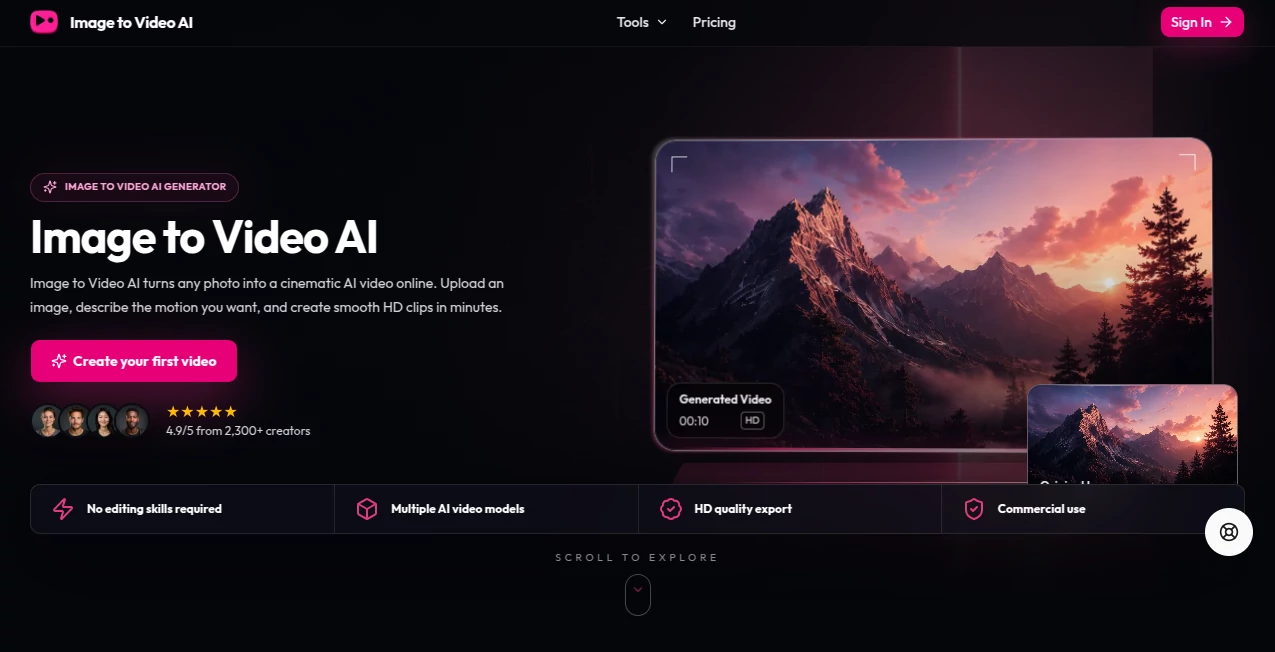
What is image to video ai?
There’s something magical about watching a still photo suddenly start moving — a portrait where the person gently turns their head, a landscape where leaves rustle in the wind, or a product shot that feels alive. This tool makes that kind of transformation feel almost effortless. You upload an image, add a short description of the motion you want, and it creates a short video clip that looks natural and cinematic. I’ve used it to turn old family photos into gentle animations for videos, and the results consistently surprise people with how realistic they feel.
Introduction
Static images are beautiful, but motion adds emotion and storytelling. Most image-to-video tools either produce jerky, unrealistic movement or require complex prompts and heavy editing. This one strikes a sweet spot — it’s simple enough for quick experiments yet powerful enough to create clips that actually feel polished. Whether you’re a content creator looking for eye-catching social media assets, a designer wanting to add life to visuals, or just someone playing with memories, it delivers results that often exceed expectations. The technology has matured to the point where the output feels less like “AI video” and more like thoughtful animation.
Key Features
User Interface
The interface keeps things delightfully simple. Upload your image, type a brief description of the desired movement (“slow camera pan across the scene” or “gentle wind blowing through hair”), choose duration and aspect ratio, and hit generate. Previews appear quickly so you can iterate without frustration. No overwhelming options or technical jargon — just clear controls that let you focus on creativity rather than settings.
Accuracy & Performance
It handles subject consistency remarkably well — faces stay recognizable, objects don’t morph strangely, and motion follows natural physics. Generation is fast enough that you can try several variations in one sitting. The results maintain the original image’s style and lighting while adding believable movement, which is exactly what most people are looking for.
Capabilities
You can create short clips from single images with various motion types — camera movements, object animation, environmental effects, and more. It supports different aspect ratios for social media, presentations, or websites. The tool works well with portraits, landscapes, product shots, and artistic images. Outputs are clean and ready to use in videos, presentations, or social posts without heavy post-processing.
Security & Privacy
Your uploaded images are processed securely and not stored longer than necessary. The platform maintains good privacy practices, which is important when working with personal photos or client work. You stay in control of what you generate and download.
Use Cases
A social media creator turns product photos into short lifestyle clips that perform much better than static posts. A filmmaker uses it to create mood boards with subtle movement for client presentations. Someone restoring old family photos adds gentle animation to make them more engaging for video montages. Marketers generate eye-catching visuals for ads without needing a full production shoot. It’s versatile enough for both professional work and personal creative play.
Pros and Cons
Pros:
- Simple workflow that produces surprisingly natural-looking motion.
- Good subject consistency compared to many other image-to-video tools.
- Fast generation times that support creative experimentation.
- Useful for both quick social content and more polished projects.
- Accessible for beginners while offering enough control for experienced users.
Cons:
- Clip lengths are still relatively short, best for moments rather than long scenes.
- Very complex or abstract motions can sometimes need prompt refinement.
- Higher quality and longer videos may require paid credits.
Pricing Plans
It offers a free tier with limited generations so you can test the quality on your own images. Paid plans provide more credits, higher resolution, longer clips, and priority processing. The pricing feels reasonable for the creative possibilities it unlocks — many users find the free tier sufficient for occasional use, while heavier creators quickly see the value in upgrading.
How to Use Image to Video AI
Upload your starting image — a portrait, landscape, or product shot works best. Write a short, clear description of the motion you want (e.g., “camera slowly pans right across the mountain lake at sunset”). Choose your preferred aspect ratio and clip length, then generate. Review the result, tweak the prompt if needed, and download when it feels right. The process is quick enough that you can experiment with several variations until you get exactly the feel you’re after.
Comparison with Similar Tools
Many image-to-video tools produce either very short, low-quality clips or require complex technical knowledge. This one balances quality, ease of use, and natural motion better than most. It focuses on practical, usable results rather than experimental effects, making it more suitable for real creative work and content creation.
Conclusion
Turning still images into moving moments used to require significant time, skill, or budget. This tool makes that creative leap accessible and enjoyable. It respects your original image while adding life and emotion in ways that feel natural. For anyone who works with visuals — whether professionally or just for fun — it opens up new storytelling possibilities without the usual barriers. Sometimes the best tools are the ones that simply help your ideas move.
Frequently Asked Questions (FAQ)
How long are the generated videos?
Most clips range from a few seconds to around 10 seconds, ideal for social media and presentations.
Do I need a perfect starting image?
Clear, well-lit photos work best, but it can handle a surprising range of input quality.
Can I use it for commercial projects?
Yes, paid plans typically allow commercial use of the generated videos.
What kinds of motion work best?
Subtle, natural movements like camera pans, gentle object animation, and environmental effects tend to produce the most realistic results.