
















imagetostl
What is imagetostl?
Creating printable 3D models used to require advanced CAD software, technical modeling skills, and hours of manual work. Today, AI has dramatically simplified that process by transforming ordinary images into detailed 3D assets within minutes. This platform offers an intuitive workflow that allows designers, makers, engineers, artists, hobbyists, and educators to generate printable STL files directly from photos, sketches, or even text descriptions.
Instead of spending valuable time sculpting every detail manually, users simply upload an image, select the preferred quality level, preview the generated model, and export it in industry-standard formats. The result is a practical solution for rapid prototyping, game development, architectural visualization, product design, educational projects, and personal creativity.
Its ability to export not only STL but also GLB and OBJ formats makes it suitable for a wide variety of professional workflows beyond 3D printing. Whether someone is designing collectible figurines, creating product mockups, or building immersive AR experiences, the entire process feels remarkably straightforward while producing impressive results.
Key Features
User Interface
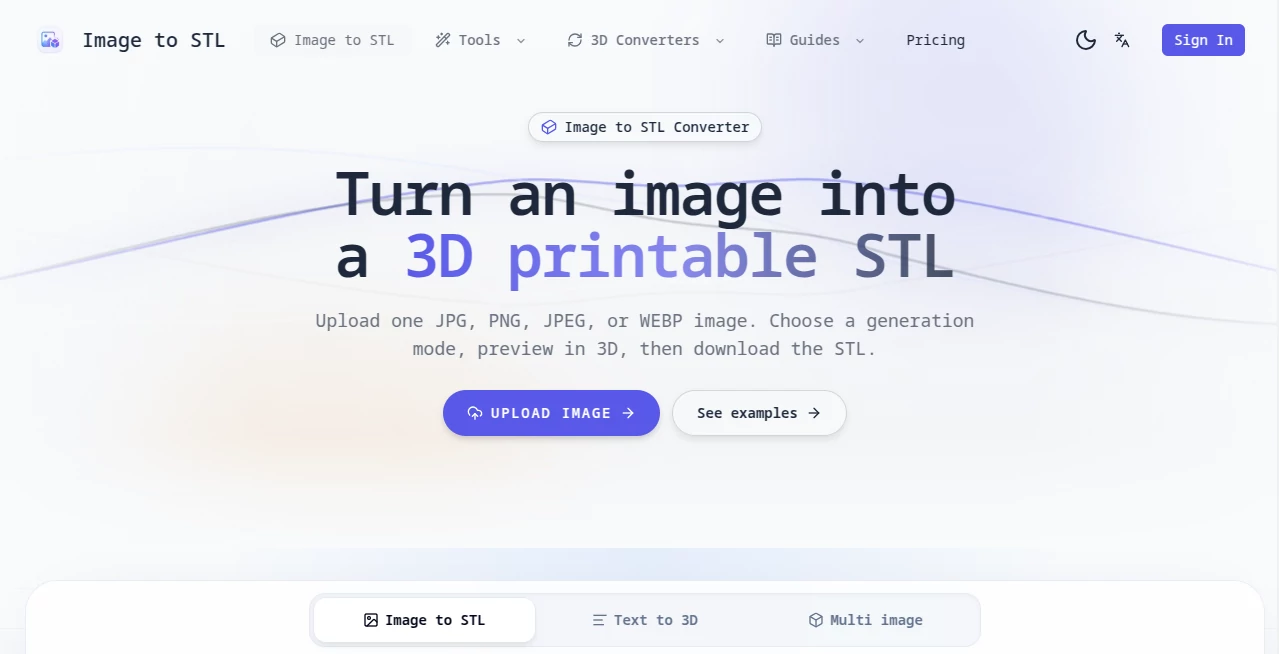
The interface has been designed with simplicity in mind. Uploading files requires only a few clicks, while drag-and-drop support makes the experience even smoother. Users can choose between single-image, multi-view, sketch-based, or text-based generation without navigating through complicated menus.
The built-in 3D preview window allows rotating, zooming, and inspecting every angle before downloading the final model, reducing unnecessary revisions and improving confidence before printing.
Accuracy & Performance
The AI analyzes object geometry, depth, edges, and visual structure to generate clean 3D meshes suitable for printing and visualization. Multiple quality modes allow creators to balance speed and detail depending on project requirements.
Professional-quality generation supports highly detailed meshes containing up to millions of triangles, making it suitable for intricate sculptures, miniatures, product prototypes, and close-up rendering projects.
Capabilities
- Convert images into printable STL files.
- Create 3D models from text prompts.
- Generate models from multiple image angles for higher accuracy.
- Export models as STL, GLB, and OBJ.
- Interactive 3D preview before download.
- Support for JPG, PNG, and WebP images.
- Multiple quality modes for different project needs.
- Generate assets for games, AR, VR, and visualization.
- Create detailed meshes optimized for 3D printing.
- Cloud-based processing with fast generation.
Security & Privacy
Paid plans provide private asset ownership, allowing creators to keep generated models confidential. Cloud processing eliminates the need for installing heavy desktop software while maintaining an efficient workflow. This makes the platform attractive for professionals working on commercial designs or proprietary prototypes.
Use Cases
- Creating printable figurines from artwork.
- Rapid prototyping for product designers.
- Generating architectural concept models.
- Building game-ready 3D assets.
- Producing AR and VR visualizations.
- Converting concept sketches into printable models.
- Educational demonstrations for engineering and design students.
- Creating personalized gifts using 3D printing.
- Developing eCommerce 3D product previews.
- Transforming artistic illustrations into physical sculptures.
Pros and Cons
Pros
- Very easy to use for beginners.
- No complex 3D modeling experience required.
- Supports multiple generation methods.
- Produces printable STL files quickly.
- Exports additional industry-standard formats.
- Interactive preview before download.
- Multiple quality levels for different budgets.
- Useful across many creative industries.
Cons
- High-detail generation consumes more credits.
- Best results depend on image quality.
- Professional features require a paid subscription.
- Very complex objects may still benefit from manual editing afterward.
Pricing Plans
A free plan is available for users who want to explore the platform with limited monthly credits. Premium subscriptions significantly increase available credits, provide faster processing, unlimited downloads, creative styles, and private ownership of generated assets. Additional credit packages are also available for occasional users who prefer paying only when needed.
How to Use Image to STL
Start by uploading a clear image, multiple reference images, or simply describing the object with a text prompt. Choose the preferred quality level based on the amount of detail required. After AI processing finishes, inspect the generated model using the interactive 3D viewer. If necessary, regenerate using different settings until satisfied. Finally, download the finished model in STL, GLB, or OBJ format and use it for 3D printing, visualization, game development, or further editing.
Comparison with Similar Tools
Many AI-powered 3D generators focus exclusively on concept visualization or game assets. This solution distinguishes itself by emphasizing printable STL generation while simultaneously supporting additional export formats for broader creative workflows. The combination of image input, text generation, multi-view reconstruction, detailed mesh quality, and built-in preview creates an efficient experience suitable for both hobbyists and professionals.
Another advantage is the flexibility offered by different quality modes, allowing quick drafts during experimentation and highly detailed outputs when preparing final production models.
Conclusion
For anyone looking to bridge the gap between 2D creativity and physical 3D production, this AI-powered generator offers an impressive balance of accessibility, speed, and quality. It dramatically reduces the complexity traditionally associated with 3D modeling while delivering export-ready assets suitable for printing, visualization, gaming, architecture, education, and digital content creation.
Its intuitive workflow, support for multiple generation methods, detailed mesh creation, and versatile export options make it a valuable addition to the toolkit of designers, makers, artists, engineers, and creative professionals alike.
Frequently Asked Questions (FAQ)
Can beginners create printable 3D models?
Yes. The platform is designed for users without previous 3D modeling experience.
Which file formats are supported for export?
Generated models can be exported as STL, GLB, and OBJ files.
Can multiple images improve model quality?
Yes. Using images from different angles helps the AI reconstruct more accurate geometry.
Is there a free version available?
Yes. A free plan provides limited monthly credits for testing the service before upgrading.
Who benefits most from this platform?
Designers, engineers, artists, educators, makers, game developers, architects, and anyone interested in 3D printing can benefit from its streamlined workflow.