


















IntroVideo
What is IntroVideo?
I still remember the first time I needed a clean logo animation for a new project. I spent hours watching tutorials, fighting with timeline software, and ended up with something that looked… okay. Then I tried this tool. I uploaded my logo, picked a style, and a few minutes later I had a polished, cinematic intro that actually looked professional. No keyframes, no frustration — just a beautiful result ready to drop into my videos. That moment sold me completely.
Introduction
Creating a strong opening for your videos used to be expensive or time-consuming. You either hired a motion designer or settled for something basic. This platform changes that. It turns your logo and brand name into stunning animated intros using AI, delivering results that feel custom-made in just minutes. Whether you’re a YouTuber, small business owner, podcaster, or agency, it gives you that premium first impression without the premium price or wait time. The animations have weight, smooth motion, and modern flair — exactly what you want when people decide in seconds whether to keep watching.
Key Features
User Interface
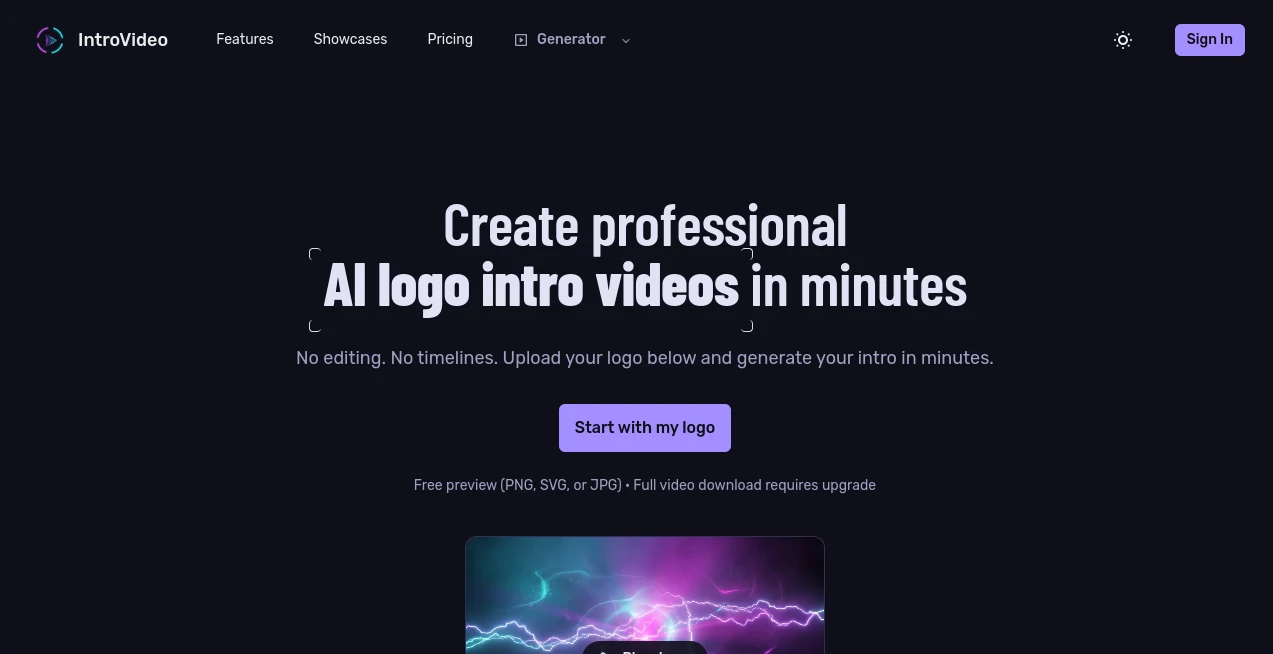
The whole process is refreshingly simple. You land on a clean page, upload your logo (PNG, SVG, or JPG), add your brand name or tagline, and choose from a variety of stylish presets. The preview appears quickly so you can see how it looks before committing. No complicated timelines or technical settings — just intuitive choices that let you focus on the creative side. Even first-time users get great results on their initial try.
Accuracy & Performance
The AI understands your logo’s shapes, colors, and proportions, then animates them naturally with professional lighting and camera movement. Every generation feels unique even with the same inputs, and the quality is consistently high. Most videos are ready in a few minutes, so you can experiment with different styles until one feels perfect for your brand. The output looks polished enough to use on client projects or big platforms right away.
Capabilities
It supports multiple animation styles — from sleek modern and neon glow to elegant luxury and minimal clean looks. You can generate short, high-impact intros perfect for YouTube, websites, presentations, or social media. The tool handles text animation beautifully alongside your logo, and the final videos are ready to download in high quality. It’s ideal for creating consistent branding across multiple videos without hiring a designer every time.
Security & Privacy
Your logos and generated videos are handled securely. You don’t need to worry about your brand assets being misused or stored unnecessarily. The platform focuses on delivering fast, high-quality results while respecting your creative ownership.
Use Cases
A new YouTuber creates a signature intro that makes their channel feel professional from the first video. A small business adds a polished logo animation to product launch videos and website headers. A podcast host uses consistent intros across episodes to build brand recognition. Freelance video editors offer clients quick, custom logo animations as an upsell. It fits anyone who wants their brand to start strong without spending days or big budgets on animation.
Pros and Cons
Pros:
- Turns a simple logo upload into broadcast-quality animations in minutes.
- Multiple stylish presets that actually look premium and modern.
- No editing skills or software required — truly beginner friendly.
- Fast enough to try several variations and pick the best one.
- Great value compared to hiring a motion designer.
Cons:
- Free previews are watermarked; full HD download requires upgrade.
- Very complex or highly custom animation styles may still need manual work.
Pricing Plans
You can start for free and generate previews to see the quality. Paid plans unlock full video downloads, higher resolutions, and more frequent generations. The pricing is straightforward and reasonable for the professional output you get — many users say one good intro pays for itself in perceived brand value alone.
How to Use IntroVideo
Go to the generator, upload your logo file, type your brand name or tagline, and browse the available styles. Pick one that matches your vibe and hit generate. Watch the preview, then choose another style or tweak the text if needed. Once you love the result, download the full video and drop it into your projects. The entire process usually takes less than five minutes from upload to finished intro.
Comparison with Similar Tools
Traditional motion graphics tools require skills and time most people don’t have. Other AI generators often produce generic or low-quality animations. This one stands out by focusing specifically on logo intros with polished, usable results and a workflow that’s actually enjoyable. It gives you that high-end feel without the high-end hassle or cost.
Conclusion
Your brand deserves a strong first impression, and a great logo intro is one of the easiest ways to deliver it. This tool makes creating professional animations accessible, fast, and genuinely fun. Whether you’re building a channel, launching a business, or elevating existing content, it helps you start every video with confidence and style. Once you see how good your own logo looks in motion, you’ll wonder why you waited so long.
Frequently Asked Questions (FAQ)
How long does it take to generate a video?
Most intros are ready in just a few minutes.
Do I need design skills?
Not at all — the AI handles the animation. You only need your logo.
Can I use the videos commercially?
Yes, paid plans give you full commercial rights for your content.
What file types can I upload?
PNG, SVG, and JPG work best for clean results.
Is there a free way to test it?
Yes — you can generate previews without paying to see the quality first.
AI Animated Video , AI Video Generator , AI Design Generator , AI Graphic Design .
These classifications represent its core capabilities and areas of application. For related tools, explore the linked categories above.

IntroVideo Alternatives Product
Z Image

Fiddl.art

Vidmix
Seedream 5.0…
Render of Dr…

MixHub AI
Nano Banana 2
GoViralTrend

sora video
