


















kimik3
What is kimik3?
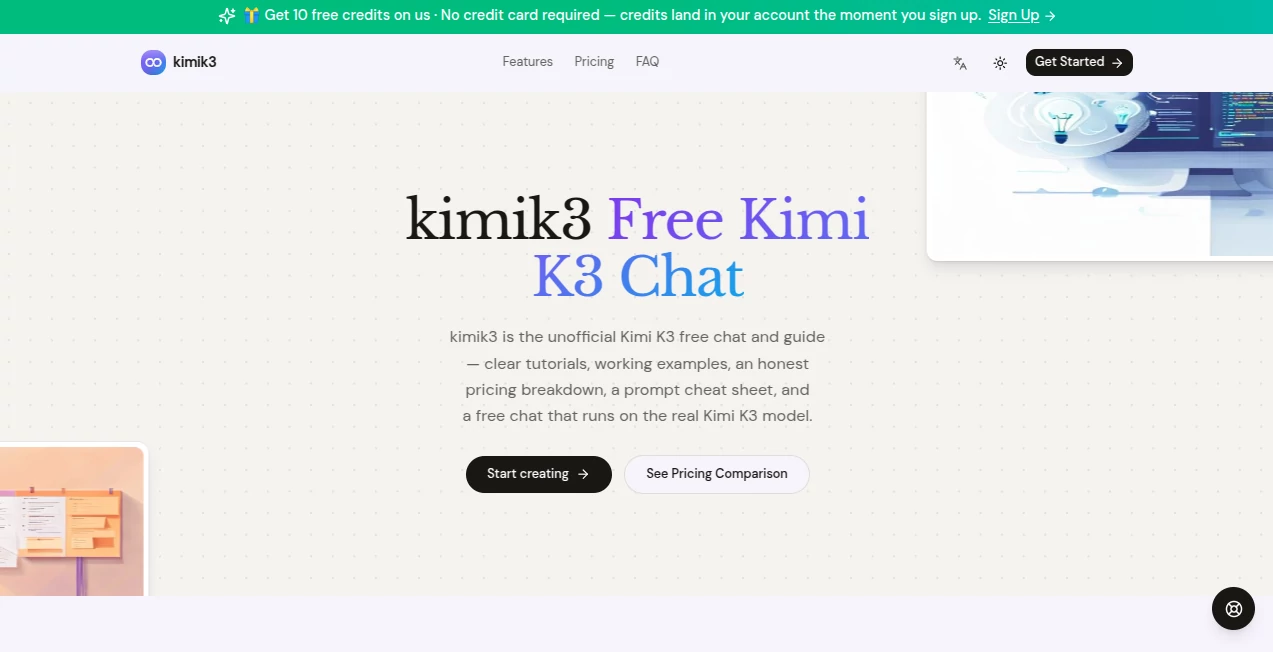
Finding reliable information about modern large language models can be surprisingly time-consuming. Documentation is often scattered, pricing details are buried across multiple pages, and practical examples are difficult to locate. This platform brings everything together in one place, making it much easier to understand how the latest model works before integrating it into personal or professional projects.
Instead of focusing only on technical specifications, the platform combines tutorials, interactive chat access, prompt examples, pricing comparisons, and developer-friendly resources in a single workspace. Whether someone is exploring AI for the first time or building production-ready applications, the learning experience feels approachable, organized, and practical.
One of its strongest advantages is accessibility. Visitors can experiment with real conversations, study ready-to-use examples, compare costs, and discover best practices without jumping between dozens of websites. This practical approach helps users move from curiosity to real productivity much faster.
Key Features
User Interface
The interface is clean, modern, and intentionally simple. Navigation is straightforward, allowing users to quickly switch between the free chat experience, prompt examples, pricing information, and developer resources. Everything is organized logically, making the platform suitable for beginners while remaining efficient for experienced developers.
Accuracy & Performance
The platform connects users with the actual Kimi K3 model, allowing them to experience its reasoning abilities, long-context processing, coding support, document analysis, and structured responses firsthand. Interactive examples demonstrate real-world performance across multiple scenarios, helping users understand what the model can accomplish before integrating it into larger workflows.
Capabilities
- Free AI chat powered by the Kimi K3 model.
- Long-document summarization.
- Code generation and debugging examples.
- Step-by-step reasoning demonstrations.
- Prompt cheat sheets for faster learning.
- Pricing comparison and credit estimation.
- Copy-ready API examples for developers.
- Research summaries and document analysis.
- Email drafting and content rewriting.
- Support for multilingual conversations.
- Structured planning from meeting notes and ideas.
- Developer-friendly documentation.
Security & Privacy
The platform emphasizes transparency about how it operates and clearly explains that it serves as an independent guide. Users can review pricing information, explore documentation, and experiment with AI capabilities without unnecessary complexity. This open communication helps establish confidence while encouraging responsible use of AI-powered services.
Use Cases
- Learning how large language models work.
- Building AI-powered applications.
- Writing and debugging software.
- Summarizing lengthy reports.
- Researching complex topics.
- Generating structured project plans.
- Creating marketing copy and emails.
- Experimenting with prompt engineering.
- Comparing AI model pricing.
- Exploring developer integrations.
Pros and Cons
Pros
- Simple and beginner-friendly interface.
- Interactive free chat experience.
- Helpful tutorials with practical examples.
- Clear pricing comparison.
- Excellent resources for developers.
- Prompt library accelerates learning.
- Supports long-context AI workflows.
Cons
- Acts as an independent guide rather than the official platform.
- Some advanced capabilities require paid credits.
- Power users may still need official technical documentation for advanced integrations.
Pricing Plans
The platform offers a free chat experience for new users, making it easy to explore the model before committing to a subscription. Paid plans are designed for increasing usage requirements, with options for individuals, regular users, and professional teams that require additional credits, developer features, priority access, and collaboration tools. This flexible structure allows users to scale according to their workload and project size.
How to Use kimik3
Start by opening the chat interface and entering your first prompt. You can ask questions, summarize documents, generate code, or explore creative writing tasks. Next, browse the prompt examples to understand effective prompting techniques. Developers can review the API examples, copy the provided code snippets, and integrate AI capabilities into their own applications. As projects grow, upgrading to a subscription unlocks additional credits and advanced productivity features.
Comparison with Similar Tools
Compared with many AI playgrounds that focus only on conversation, this platform delivers a broader educational experience. It combines tutorials, prompt libraries, pricing explanations, practical coding examples, and an interactive playground within a single destination. This integrated approach reduces the learning curve while helping users understand both the technical and practical aspects of working with modern language models.
Conclusion
For anyone interested in exploring advanced language models without spending hours searching through fragmented documentation, this platform offers an excellent starting point. The combination of interactive chat, practical tutorials, pricing transparency, developer resources, and real-world examples creates an experience that is informative, approachable, and genuinely useful. Whether the goal is learning, experimentation, research, or software development, it provides a well-organized environment that helps users become productive quickly.
Frequently Asked Questions (FAQ)
Is this an official platform?
No. It is an independent guide and learning platform designed to help users understand and use the Kimi K3 model more effectively.
Can beginners use it?
Yes. The interface, tutorials, and examples are designed to be accessible even for users with little AI experience.
Does it provide free access?
Yes. Visitors can try the free chat experience before deciding whether paid plans meet their needs.
Can developers integrate it into applications?
Yes. The platform includes API examples, developer documentation, and implementation resources for building AI-powered software.
Who benefits the most from this platform?
Developers, researchers, students, content creators, founders, and anyone looking to learn or work more efficiently with modern AI language models can benefit from its resources.
AI Developer Tools , AI Research Tool , AI Chatbot , Large Language Models (LLMs) .
These classifications represent its core capabilities and areas of application. For related tools, explore the linked categories above.

kimik3 Alternatives Product

Defapi

Bitterbot AI

Lessie AI

Blushly Chat

Chrome Sidek…

AiZolo

Vurge

Overchat AI

Roipad
