
kling motion control
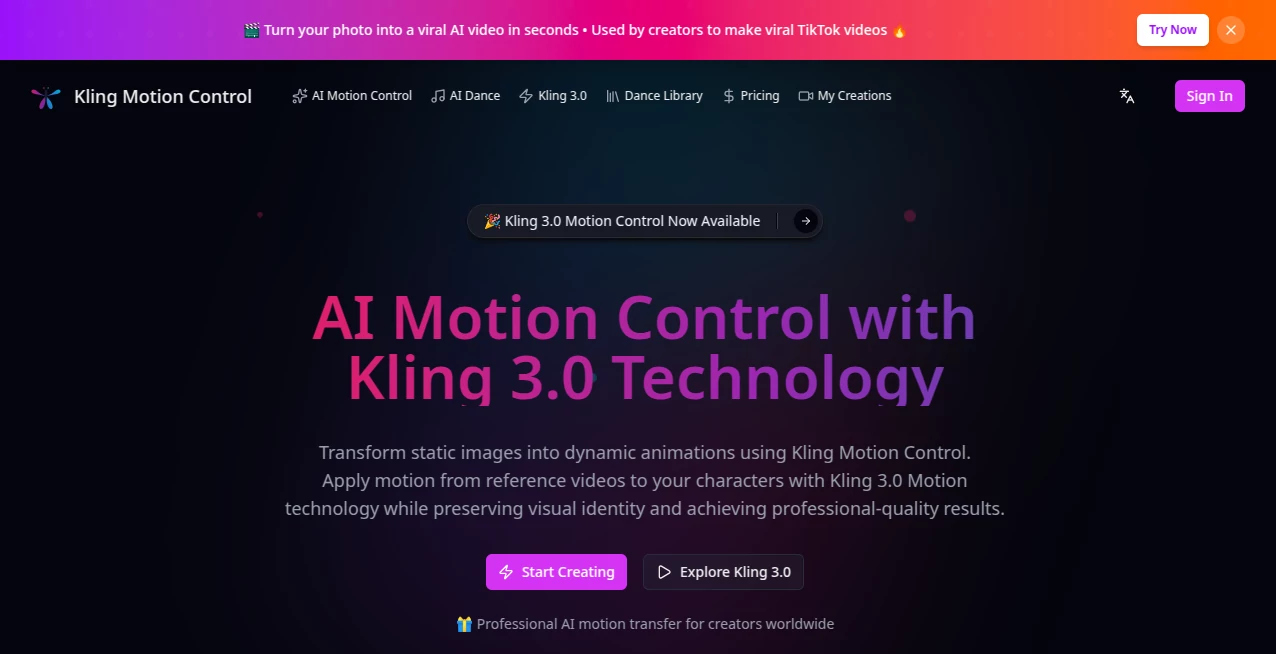
What is kling motion control?
There’s a big difference between AI video that “kind of works” and video that actually does what you tell it to. This tool sits firmly in the second category. You can guide camera moves, lock character actions, control timing, and shape the story with a level of precision that feels closer to real directing than random generation. I’ve watched creators go from frustration with glitchy outputs to genuine excitement when they see their exact vision come to life—smooth pans, natural character movement, and consistent storytelling across frames. It’s the kind of control that makes AI feel like a collaborator instead of a guessing machine.
Introduction
Making good video has always required vision and patience. Most AI tools give you one but not the other. Kling Motion Control bridges that gap by offering powerful motion tools that let you direct the scene instead of hoping for the best. Whether you start with text, reference images, or existing video clips, it respects your instructions and delivers coherent, cinematic results. The platform has quickly gained attention from filmmakers prototyping ideas, marketers creating ads, and social creators building scroll-stopping content. What stands out most is how it turns vague ideas into footage that feels intentionally made, not just generated.
Key Features
User Interface
The workspace is thoughtfully organized. You have a clear prompt area, dedicated sections for reference uploads (images, video, character references), motion controls, and timeline-style guidance. It avoids overwhelming you with too many options at once while still giving advanced users the depth they need. Previews are fast, and the flow encourages experimentation without fear of losing your progress. It feels like a tool built by people who actually make video, not just engineers.
Accuracy & Performance
The motion control is where it really shines. Characters maintain identity across shots, camera movements follow your instructions naturally, and timing stays consistent with what you describe. Generation quality is high, with good lighting, physics, and detail retention. It handles complex scenes better than most current tools, reducing the usual issues of drifting faces or unnatural movement. Results are production-viable with minimal cleanup in many cases.
Capabilities
You get strong text-to-video, image-to-video, and video-to-video modes with precise motion guidance. Features include subject locking, camera path control, action timing, multi-shot sequencing, and reference-based consistency. It supports different aspect ratios and delivers outputs that work well for social media, advertising, storytelling, and prototyping. The combination of creative freedom and technical control makes it versatile for both quick concepts and more refined pieces.
Security & Privacy
Your prompts, reference files, and generated videos are handled responsibly. The platform focuses on delivering the output without unnecessary long-term storage or data sharing. For creators working with original concepts or client material, this respectful approach builds confidence to explore freely.
Use Cases
Marketers create polished product ads with exact camera moves and consistent branding. Filmmakers prototype key scenes to test pacing and emotional beats before full production. Social creators build character-driven series with reliable consistency across multiple clips. Educators animate explanations or historical recreations with controlled motion. Indie teams use it to visualize storyboards quickly and convincingly. Wherever precise visual storytelling matters, it becomes a valuable part of the process.
Pros and Cons
Pros:
- Excellent motion control and character consistency compared to most AI video tools.
- Intuitive ways to guide camera and action without complex setups.
- Strong results for both realistic and stylized content.
- Fast enough iteration to keep creative flow alive.
Cons:
- Longer or highly complex sequences may still require multiple generations or light editing.
- Mastering all the control features takes a bit of practice.
- Full unlimited access requires a paid plan.
Pricing Plans
A free tier with daily credits lets you test the quality and workflow without commitment. Paid plans unlock higher limits, faster generation, priority access, and full use of advanced motion tools. The pricing feels reasonable for the creative control and time it saves—many users report it quickly pays for itself through faster production cycles.
How to Use Kling Motion Control
Start with a clear prompt describing your scene and desired mood. Upload reference images or video clips for characters and style if needed. Use the motion tools to set camera paths, action timing, or subject behavior. Generate and review the preview. Refine with specific instructions or additional references until it matches your vision. For longer pieces, build sequences shot by shot. The process rewards clear direction while remaining approachable for quick ideas.
Comparison with Similar Tools
Many AI video generators focus on raw creation but struggle with consistency and precise control. This one stands out by giving creators meaningful ways to direct the output—camera moves, character actions, and story flow—while maintaining high visual quality. It feels more like a production tool and less like a random generator, which makes it especially valuable for users who need reliable, directed results rather than happy accidents.
Conclusion
Good video isn’t just about movement—it’s about intention. This tool brings real creative control to AI video generation, letting you shape scenes with confidence instead of crossing your fingers. It saves time, reduces frustration, and opens new possibilities for storytellers, marketers, and creators of all kinds. If you’ve been waiting for AI video that actually listens to what you want, this is one of the strongest options available right now.
Frequently Asked Questions (FAQ)
How much control do I really have over motion?
Quite a lot—you can guide camera paths, character actions, timing, and more through references and instructions.
Is character consistency good?
Yes, especially when using reference images or video. It maintains identity across shots better than most tools.
What lengths of video can I create?
Short clips work best for single generations, but multi-shot workflows allow longer storytelling.
Do I need reference files?
Not required, but they significantly improve consistency and precision.
AI Animated Video , AI Image to Video , AI Video Generator , AI Text to Video .
These classifications represent its core capabilities and areas of application. For related tools, explore the linked categories above.
kling motion control details
Website unavailable — View Alternatives
Pricing
- Free
Apps
- Web App
Categories

kling motion control Alternatives Product

Seedance 2.0…

AI Animate I…

ai seedance …

RunwayAI

AI Motion Co…
CinemaDrop

ImgVid

Kling 5.0

soro2