Krea AI
What is Krea AI?
There’s a special feeling when you’re creating something and you can see it evolve instantly, almost like painting with a partner who understands your vision. Krea delivers exactly that. You start with a prompt or an image, and the canvas responds in real time—every brush stroke, every variation, every refinement happens live. I’ve spent hours lost in it, turning vague ideas into detailed scenes, then remixing them until they feel just right. It’s become one of those rare tools that actually makes the creative process more fun instead of getting in the way.
Introduction
Most AI image tools feel like a black box: type something, wait, get a result, repeat. Krea takes a completely different approach. It gives you a living workspace where generation, upscaling, inpainting, and outpainting happen fluidly, in real time. Artists, designers, and hobbyists love it because it feels closer to traditional creation—you stay in flow instead of constantly waiting for renders. Whether you’re building concept art, refining product visuals, or just exploring wild ideas, the tool respects your direction while offering smart suggestions that often spark something better than you originally imagined.
Key Features
User Interface
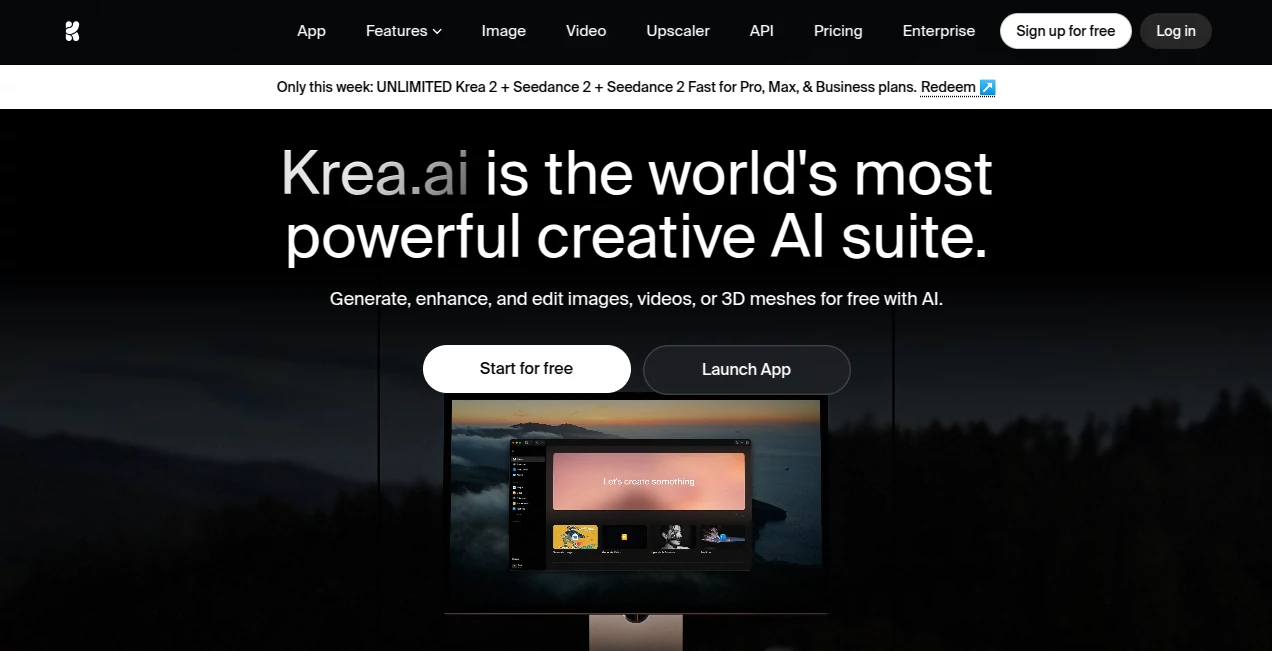
The workspace is clean, intuitive, and surprisingly calming. A large canvas takes center stage, with tools neatly arranged around the edges. You can draw directly on the image, write prompts in context, or use sliders to guide strength and style. Everything updates instantly—no long waits between changes. It feels more like a creative sandbox than a typical AI generator, which is probably why people end up spending far more time in it than they planned.
Accuracy & Performance
The real-time nature is impressive—it keeps up even when you’re making rapid changes. Details stay coherent across iterations, and the model understands both broad style directions and fine adjustments. Upscaling preserves artistic intent instead of turning everything into plastic smoothness. In practice, it delivers consistent, high-quality results that respect your input, which is rarer than it should be in this space.
Capabilities
You can start with text, an uploaded image, or a blank canvas. Real-time generation, advanced inpainting/outpainting, style referencing, multiple variations at once, and powerful remix tools let you evolve ideas quickly. The infinite canvas is perfect for larger compositions, and the enhancement features can take rough concepts or low-res images and turn them into polished pieces. It’s especially strong for iterative work—many users say it’s the first AI tool that actually feels like a creative partner rather than a vending machine.
Security & Privacy
Your creations stay private by default. The platform doesn’t train on user uploads without explicit permission, and you maintain full control over what gets saved or shared. For professional artists and designers working on client projects, that respect for ownership and privacy is a big deal.
Use Cases
Concept artists use it to explore dozens of variations in minutes instead of hours. Product designers quickly mock up different versions of packaging or UI elements. Social media creators generate consistent characters and scenes for storytelling series. Game developers prototype environments and assets rapidly. Even hobbyists who just want to turn a rough sketch into something beautiful find themselves hooked on the instant feedback loop. It shines anywhere iteration and speed matter.
Pros and Cons
Pros:
- Truly real-time generation that keeps your creative flow alive.
- Excellent control through drawing, prompting, and referencing.
- Strong consistency when iterating on the same idea.
- Infinite canvas makes large or complex compositions manageable.
- Beautiful, artistic outputs that often exceed expectations.
Cons:
- Free tier has usage limits that serious users quickly outgrow.
- Learning to guide it effectively takes a short practice period.
- Very specific or unusual artistic styles can still need multiple tries.
Pricing Plans
The free plan is generous enough to explore and create meaningful work. Paid subscriptions unlock higher resolution, faster generation, more daily credits, commercial rights, and priority access during busy times. Many creators say the paid tier pays for itself through time saved and quality gained, especially when working on client projects or building portfolios.
How to Use Krea
Start by typing a prompt or uploading an image. Use the drawing tools to guide composition directly on the canvas. Adjust sliders or add more text prompts to refine direction. Generate variations, pick favorites, then remix or upscale the ones you love. For larger pieces, zoom out on the infinite canvas and work across sections. Export when you’re happy. The more you play with it, the better you get at steering the results exactly where you want them.
Comparison with Similar Tools
While many AI image generators focus on one-shot results, Krea stands out with its real-time, iterative workflow. It feels more like working in Procreate or Photoshop with an incredibly smart assistant than using a traditional text-to-image tool. The combination of canvas-based control and high-quality outputs gives it an edge for artists who want both speed and creative ownership.
Conclusion
Krea has managed to make AI image creation feel personal again. It removes the usual frustration and waiting, replacing them with a joyful, flowing creative experience. Whether you’re a professional pushing boundaries or someone just exploring ideas for fun, it consistently delivers beautiful results while keeping you in control. In a crowded field of AI tools, this one stands out because it genuinely understands the joy of making things.
Frequently Asked Questions (FAQ)
How fast is the real-time generation?
Extremely responsive—changes appear almost instantly as you work.
Can I use it for commercial projects?
Yes, paid plans include full commercial rights.
Is there a learning curve?
Basic use is very easy. Getting consistently great results improves quickly with a bit of practice.
Does it work well with uploaded images?
Excellent—image-to-image and reference features are some of its strongest points.
What kind of styles can it create?
Almost anything—from realistic to highly stylized, anime, painting, concept art, and more.
AI Art Generator , AI Design Generator , AI Image to Image , AI Text to Image .
These classifications represent its core capabilities and areas of application. For related tools, explore the linked categories above.

Krea AI Alternatives Product

Flux.2 AI
Image Text E…
MakeMyOC
Maginary
AI Consisten…
Pygmalion Pr…
SeeDream 4.5
Nano Banana …
DLSS 5 Meme …