
Kubrix
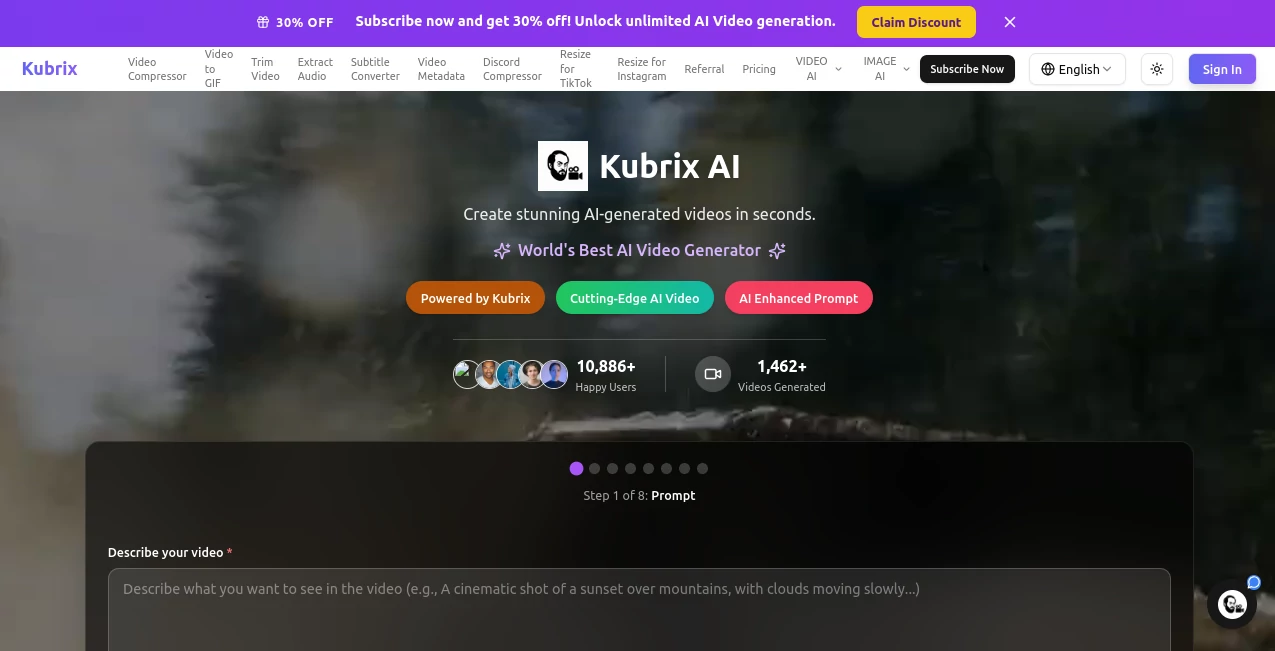
What is Kubrix?
There’s a moment of pure excitement when you describe a scene in plain words and watch it come to life on screen with proper lighting, smooth camera movement, and real emotional weight. Kubrix delivers that experience consistently. Whether you’re a marketer needing a quick product promo, a creator building a short film, or a business making training videos, it turns your ideas into polished, professional-looking clips that feel like they came from a real production set. I’ve seen people go from “I wish I could make something like that” to posting scroll-stopping videos the same day. The quality often surprises even those who are skeptical about AI video tools.
Introduction
Creating high-quality video has always been expensive and time-consuming. Kubrix changes that by making cinema-grade video generation accessible to everyone. Powered by advanced models, it handles text-to-video, image-to-video, and complex prompts with impressive attention to detail — synchronized audio, natural dialogue, and atmospheric sound design included. It’s not just another generator throwing random frames together. The results carry real cinematic intent, making it a favorite for creators who care about storytelling and visual impact. From marketing campaigns to educational content and personal projects, it consistently delivers videos that look and feel premium.
Key Features
User Interface
The platform keeps things clean and focused. You enter a prompt, upload a reference image if you want, choose your style or aspect ratio, and generate. Previews load reasonably fast so you can iterate without frustration. The interface stays out of your way, letting you concentrate on creativity rather than learning complicated controls. Even first-time users can create something impressive within minutes.
Accuracy & Performance
It excels at maintaining consistency across shots — same characters, coherent lighting, and natural motion. The AI understands cinematic language, so camera moves feel motivated and scenes flow smoothly. Generation quality is high enough for social media, presentations, and even short promotional content. While complex scenes may need a few tries, the success rate is strong, especially when you give it clear, vivid prompts.
Capabilities
Kubrix supports a wide range of use cases: marketing videos, product demonstrations, educational content, short films, social media clips, and corporate communications. It handles text-to-video, image-to-video, and advanced prompting with style references. You can create everything from realistic live-action style to more stylized or animated looks. The built-in audio and dialogue features add another layer of polish that many other tools still struggle with.
Security & Privacy
Your prompts and generated videos are handled professionally. The platform is designed for both personal creators and businesses, with appropriate safeguards for commercial work. You retain ownership of what you create, giving you confidence to experiment freely with client projects or personal ideas.
Use Cases
A small business creates professional product videos for their website and social channels without hiring a videographer. A teacher turns lesson plans into engaging animated explanations that hold student attention. A content creator generates daily Reels and TikToks with consistent style and quality. A filmmaker uses it to quickly mock up scenes and test ideas before full production. It fits naturally into any workflow that needs high-quality video fast.
Pros and Cons
Pros:
- Produces genuinely cinematic results with strong attention to lighting and motion.
- Fast enough to support real creative iteration and tight deadlines.
- Built-in audio and dialogue capabilities set it apart from basic generators.
- Versatile across marketing, education, entertainment, and e-commerce.
- Accessible for beginners while powerful enough for serious creators.
Cons:
- Very long or highly complex scenes may need to be broken into shorter clips.
- Best results still depend on clear, well-written prompts.
Pricing Plans
It offers options for different needs, from occasional personal use to high-volume commercial production. Free or trial access lets you test the quality, while paid plans unlock more generation minutes, higher resolutions, and priority processing. The pricing feels balanced for the professional-grade output you receive.
How to Use Kubrix
Start by writing a clear, descriptive prompt for your scene or story. Add a reference image if you want stronger visual guidance. Choose your preferred aspect ratio and any style preferences. Hit generate and review the result. Tweak the prompt or regenerate specific parts until it matches your vision. Download the finished video and use it directly or import into your editing software for final touches. The process is fast and designed to keep you in creative flow.
Comparison with Similar Tools
Many AI video tools produce short clips with visible artifacts or inconsistent motion. Kubrix stands out with stronger cinematic quality, better audio integration, and more coherent storytelling. It feels closer to professional production tools while remaining accessible and fast. For creators who care about visual storytelling and polish, it often becomes the preferred choice over more generic generators.
Conclusion
Video is one of the most powerful ways to communicate ideas, tell stories, and sell products. Kubrix makes creating high-quality video realistic for far more people by removing the traditional barriers of time, cost, and technical skill. It respects your creative vision while delivering results that look and feel premium. Whether you’re building a brand, teaching others, or just exploring new ideas, it opens doors that used to stay firmly closed. The future of video creation is here, and it’s more accessible than ever.
Frequently Asked Questions (FAQ)
How long does it take to generate a video?
Most clips are ready in under a minute, depending on length and complexity.
Can I use my own images as references?
Yes — uploading reference images significantly improves consistency and style control.
Are the videos suitable for commercial use?
Yes, especially on paid plans that include full commercial rights.
What kind of prompts work best?
Detailed, vivid descriptions with mood, lighting, and camera direction tend to give the strongest results.
AI Animated Video , AI Image to Video , AI Video Generator , AI Text to Video .
These classifications represent its core capabilities and areas of application. For related tools, explore the linked categories above.

Kubrix Alternatives Product

Whisper Thun…

Seedance 2

vio4 ai video

Sora AI Vide…

LoveGen AI

Nano Banana …

kling 5.0

Seedance 2.0…

gpt video