
MakeInfographic
What is MakeInfographic?
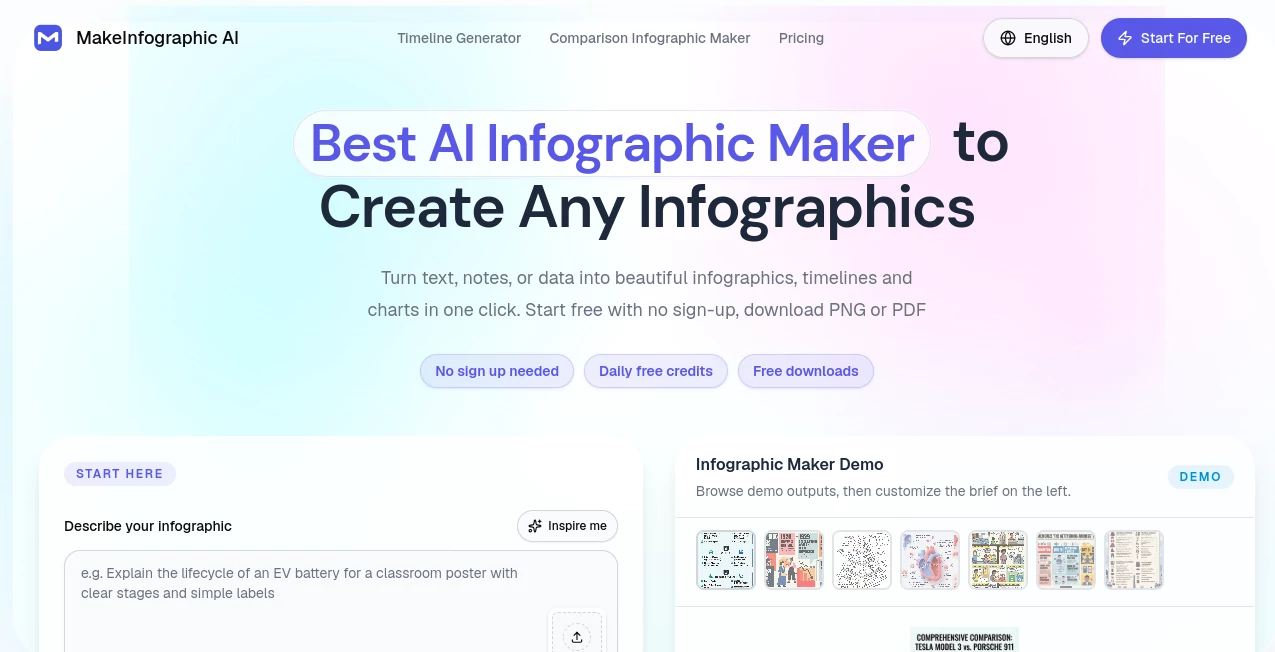
I’ve always believed a good infographic can explain complex ideas better than pages of text. The problem was the time and skill it took to create one. You either spent hours in Canva or paid a designer. This tool changes that completely. You paste text, upload data, or describe what you want, and it delivers clean, professional-looking infographics in minutes. I’ve used it to turn dull reports into shareable visuals that actually get read, and the difference in engagement is night and day.
Introduction
Information is everywhere, but attention is scarce. A well-designed infographic cuts through the noise and helps people understand, remember, and share your message. MakeInfographic makes creating them remarkably easy and fast. Whether you’re a marketer, educator, consultant, or content creator, it turns raw information into visuals that look like they came from a professional designer. The best part? You stay in control — you can tweak layouts, colors, and content until it perfectly matches your brand and purpose.
Key Features
User Interface
The interface is clean and inviting. You start by pasting text, uploading a document, or typing a description. The AI suggests layouts and designs based on your content, and you can customize everything with simple clicks. No steep learning curve — even if you’ve never designed anything before, you can create something that looks polished. The real-time preview lets you see changes instantly, which makes the whole process feel fun rather than technical.
Accuracy & Performance
It understands context surprisingly well. Numbers turn into clear charts, key points become smart icons, and the overall flow makes logical sense. Generation is fast — most infographics are ready in under a minute — and the quality is consistently high. I’ve thrown messy bullet-point notes at it and received visuals that looked thoughtful and intentional. The AI avoids the common mistakes of generic tools, like overcrowded layouts or mismatched colors.
Capabilities
You can create all kinds of infographics: process flows, comparison charts, timelines, statistical reports, how-to guides, and more. It supports multiple styles — modern, corporate, playful, minimalist — and lets you upload your own brand assets like logos and colors. Export options include high-resolution PNG, PDF, and editable formats. It’s versatile enough for social media posts, presentations, blog articles, or internal company reports.
Security & Privacy
Your content stays private during the creation process. The platform doesn’t store your data longer than necessary, and you can delete designs anytime. For businesses handling sensitive information or agencies working with client data, this respectful approach builds trust.
Use Cases
A marketing manager turns quarterly performance data into a beautiful report that leadership actually reads. A teacher creates engaging visual summaries for students that improve retention. A consultant transforms client recommendations into professional one-pagers that win more business. A content creator makes scroll-stopping social graphics from research notes in minutes. It works beautifully anywhere you need to make information clearer and more visually appealing.
Pros and Cons
Pros:
- Turns plain text or data into professional designs incredibly fast.
- High-quality, clean layouts that look custom-made.
- Great customization options while keeping things simple.
- Multiple export formats for any use case.
- Time-saving magic for busy professionals.
Cons:
- Very complex or highly specific designs may need some manual tweaking.
- Free tier has reasonable limits; heavier users benefit from paid plans.
Pricing Plans
It offers a generous free plan that lets you create several high-quality infographics to experience the difference. Paid plans remove watermarks, unlock unlimited creations, premium templates, and higher export quality. The pricing is fair and scales with your needs — many users say it quickly pays for itself through time saved and better engagement on their content.
How to Use MakeInfographic
Go to the dashboard and choose your starting point: paste text, upload a document, or describe your idea. The AI suggests templates and layouts. Review the first version, then tweak colors, fonts, icons, or rearrange sections until it feels right. When you’re happy, download in your preferred format. For recurring needs, you can save templates and brand settings to speed up future projects even more.
Comparison with Similar Tools
Many design tools require hours of manual work or produce generic results. This one stands out by combining AI speed with smart design understanding, delivering visuals that actually look professional. Where other generators feel robotic, the outputs here feel thoughtful and on-brand. It strikes an excellent balance between automation and creative control.
Conclusion
In a world drowning in information, the ability to communicate clearly and beautifully gives you a real advantage. MakeInfographic makes that possible without requiring design skills or endless hours. It turns good ideas into visuals that get noticed, understood, and remembered. Whether you create content for work, education, or personal projects, it’s one of those tools that quickly becomes essential once you start using it.
Frequently Asked Questions (FAQ)
How long does it take to create an infographic?
Most are ready in under a minute, with time for tweaks bringing the total to a few minutes.
Can I use my own brand colors and logo?
Yes — you can upload logos and set custom color palettes easily.
Are the designs suitable for professional use?
Absolutely — many users use them for client work, reports, and marketing materials.
Do I need design experience?
Not at all. The AI handles the heavy lifting while giving you easy ways to customize.
What file formats can I export?
High-resolution PNG, PDF, and sometimes editable formats depending on your plan.
AI Content Generator , Photo & Image Editor , AI Design Generator , AI Graphic Design .
These classifications represent its core capabilities and areas of application. For related tools, explore the linked categories above.
MakeInfographic details
Website unavailable — View Alternatives
Pricing
- Free
Apps
- Web App
Categories

MakeInfographic Alternatives Product

Z Image Turbo

Card Maker AI

Banana Promp…

Carouzel AI

Yodayo AI

Undertale Te…

Ultra Face S…

Best AI SVG …

Sketchready