
MakeReels
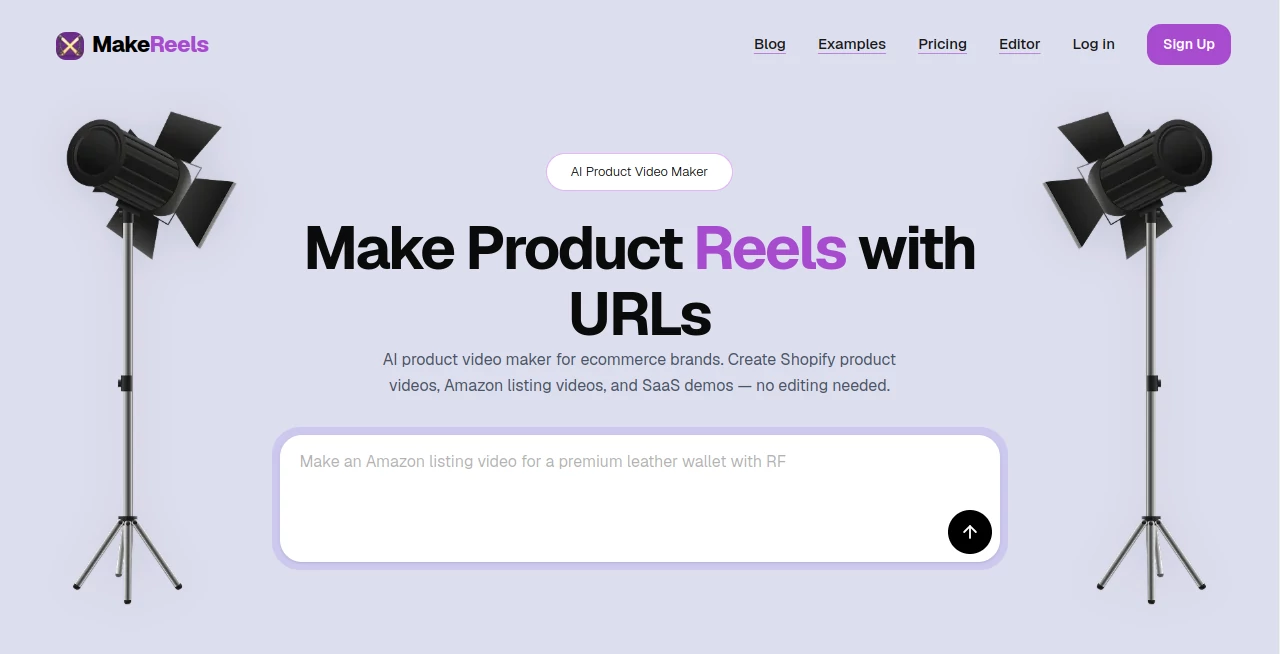
What is MakeReels?
Creating product videos usually takes more time than ecommerce teams can afford. You need product images, a script, voiceover, transitions, captions, music, and the right format for every channel. MakeReels takes a much simpler approach: provide a product URL or description and turn that information into a ready-to-publish product video.
The platform is built primarily for ecommerce brands, with dedicated workflows for Shopify product videos, Amazon listing videos, social media content, and SaaS demonstrations. It is particularly useful for businesses that need to turn a large product catalog into video content without relying on a traditional editing workflow.
Its approach is refreshingly practical. Instead of asking users to start with a blank timeline, it starts with the product itself and handles much of the production process automatically. For a store owner launching several products in a week, that difference can save a considerable amount of repetitive work.
Key Features
- Product URL to Video: Turn product links into video content without manually rebuilding product information.
- Product Description to Video: Create videos from written product information when a URL is not available.
- Shopify Product Videos: Create video content designed for ecommerce product pages and promotional campaigns.
- Amazon Listing Videos: Generate product videos intended for Amazon listings with suitable formats and presentation.
- AI Voiceovers: Add AI narration with support for more than 40 languages.
- AI Subtitles: Add captions to make product videos easier to follow, particularly on social platforms.
- Auto B-Roll: Automatically incorporate supporting visual elements into the video.
- Multi-Format Resize: Adapt content for different publishing formats and platforms.
- SaaS Demo Videos: Turn software descriptions or landing-page information into polished demonstration videos.
- Global Dubbing: Create localized versions of product content for audiences in different markets.
- Auto Scheduler: Help prepare generated content for scheduled publishing workflows.
- Auto Stabilizer and Color Grading: Additional automated processing helps give generated videos a more polished finish.
User Interface
The workflow is designed around simplicity rather than professional video-editing complexity. The basic process is straightforward: provide the product link or description, customize the generated video, and export it for publishing.
This is an important advantage for ecommerce owners and marketers who are comfortable working with products and campaigns but do not want to learn a full video-editing application. Someone launching a new skincare product, for example, can focus on the product message and audience instead of spending an afternoon arranging clips on a timeline.
The platform also offers an editor for users who want more control after generation. That balance between automation and customization makes the workflow more practical than an entirely hands-off generator.
Accuracy & Performance
The quality of a product video depends heavily on the information supplied to the system. Clear product descriptions, useful product imagery, and accurate source information give the generation process a stronger foundation.
The platform advertises fast rendering and is designed to produce finished videos in minutes rather than requiring a conventional production cycle. It also provides options such as HD video generation, high-quality output, automatic aspect ratios, subtitles, voiceovers, and visual enhancements.
It is worth remembering that automated video generation is not a replacement for reviewing the final result. Before publishing a commercial video, marketers should check product claims, pricing, wording, visual accuracy, pronunciation, and calls to action.
Capabilities
The platform goes beyond basic text-to-video generation by combining several stages of product content production. Its capabilities include product demos, product URL conversion, product-description conversion, Amazon listing videos, Shopify videos, SaaS demos, AI subtitles, automatic B-roll, voiceovers, text-to-speech, dubbing, resizing, SEO hashtags, scheduling, and automated visual processing.
One particularly useful feature is the ability to create variations for different audiences. A brand could promote the same product with different messaging, narration, or calls to action depending on the target market. For businesses managing many products, this can make video production considerably easier to scale.
Security & Privacy
The public website focuses primarily on video creation features and does not provide extensive technical information about encryption, data retention, or detailed security architecture. Businesses handling sensitive product information should therefore review the platform's current privacy and data-handling documentation before uploading confidential material.
For ordinary ecommerce marketing workflows, users should still follow good practice by avoiding confidential customer information and reviewing generated content before publication.
Use Cases
Ecommerce stores: Online stores can transform product pages into short promotional videos without producing each video manually. This is especially useful for stores with dozens or hundreds of products.
Shopify merchants: Product URLs can be used as the starting point for creating product-focused video content suitable for product pages and marketing campaigns.
Amazon sellers: Sellers can create listing-oriented videos that present product features, benefits, and use cases in a more engaging format than static images alone.
Social media marketers: Short product clips, subtitles, voiceovers, different aspect ratios, and automated visual elements make the platform useful for social content production.
SaaS companies: Software businesses can use product or landing-page information to create demonstration videos that explain features and communicate value more quickly.
International brands: Voiceovers in more than 40 languages and global dubbing capabilities can help brands adapt existing product content for different markets.
Marketing agencies: Agencies managing multiple ecommerce clients can benefit from a workflow designed around repeatable product-video production rather than creating every project from scratch.
Pros and Cons
- Pros: Product-focused video generation, URL-to-video workflow, Shopify and Amazon support, AI voiceovers in 40+ languages, SaaS demo creation, automated subtitles and B-roll, multiple output formats, and features designed for bulk content production.
- Pros: The workflow is approachable for users who have little or no traditional video-editing experience.
- Pros: Credit-based pricing means users can purchase video-generation capacity without being tied exclusively to a conventional monthly subscription.
- Cons: Users looking for advanced frame-by-frame professional editing may still prefer a dedicated video editor.
- Cons: Automated output should be reviewed before publication, particularly when product claims or important commercial information are involved.
- Cons: The public site provides limited technical detail about security and privacy practices.
Pricing Plans
The pricing model uses credits rather than a standard monthly subscription. The entry option provides 50 credits for ₹99, while the 1,000-credit package costs ₹999. A larger 15,000-credit package is available for ₹10,000. The listed credit packs include HD video generation, AI voiceovers, no credit expiry, and high-quality output.
The platform also provides a credit calculator so users can estimate the number of credits required for their video production needs. For example, the pricing page currently shows 240 credits for a 30-second video at the selected quality level. Enterprise customers can request custom pricing, dedicated support, or white-label solutions.
How to Use It
- Start with a product URL or a clear product description.
- Let the AI process the available product information and generate the video.
- Review the generated visuals, messaging, voiceover, captions, and overall presentation.
- Customize the video if changes are needed.
- Choose the appropriate format for the destination platform.
- Export the finished video and publish it on your product page, marketplace listing, social channel, or advertising campaign.
A good workflow is to create one strong version first, review it carefully, and then produce variations for different audiences. This helps keep the core product message consistent while allowing campaigns to use different hooks and calls to action.
Comparison with Similar Tools
Many AI video generators are designed as general-purpose creative platforms. They can be excellent for producing cinematic scenes, social clips, or imaginative text-to-video content, but ecommerce teams often need something more specific.
The main distinction here is the product-first workflow. Instead of beginning with a generic prompt, the platform is designed around product URLs, product descriptions, ecommerce listings, product demos, and promotional content. Features such as Shopify product videos, Amazon listing videos, product clips, AI voiceovers, automated B-roll, and bulk generation are particularly relevant to businesses selling physical or digital products.
That makes it less of a general creative playground and more of a production tool for marketers who need repeatable product content at scale. For a filmmaker looking for deep creative control, a conventional editing suite may still be the better choice. For an ecommerce marketer who needs ten product videos instead of one highly edited production, the specialized workflow can be much more attractive.
Conclusion
Product video creation does not have to become another bottleneck in an ecommerce marketing workflow. By starting with product information and automating much of the production process, this platform gives merchants a practical way to turn existing catalog content into engaging videos.
Its strongest point is specialization. Shopify and Amazon workflows, product demos, URL-to-video generation, multilingual voiceovers, subtitles, B-roll, resizing, and SaaS demos all point toward one clear goal: helping businesses produce useful product videos without requiring traditional editing skills.
For ecommerce brands, marketplace sellers, SaaS companies, and marketing teams producing content at scale, it is a compelling option worth testing. The credit-based pricing also makes it relatively easy to start small, evaluate the generated results, and increase production when the workflow proves useful.
Frequently Asked Questions (FAQ)
What is an AI product video maker?
An AI product video maker turns product information such as a URL or description into a finished video using automated visuals, narration, captions, transitions, and other production elements.
Can I create Shopify product videos?
Yes. The platform is specifically designed to create product videos for Shopify stores using product URLs or descriptions.
Can I create Amazon listing videos?
Yes. Amazon listing video creation is one of the platform's dedicated use cases, with generated content designed around product presentation and suitable video formats.
Does it provide AI voiceovers?
Yes. AI voiceovers are available in more than 40 languages, allowing businesses to add narration to product demonstrations and promotional videos.
Can it create SaaS demo videos?
Yes. SaaS companies can provide software information or a landing-page URL and use the system to create a demonstration video highlighting features and benefits.
Can I create different versions of the same product video?
Yes. The platform supports creating variations with different messaging, voiceovers, and calls to action. Bulk generation is also intended to make large-scale production more efficient.
Do the credits expire?
The current pricing page states that purchased credits have no expiry.
Is this suitable for people without video-editing experience?
Yes. The workflow is specifically designed to reduce the need for traditional editing skills. Users can begin with product information, generate a video, customize it, and export the result.
What pricing options are available?
The current credit packs include 50 credits for ₹99, 1,000 credits for ₹999, and 15,000 credits for ₹10,000. Enterprise customers can request custom pricing and additional services.
AI Video Generator , AI Advertising Assistant , AI Text to Video , AI UGC Video Generator .
These classifications represent its core capabilities and areas of application. For related tools, explore the linked categories above.

MakeReels Alternatives Product

VO4 AI

Adchat

PDF to Video

kling 3 AI

Kling 3.0 Vi…

Khuram Youraj

pvz fusion

sora video

seedance 2