


















Makko AI
What is Makko AI?
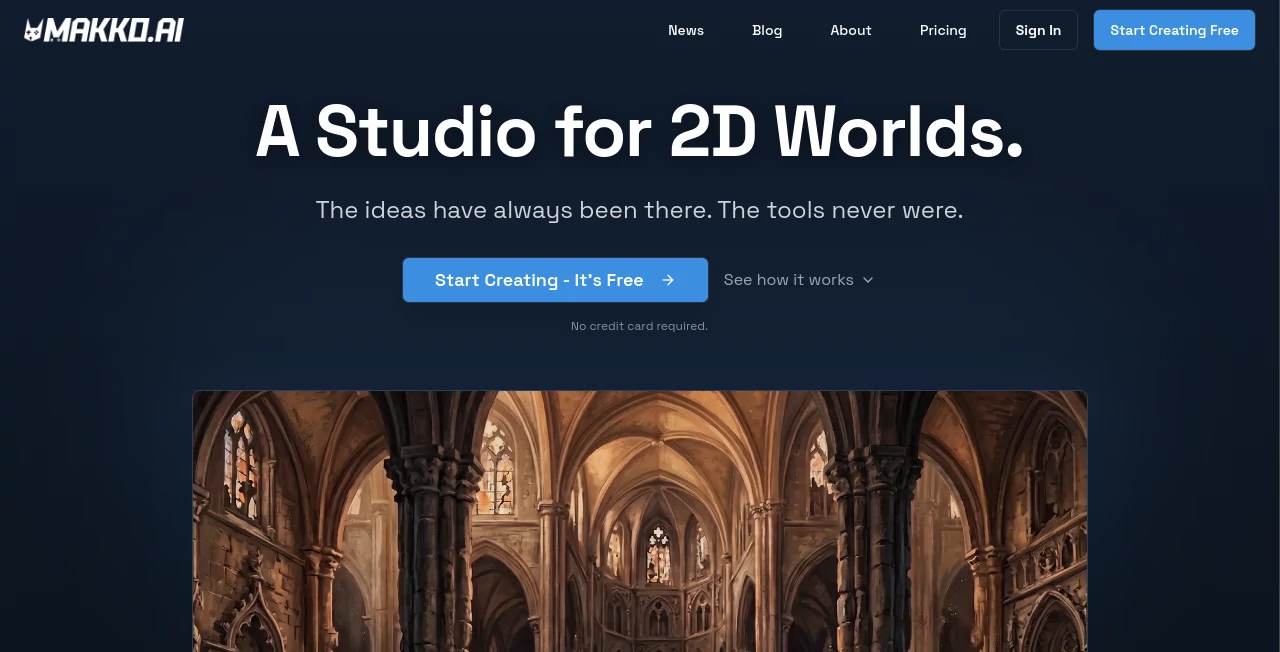
Creating a video game has traditionally required a mix of artistic skills, programming knowledge, animation experience, and a lot of production time. Makko AI changes that workflow by helping creators turn simple ideas into complete 2D game experiences without needing to master every technical discipline. It is an AI-powered game creation platform designed for indie developers, hobbyists, designers, and anyone who wants to transform imagination into playable projects.
The platform focuses on making game development more accessible by allowing users to describe their vision and generate important game assets such as characters, environments, objects, animations, and playable prototypes. Instead of spending days searching for compatible assets or learning complex software, creators can focus more on storytelling, gameplay ideas, and creative decisions.
With an approach built around AI assistance rather than replacing creators, the platform gives users control over the final direction while reducing repetitive production work. This makes it an attractive option for beginners building their first project as well as experienced creators looking to speed up their workflow.
Key Features
User Interface
The interface is designed around simplicity and creative flow. Users can start by explaining what they want to build in natural language instead of navigating complicated development settings. The workspace separates creative tasks into organized areas, helping users manage artwork, assets, and game-building processes more efficiently.
The collection-based workflow helps maintain consistency throughout a project. For example, when creating a fantasy adventure game, characters, backgrounds, and objects can follow the same visual direction instead of looking like unrelated assets from different sources.
Accuracy & Performance
One of the strongest aspects of the platform is its ability to understand creative instructions and generate assets that match the requested style. The AI-assisted workflow helps maintain visual consistency across different parts of a game, which is often one of the biggest challenges for independent creators.
The platform has been used by thousands of creators to generate game assets and prototypes, showing its ability to support real creative projects rather than only simple experiments.
Capabilities
The tool provides a complete creative environment for building 2D games. Users can generate and organize multiple types of content needed for development, including:
- 2D game characters and character concepts
- Background environments and scenes
- Game objects and visual assets
- Animation-ready character designs
- Playable game prototypes
- AI-assisted game creation workflows
- Consistent art styles across complete projects
The platform is especially useful for creators who have strong game ideas but lack professional drawing or coding skills.
Security & Privacy
The platform is built with creators in mind, giving users ownership of the content they create. This allows developers and artists to use generated assets as part of their personal projects, prototypes, and commercial ideas.
By focusing on creator ownership and a human-controlled workflow, it provides a more flexible approach compared with systems that only generate temporary content.
Use Cases
This AI game creation platform can support many different types of users and projects. Some common use cases include:
- Indie Game Developers: Quickly create visual assets and prototypes without hiring a large production team.
- Beginner Creators: Build first game projects without needing advanced programming or illustration skills.
- Game Designers: Test ideas and concepts before investing significant development time.
- Artists: Explore new creative directions and speed up asset production.
- Educators: Introduce students to game design through a simpler creative workflow.
- Small Studios: Reduce repetitive tasks and focus resources on gameplay and storytelling.
Pros and Cons
Pros
- No advanced drawing skills required.
- No traditional coding experience needed for starting projects.
- Helps maintain a consistent visual style.
- Speeds up early-stage game development.
- Useful for prototypes, experiments, and complete creative projects.
- Allows creators to focus on ideas instead of repetitive production tasks.
Cons
- Complex professional games may still require traditional development tools.
- AI-generated content may need creative adjustments for unique styles.
- Advanced developers may require additional customization options.
Pricing Plans
The platform offers a free way for new creators to explore its features and begin experimenting with AI-assisted game development. New users can start creating projects without immediately committing to a paid plan.
Paid options are designed for creators who need additional usage capacity and more resources for larger projects. The pricing structure allows beginners to test the workflow while giving serious developers room to scale their production.
How to Use Makko AI
Getting started is straightforward:
- Create an account and enter the creative workspace.
- Describe the type of game, character, or environment you want to create.
- Generate assets and organize them into project collections.
- Refine designs and keep a consistent visual direction.
- Use generated assets to build and test playable game concepts.
The process feels closer to working with a creative assistant than operating traditional development software. Users can experiment quickly, adjust ideas, and move from concept to prototype faster.
Comparison with Similar Tools
Compared with traditional game engines, this platform focuses more on accessibility and rapid creation. Conventional engines provide deep customization but usually require technical knowledge, programming skills, and manual asset creation.
Compared with general AI image generators, this solution is designed specifically around game development. It focuses on creating connected assets that belong together, making it easier to build complete game worlds instead of isolated images.
Conclusion
Makko AI brings a fresh approach to game development by combining artificial intelligence with creative freedom. It removes many barriers that prevent people from building games, allowing creators to move from an idea to a playable experience with less technical friction.
For beginners, it provides an approachable entry point into game creation. For experienced developers, it offers a faster way to explore concepts and produce assets. By keeping humans in control while handling repetitive tasks, it creates a practical balance between creativity and automation.
Frequently Asked Questions (FAQ)
Can beginners create games with this tool?
Yes. The platform is designed for people who may not have professional drawing or programming experience and want to create 2D games through an easier workflow.
What types of games can be created?
Users can create different styles of 2D projects, including platform games, adventure concepts, prototypes, and other creative game ideas.
Do users own the content they generate?
Creators maintain ownership of the projects and assets they produce, allowing them to use their creations for personal or commercial purposes.
Is coding required?
The platform reduces the need for traditional coding during the creation process, making it possible for non-programmers to explore game development.
Who benefits most from using this platform?
Indie developers, hobbyists, designers, students, and creative teams looking for a faster way to build 2D games can benefit from this workflow.
AI Game , Design & Art , AI Art Generator , AI Design Generator .
These classifications represent its core capabilities and areas of application. For related tools, explore the linked categories above.

Makko AI Alternatives Product

Z-Image Gene…

Nano Banana 2

Pixelied

Wplace Toolk…

NYT Sudoku

obbylist

Z-Image Free

GPT Image 1.5
Ambigram Gen…
