

















AI Motion Control
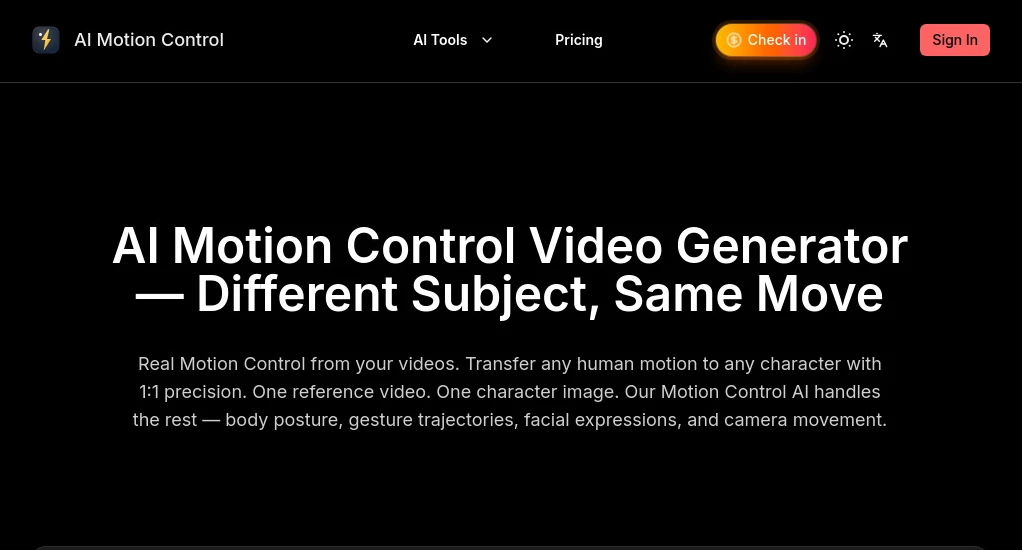
What is AI Motion Control?
Creating engaging AI videos often feels like a balancing act. You want realistic movement, smooth camera transitions, and consistent character behavior, yet many video tools leave creators fighting unpredictable results. This platform approaches video generation differently by giving creators far more control over motion and scene behavior.
Built for creators producing short-form content, motion posters, social videos, AI character clips, and cinematic experiments, it combines movement templates, reference-driven workflows, and advanced animation controls into one streamlined experience. Rather than depending on random prompt outcomes, users can guide motion through source videos and predefined actions, making the creative process feel more intentional and surprisingly efficient.
For creators chasing eye-catching TikTok clips, virtual influencer content, or highly dynamic visual storytelling, this solution feels designed around real creative workflows rather than generic AI generation.
Key Features
User Interface
The interface focuses on speed and simplicity. Uploading a source image or driving video takes only moments, and the workflow remains easy to understand even for creators with limited editing experience.
Template-driven navigation reduces guesswork. Instead of building scenes from scratch, users can choose movement styles and quickly test ideas without spending hours adjusting settings.
Accuracy & Performance
One of the strongest aspects is motion consistency. Character movement, facial expressions, and camera transitions maintain a surprisingly stable appearance across scenes.
Temporal consistency receives noticeable attention. Fast camera movements, zoom effects, and motion transfers generally feel smoother and produce fewer visual artifacts than many traditional image-to-video systems.
Capabilities
- Image-to-video generation
- Video-to-video transformation
- Face swap functionality
- Motion transfer workflows
- Camera pan and zoom effects
- Dynamic movement templates
- AI dance generation
- Motion poster creation
- Character consistency support
- Social media content optimization
Creators can transform still images into animated content, generate stylized movement sequences, and create engaging visual assets suitable for modern short-form platforms.
Security & Privacy
Privacy features are important for commercial creators and agencies. Private creation options help users work on projects without exposing unfinished material publicly. Watermark-free exports and commercial-ready outputs also support professional production use.
Teams handling client projects benefit from controlled workflows and a more secure environment for production assets.
Use Cases
- Create AI dance and entertainment clips for short-form platforms
- Turn static product images into animated advertisements
- Generate virtual influencer content
- Build cinematic motion posters
- Create social media promotional videos
- Experiment with visual storytelling concepts
- Develop animated character content
- Produce fast concept videos for marketing campaigns
A content creator might start with a simple portrait image and transform it into a moving sequence with camera pans, facial expressions, and dramatic movement in only a few minutes. That speed changes the creative process significantly.
Pros and Cons
Pros
- Strong motion consistency
- Simple template-based workflow
- Supports image and video inputs
- Face swap integration
- Designed for creators and marketing teams
- Commercial-ready exports
- Fast generation workflow
Cons
- High-volume usage may require premium plans
- Advanced experimentation can consume credits quickly
- Some creators may need trial runs before mastering movement styles
Pricing Plans
The platform provides multiple pricing tiers designed for different creative needs.
- Lite: Suitable for beginners testing motion generation workflows
- Pro: Better for creators producing content regularly
- Premium: Built for agencies and high-volume production teams
Daily free credits allow newcomers to explore capabilities before moving into larger projects.
How to Use Motion Control AI
- Create an account
- Upload an image or source video
- Select a movement template
- Choose desired camera behavior
- Apply face swap or motion transfer if needed
- Generate and review results
- Export the final video
The process feels refreshingly direct. Even first-time users can usually create usable results without a long learning period.
Comparison with Similar Tools
Many AI video generators focus heavily on text prompts and leave movement interpretation entirely to the model. This often creates inconsistent outcomes and unpredictable animations.
Compared with common image-to-video platforms, this workflow emphasizes direct motion guidance and repeatable behavior. Camera movement, reference-driven animation, and stronger character consistency create a more controlled production environment.
For creators who value precision over experimentation, that distinction matters.
Conclusion
AI video generation has moved beyond simple prompt experimentation. Creators increasingly need tools capable of producing repeatable results with greater visual control.
This platform addresses that shift with a practical combination of motion transfer, camera behavior management, and character consistency tools. Whether someone creates marketing content, virtual characters, motion posters, or social clips, the workflow feels designed for actual production rather than novelty.
For creators looking to transform static visuals into dynamic storytelling experiences, it offers a remarkably flexible environment that balances speed with creative control.
Frequently Asked Questions (FAQ)
Can beginners use this platform?
Yes. The template-based workflow makes it approachable even for users with no advanced editing background.
Can I create videos from photos?
Yes. Users can upload images and convert them into animated scenes with camera movement and motion effects.
Does it support face swapping?
Yes. Face swapping is integrated into the workflow and can be combined with movement templates.
Can generated content be used commercially?
Commercial-ready outputs are available on supported plans.
Who benefits most from this tool?
Content creators, marketers, agencies, social media managers, filmmakers, and virtual influencer creators can gain significant value.