
PicTextRemover
What is PicTextRemover?
Nothing ruins a great photo faster than a big watermark, timestamp, or ugly text overlay. You’ve got the perfect shot — except for that distracting logo or date stamp right in the middle. This tool solves that problem in seconds. Upload your image, let it detect the text, and watch it intelligently remove and rebuild the background so naturally that you’d never know anything was there. I’ve used it on old vacation photos, product shots, and even screenshots — the results consistently look clean and professional without that artificial “edited” feel.
Introduction
We’ve all been there: you find a beautiful image but it’s spoiled by text you don’t want. Traditional editing software requires hours of careful cloning and healing, and most online tools either leave obvious patches or destroy the surrounding details. PicTextRemover takes a smarter approach. It uses AI that understands context — it doesn’t just erase text, it reconstructs what should be behind it. The whole process is fast, simple, and surprisingly effective, even on complex backgrounds like crowds, landscapes, or patterned fabrics. For photographers, designers, marketers, and regular users tired of watermarks, it feels like a genuine time-saver.
Key Features
User Interface
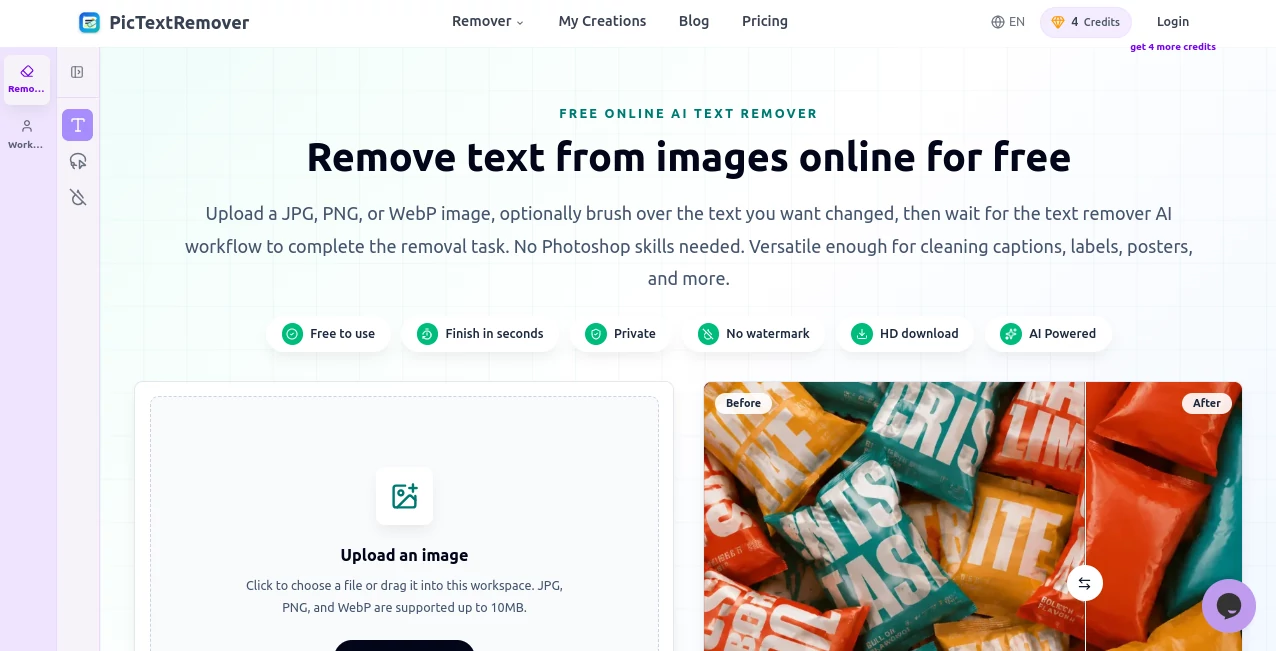
The interface is wonderfully straightforward. You drag and drop your photo or click to upload, and it quickly highlights the text it detects. You can manually adjust the selection if needed, then hit remove. There’s no complicated toolbar or steep learning curve — everything stays clean and focused so you can get your image back quickly. The before-and-after comparison appears instantly, letting you see the difference right away.
Accuracy & Performance
It does an impressive job reading different fonts, sizes, and colors, even on busy or low-contrast backgrounds. The inpainting technology fills in the removed areas with realistic textures and lighting that blend seamlessly. Processing is fast — most images are done in just a few seconds — and the results hold up well even when zoomed in. I’ve tested it on everything from bold logos to faint handwritten notes, and it rarely leaves noticeable artifacts.
Capabilities
Beyond basic text removal, it handles watermarks, subtitles, dates, logos, and even handwritten text. You can remove multiple text elements in one go, and it works on photos, screenshots, product images, and scanned documents. The tool preserves original image quality while intelligently reconstructing backgrounds, shadows, and fine details. It’s especially useful for cleaning up social media screenshots, restoring old photos, or preparing clean images for professional use.
Security & Privacy
Your images are processed securely and not stored after the edit is complete. There’s no forced account creation for basic use, giving you peace of mind when working with personal or client photos. The focus stays on delivering clean results without unnecessary data collection.
Use Cases
A photographer removes distracting watermarks from client photos before delivery. An e-commerce seller cleans up product images that had pricing text or logos. A social media manager turns messy screenshots into polished visuals for posts. Someone restoring family albums removes dates and notes from old scanned pictures. Designers use it to clean reference images or create clean mockups. It’s one of those tools that quietly solves problems you didn’t realize were slowing you down.
Pros and Cons
Pros:
- Extremely fast and easy — most edits take under 10 seconds.
- Natural-looking results that don’t scream “AI edited.”
- Handles various text types, including challenging watermarks and handwriting.
- Preserves original image quality and fine background details.
- Free tier is generous for occasional use.
Cons:
- Very complex or artistic backgrounds can sometimes need minor manual touch-ups.
- Heavy batch processing and unlimited use require a paid plan.
Pricing Plans
The free version lets you test the quality on several images per day with no watermarks on downloads. Paid plans unlock unlimited removals, higher resolution support, priority processing, and batch uploads. The pricing is reasonable for how much time and frustration it saves, especially for anyone who regularly works with images.
How to Use PicTextRemover
Go to the main page and upload your photo by dragging it in or clicking the upload button. The tool automatically detects text areas — you can fine-tune the selection if needed. Click “Remove Text” and wait a few seconds. Use the before-and-after slider to check the result, then download the clean version. For multiple images, paid users can process them in batches. It’s straightforward enough that you can clean up several photos during a coffee break.
Comparison with Similar Tools
Many text removal tools either leave blurry patches or require manual brushing that takes forever. This one stands out by combining smart detection with high-quality inpainting that respects the original lighting and texture. It’s faster and more natural-looking than most free alternatives, and more user-friendly than complex desktop software. For quick, high-quality results without a steep learning curve, it’s hard to beat.
Conclusion
Great photos deserve to be seen without distractions. This tool makes removing unwanted text simple, fast, and remarkably effective. Whether you’re a professional working on client images or just someone wanting to clean up personal memories, it delivers results you’ll be happy to share. In a world full of complicated editing software, its straightforward approach and impressive quality make it a tool worth keeping handy.
Frequently Asked Questions (FAQ)
How fast is the processing?
Most images are cleaned in just a few seconds.
Does it work on handwritten text?
Yes, it handles both printed and handwritten text quite well.
Can I remove multiple text elements at once?
Absolutely — it detects and removes all selected text in a single pass.
Is the free version useful?
Yes, it’s generous enough for regular personal and light professional use.
Will the edited area look natural?
In most cases yes — the AI reconstructs backgrounds thoughtfully, matching lighting and texture.
AI Background Remover , Photo & Image Editor , AI Photo Enhancer , AI Image to Image .
These classifications represent its core capabilities and areas of application. For related tools, explore the linked categories above.

PicTextRemover Alternatives Product

Unblur Image

Editaimg

chibi art

Gemini AI Ph…

Z image AI

MAGIK FACE

ImgUnblur

remove bg vi…

Image Unblur