Microsoft AI Playground
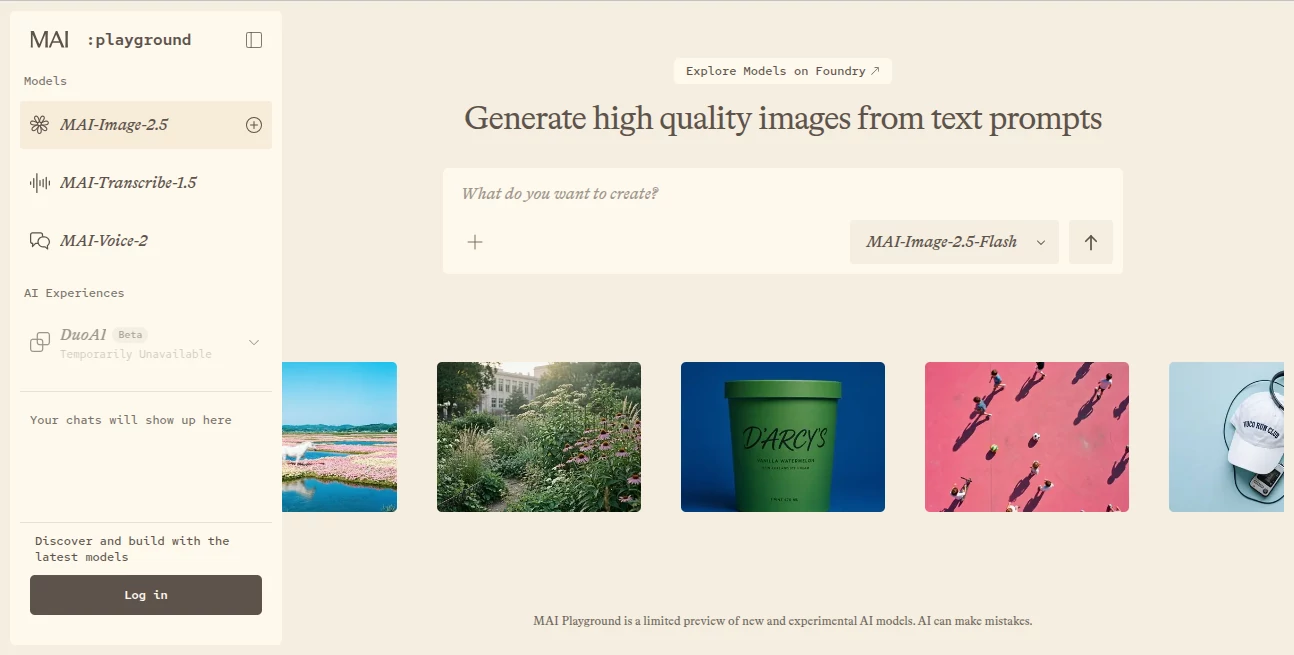
What is Microsoft AI Playground?
Discover an easy way to experiment with advanced artificial intelligence through a modern online playground built for creativity and productivity. From generating realistic images to converting speech into text and creating natural-sounding voices, the platform brings several powerful AI capabilities together in a simple interface. Whether you are a developer, designer, student, or curious learner, it offers a practical environment to test ideas before integrating them into real projects.
Key Features
User Interface
The clean layout makes every tool easy to access without unnecessary complexity. Models are clearly organized, allowing users to switch between different AI experiences in just a few clicks.
Accuracy & Performance
Built on Microsoft's latest AI technology, the platform delivers fast responses with impressive quality for image generation, speech recognition, and voice synthesis. Results are suitable for testing concepts, creating prototypes, and evaluating model performance.
Capabilities
- Create high-quality images from text prompts.
- Generate natural speech from written content.
- Convert spoken audio into accurate text.
- Experiment with multiple AI models in a single workspace.
- Preview technologies that power modern Microsoft AI products.
Security & Privacy
The service is backed by Microsoft's trusted cloud infrastructure. Users can explore AI models using their Microsoft account without setting up complex cloud resources, making experimentation both convenient and secure.
Use Cases
- Testing AI features before software development.
- Creating marketing visuals and creative concepts.
- Producing voiceovers for presentations.
- Transcribing interviews and meetings.
- Learning prompt engineering with real AI models.
Pros and Cons
Pros
- Free to explore with a Microsoft account.
- Multiple AI models in one platform.
- Fast and responsive experience.
- Simple interface for beginners and professionals.
Cons
- Some features are intended mainly for testing.
- Advanced production options require Microsoft's AI ecosystem.
Pricing Plans
The playground can be accessed free with a Microsoft account, allowing users to explore supported AI models without configuring Azure services. Additional enterprise features and production deployments may require Microsoft AI services.
How to Use Microsoft AI Playground
Sign in with a Microsoft account, choose the AI model you want to explore, enter your prompt or upload supported content, review the generated result, and continue refining your prompts until you achieve the desired outcome.
Comparison with Similar Tools
Unlike many AI playgrounds that focus on a single capability, this platform combines image generation, speech synthesis, and transcription in one environment. It is especially useful for users who want to evaluate Microsoft's latest AI technologies before adopting them in real-world workflows.
Conclusion
This playground offers an excellent introduction to Microsoft's growing AI ecosystem. Its combination of ease of use, reliable performance, and multiple creative tools makes it a valuable choice for anyone interested in exploring modern artificial intelligence without a complicated setup.
Frequently Asked Questions (FAQ)
Is the platform free to use?
Yes. Anyone with a Microsoft account can access the playground and explore supported AI models.
Who is it designed for?
It is suitable for developers, content creators, students, researchers, and anyone interested in experimenting with AI.
Can it generate images?
Yes. It includes image generation models that create visuals from text prompts.
Does it support speech recognition?
Yes. Audio can be converted into text using built-in transcription models.
Is programming knowledge required?
No. The interface is designed so users can experiment with AI models without writing code.
AI Image to Video , AI Text to Speech , AI Speech to Text , AI Text to Image .
These classifications represent its core capabilities and areas of application. For related tools, explore the linked categories above.
Microsoft AI Playground details
Website unavailable — View Alternatives
Pricing
- Free
Apps
- Web App
Categories

Microsoft AI Playground Alternatives Product

kling 5.0

KOOX AI

Wan 2.7 Image

Seedance 2.0

loraai.me

flux 3

seedance 2.0

Sourcetable

ModelsLab