


















PlotStudio AI
What is PlotStudio AI?
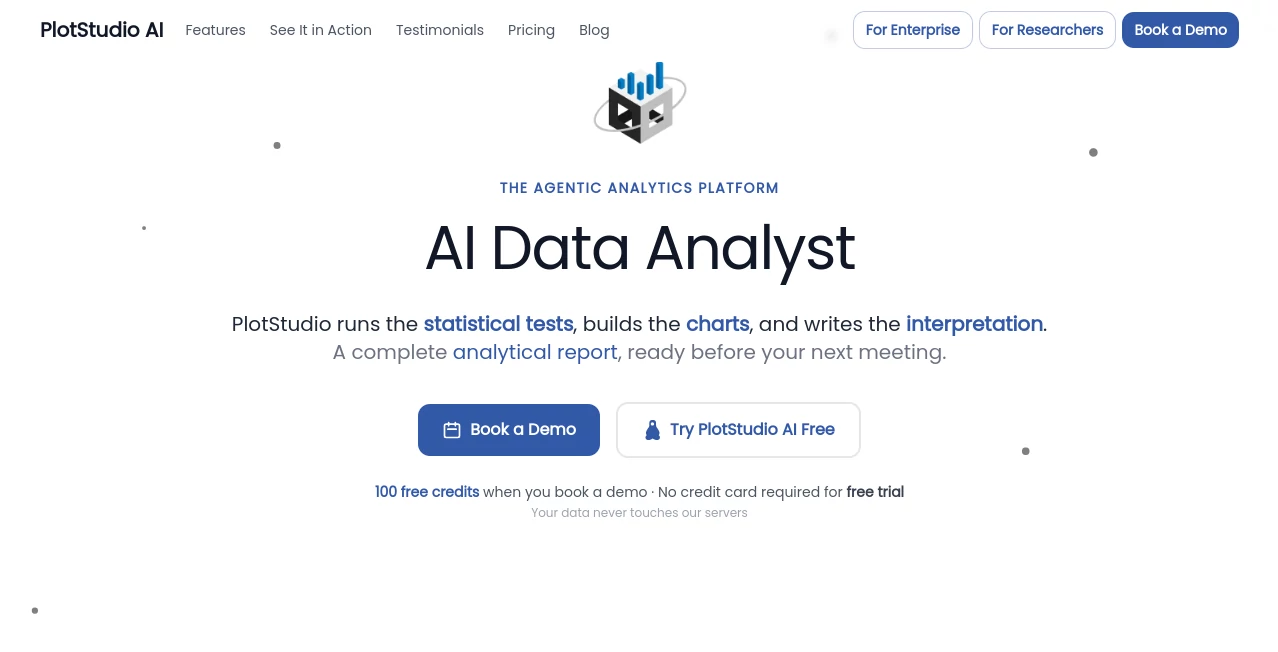
I’ve sat through too many meetings where someone asked a simple business question and the room went quiet because “we’ll need to get the data team on it.” Hours turn into days, and by the time the answer arrives, the moment has passed. This tool changes that reality. You upload your dataset, ask a question in plain English, and a team of AI agents plans the approach, writes the code, runs it, checks the results, and delivers a complete, readable analysis with charts, stats, and clear insights — often in minutes instead of days. It doesn’t just spit out a chart and a paragraph. It thinks like a good analyst would.
Introduction
Most AI data tools feel like fancy calculators. You ask something, get a visualization, and that’s it. PlotStudio behaves more like a collaborative analyst sitting next to you. It profiles your data first, suggests smart questions, plans a full investigation, executes the code, self-corrects when needed, and produces a permanent analysis page you can build on. The best part? Your data never leaves your machine if you don’t want it to. It’s built for business analysts who need answers fast, data scientists who hate boilerplate, and teams that want reproducible, auditable work without the usual headaches.
Key Features
User Interface
The interface is clean and thoughtful. Upload a CSV or Excel file, and it immediately gives you a data quality score and an executive summary. Ask questions in normal language, and everything unfolds in permanent analysis pages rather than disappearing chat threads. You can see the full reasoning chain, review the code, and even jump in to guide or correct the direction. It feels less like using software and more like having a very capable junior analyst who never sleeps and documents everything.
Accuracy & Performance
The agents don’t just guess — they plan, write Python, execute it, verify results, and iterate if something looks off. This leads to surprisingly reliable outputs, even on complex questions involving statistical tests or causal inference. Domain intelligence kicks in automatically (or you can guide it), applying the right methods for your field. In real use, it handles everything from customer churn prediction to macroeconomic analysis with a level of depth that impresses people who do this for a living.
Capabilities
It goes far beyond basic charts. You get full data profiling, intelligent cleaning suggestions, multi-step analysis with proper statistical methods, cross-analysis insights, and publication-ready exports (PDF reports or Jupyter notebooks with all code). Verification mode lets you review and edit the plan before it runs. It supports domain specializations like econometrics, healthcare, finance, and more. Your entire workspace becomes a living knowledge base where new analyses build on previous ones.
Security & Privacy
This is one of its strongest points. Your data stays on your machine. The AI agents make calls directly to the model provider without the platform seeing your raw data. Enterprise users can even connect their own Azure OpenAI instance. For anyone handling sensitive business, customer, or research data, that privacy-first approach removes a major barrier to adoption.
Use Cases
A product manager uploads usage data and asks why certain customers are churning — gets a full analysis with model, lift chart, and clear recommendations in minutes. A researcher explores a new dataset without writing any code, letting the agents handle the mechanical work while they focus on interpretation. A small business owner without a data team finally understands their sales patterns and makes confident decisions. Consultants deliver polished client reports faster than ever, with full reproducibility for transparency. It shines anywhere someone needs trustworthy answers from data without a full analytics team on standby.
Pros and Cons
Pros:
- Delivers genuine multi-step analysis, not just isolated charts and summaries.
- Strong emphasis on privacy and running locally where possible.
- Permanent, buildable analysis pages instead of fleeting chat responses.
- Verification mode gives analysts real control and transparency.
- Exports are actually useful (clean PDFs and full notebooks).
Cons:
- Best results still benefit from clear, well-structured questions.
- Very large or extremely complex datasets may need more guidance.
- As a younger platform, the library of domain patterns continues to grow.
Pricing Plans
It offers a free tier solid enough to test real datasets and see the difference. Paid plans unlock higher usage limits, priority processing, advanced domain features, and team collaboration tools. The pricing feels fair for the time it saves — many users say it pays for itself after just a few complex analyses that would have taken days manually.
How to Use PlotStudio
Download the desktop app, upload your CSV or Excel file, and let it profile the data first. Read the initial summary, then start asking questions in plain English. Review the plan in verification mode if you want to guide it, then let the agents run. Explore the resulting analysis page, ask follow-up questions that build on previous findings, and export when ready. The workflow feels natural — like having a conversation with a smart, methodical colleague who documents everything.
Comparison with Similar Tools
Many AI analytics tools give you a quick chart and a paragraph, then forget what you asked five minutes ago. This one builds a lasting workspace, reasons step-by-step, and produces analyst-level work with code you can actually review. It sits comfortably between lightweight chat-based tools and heavy enterprise BI platforms — powerful enough for serious work, approachable enough for non-coders.
Conclusion
Data should inform decisions, not slow them down. This platform removes the usual bottlenecks and lets you get trustworthy insights faster than ever before, while keeping you firmly in control. Whether you’re a solo analyst, part of a small team, or working in a large organization, it turns raw data into clear, actionable understanding without the usual pain. For anyone tired of waiting on answers, it’s the kind of tool that makes you wonder how you managed before.
Frequently Asked Questions (FAQ)
Does my data leave my computer?
You can run everything locally. The platform never sees your raw data unless you explicitly choose cloud processing.
Do I need to know Python or SQL?
No. Ask in plain English. The agents handle the code.
Can I export the full analysis?
Yes — clean PDF reports or complete Jupyter notebooks with all code and outputs.
Is it suitable for non-technical users?
Absolutely. Many business users and product managers use it daily without writing any code.
How does it compare to ChatGPT for data analysis?
It’s purpose-built for structured, reproducible analysis with proper statistical methods and permanent outputs, rather than one-off chat responses.
AI Data Mining , AI Research Tool , AI Analytics Assistant .
These classifications represent its core capabilities and areas of application. For related tools, explore the linked categories above.

PlotStudio AI Alternatives Product

Harvey

Sorank

Schema Synth

ForexCoupons

ModelsLab

QuickFlip.AI

Liftburst

Marketbetter…

AI Complianc…
