


















Poke
What is Poke?
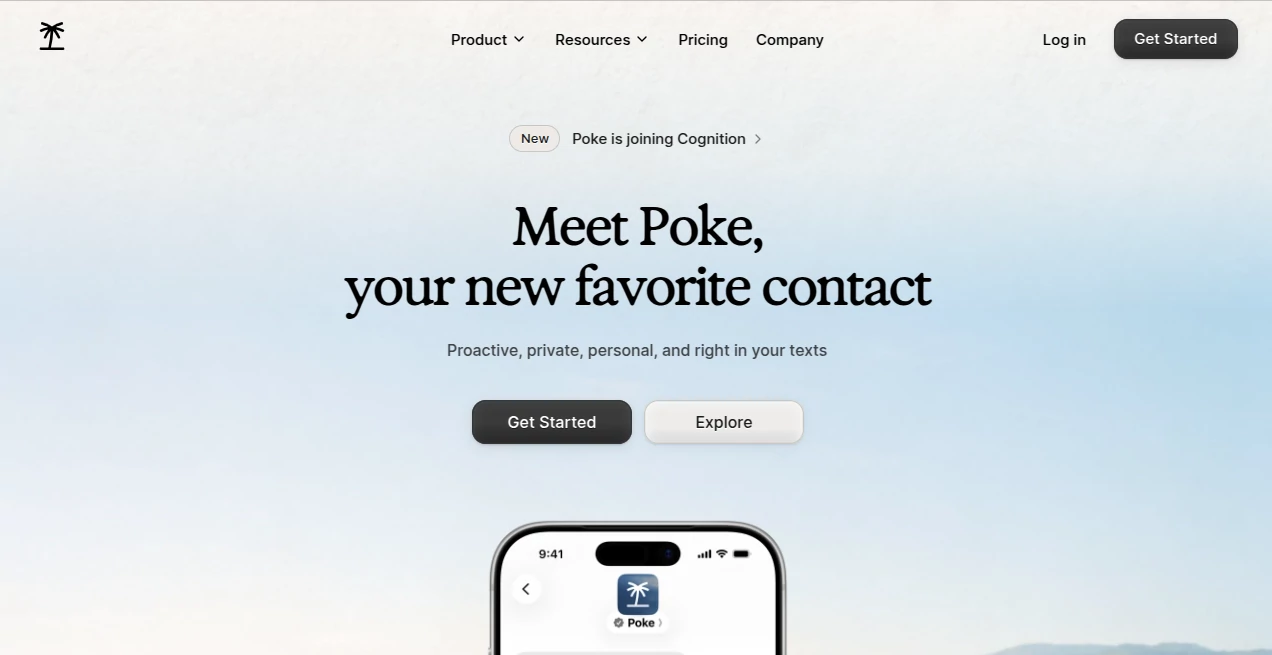
Poke is an AI assistant designed to fit naturally into the way people already communicate. Instead of asking users to spend their day inside another complicated dashboard, it brings assistance directly into everyday messaging. It works through Apple Messages, Telegram, WhatsApp, and RCS, allowing users to interact with it through simple text or voice messages.
The idea is refreshingly practical: tell your assistant what you need, and let it handle the work around email, calendars, reminders, web searches, connected apps, and other everyday tasks. For someone who regularly jumps between an inbox, calendar, notes, and different services, having one conversational point of access can make routine work feel considerably lighter.
Key Features
- Conversational assistance through familiar messaging platforms.
- Email management, including searching, drafting, sending, label management, and inbox organization.
- Calendar assistance for checking availability and scheduling meetings.
- Reminders and scheduled tasks triggered through natural language.
- Web search for finding information without leaving the conversation.
- Connections with popular apps and services to extend what the assistant can do.
- Recipes for setting up integrations and automations around recurring workflows.
- Proactive assistance that can use connected services and memory to provide timely updates.
- Custom integrations and advanced workflows for developers through its developer-focused environment.
User Interface
The interface is one of the strongest parts of the experience because there is very little interface to learn. Rather than presenting users with a maze of menus, the service behaves more like a contact in a messaging application.
A user can send a straightforward request such as asking for an upcoming calendar event, requesting help with an email, or setting a reminder. This conversational approach makes the learning curve unusually gentle. People who already know how to send a message can start using the assistant without learning a new productivity application.
Accuracy & Performance
Performance depends on the task, the connected service, and the amount of information involved, but the product is clearly designed around completing practical actions rather than simply returning chat responses. It can work with connected email and calendar services, search the web, trigger integrations, and handle scheduled tasks.
The more useful advantage appears when several small tasks are connected together. Instead of treating an email, calendar appointment, reminder, and follow-up as separate activities, users can build workflows around them. That makes the assistant particularly interesting for people who want fewer repetitive steps during a busy day.
Capabilities
The capabilities extend well beyond basic question answering. Email can be searched, drafted, and organized. Calendar availability can be checked and meetings scheduled. Reminders can be created naturally, while connected applications can provide additional context and actions.
Its Recipes system adds another layer of flexibility. Recipes can be used to configure integrations and automations, while developers can create more advanced workflows and custom integrations. The platform has also expanded into website creation and deployment, giving its higher-end capabilities a broader scope than a conventional messaging assistant.
For example, someone could use it to keep track of important messages, coordinate a meeting, create a reminder, and connect information from another service without manually moving between several applications. That is where the concept becomes especially compelling.
Security & Privacy
Privacy is an important consideration because an assistant that works with email, calendars, and connected applications can potentially handle sensitive information. The service provides a dedicated privacy policy describing how personal data is collected, used, disclosed, and processed.
There is also a useful distinction for human-assisted tasks. When a real person is involved through the human task service, operators are provided only with the specific information required for the requested task. According to the service's FAQ, operators cannot access a user's chat history, memories, or integrations.
Users can also delete their account through the privacy settings. The company notes that the account deletion process may take up to 24 hours, while removal from backup archives may take longer.
Use Cases
Email management: Users can search their inbox, draft messages, send emails, and keep email organization under control through conversation.
Meeting scheduling: Checking availability and arranging meetings becomes a conversational task rather than a sequence of calendar clicks.
Personal reminders: A quick message can be turned into a reminder, making it useful for errands, deadlines, appointments, and small commitments that are easy to forget.
Daily information: Web search and connected services make it possible to ask for information without constantly opening new applications.
Automated workflows: Recipes can connect services and automate recurring activities. This is especially useful for people who have repetitive digital routines.
Personal productivity: Someone managing a busy schedule can use the assistant as a single conversational layer across email, calendar, reminders, and connected applications.
Real-world tasks: Higher-tier users can access human-assisted services for tasks such as restaurant reservations, phone calls, placing orders, and booking rides when a person needs to be involved.
Pros and Cons
- Pros: Works inside familiar messaging platforms.
- Pros: Connects with email, calendar, and other applications.
- Pros: Supports both text and voice interactions.
- Pros: Useful automation and Recipes system.
- Pros: Strong potential for personalized workflows.
- Pros: Free plan available without requiring a credit card.
- Cons: Advanced capabilities require a paid subscription.
- Cons: Users who want a traditional visual productivity dashboard may prefer a more conventional interface.
- Cons: The usefulness of some workflows depends on the integrations available for the services a user relies on.
Pricing Plans
The Free plan costs $0 per month and is designed for getting started with the service. It includes connections to favorite apps as well as email and calendar integrations, with no credit card required.
The Pro plan costs $19 per month when billed monthly. It adds frontier models for complex tasks, real-time automations that can run in the background, higher rate limits, and priority support.
The Ultra plan costs $199 per month when billed monthly. It includes the Pro features while adding frontier intelligence across actions, the highest rate limits for real-time automations, highest-priority support, and pay-as-you-go usage beyond included credits. Human-assisted real-world tasks are also included with this tier.
How to Use It
Getting started is straightforward. Create an account and choose a supported messaging channel. The service can be accessed through Apple Messages, Telegram, WhatsApp, or RCS, depending on the user's setup.
Once connected, start with simple requests. Ask it to search an email, check your calendar, create a reminder, or look something up online. After becoming comfortable with the basic workflow, connect additional applications to expand what it can do.
For recurring tasks, Recipes can be used to create integrations and automations. More technically inclined users can go further by creating custom workflows and integrations through the developer tools.
Comparison with Similar Tools
Many AI assistants are designed primarily around a dedicated chat window where users ask questions and receive answers. This approach takes a different direction by placing the assistant inside communication channels people already use.
The distinction becomes more noticeable when actions are involved. Instead of only explaining how to perform a task, it can interact with connected services such as email and calendars. Automation features also allow it to work in the background, which gives it a more practical role in everyday routines.
For users who want a conversational assistant that can sit between several services rather than another standalone chatbot, this approach offers a compelling alternative.
Conclusion
Poke takes a simple idea and pushes it surprisingly far: make an AI assistant feel like another useful contact rather than another application to manage. Its support for familiar messaging platforms, connected services, email, calendars, reminders, web search, and automation makes it particularly attractive for people who want to reduce the friction of everyday digital tasks.
The Free plan provides an easy way to explore the experience, while the paid tiers are aimed at users who want more capable models, background automation, higher usage limits, and human-assisted tasks. The combination of conversational interaction and real actions is what gives the platform its strongest appeal.
For anyone who finds themselves constantly switching between messages, email, calendars, and productivity services, having an assistant that can work across those environments is an idea worth trying.
Frequently Asked Questions (FAQ)
What is Poke?
It is an AI assistant that works through messaging platforms and can help with email, calendars, reminders, web searches, integrations, and automated tasks.
Which messaging platforms are supported?
It is available through Apple Messages, Telegram, WhatsApp, and RCS.
Can it manage email?
Yes. Connected email can be searched, drafted, sent, labeled, and organized through conversational requests.
Can it schedule meetings?
Yes. It can check calendar availability and help schedule meetings through natural language.
Is there a free plan?
Yes. The Free plan costs $0 per month and does not require a credit card.
How much does the Pro plan cost?
The Pro plan costs $19 per month when billed monthly.
How much does the Ultra plan cost?
The Ultra plan costs $199 per month when billed monthly and includes the highest level of intelligence, automation limits, support, and access to human-assisted real-world tasks.
Can it automate recurring tasks?
Yes. Recipes and real-time automations can be used to create workflows that connect services and perform tasks with less manual involvement.
Does it support human-assisted tasks?
Yes. The human-assisted service can handle tasks such as restaurant reservations, phone calls, placing orders, and booking rides. This feature is included with the Ultra plan.
Is it available worldwide?
According to the official documentation, the service is currently available in all regions worldwide.
AI Task Management , AI Productivity Tools , AI Email Assistant , AI Scheduling .
These classifications represent its core capabilities and areas of application. For related tools, explore the linked categories above.

Poke Alternatives Product

Motion

Meet-Ting

Instantly Id…

Miro

Enji

Presenti AI

SocialRails

Vibebot.gg

FeatureShark
