


















Room Design
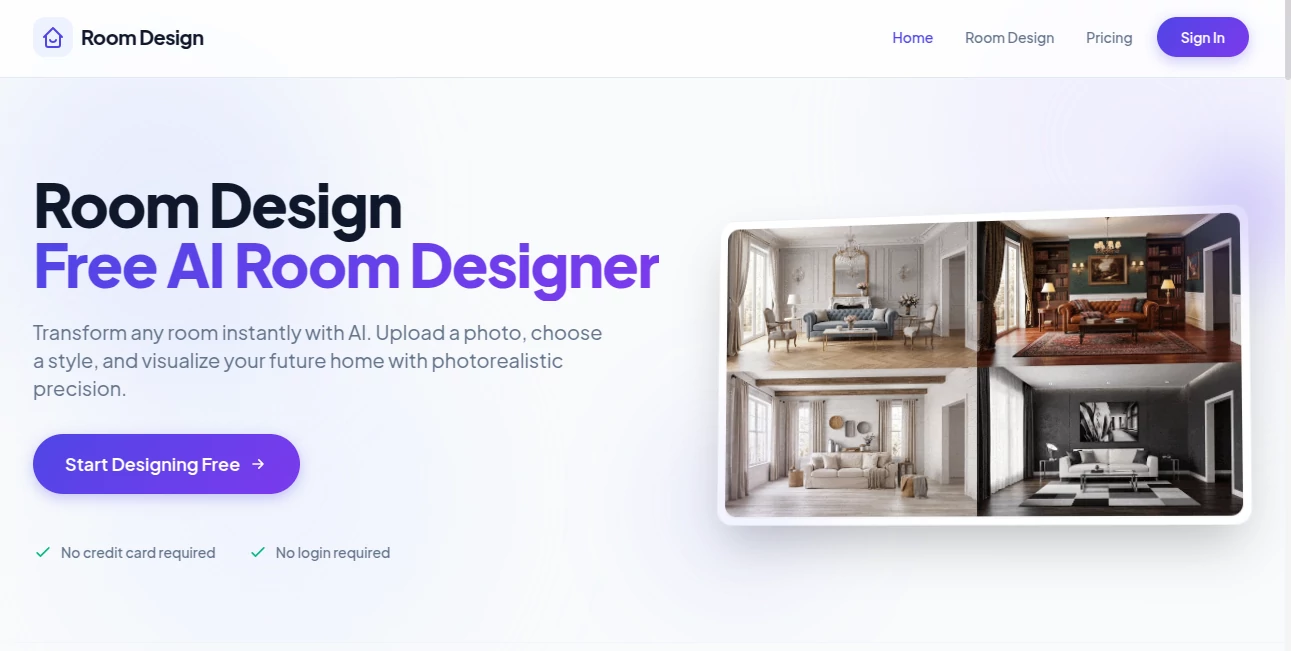
What is Room Design?
Creating a beautiful living space often starts with imagination, but turning ideas into a realistic design can be challenging. This AI-powered interior design platform makes that process remarkably simple by transforming an ordinary room photo into a professionally styled visualization within seconds. Whether you are refreshing a single room, preparing for a renovation, or experimenting with different decorating styles, it offers an intuitive experience that delivers impressive results.
Instead of relying on complex design software or expensive consultations during the early planning stage, users can upload an image, choose from a wide selection of interior styles, and instantly preview realistic redesigns. The generated images help homeowners, interior designers, architects, furniture retailers, and real estate professionals make confident decisions before investing time or money in physical changes. The platform even supports selective editing, allowing users to modify only specific elements while preserving the rest of the room. These practical features make it an excellent companion for anyone exploring modern interior design with artificial intelligence. :contentReference[oaicite:0]{index=0}
Key Features
User Interface
The interface is clean, beginner-friendly, and requires virtually no learning curve. Users simply upload a room photo, select a preferred design style or describe their vision, and receive photorealistic renders in just a few moments. No software installation, login, or credit card is required for the free experience, making the workflow refreshingly straightforward. :contentReference[oaicite:1]{index=1}
Accuracy & Performance
The platform analyzes room geometry before generating new layouts, allowing furniture placement, lighting, and structural changes to remain visually consistent with the original image. The rendering engine produces high-quality results quickly, making it practical for testing multiple ideas without waiting through lengthy rendering processes. According to the platform, generations are completed in seconds and premium plans include 4K exports. :contentReference[oaicite:2]{index=2}
Capabilities
- Transform existing rooms into over 30 professionally curated interior styles.
- Create realistic virtual renovations before beginning construction.
- Generate furniture combinations that complement the room layout.
- Receive intelligent color palette and lighting suggestions.
- Edit only selected areas such as walls, flooring, lighting, or furniture.
- Support custom prompts for personalized design ideas.
- Produce high-resolution images suitable for presentations and planning.
- Create multiple design concepts from a single uploaded photo.
Security & Privacy
The service allows users to try the product without mandatory registration for the free version, reducing unnecessary barriers to entry. Uploaded images are processed to generate design concepts, while subscription management and payments are handled through standard online payment methods for premium users. As with any cloud-based AI service, users should avoid uploading sensitive personal images unless they are comfortable sharing them online. :contentReference[oaicite:3]{index=3}
Use Cases
- Visualizing home renovation ideas before spending money.
- Testing multiple interior design styles for the same room.
- Helping interior designers present concepts to clients.
- Virtually staging properties for real estate listings.
- Planning furniture placement before making purchases.
- Comparing flooring, wall colors, and lighting combinations.
- Creating inspiration boards for remodeling projects.
- Generating professional visuals for home improvement presentations.
Pros and Cons
Pros
- Very easy to use, even for beginners.
- Fast AI-generated photorealistic room designs.
- More than 30 interior design styles available.
- Supports selective room editing.
- Free daily generations without login.
- High-quality 4K exports on paid plans.
- Useful for both professionals and homeowners.
Cons
- Advanced features require a paid subscription.
- Monthly credits limit the number of generations.
- Final construction decisions should still involve professional verification.
Pricing Plans
The platform offers a generous free tier that includes five AI generations each day. Paid subscriptions are available for users who need additional credits, 4K image exports, custom prompts, and priority support. Starter, Pro, and Plus plans provide increasing monthly generation limits, allowing individuals and professionals to choose a plan that matches their workflow. :contentReference[oaicite:4]{index=4}
How to Use Room Design
Start by uploading a clear photo of your room. Next, choose one of the available interior styles or write a custom prompt describing the atmosphere you want to achieve. After processing, review the generated designs, compare different concepts, and download your favorite version. If needed, continue refining individual elements such as furniture, walls, or lighting until the room matches your vision. :contentReference[oaicite:5]{index=5}
Comparison with Similar Tools
Compared with many AI interior design applications, this platform focuses heavily on speed, accessibility, and realistic visualization. Rather than requiring complicated modeling or manual editing, it simplifies the design process into only a few steps while still producing professional-looking results. Features like selective object editing, virtual renovation, automatic furniture matching, and lighting recommendations provide additional value beyond simple style transfer. The availability of free daily generations also makes it easier for new users to explore ideas before committing to a subscription. :contentReference[oaicite:6]{index=6}
Conclusion
This AI interior design solution successfully bridges the gap between imagination and visualization. It allows anyone—from first-time homeowners to experienced designers—to experiment with layouts, furniture, colors, and decorative styles in a matter of seconds. Its intuitive workflow, realistic rendering quality, and practical editing tools make planning renovations significantly more enjoyable while reducing costly mistakes. For anyone looking to redesign a space with confidence, it offers an impressive combination of convenience, creativity, and professional-quality results.
Frequently Asked Questions (FAQ)
Can beginners use this platform?
Yes. The workflow is intentionally simple and requires no previous experience with interior design software.
Does it support virtual renovations?
Yes. Users can redesign walls, floors, furniture, lighting, and other room elements to preview renovation ideas before starting real projects.
Is there a free version available?
Yes. Users receive five free AI generations each day without needing to create an account. :contentReference[oaicite:7]{index=7}
Can I export high-resolution images?
Yes. Premium subscriptions include 4K image exports suitable for presentations and professional use. :contentReference[oaicite:8]{index=8}
Who benefits most from this platform?
Homeowners, interior designers, architects, furniture retailers, decorators, and real estate professionals can all use it to visualize design concepts more efficiently.
AI Design Generator , AI Interior & Room Design .
These classifications represent its core capabilities and areas of application. For related tools, explore the linked categories above.

Room Design Alternatives Product

Nano Banana 2

svgstud.io

TimelessHome…

Nano Banana 2

trellis 2

Krea 2

Seedream 5.0…

GPT Image 2

img2img.net
