


















AI Influencer Generator
What is AI Influencer Generator?
Building a consistent online presence used to mean hiring models, renting studios, and coordinating shoots every time you needed fresh content. For most creators and small brands, that's simply not a realistic workflow. The rise of virtual influencers changed the conversation — but until recently, the tools were either too generic to produce anything worth posting, or too complex to use without a technical team behind you.
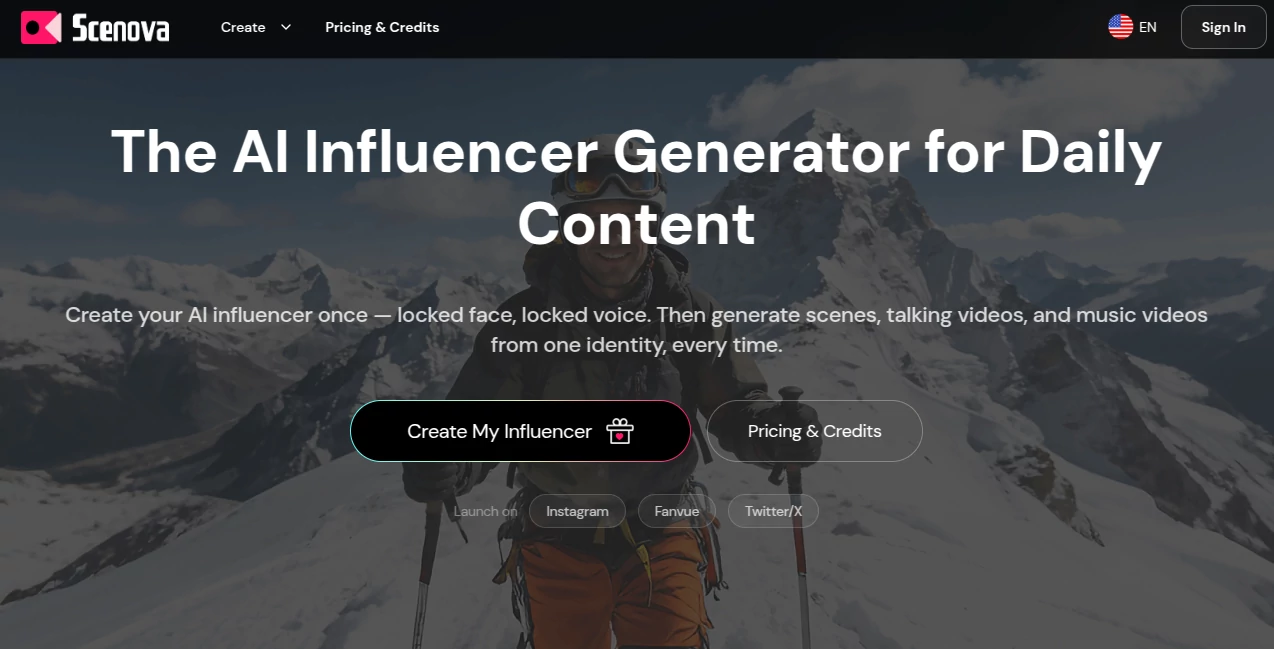
This platform takes a different approach. Instead of generating one-off AI images or disconnected videos, it asks you to build a single identity first — a locked face, a locked voice — and then produce everything from that one character. Scenes, talking-head videos, music videos, platform launch kits. All consistent. All from the same studio. Over 2,000 creators are already using it to run daily AI influencer workflows on Instagram, Fanvue, and X.
The idea sounds simple. The execution is what makes it work.
Key Features
User Interface
The dashboard is organized around workflows, not tools. When you log in, you're not staring at a wall of features — you're choosing a starting point: create a character, generate a scene, shoot a video, or launch a creator kit. Each workflow is self-contained but feeds into the others. That structure matters when you're trying to maintain consistent output across multiple platforms without rebuilding your setup every time.
Credit costs are shown before you generate anything. That's a small detail that makes a meaningful difference — you're never surprised by a bill after the fact. The preview-before-final approach (480p first, 1080p when you're happy) reflects the same thoughtfulness. It respects your time and your budget simultaneously.
Accuracy & Performance
The core technical promise is identity lock — the idea that your AI influencer looks and sounds like themselves across every output, not just the first one. That's a genuinely hard problem. Most AI video generators drift between generations: slightly different bone structure, different lighting response, different lip movement patterns. The result is a feed that feels cobbled together rather than curated.
The platform addresses this by anchoring face structure, voice profile, and scene composition at character creation. Every downstream generation — photos, talking videos, music videos — references that locked identity. The output uses premium video models with emotion control, speech-driven lip sync, and scene-aware lighting, which means expressions feel contextually appropriate rather than frozen or exaggerated. The "plastic AI look" is a real problem with cheaper tools. The cinematic quality here is noticeably different.
Capabilities
The platform covers the full production pipeline for an AI influencer across four primary tools:
- AI Influencer Generator: Define face, voice, and name. Multi-view angle generation at character creation. The identity you build here carries across every other tool — no rebuilding, no drift.
- AI Photo Generator: Place your character in any environment using prompts, uploaded brand images, or preset scene templates. Outputs are platform-ready with correct aspect ratios for Instagram, X, and Fanvue. Saved scenes become reusable "Master Frames" for future videos.
- AI Video Generator: Script or voice recording input. The pipeline handles lip sync, emotion control, and audio-video alignment. Batch generation of up to five videos at once. SRT subtitle export included. Preview at 10 credits, final 1080p at 10 credits per second.
- AI Music Video Generator: Song generation plus full music video production. Your character performs. Same locked identity, cinematic treatment. 15 credits per second for final output.
- Motion Cloning: A newer addition that clones movement patterns — standard at 15 credits per second, pro quality at 25. Particularly useful for dance or performance content.
- Creator Kit: Launch infrastructure for new channels — avatar, banner, bio, seven curated lifestyle photos, and a seven-day posting calendar, all derived from your character identity.
- Voice Messages: Short voice clip generation at 3 credits per message, useful for audience engagement features on platforms like Fanvue.
Security & Privacy
Commercial rights are included across all plans — you own your character, your scenes, and all generated content. This extends to advertising use, brand partnerships, and resale. That's not a standard offering in this category; many AI generation platforms retain licensing claims over outputs or restrict commercial use to higher tiers. Having full commercial rights from the entry level is a meaningful differentiator for creators building monetized channels or agencies managing content for clients.
Account management, billing, and cancellation are all handled through standard account settings. There's no lock-in friction — you can upgrade, downgrade, or cancel from within the dashboard.
Use Cases
The most obvious use case is the solo creator who wants to run an AI influencer account without appearing on camera themselves. Someone building a niche lifestyle channel — fitness, travel, fashion — can create a character that embodies the aesthetic they want, then produce daily content at a fraction of the cost and effort of traditional production. The Creator Kit handles the launch infrastructure; the daily workflow handles ongoing output.
Beyond individual creators, the platform is well-suited for:
- Brands wanting always-on social presence without scheduling real talent for every content cycle
- Content agencies managing multiple virtual influencer accounts for different clients from a single studio
- Musicians producing music videos with a consistent AI performer rather than commissioning separate visual treatments for each release
- Fan platforms where creators use voice messages and personalized video content to build subscriber engagement
- Marketing teams running product campaigns that need a recognizable face across ad creatives, social posts, and video spots without model release complications
A marketing manager at a mid-size DTC brand, for instance, could create a branded character once, build a library of reusable scenes, and generate new product videos weekly without involving a production crew. That workflow would be prohibitively expensive with real talent at comparable output volume.
Pros and Cons
What genuinely works:
- Identity lock across all outputs is the core differentiator — it makes the platform worth using for any creator who cares about a consistent feed
- Credit transparency before every generation removes one of the most frustrating aspects of credit-based AI tools
- Full commercial rights on all plans, including the free tier — unusually generous compared to competitors
- The preview-before-final system saves credits and prevents costly mistakes on longer video runs
- The Creator Kit is a practical launch accelerator, not a throwaway feature — seven photos and a posting calendar cuts setup time significantly
- Motion Cloning and Voice Messages round out the toolkit in ways that matter for platform monetization
Limitations worth knowing:
- The free Starter plan includes only 50 one-time credits — enough to explore but not enough to establish a real workflow; you'll need to upgrade fairly quickly
- Final video costs (10 credits per second, minimum 10) mean that a single 60-second video costs 600 credits at full resolution — manageable with a credit pack, but worth calculating before you commit to a content calendar
- Some advanced generation features still require an active subscription even if you have credit pack balance available
- Each video run supports up to 60 seconds — longer videos need to be split and assembled externally
- The platform is focused on virtual influencer content; it's not a general-purpose video editor or post-production suite
Pricing Plans
Pricing is credit-based, with subscription plans for ongoing production and one-time credit packs for campaign spikes or testing.
Starter (Free): 50 one-time credits. Enough to create a character, generate a few photos, and preview a short video. No ongoing commitment — a genuine free entry point.
Subscription plans provide monthly credits at a fixed rate and unlock the full suite including advanced generation capabilities. Monthly and annual billing is available; annual plans carry a 40% discount.
One-time credit packs are available for purchase independently of subscription tier:
- Small — $19: 1,900 credits (~$0.010 per credit). Covers roughly 380 photos or 16 final videos. Good for one-off projects or light production bursts.
- Medium — $59: 7,000 credits (~$0.008 per credit). Around 1,400 photos or 60 final videos. Best for recurring workflows needing flexible top-ups.
- Large — $129: 16,000 credits (~$0.008 per credit). Approximately 3,200 photos or 135 final videos. The most cost-efficient rate for higher volume output.
A typical daily workflow with a reused scene runs about 110 credits — 10 for preview and 100 for a 10-second final video at 1080p. That gives a useful benchmark for estimating monthly requirements before committing to a plan.
How to Use Scenova
The recommended starting point is character creation, and for good reason — every other workflow depends on having a locked identity to reference. Here's how a typical onboarding and production cycle runs:
- Step 1 — Create your AI influencer: Upload a face reference or generate from scratch. Set name, voice profile, and character style. The platform locks face structure and voice at this stage — this is what ensures consistency in everything that follows.
- Step 2 — Build a scene library: Use the AI Photo Generator to create environments for your character. Upload brand images or describe settings in the prompt field. Save scenes as Master Frames — these become reusable across video and music video workflows without regeneration.
- Step 3 — Generate a preview video: Write a script or upload a voice recording. Run a 480p preview at 10 credits to check lip sync and pacing before committing to a full render.
- Step 4 — Render and export: Once the preview looks right, render the 1080p final. Download the video with SRT subtitles if needed. Publish directly to your platform of choice.
- Step 5 — Launch with Creator Kit (optional but recommended for new channels): Generate avatar, banner, bio, seven starter photos, and a seven-day content calendar — all from your character identity, all formatted for your target platform.
Comparison with Similar Tools
The AI influencer and virtual character space has expanded quickly, with tools like HeyGen, D-ID, Synthesia, and several newer entrants all offering variations on AI video generation. The distinctions matter more than the surface similarities.
HeyGen and Synthesia are primarily built for corporate and educational video — spokesperson content, explainer videos, internal comms. They're excellent at what they do, but they're not designed for social content workflows or consistent influencer identity management. Generating a coherent-looking character feed across weeks of content isn't really what those platforms optimize for.
D-ID is closer to the consumer creative use case but remains largely focused on single-generation outputs rather than an ongoing identity system. You can generate a talking video, but the concept of a "reusable character library" with locked identity doesn't exist in the same structured way.
What makes this platform different is the explicit focus on consistency as the product. The workflow is built around a single character that persists across photos, videos, and music videos without degradation. That's a different design philosophy, and it produces a measurably different result when you're looking at a month's worth of content rather than a single output.
Conclusion
The virtual influencer market is real and growing — but most of the tools in the space have treated consistency as a nice-to-have rather than the core requirement. If your character looks different from post to post, your audience doesn't build a relationship with them. And if building content means reconstructing your setup from scratch each time, the workflow doesn't scale.
This platform was designed with both of those problems in mind. The identity lock system, the reusable scene library, the preview-before-final workflow, the credit transparency — these aren't feature checkboxes. They're evidence of a team that understood what daily content production actually requires.
For creators who want to run a professional virtual influencer presence without a production team, or for agencies managing multiple AI character accounts, this is the most coherent end-to-end solution currently available. The free tier is a genuine starting point. The credit system is honest. And the output quality is good enough to post.
Frequently Asked Questions (FAQ)
How consistent is the character across different content types?
Face structure, voice profile, and scene composition are locked at character creation. Every output — whether it's a lifestyle photo, a talking video, or a music video — references that locked identity, so the character stays recognizable across your entire content library.
What does the free plan actually include?
The Starter plan gives you 50 one-time credits with no ongoing commitment. That's enough to create a character, generate several photos, and run a preview video. It's a meaningful trial — not a token freebie — but you'll need to add credits or upgrade to a subscription for sustained daily production.
Do I own the content I generate?
Yes. Full commercial rights are included on all plans, including the free tier. You own your character, scenes, and generated videos and can use them for social media, advertising, brand partnerships, and resale without additional licensing requirements.
How long can a single video be?
Each video generation run supports up to 60 seconds. For longer content, the recommended approach is to split the script into multiple clips and combine them in a video editor after export.
Can I use the same character in music videos and regular talking videos?
Yes. Once you create a character in the AI Influencer Generator, that identity carries across all workflows — photos, talking videos, music videos, and motion cloning — without any rebuilding required.
What's the difference between a credit pack and a subscription?
Subscriptions provide monthly credits at a recurring cost and are best suited for ongoing production workflows. Credit packs are one-time purchases that top up your credit balance for campaigns or production spikes, without requiring a subscription change. Some advanced generation capabilities still require an active subscription tier even with credit pack balance available.
.
These classifications represent its core capabilities and areas of application. For related tools, explore the linked categories above.
AI Influencer Generator details
Website unavailable — View Alternatives
Pricing
- Free
Apps
- Web App
Categories
