Seedance2.5
What is Seedance2.5?
Seedance 2.5 Free is a modern AI-powered video creation platform designed for creators who want to transform ideas into visually engaging videos with minimal effort. Instead of relying on complicated editing software or professional production skills, users can describe a scene, provide visual references, and generate cinematic content through an intelligent video generation workflow.
The platform focuses on making advanced video creation more accessible for marketers, social media creators, filmmakers, educators, and anyone experimenting with AI-generated storytelling. Its appeal comes from combining text-driven creativity with image-based references, helping users produce expressive scenes that feel more polished than traditional slideshow-style video generators.
Whether the goal is creating promotional content, imaginative short films, product visuals, animated concepts, or engaging social media clips, the experience is built around turning creative direction into motion quickly while keeping the generation process straightforward.
Key Features
- Generate AI videos from detailed text prompts.
- Create videos using image references to guide appearance and composition.
- Support for cinematic storytelling with expressive camera movement and scene continuity.
- Designed for creative projects including advertising, entertainment, education, and social media.
- Simple browser-based workflow without requiring professional video editing knowledge.
- Ability to experiment with different creative concepts through AI-assisted generation.
User Interface
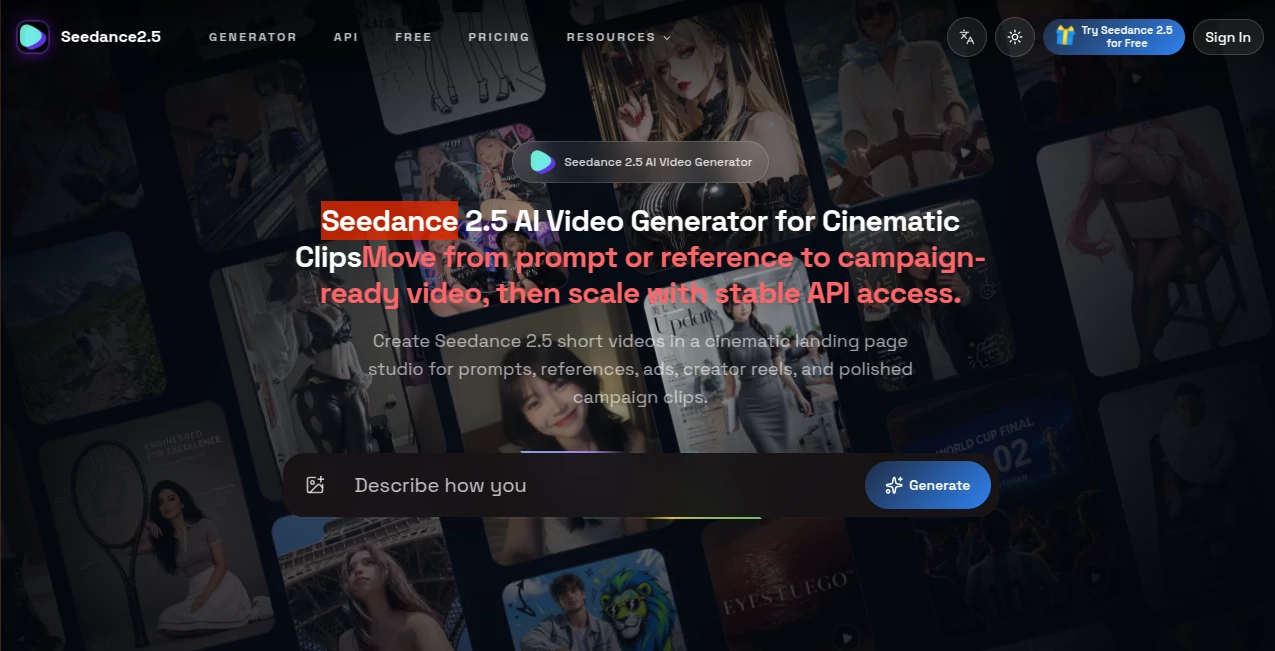
The interface is designed around simplicity. Users begin by entering a descriptive prompt that explains the desired subject, environment, mood, movement, and overall visual direction. The workflow feels approachable even for beginners because the creative process is centered around natural language rather than complicated timelines.
For users who prefer stronger visual guidance, reference images can help communicate the intended character appearance, lighting style, clothing, scenery, or artistic direction. This makes it easier to build scenes that align with a creative vision instead of relying entirely on written descriptions.
The generation process remains focused on creativity rather than technical editing, making it an attractive option for people who want to spend more time developing ideas than learning complex production software.
Accuracy & Performance
One of the strongest aspects of this generation approach is its ability to interpret descriptive prompts with impressive attention to cinematic composition. Detailed instructions involving environments, emotions, lighting, weather, and camera perspectives can contribute to richer visual storytelling when prompts are written carefully.
Performance naturally depends on the complexity of the requested scene and the available generation resources. Simple concepts often require less creative interpretation, while highly detailed narratives with multiple subjects, actions, or dramatic transitions may benefit from clearer prompts and carefully selected references.
Creators usually achieve better results by describing scenes as if they were giving directions to a film crew. Mentioning movement, atmosphere, facial emotion, and camera perspective often produces more intentional visual output than using only short keywords.
Capabilities
The platform is suitable for much more than basic animated clips. It opens opportunities for cinematic storytelling, promotional videos, concept visualization, artistic experiments, educational demonstrations, and creative social media production.
Text-to-video generation allows an original idea to become a moving scene, while image-guided creation helps preserve visual inspiration from selected references. This combination gives creators greater flexibility when building advertisements, storytelling sequences, imaginative worlds, fashion concepts, travel visuals, or branded content.
For example, a creator could describe a rainy evening in Tokyo with glowing neon reflections, slow camera movement through a quiet street, and a cinematic atmosphere. Instead of manually animating every element, the AI handles the visual interpretation and produces a coherent motion-based result inspired by that direction.
Security & Privacy
When using any AI generation platform, users should always review the current privacy policy and terms of service before uploading personal photographs, confidential materials, client assets, or commercially sensitive content. Publicly available information should never be confused with permission to upload private intellectual property.
It is also wise to understand how uploaded references and generated videos are handled by the service, especially when working on commercial projects. Reading the latest platform documentation ensures that creators remain informed about content ownership, storage practices, and acceptable use policies.
Use Cases
- Create cinematic social media videos for TikTok, Instagram Reels, and YouTube Shorts.
- Produce promotional advertisements for products and digital brands.
- Visualize movie scenes and creative storytelling concepts before production.
- Generate imaginative fantasy, science fiction, anime, or artistic video ideas.
- Create educational visual demonstrations with engaging animated scenes.
- Develop mood videos, music visuals, and creative marketing campaigns.
- Experiment with AI filmmaking without expensive production equipment.
Pros and Cons
Pros
- Easy text-based video generation workflow.
- Supports image-guided creative direction.
- Excellent potential for cinematic and storytelling projects.
- Suitable for creators, marketers, educators, and designers.
- Reduces the barrier to experimenting with AI-generated video production.
Cons
- Final quality depends heavily on prompt quality and reference selection.
- Complex scenes may require several generations to achieve the desired result.
- Generation availability and limits can depend on platform capacity.
- Commercial usage policies should always be checked before professional deployment.
Pricing Plans
The platform promotes free access for users who want to explore AI video generation, making it possible to experiment before committing to advanced workflows. Availability, generation limits, credits, premium features, and commercial options may change over time depending on the service's current offering.
Because AI video platforms frequently update their pricing structures, users should review the latest pricing information directly on the official website before purchasing credits or relying on a particular subscription plan for production work.
How to Use Seedance 2.5 Free
- Open the website and access the video generation workspace.
- Write a detailed prompt describing the desired scene, subject, action, and visual mood.
- Add image references when additional creative guidance is needed.
- Review the prompt carefully to improve visual consistency and storytelling direction.
- Start the generation process and allow the AI to create the video.
- Evaluate the generated result and refine the prompt for additional versions if necessary.
A practical tip is to write prompts with cinematic detail rather than generic phrases. Instead of saying "a woman walking," describe the location, weather, lighting, emotion, camera angle, clothing, and movement. Rich creative direction often leads to more visually intentional results.
Comparison with Similar Tools
Compared with many traditional AI video generators, this platform emphasizes creative prompting and visually directed storytelling rather than manual editing. While some alternatives focus mainly on talking avatars, slideshow videos, or template-based marketing content, this approach is better suited for users interested in cinematic scenes and imaginative visual production.
Tools such as Sora, Veo, Kling, and other advanced AI video systems share the broader goal of transforming ideas into video, but each platform differs in availability, generation methods, supported inputs, creative controls, output quality, and pricing models. The best choice depends on whether a creator prioritizes realistic motion, visual consistency, editing flexibility, speed, or accessibility.
For creators who enjoy experimenting with text-driven storytelling and image-guided concepts, this platform provides an appealing environment for exploring modern AI filmmaking workflows without beginning inside a complex professional editing suite.
Conclusion
This AI video generation experience offers an exciting way to transform written imagination into cinematic moving visuals. Its combination of text prompts and visual references makes it particularly attractive for creators who want to develop expressive scenes, promotional content, artistic concepts, and engaging digital storytelling with a streamlined workflow.
While thoughtful prompting remains an important part of achieving impressive results, the overall creative process feels approachable and inspiring. For anyone exploring the next generation of AI-assisted video production, it represents a compelling option worth discovering.
Frequently Asked Questions (FAQ)
Is this tool free to use?
The website promotes free access for users to try AI video generation. Free usage limits, available credits, and premium features may vary over time.
Can it generate videos from text?
Yes. Users can create videos by writing descriptive prompts that explain the desired scene, subjects, atmosphere, movement, and visual direction.
Can I use images as references?
Yes. Image references can help guide the appearance, composition, style, and creative direction of generated videos when supported by the available workflow.
Who is this platform best for?
It is suitable for content creators, marketers, filmmakers, educators, designers, social media creators, and anyone interested in experimenting with cinematic AI video generation.
Do I need video editing experience?
No. The workflow is designed around prompts and creative direction, making it much more accessible than traditional professional video editing software for many users.
Should I review the commercial usage policy?
Yes. Before using generated content for client work, advertising, or commercial projects, users should always review the latest terms, licensing conditions, and privacy policies provided by the platform.
AI Animated Video , AI Image to Video , AI Video Generator , AI Text to Video .
These classifications represent its core capabilities and areas of application. For related tools, explore the linked categories above.

Seedance2.5 Alternatives Product

Banana AI

Motion Contr…

Veo 3

Seedance 2.0…

Veo 3.1

Seedance 2.0

Wan 2.7

Klyra AI

wan2-6.org