
SharePost AI
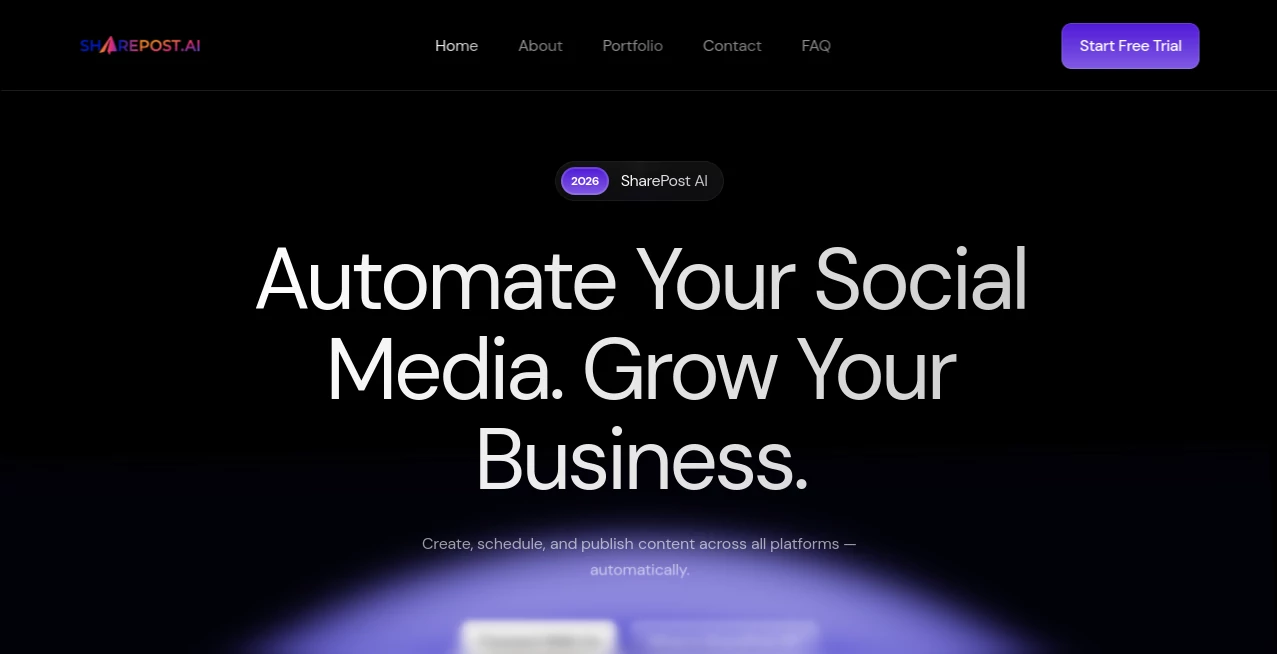
What is SharePost AI?
I used to dread social media. Between brainstorming captions, resizing images for different platforms, remembering to post at the right time, and keeping a consistent voice — it felt like a part-time job I never signed up for. Then I started using this tool and everything became dramatically easier. It genuinely understands what makes a good post, generates natural-sounding captions, suggests smart visuals, and publishes everything automatically across platforms. The best part? It doesn’t sound robotic — the content feels like something I would actually write myself.
Introduction
Managing social media consistently is one of the biggest challenges for creators, small businesses, and marketers today. SharePost solves that by combining smart AI content creation with reliable scheduling and multi-platform publishing. Instead of switching between five different apps or stressing about what to post next, you get one clean dashboard that handles the heavy lifting while keeping your brand voice intact. It’s not just another scheduler — it actively helps you create better content faster. Many users say they went from posting sporadically to showing up consistently without burning out, and the engagement numbers reflect that effort.
Key Features
User Interface
The dashboard is clean and calming. You can create a new post, connect your accounts (Instagram, Facebook, LinkedIn, YouTube, etc.), and see your entire content calendar at a glance. The AI composer sits right there — type a rough idea or topic, and it suggests full captions, hashtags, and even visual directions. Everything flows naturally without overwhelming you with options. It feels like having a smart assistant sitting next to you rather than wrestling with complicated software.
Accuracy & Performance
The AI captures your brand tone surprisingly well after just a few examples. Captions sound human and engaging, not generic. Scheduling works reliably, and posts go live exactly when planned. The platform has improved a lot with real user feedback — posts now perform better because the suggestions actually match what audiences respond to on each platform. In my experience, the hit rate for good content is much higher than with basic AI tools.
Capabilities
You can generate complete posts from a simple prompt, repurpose existing content, create carousels, suggest trending hooks, and schedule everything in bulk. It supports multiple accounts and platforms from one place, offers analytics on what’s working, and even helps with hashtag research. The automation is smart enough to adjust timing based on your audience’s best hours. It’s a true all-in-one solution that removes most of the manual work while keeping quality high.
Security & Privacy
Account connections use secure authentication, and your content stays yours. The platform focuses on delivering value without unnecessary data collection. For businesses handling client accounts or sensitive information, the clean permission system provides good peace of mind.
Use Cases
A small business owner generates daily posts for Instagram and LinkedIn while focusing on actual work instead of content creation. A content creator repurposes long-form articles into multiple platform-ready pieces in minutes. A marketing team manages multiple client accounts from one dashboard, keeping everything consistent and on-brand. Solopreneurs finally maintain a professional online presence without sacrificing evenings and weekends. It shines anywhere consistency matters but time is limited.
Pros and Cons
Pros:
- Generates natural-sounding content that matches your voice.
- Saves enormous time on scheduling and cross-posting.
- Clean, intuitive interface that doesn’t require training.
- Strong multi-platform support with good analytics.
- Actually helps improve content quality, not just automate it.
Cons:
- Still learning some niche industries and very specific brand voices.
- Advanced automation rules are more powerful on higher plans.
Pricing Plans
It starts with a free tier that lets you test the waters with limited generations and accounts. Paid plans unlock unlimited content creation, more connected accounts, advanced scheduling, analytics, and priority support. The pricing is reasonable for the time it saves — most users find it pays for itself quickly through increased consistency and better engagement.
How to Use SharePost
Sign up, connect your social accounts, and head to the composer. Type a topic, product, or idea — or paste existing content you want to repurpose. Review and tweak the AI suggestions, choose platforms and timing, then schedule or publish. Over time, you can train it further by approving or editing outputs. The more you use it, the better it understands your style. Many people set up a weekly batch session and let the tool handle the rest.
Comparison with Similar Tools
While other tools focus heavily on scheduling or basic caption generation, this one combines smart content creation with reliable publishing in a more balanced way. Many alternatives either produce robotic text or require too much manual tweaking. SharePost stands out by aiming for quality and efficiency together, making it especially appealing for busy creators and small teams who want results without constant babysitting.
Conclusion
Social media doesn’t have to be exhausting. When you have a tool that genuinely helps create good content and handles the tedious parts automatically, everything feels lighter. This platform delivers that promise without overcomplicating things. It respects your time and your brand while helping you show up consistently. For anyone tired of the social media grind, it’s one of the most practical solutions available right now.
Frequently Asked Questions (FAQ)
Does it really sound like me?
Yes — the more you use and refine outputs, the better it matches your unique voice.
Which platforms does it support?
Instagram, Facebook, LinkedIn, YouTube, and more are actively supported.
Can I schedule posts in advance?
Absolutely — bulk scheduling and smart timing suggestions are core features.
Is there a free version?
Yes, with enough capabilities to test seriously before upgrading.
How fast can I start seeing results?
Most users notice better consistency and saved time within the first week.
AI Content Generator , AI Social Media Assistant , AI Repurpose Assistant , AI Marketing Plan Generator .
These classifications represent its core capabilities and areas of application. For related tools, explore the linked categories above.

SharePost AI Alternatives Product

PromptZerk

WRITELO

Surmado

InspiroBot
md2card

Lime Social

bratgenerator

Dolphinscribe

Instaposts.ai