
SkyReels V4
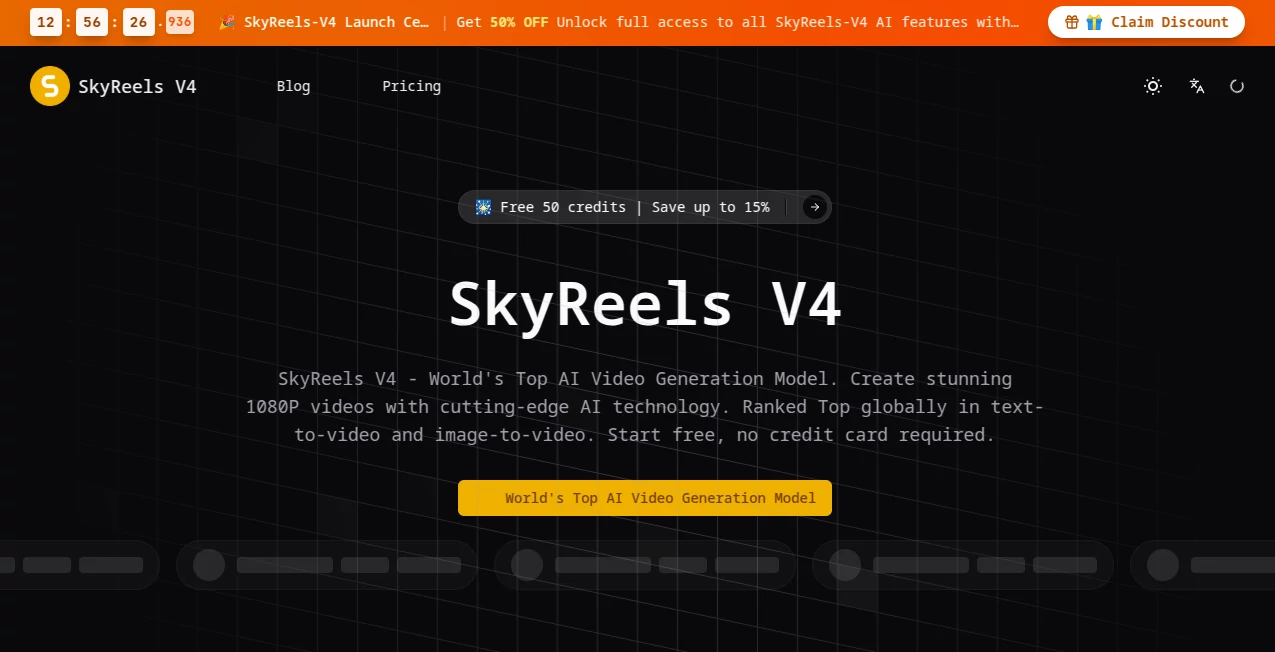
What is SkyReels V4?
There’s a special excitement when you describe a scene and the video that comes back doesn’t just move — it feels alive, with sound that actually matches the action. This tool delivers that experience consistently. You type a prompt, add an image or reference if you want, and get 1080p footage with synchronized audio that feels directed rather than generated. I’ve watched creators go from frustration with choppy AI clips to genuine surprise when their first SkyReels V4 generation looked and sounded ready for social media or client review. It’s the kind of leap that makes you want to keep creating.
Introduction
Most AI video tools still feel experimental — great visuals ruined by bad motion, floating objects, or audio that doesn’t match. SkyReels V4 changes the conversation. It’s currently ranked among the world’s top models for both text-to-video and image-to-video, with native audio generation built in from the start. The result is short cinematic clips that maintain character consistency, natural physics, and proper sound sync. For marketers, filmmakers prototyping ideas, social creators, and educators, it bridges the gap between imagination and shareable video faster than ever before. The quality is high enough for real commercial work while remaining approachable for everyday creators.
Key Features
User Interface
The workspace is clean and focused. A large prompt area, easy reference uploads for images or audio, simple controls for duration and aspect ratio, and a clear generate button. Previews appear reasonably fast so you can iterate without losing momentum. It avoids overwhelming you with too many options while still giving enough control to shape the output. Beginners get great results quickly, and experienced users appreciate how little friction there is between idea and final clip.
Accuracy & Performance
Character consistency across shots is notably strong, and motion feels natural with believable physics. The native audio sync — dialogue, sound effects, and music alignment — stands out as a major advantage. Generation quality at 1080p is reliable, with good success rates even on complex scenes. It handles both text-only and multimodal inputs effectively, producing results that often need very little post-production cleanup.
Capabilities
You get powerful text-to-video and image-to-video generation, multi-modal input support (text, images, audio references), joint video and audio creation in one pass, and tools for inpainting and editing. It supports cinematic camera moves, consistent characters, and up to 15-second clips at 1080p. The unified approach makes it suitable for marketing videos, short films, social content, educational material, and creative storytelling.
Security & Privacy
Your prompts and generated content are handled responsibly. The platform focuses on delivering high-quality output while respecting user data. For creators working with client projects or original ideas, this thoughtful approach allows confident experimentation without unnecessary worry.
Use Cases
Marketers create compelling product demos and brand stories with matching audio in minutes. Filmmakers prototype key scenes to test pacing and tone before full production. Social creators generate viral Reels and TikTok content with natural sound that stands out. Educators produce engaging explainer videos with clear narration. Indie storytellers bring short film ideas to life quickly for pitching or sharing. Wherever you need cinematic video with proper audio, it becomes a practical part of the creative process.
Pros and Cons
Pros:
- Native synchronized audio sets it apart from most AI video tools.
- Strong character and motion consistency at 1080p.
- Multimodal inputs give meaningful creative control.
- Fast enough for real iteration and daily use.
- Competitive pricing for the quality delivered.
Cons:
- Clip length is best for short-form content (up to ~15 seconds).
- Very complex or abstract scenes may need prompt refinement.
- Full power and higher volumes benefit from paid plans.
Pricing Plans
It offers a generous free starting credit amount so you can test the quality immediately. Paid subscription plans provide more credits, faster generation, and higher priority. Pricing is positioned as one of the more accessible options in the high-end AI video space, making professional results reachable for independent creators and small teams.
How to Use SkyReels V4
Start by writing a clear, descriptive prompt — include scene details, mood, camera movement, and any specific elements you want. Add reference images or audio if you need stronger guidance. Choose your preferred aspect ratio and duration, then generate. Review the result, refine the prompt or references as needed, and export the video. For multi-shot stories, build sequences step by step. The workflow rewards clear direction while remaining approachable for quick ideas.
Comparison with Similar Tools
Many AI video generators produce silent or poorly synced clips that require heavy editing afterward. This one stands out with native audio generation and strong multimodal control, delivering more complete, production-ready short videos. While some competitors focus purely on visuals, the joint video-audio approach here saves significant post-production time and creates a more cohesive final product.
Conclusion
Creating video that looks and sounds good no longer requires a full studio or endless editing hours. SkyReels V4 brings cinematic quality with native audio into a workflow that actual creators can use daily. It respects your vision while handling the technical complexity, resulting in footage you can confidently share or build upon. For marketers, storytellers, educators, and independent creators, it opens new possibilities without the usual AI headaches. If you’ve been waiting for AI video that feels truly useful, this is worth experiencing.
Frequently Asked Questions (FAQ)
How long can generated videos be?
Up to around 15 seconds per generation, ideal for short-form cinematic content.
Does it generate audio with the video?
Yes — native synchronized audio is one of its strongest features.
Can I use reference images or video?
Absolutely — multimodal inputs significantly improve consistency and control.
Is it suitable for commercial projects?
Yes, with appropriate plans including commercial licensing.
What resolutions are supported?
High-quality 1080p output focused on cinematic results.
AI Animated Video , AI Image to Video , AI Video Generator , AI Text to Video .
These classifications represent its core capabilities and areas of application. For related tools, explore the linked categories above.

SkyReels V4 Alternatives Product

Kling O1

wan2-6.org

Wan AI Video…

pvz fusion

Omnigen Stud…

Nano Banana …

Veo 4 AI Vid…

gemini video
GoViralTrend