
















SoniqTools
What is SoniqTools?
Ever needed to check if a FLAC file is genuinely lossless or just a converted MP3 in disguise? Or maybe you just wanted to quickly trim a podcast episode without installing heavy software or uploading your files to some random server. That's exactly where this toolkit steps in. Someone finally got tired of clunky, expensive, or privacy-invasive audio tools and decided to build something better.
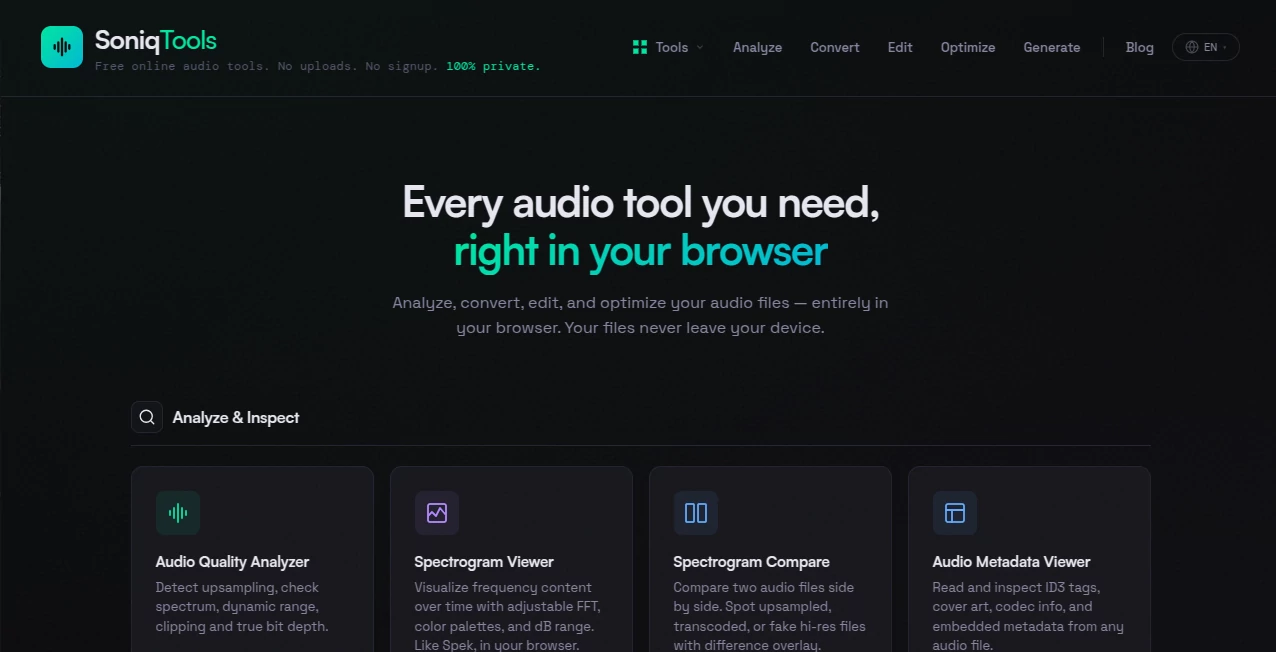
What started as a simple audio quality analyzer has grown into a complete suite of 18 different utilities. Everything runs locally in your browser tab. Nothing gets uploaded, no accounts needed, and there's zero cost involved. For DJs preparing sets, producers checking their mixes, or anyone who just needs to convert a file format real quick, this feels like finding a hidden gem.
Key Features
This isn't just another online converter that makes you wait in line. The toolkit pulls together an impressive range of features for people who actually care about audio quality. Whether you're analyzing, converting, editing, or processing, everything happens right where you are.
User Interface
You won't find confusing menus or hidden settings here. Each tool opens directly to what matters, no fluff around it. The layout keeps things straightforward, pick what you need, do the job, and move on. Someone who's never used a spectrogram before can figure out the Audio Quality Analyzer in seconds, while pros will appreciate having direct access to detailed frequency visuals and metadata viewers without digging through submenus. The whole thing feels responsive because it runs locally, no waiting for server responses or dealing with laggy cloud processing.
Accuracy & Performance
Because everything processes on your own machine, there's no bottleneck waiting for uploads or server queues. The Audio Quality Analyzer does exactly what it promises, it tells you whether that "lossless" file is legit or just an upscaled MP3, something many paid tools get wrong. The Spectrogram Viewer gives you actual visual frequency data you can inspect. When you convert formats or normalize loudness, the results come back clean without generational loss that often happens with quick online converters. A music producer testing this noted that the Sample Rate Converter and Bit Depth Converter maintained the integrity of their stems, which isn't something most free tools handle well.
Capabilities
You're looking at four main categories here. First, analysis tools: Audio Quality Analyzer to verify lossless files, Spectrogram Viewer for frequency inspection, a Compare tool to check two files side by side, and Metadata Viewer for all those tags you want to see. Second, conversion features: a Format Converter handling all major audio types, Video to Audio extraction, plus Sample Rate and Bit Depth converters for the pros. Third, editing essentials: Trimmer, Splitter, Looper, Merger, and Fade controls. And fourth, processing utilities: Volume Normalizer, Loudness Normalizer, Audio Compressor, and Mono/Stereo conversion. On top of all that, there's even a Tone Generator and Silence Generator when you need test tones or blank space.
Security & Privacy
This might be the most important part. Your files never leave your computer. Not once. Every single operation happens inside your browser using local processing. That means no uploads to external servers, no mysterious cloud storage, no privacy concerns about sensitive audio ending up somewhere it shouldn't. Whether you're working on an unreleased track, a client's podcast episode, or personal voice recordings, the data stays with you. Combine that with no account creation and no signup required, and you've got a toolkit that treats privacy as a default, not an upsell.
Use Cases
Different people end up using this for surprisingly different reasons. A DJ preparing for a weekend gig might run quality checks on new tracks to make sure nothing in their library is a fake lossless file that'll sound terrible on a big system. Music producers converting stems between formats for collaboration across different software find the batch-oriented approach a lifesaver. Podcasters quickly trim mistakes or normalize loudness across episodes without launching bloated editing software. Content creators merging multiple audio clips into a single file for social media posts save tons of time. Students analyzing waveforms for projects can dig into the spectrogram visuals. Even audiophiles curating their personal lossless music libraries use the verification tools regularly. And sometimes it's just someone needing to compress a large audio file to email it without jumping through hoops.
Pros and Cons
What works brilliantly: The 100% local processing is a game-changer for privacy and speed. No account means no friction, just open the site and start working. The audio quality analyzer actually delivers accurate results, something many so-called "lossless checkers" fail at. Having 18 tools in one place saves the hassle of bookmarking half a dozen different sites. The interface stays clean without sacrificing pro-level features like spectrogram comparison and sample rate conversion. And the price, completely free, makes this accessible to everyone from students to working professionals.
What to keep in mind: Since everything runs locally, performance depends on your device's capabilities. Older machines might struggle with larger files. The tools focus on utility rather than fancy visual polish, so if you're looking for a full DAW replacement, this isn't that. And being browser-based means you need an internet connection to load the page initially, though after that, processing is offline.
Pricing Plans
There's honestly not much to say here besides the fact that it's completely free. No hidden costs, no premium tiers, no credit card forms, no "start your free trial" that asks for billing info. You just open the website and start using whatever tool you need. The developer built this to solve a problem they personally faced, and they kept it open for everyone. Sometimes the simplest pricing model is the best one.
How to Use This Toolkit
Getting started takes about five seconds. Open the website, and you'll see all 18 tools laid out. Pick what you need, like the Audio Quality Analyzer if you want to verify a file. Click to open it, drag or select your audio file, and the analysis runs immediately in your browser. For conversion tools, choose your input file, pick the output format, and download the result. Trimming or merging? Select your clips, set your start and end points, and export. Everything happens locally, so you can process sensitive audio without worry. There's no learning curve to speak of, just pick a tool and use it. The site is available in nine languages now, so users around the world can work comfortably.
Comparison with Similar Tools
Most online audio tools fall into two categories. First, the ones that upload your files to their servers, which raises privacy red flags and adds waiting time. Second, the desktop software you have to install, which eats up storage and often comes with subscriptions or one-time payments that add up quickly. This toolkit avoids both problems entirely. Compared to server-based converters, it's faster because there's no upload or download step. Compared to paid software like Adobe Audition or RX Elements, it's obviously less feature-rich for complex restoration work, but for quick analysis, conversion, and basic editing, it's actually more convenient. You don't launch a heavy DAW just to check if a file is truly lossless or to normalize loudness on a podcast episode. The closest competitor might be FFmpeg with a GUI wrapper, but that requires installation and technical know-how. This toolkit gives you visual tools without any setup.
Conclusion
What really stands out here is that someone built exactly what the audio community needed. A fast, private, reliable set of tools that doesn't ask for anything in return. The audio quality analyzer alone makes this worth bookmarking for anyone who works with lossless files. Add in the conversion, editing, and processing utilities, and you've got a legitimate productivity booster for musicians, podcasters, DJs, and students. No signups, no uploads, no nonsense. Just open a tab and get your work done. That's how tools should work.
Frequently Asked Questions (FAQ)
Is this really free forever? Yes. The developer built it to solve personal needs and kept it open. There are no premium plans or hidden fees.
Do you upload my files to any server? Never. Everything processes locally in your browser. Your files never leave your computer.
Do I need to create an account? No account needed. No signup forms. Just open the site and start using any tool.
What formats are supported? All major audio formats including MP3, WAV, FLAC, AAC, OGG, and more. The video to audio extractor handles common video formats too.
Can I use this on mobile? Yes, the tools work in any modern mobile browser, though larger files might process slower depending on your device.
What's the file size limit? Since everything runs locally, the limit depends on your device's available memory and processing power rather than any artificial restriction.
How accurate is the audio quality analyzer? Very accurate. It actually checks the file structure and frequency data to determine if a FLAC is genuinely lossless or just an upconverted MP3, which many similar tools fail at.
Can I process multiple files at once? The tools handle one file at a time, but since there's no waiting for uploads or server processing, you can work through files quickly.