


















SpacePrompts
What is SpacePrompts?
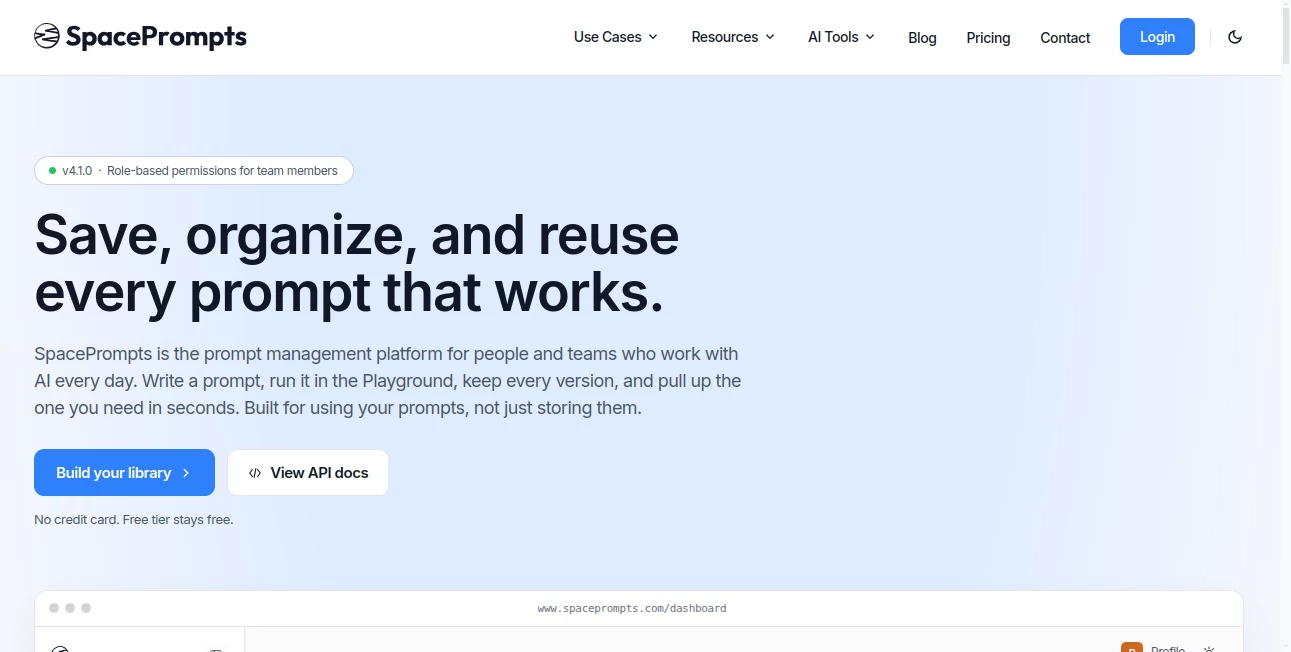
I used to lose my best prompts constantly. I'd craft something really good in ChatGPT, come back a week later, and have no idea where that perfect version went. Scrolling through chat history became exhausting. This platform finally solved that frustration for me. It gives you one clean place to save, organize, version, and instantly reuse your best prompts across any AI tool you use. The first time I pulled up an old prompt in Claude that I originally wrote in Grok, it felt like a small miracle. No more copy-pasting chaos — just reliable access when you need it.
Introduction
If you use AI daily, you quickly realize that your best results come from well-crafted prompts you've refined over time. But keeping track of them across different platforms is messy. SpacePrompts was built exactly for this problem. It's a dedicated prompt library with a clean web app and a handy browser extension that lets you save, search, and run prompts instantly — whether you're in ChatGPT, Claude, Grok, or anywhere else. It keeps versions, supports variables, and even helps you improve prompts with built-in evaluation tools. For heavy AI users and teams, it turns scattered prompt chaos into an organized, productive system.
Key Features
User Interface
The design is calm and practical. You have a powerful search bar, folders or tags for organization, and a playground where you can test prompts directly against different models. The browser extension is a game-changer — highlight any text on a page and save it as a prompt with one click, or pull up your library instantly from any site. Everything feels fast and intuitive, never bloated. I especially like how easy it is to switch between prompts and see version history without digging around.
Accuracy & Performance
It reliably stores and retrieves prompts exactly as you saved them, with fast search even when your library grows large. The playground runs prompts smoothly across multiple models, and version history lets you confidently roll back if a newer version underperforms. The AI prompt enhancer gives specific, actionable feedback that actually improves results — not generic advice. In daily use, it saves noticeable time and reduces frustration from lost or forgotten prompts.
Capabilities
You can save prompts from any AI tool, organize them with folders and tags, maintain full version history, use variables for reusable templates, run prompts directly from the playground or extension, and share libraries with your team using role-based permissions. It also includes an AI evaluator that scores your prompts and suggests concrete improvements. The browser extension makes capturing and reusing prompts effortless no matter where you are on the web.
Security & Privacy
Your prompts stay private and secure. The platform uses standard best practices for data protection, with clear controls over sharing and team access. No unnecessary data collection, and you remain in full control of your library. For professionals and teams working with sensitive prompts, this reliability builds real trust.
Use Cases
A content creator saves their best ChatGPT prompts for blog outlines and product descriptions, pulling them up instantly across tools. A developer keeps a library of reliable coding prompts that work across different models. A marketing team shares a common prompt library so everyone uses proven messaging frameworks. A student organizes research and writing prompts for different subjects. Anyone who uses AI regularly benefits from having their best prompts always available and organized.
Pros and Cons
Pros:
- Centralized library that works across all major AI tools.
- Browser extension makes saving and accessing prompts effortless.
- Version history and prompt evaluation help you continuously improve.
- Clean, fast interface that respects your time.
- Team sharing with proper permissions for collaborative work.
Cons:
- Free tier has reasonable limits (perfect for individuals, heavier users upgrade).
- Some advanced enterprise features are still rolling out.
Pricing Plans
The free plan is genuinely useful — enough prompts and core features for regular personal use. Pro plans add unlimited storage, advanced team features, priority support, and higher usage limits. Pricing is straightforward and fair for the productivity gains it delivers. Many users find the free tier sufficient for a long time before needing more.
How to Use SpacePrompts
Sign up (quick and free to start), then either paste an existing prompt into the library or write a new one in the playground. Test it against different models, save the best version, and add tags or folders for easy finding later. Install the browser extension for one-click saving while browsing. When you need a prompt, search or browse your library and copy or run it directly. For teams, invite members and set permissions. The workflow quickly becomes a natural part of your daily AI routine.
Comparison with Similar Tools
Many people start with Notion or Google Docs for prompts, but they quickly become messy and hard to search. Other tools are either too basic or overly complex. SpacePrompts stands out by being purpose-built for prompts — with strong search, version control, cross-tool execution, and a great browser extension. It strikes the right balance between simplicity and powerful features that heavy AI users actually need.
Conclusion
If you use AI regularly, your prompts are some of your most valuable assets. SpacePrompts helps you treat them that way — organizing, protecting, and making them instantly accessible when you need them. It removes the daily friction of lost prompts and scattered notes, letting you focus on creating instead of hunting. For individuals and teams serious about getting consistent results from AI, it’s quickly becoming an essential part of the workflow.
Frequently Asked Questions (FAQ)
Do I need the extension to use it?
No, but the extension makes saving and accessing prompts significantly faster and more convenient.
Can I share my prompts with my team?
Yes — Pro plans include team workspaces with role-based permissions.
Does it work with all AI models?
It works great with ChatGPT, Claude, Grok, Gemini, and others through direct integration and copy-paste.
Is my data private?
Yes — your prompts are private by default and only shared if you explicitly invite team members.
These classifications represent its core capabilities and areas of application. For related tools, explore the linked categories above.

SpacePrompts Alternatives Product

PromptZerk

MidJourney

Aback Tools

Ultimate Too…

Clean Paste

MBTI Compati…

Sound Level …

Midas Tools

ColoringWell
