TalkToTextly
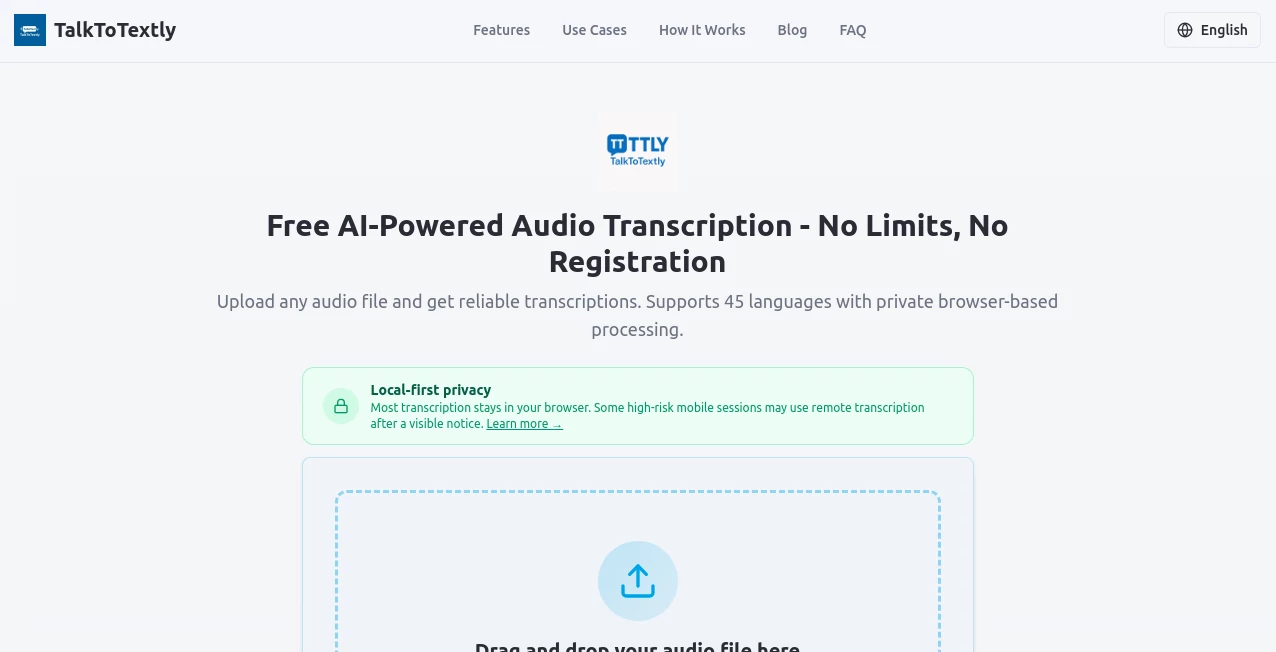
What is TalkToTextly?
Turning spoken words into clear text should be quick, accurate, and worry-free. This browser-based transcription platform delivers exactly that by converting audio into searchable text without unnecessary setup or complicated software. Whether you're transcribing interviews, lectures, meetings, or voice notes, the experience feels smooth from start to finish. Even better, your recordings stay on your device during processing, making it an excellent choice for anyone who values privacy alongside speed.
Key Features
User Interface
The interface is refreshingly simple. Upload an audio file or record directly from your microphone, choose a language if needed, and receive a transcript within minutes. Everything is designed to minimize distractions and help users focus on their work.
Accuracy & Performance
Advanced AI delivers highly accurate transcripts for clear recordings while recognizing technical terms and proper nouns. Fast processing means there is little waiting, making it suitable for both personal and professional tasks. Support for 44 languages also makes it useful for international users.
Capabilities
- Speech-to-text conversion in 44 languages.
- Automatic language detection.
- Support for MP3, WAV, M4A, FLAC, OGG, and other common formats.
- Real-time transcription workflow.
- Copy or download completed transcripts.
Security & Privacy
One of the strongest advantages is its privacy-first approach. Audio processing happens locally inside the browser instead of being uploaded to remote servers. This makes it a practical solution for confidential meetings, research interviews, and sensitive business recordings.
Use Cases
- Transcribing meetings and online discussions.
- Converting lectures into study notes.
- Creating transcripts for podcasts and interviews.
- Saving voice memos as editable text.
- Preparing searchable documentation for projects.
Pros and Cons
- Pros
- No registration required.
- Browser-based with no installation.
- Excellent privacy through local processing.
- Supports numerous audio formats and languages.
- Fast and easy to use.
- Cons
- Accuracy depends on recording quality.
- Very noisy audio may require manual corrections.
Pricing Plans
The core transcription service is available for free without creating an account. There are no mandatory subscriptions or credit card requirements for standard use.
How to Use TalkToTextly
Open the website, upload an audio file or start recording, wait while the AI processes the audio, then review, copy, or download the finished transcript. The workflow is straightforward enough for first-time users while remaining efficient for frequent transcription tasks.
Comparison with Similar Tools
Unlike many online transcription services that require account creation and cloud uploads, this solution emphasizes privacy by processing audio locally in the browser. It also combines multilingual support, broad file compatibility, and fast transcription without adding unnecessary complexity.
Conclusion
For anyone looking for a dependable speech-to-text solution, this platform strikes an impressive balance between simplicity, speed, and privacy. Its local processing, multilingual support, and user-friendly workflow make it a valuable option for students, professionals, creators, and anyone who regularly works with audio recordings.
Frequently Asked Questions (FAQ)
Does it require registration?
No. You can start transcribing without creating an account.
Which audio formats are supported?
Popular formats including MP3, WAV, M4A, FLAC, and OGG are supported.
Is my audio uploaded to a server?
No. Audio is processed locally in your browser, helping protect your privacy.
How many languages are available?
The platform supports transcription in 44 languages with automatic language detection.
Who is this tool best suited for?
It is ideal for students, journalists, researchers, business professionals, podcasters, and anyone who needs quick and accurate speech-to-text conversion.
AI Speech Recognition , AI Productivity Tools , AI Transcription , AI Speech to Text .
These classifications represent its core capabilities and areas of application. For related tools, explore the linked categories above.

TalkToTextly Alternatives Product
EntreDash

Treeova

AiZolo
FluentDictat…

GameClick.io

Klyra AI

CapyQR

SuperAI

Graph Maker