TattooIdeas
What is TattooIdeas?
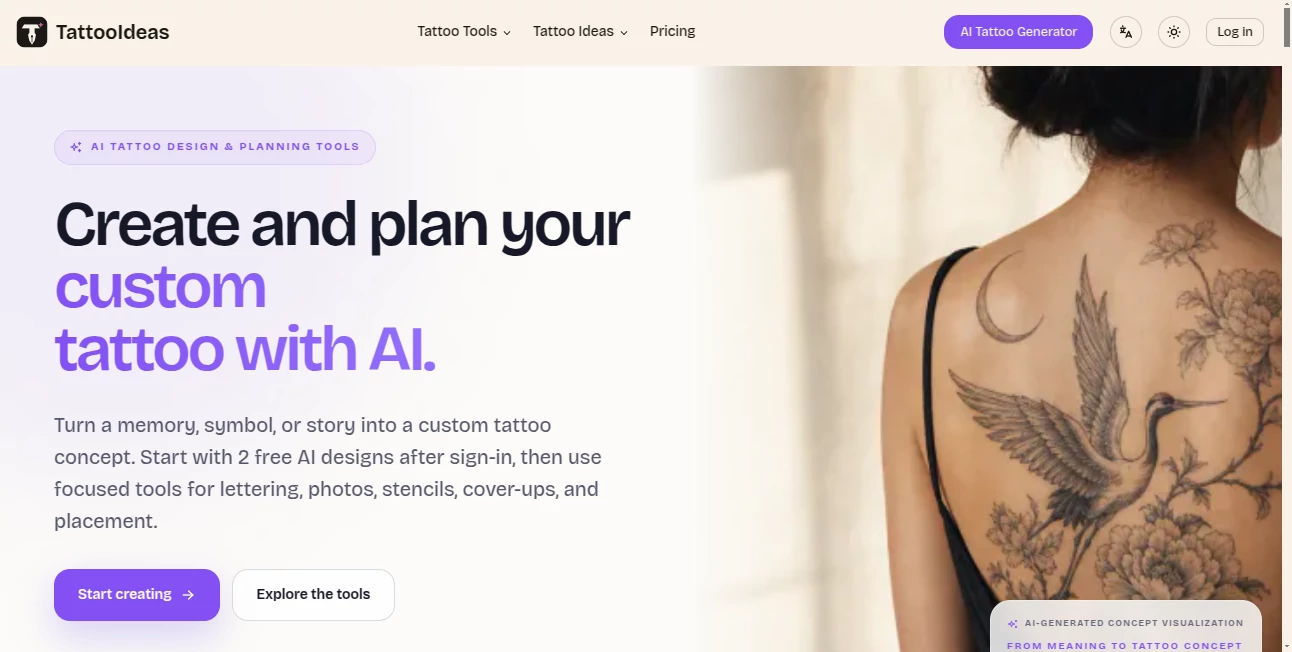
TattooIdeas is an AI-powered tattoo design and planning platform built for people who have an idea in mind but are not quite sure how they want it to look. Instead of trying to explain a tattoo concept to an artist with a few rough words, users can turn a memory, symbol, phrase, or personal story into visual directions and explore different possibilities before making a permanent decision.
The platform goes beyond simple image generation. Users can experiment with tattoo styles, body placements, lettering, reference images, stencils, cover-up concepts, and virtual placement previews. This makes it particularly useful during the early planning stage, when comparing several ideas can make a big difference.
After signing in, users can start with two free AI designs and then use the platform's focused tools to refine their concept. The generated artwork is intended as a creative and communication reference, giving users something much more concrete to discuss with a professional tattoo artist.
Key Features
- AI-generated tattoo concepts based on written ideas, memories, symbols, or stories.
- Support for styles such as fine line, blackwork, realism, Japanese, and other tattoo directions.
- Placement-aware design options for different areas of the body.
- Image-to-tattoo conversion for turning an existing image or drawing into a tattoo-inspired concept.
- AI tattoo stencil generation with adjustable detail and line weight.
- AI cover-up concepts for exploring ways to redesign an existing tattoo.
- A tattoo font generator for names, dates, quotes, and meaningful phrases.
- Virtual tattoo try-on with adjustable size, position, rotation, and opacity.
- Private design history and downloadable design references.
User Interface
The interface is organized around separate creative tasks rather than putting every feature into one complicated workspace. Users can choose whether they want to generate a new tattoo, work with lettering, convert an image, create a stencil, plan a cover-up, or preview placement.
This focused approach makes the experience easier to understand, especially for someone designing a tattoo for the first time. The virtual try-on is particularly practical because users can move, scale, rotate, and blend artwork on built-in body templates to compare different placements.
Accuracy & Performance
For tattoo planning, visual usefulness matters more than simply producing an attractive image. The platform takes this into account by allowing users to specify style and body placement and by focusing on compositions that can communicate an idea clearly to a tattoo artist.
It is worth keeping expectations realistic, however. AI-generated artwork is a concept reference rather than finished tattoo-ready linework. Skin, body contours, tattoo size, aging, and the artist's technique all affect the final result. The strongest workflow is to use the generated concept as a starting point and have a professional artist adapt it.
Capabilities
The platform covers several stages of the tattoo planning process. Someone starting with nothing more than a phrase can explore lettering styles. Another user with an old tattoo can upload a photograph and investigate cover-up directions. Someone who already has artwork can preview how it might look in different positions.
The generator also supports multiple visual directions, allowing users to compare concepts instead of settling for the first result. This is useful for personal tattoos where small differences in composition, symbolism, and placement can completely change the feel of the finished piece.
Security & Privacy
Generated designs are described as private by default and are saved to the user's workspace for refinement and download. The service also provides private design history, giving users a convenient place to keep the concepts they want to revisit.
Users should still treat AI-generated artwork as reference material and review the platform's privacy terms before uploading personal photographs or other sensitive material.
Use Cases
- First-time tattoo planning: Explore several visual directions before booking a tattoo appointment.
- Personal and symbolic tattoos: Turn a memory, story, relationship, or meaningful symbol into a visual concept.
- Lettering tattoos: Compare different font directions for names, dates, quotes, and short phrases.
- Reference conversion: Transform an existing photograph or drawing into a tattoo-inspired design direction.
- Cover-up planning: Explore possible concepts for redesigning or concealing an older tattoo.
- Placement research: Preview artwork on body templates before discussing the placement with an artist.
- Tattoo artist communication: Bring a clearer visual reference to an appointment instead of relying entirely on verbal descriptions.
Pros and Cons
Pros
- Designed specifically around tattoo planning rather than generic image generation.
- Multiple tools cover generation, lettering, image conversion, stencils, cover-ups, and placement.
- Two free AI designs are available after sign-in.
- Virtual try-on makes placement comparisons easier.
- One-time credit packs do not require a recurring subscription.
- Credits purchased in the available packs never expire.
Cons
- AI concepts should not be treated as final tattoo-ready artwork.
- A professional tattoo artist is still needed to adapt the design to the individual's body and tattooing technique.
- The free allowance is limited, so extensive experimentation requires paid credits.
- Virtual placement previews are useful for comparison but cannot predict exactly how a healed tattoo will look on real skin.
Pricing Plans
The platform uses one-time credit packs rather than recurring subscriptions. This is a welcome approach for people who may only need tattoo planning tools during a specific project.
- Starter: $9.90 one-time, including 200 credits and up to 50 AI tattoo generations.
- Creator: $19.90 one-time, including 480 credits and up to 120 AI tattoo generations.
- Studio: $29.90 one-time, including 800 credits and up to 200 AI tattoo generations.
The paid packs include access to the AI tattoo generator, image-to-tattoo conversion, stencil generation, cover-up tools, private design history, and downloads. Purchased credits do not expire, which makes the model convenient for users who want to work on their tattoo gradually rather than use everything in a single session.
How to Use the Tool
- Sign in and start with the available free AI designs.
- Describe the tattoo idea, memory, symbol, subject, or feeling you want to explore.
- Select a tattoo style and body placement when you already have a preference.
- Generate a concept and compare it with another visual direction if needed.
- Use the lettering, image conversion, stencil, or cover-up tools when your project requires a more specific workflow.
- Preview the artwork using the virtual tattoo try-on and adjust its size, position, rotation, and opacity.
- Download the references that best communicate your preferred direction.
- Take the concept to a professional tattoo artist and have the final artwork adapted for your body, placement, size, and tattooing technique.
Comparison with Similar Tools
Generic AI image generators can certainly produce tattoo-style artwork, but they are usually designed for broad visual creation rather than the practical decisions involved in getting a tattoo. The advantage here is specialization. Style, body placement, lettering, stencils, cover-ups, and virtual previews are treated as connected parts of the same planning process.
For someone who simply wants an artistic image inspired by tattoos, a general image generator may be sufficient. For someone who is actually considering getting inked, the dedicated workflow is more useful because it encourages comparison and preparation before the appointment.
Another practical difference is the focus on artist communication. Instead of presenting an AI image as a finished tattoo, the platform positions its output as a visual reference that an artist can refine. That distinction makes the workflow more realistic for an actual tattoo project.
Conclusion
For anyone sitting with a tattoo idea that has not yet become a clear visual concept, this platform offers a practical place to explore it. Its strongest point is not simply generating attractive artwork; it is bringing several decisions together, from style and composition to lettering and body placement.
The combination of AI generation, image conversion, stencil creation, cover-up exploration, and virtual try-on gives users more room to think before committing. The one-time pricing model is another advantage for people who do not want another monthly subscription.
Most importantly, the generated concepts should be treated as a starting point. A skilled tattoo artist remains essential for adapting the artwork to real skin, choosing appropriate linework and detail, and creating a design that will age well. Used in that way, the platform can make the often difficult step between “I have an idea” and “this is what I want to show my artist” considerably easier.
Frequently Asked Questions (FAQ)
What is an AI tattoo generator?
An AI tattoo generator turns a written idea into a visual tattoo concept. Users can describe a subject, memory, symbol, or feeling and explore different styles and placement directions before discussing the design with a tattoo artist.
Can I use the generated design directly as a tattoo?
The generated artwork should be used as a concept and communication reference rather than as final tattoo-ready artwork. A professional tattoo artist should redraw or adapt the design for the person's skin, body placement, size, and the way the tattoo is expected to age.
Can I turn an existing image into a tattoo design?
Yes. An existing photograph or drawing can be uploaded and converted into a tattoo-inspired concept. The result is intended to help communicate a visual direction rather than serve as a finished stencil.
Can I preview how a tattoo will look on a body?
Yes. The virtual try-on lets users choose a built-in body template and adjust the artwork's size, position, rotation, and opacity. It is useful for comparing placement ideas, although it is not a prediction of how a healed tattoo will look on an individual's actual skin.
Is there a tattoo font generator?
Yes. The lettering tool can turn a name, date, quote, or short meaningful phrase into different tattoo lettering directions. It supports 18 tattoo font styles and allows users to adjust and download a PNG reference.
Are there free options?
Yes. After signing in, users can create two free AI tattoo designs. There is also a free tattoo font generator and a free virtual tattoo try-on.
Do the paid credits expire?
No. The available one-time credit packs state that purchased credits never expire, so users can return to their project later without having to maintain a recurring subscription.
Which pricing plan is best for trying several tattoo ideas?
The Creator pack is positioned as the best-value option for comparing more styles, placements, and variations. Users who only want to explore a first concept can start with Starter, while larger projects and extensive experimentation may suit Studio.
These classifications represent its core capabilities and areas of application. For related tools, explore the linked categories above.
TattooIdeas details
Website unavailable — View Alternatives
Pricing
- Freemium
Apps
- Web App
Categories

TattooIdeas Alternatives Product

insMind
Ambigram Gen…
AI Tattoo Ge…
Apprentice

BlackInk