


















Teable
What is Teable?
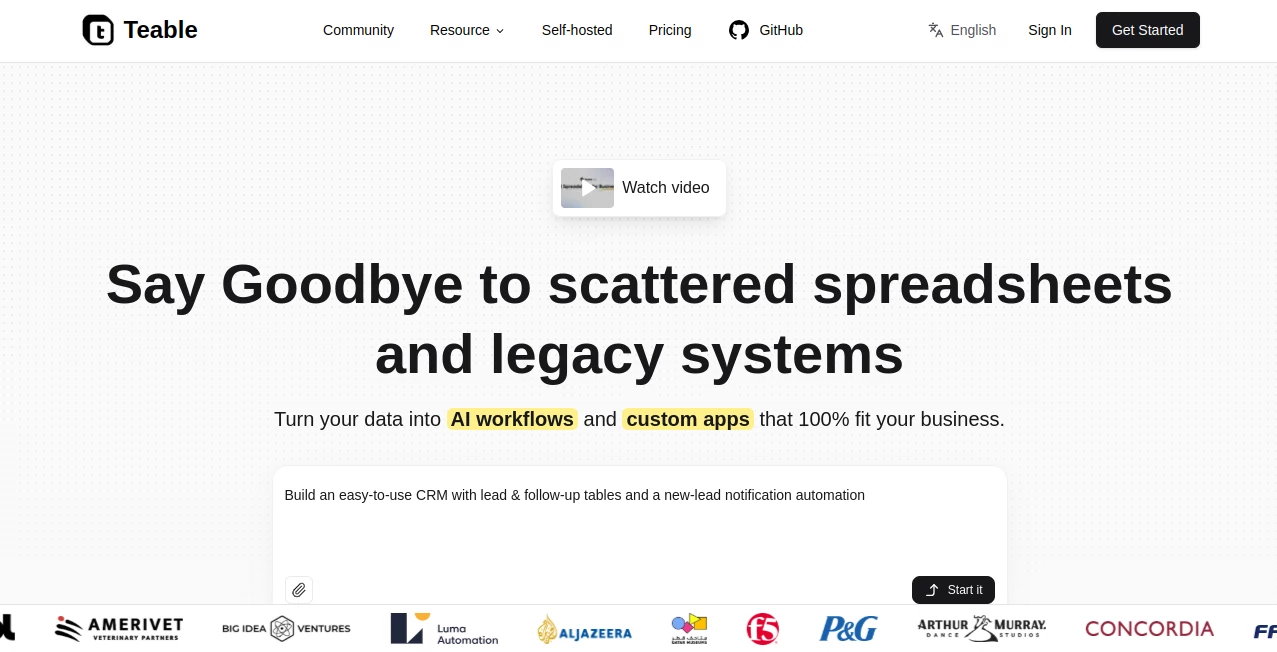
Teable is an AI-powered business data platform designed to bring spreadsheets, databases, workflows, and applications into one practical workspace. Instead of keeping information scattered across spreadsheets, CRM exports, files, and separate business tools, teams can organize their data in a structured environment and use AI to work with it.
What makes the platform particularly appealing is the connection between data and action. Users can work with structured records, create custom applications, automate repetitive processes, analyze information with natural language, and turn business data into useful interfaces without building everything from scratch.
For a small team managing leads, a company handling operational data, or a growing business that needs more flexibility than a traditional spreadsheet can provide, this approach can remove a surprising amount of manual work.
Key Features
- AI-powered fields for summaries, tags, scores, translations, and extracted information.
- Natural-language AI chat for working with tables, records, files, and business data.
- AI-assisted application building for dashboards, portals, forms, and internal tools.
- Workflow automation with triggers, actions, rules, notifications, approvals, and integrations.
- Spreadsheet-style data management combined with database relationships.
- Multiple views including Grid, Kanban, Gallery, Calendar, and Forms.
- CSV and Excel import and export capabilities.
- Web API access for connecting business data with other systems.
- Cloud and self-hosted deployment options.
User Interface
The interface is built around familiar spreadsheet concepts, which makes the initial learning curve relatively gentle. Tables, fields, records, filters, views, and linked data are presented in a way that feels approachable even for people who are not database specialists.
The AI experience is integrated into the workspace rather than being treated as a completely separate chatbot. Users can describe what they want to accomplish and then inspect the resulting structure, data, applications, or workflow. This is useful because the generated result remains editable instead of becoming a black box.
For teams, that balance matters. A marketing manager can work with customer records without learning database syntax, while a more technical user can still control the underlying structure.
Accuracy & Performance
The platform is designed to work directly with structured business records, which gives its AI features useful context. AI fields can process existing record information, while AI chat can understand the active data view and perform actions against records using natural language.
Recent improvements have also expanded its ability to handle larger and more complicated tasks. The platform can process multiple Excel or CSV files and work with lengthy PDF documents through AI-assisted workflows. For everyday business operations, this can turn tasks that normally require repeated copy-and-paste work into repeatable processes.
As with any AI-powered system, generated results should still be reviewed when the information is important or business-critical. The advantage here is that users can inspect and refine the underlying data, fields, permissions, and workflows rather than simply accepting an AI response.
Capabilities
The strongest part of the platform is the way several business functions connect together. A team can import existing information, organize it into related records, use AI to enrich those records, create an application around them, and automate what happens next.
For example, a sales team could maintain a lead database, use AI to classify incoming prospects, generate personalized follow-up messages, update lead stages, and display the resulting pipeline through a custom interface. A company could also create an internal approval system, customer intake portal, booking workflow, or operational dashboard using the same underlying data.
The platform also supports business-aware email workflows, app generation, data processing, automation, APIs, and integrations. Its self-hosted option gives organizations another deployment path when greater control over infrastructure and data is required.
Security & Privacy
Security is an important consideration for a platform intended to manage business information. The service states that it has ISO 9001 and ISO 27001 certifications and provides enterprise permission controls and private deployment options.
Business plans include advanced controls such as role-based authority settings, domain verification, and SSO. Self-hosted deployments can provide additional control over where the system operates and how organizational data is managed.
The privacy policy also explains that the company does not collect customer workspace content for license compliance attestation and specifically excludes items such as table records, field values, SQL queries, application secrets, authentication tokens, and user email lists from that process.
Use Cases
- Sales and CRM: Manage leads, customer records, follow-ups, pipelines, and personalized outreach from a connected workspace.
- Project Management: Track projects, responsibilities, deadlines, status changes, and related operational information.
- Marketing Operations: Organize campaigns, contacts, content, product information, and reporting while automating repetitive tasks.
- Internal Business Apps: Build dashboards, portals, forms, booking systems, and internal tools around existing data.
- Data Processing: Import spreadsheets and files, process information with AI, and turn unstructured material into usable records.
- Workflow Automation: Create automated processes for notifications, approvals, reports, updates, and recurring business operations.
- Customer Intake: Create forms that collect structured customer information and automatically store submissions as records.
- Operations: Build tailored systems for inventory, staff scheduling, contracts, reporting, and other company-specific processes.
Pros and Cons
- Pros: Combines spreadsheets, database functionality, AI, automation, and app building in one environment.
- Pros: Natural-language interaction makes complex data tasks more accessible to non-technical users.
- Pros: Generated applications remain editable, allowing teams to refine them as requirements change.
- Pros: Supports cloud and self-hosted deployment.
- Pros: Strong permission and enterprise-management options are available on higher plans.
- Cons: Teams coming from simple spreadsheets may need some time to understand relational data and advanced workflows.
- Cons: AI usage is tied to credits, so organizations with intensive AI workloads need to monitor consumption.
- Cons: Advanced governance, larger limits, and enterprise capabilities require higher-tier plans.
Pricing Plans
The platform offers a Free plan for individuals, making it possible to explore the core experience without an upfront subscription. The Free plan currently includes 200 AI credits, 100 automation runs, up to 1,000 rows, 1GB of attachments, AI chat, AI fields, and app-building capabilities.
The Pro plan is listed at $10 per seat per month when billed yearly, or $12 monthly. It increases capacity to 250,000 rows, 10GB of attachments, 25,000 automation runs, and 1,000 AI credits per seat.
The Business plan is listed at $20 per seat per month with annual billing, or $24 monthly. It raises capacity to 1,000,000 rows and 100GB of attachments while adding features such as custom app domains, advanced authority controls, domain verification, and SSO.
Additional usage subscriptions are available for areas such as AI credits, automation, records, and attachment storage, giving teams a way to expand beyond their included plan allowances.
How to Use It
Start by bringing your existing business information into the workspace. Data can be imported from spreadsheets and other supported sources, allowing teams to establish a structured foundation without rebuilding everything manually.
Next, organize the information into tables and connected records. Add the fields, views, filters, relationships, and permissions that match the way your team actually works.
Once the data is ready, use the AI features to analyze records, generate field content, classify information, process files, or make changes through natural-language instructions.
You can then build an application around the data. Describe the users, workflow, and information the application needs, review the generated result, and refine its pages, fields, actions, permissions, and automations.
Finally, connect the workflow to the rest of your operation. Add notifications, approvals, integrations, email automation, or API connections as the process becomes more sophisticated.
Comparison with Similar Tools
Traditional spreadsheet software remains excellent for quick calculations and lightweight data tracking, but it can become difficult to manage when several people, processes, permissions, and applications depend on the same information.
Dedicated project-management platforms can offer polished task and workflow experiences, while database-focused tools often provide stronger control over structured records. The approach here sits between these categories by combining structured data with AI, automation, and application building.
It is particularly attractive for organizations that want their AI to work with actual business records rather than operate as a separate assistant. The ability to generate custom apps directly around the underlying data also gives teams more flexibility than simply adopting another fixed workflow template.
For companies that prefer infrastructure control, self-hosting is another meaningful distinction. It can be especially valuable for organizations with specific deployment, governance, or data-management requirements.
Conclusion
For businesses that have outgrown ordinary spreadsheets but do not want to assemble a complicated collection of separate systems, this platform offers a compelling middle ground. Its combination of structured data, AI assistance, automation, and custom application building makes it useful for far more than simply storing rows and columns.
The most interesting aspect is the connection between information and execution. Instead of treating business data as something that only needs to be viewed or edited, the platform gives teams ways to analyze it, act on it, automate processes around it, and build interfaces for the people who need to use it.
It is not necessarily the right choice for every spreadsheet user, particularly if the requirement is limited to basic calculations. But for teams looking to turn business data into working systems without starting every project from a blank codebase, it is a strong option worth exploring.
Frequently Asked Questions (FAQ)
What is this platform used for?
It is designed for managing business data, creating AI-powered workflows, automating processes, and building custom applications such as dashboards, portals, forms, and internal tools.
Does it have a free plan?
Yes. The Free plan includes core features, AI capabilities, 200 credits, 100 automation runs, 1,000 rows, and 1GB of attachment storage.
Can it build applications with AI?
Yes. Users can describe the application they need, generate an initial version, and then visually refine its data structure, pages, permissions, and workflows.
Can it work with Excel and CSV files?
Yes. Excel and CSV files can be imported to create tables or add records to existing tables, and CSV export is also supported.
Can AI modify business records?
Yes. Its AI chat can work with records using natural-language instructions, including creating, reading, updating, and deleting data within the appropriate context.
Is self-hosting available?
Yes. A self-hosted deployment option is available for organizations that want greater control over their infrastructure and data environment.
Does it support APIs?
Yes. A Web API is available for reading and managing data from scripts, internal applications, and external integrations.
Who can benefit most from it?
Small businesses, growing teams, operations departments, sales teams, marketers, developers, and organizations that need custom business systems without building every component from scratch can all find practical uses for it.
AI Workflow Management , AI App Builder , AI Project Management , AI Spreadsheet .
These classifications represent its core capabilities and areas of application. For related tools, explore the linked categories above.

Teable Alternatives Product

Carmatec

TutuoAI

TruthSpine

Emergent

VisualGPT

BillEasy Inc

Jujutsu Zero…

Bolt AI

PineBill
