TeeDIY
What is TeeDIY?
I’ve always wanted to make my own t-shirts with silly inside jokes or meaningful designs, but the thought of learning design software killed the idea every time. Then I tried this platform and suddenly it felt possible. You type a prompt, drop in a photo, or pick a template, and within seconds you’re looking at real mockups on actual shirts. No steep learning curve, no expensive software — just your idea turning into something you can wear. I made one for my brother’s birthday in under ten minutes, and the print quality when it arrived blew me away. It’s the kind of tool that makes creativity feel accessible again.
Introduction
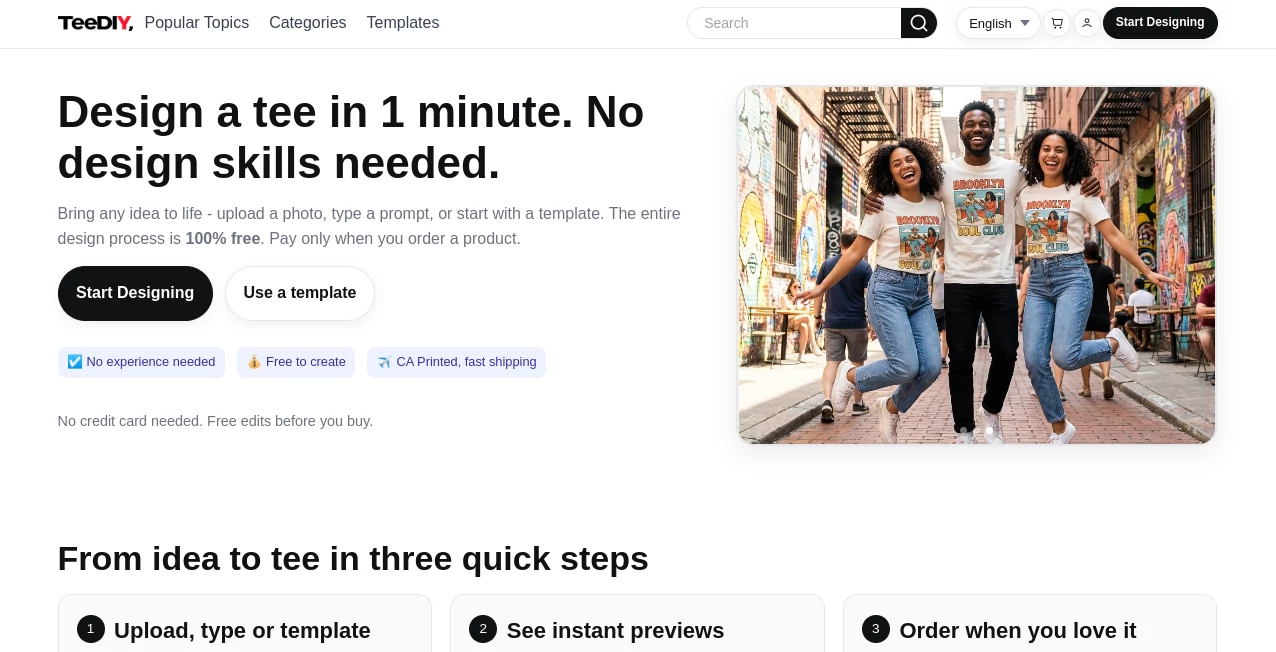
Custom apparel used to mean either settling for generic templates or paying a designer and waiting weeks. This platform changes that completely. It combines smart AI with print-on-demand so anyone can turn an idea into a real shirt without any design experience. The process is genuinely free until you decide to order — you can create, tweak, and preview as much as you want. Printed in California with fast shipping, it’s become a favorite for people making gifts, merch for small groups, personal statements, or even testing product ideas. The best part? It feels fun instead of technical.
Key Features
User Interface
The editor is refreshingly simple and inviting. You can start by typing a description, uploading a photo, or browsing ready-made templates. As you make changes, live mockups appear on different garments so you can see exactly how it will look when printed. Everything happens in one clean workspace — no overwhelming menus or confusing layers. Even my friend who claims she has “zero creativity” made a solid design on her first try. It respects your time and keeps the focus on the fun part: bringing your idea to life.
Accuracy & Performance
The AI does a surprisingly good job understanding what you want. Prompt it for a “sarcastic coffee lover design” and it delivers something that actually feels right instead of generic clip art. Background removal, smart layout, and style suggestions all work smoothly. Generation is quick, and the final print-ready files look professional. I’ve tested it with everything from simple text to complex photo-based ideas, and the consistency is impressive for an AI tool.
Capabilities
You can create from text prompts, upload your own images, or start with templates. Magic cleanup removes backgrounds automatically, style assist lets you try different aesthetics (vintage, comic, minimalist, etc.), and smart edit lets you describe changes in plain English. It supports tees, hoodies, sweatshirts, and more. The entire design process is free — you only pay when you actually place an order. That removes all the pressure and lets you experiment freely.
Security & Privacy
Your designs stay yours. The platform doesn’t claim ownership or use your creations for training without permission. Payment and shipping details are handled securely, and you can design anonymously if you prefer. For personal gifts or small business tests, that peace of mind matters.
Use Cases
A dad made matching “World’s Okayest Golfer” shirts for his buddies before a trip. A small band created limited-run merch for their latest single in one evening. Someone turned their dog’s photo into a wearable tribute for their family. A teacher made custom appreciation shirts for her graduating class. Whether it’s personal expression, gifts, events, or testing a business idea, it handles all of it with ease.
Pros and Cons
Pros:
- Truly free to design and preview as much as you want.
- Fast and genuinely easy — perfect for non-designers.
- High-quality prints with good color accuracy and detail.
- Fast shipping from California.
- Great for both one-off gifts and small-batch merch.
Cons:
- Very complex or highly detailed prompts sometimes need refinement.
- Some advanced editing features are still growing.
Pricing Plans
Designing is completely free. You only pay when you decide to order physical products. Pricing for shirts and hoodies is reasonable for the quality, and there are no hidden fees or monthly subscriptions. It’s one of the fairest models I’ve seen — try everything risk-free, then pay only for what you love.
How to Use TeeDIY
Go to the editor and either type your idea, upload an image, or pick a template. Watch the AI generate options and preview them on different garments. Use the smart tools to clean up, change styles, or edit specific parts by describing what you want. Tweak until you’re happy, then add to cart and order. The whole journey from idea to finished shirt is surprisingly smooth and enjoyable.
Comparison with Similar Tools
Many custom print sites offer basic templates but lack smart AI assistance. Others have powerful AI but feel complicated or expensive to use. This one strikes a sweet spot — genuinely easy for beginners while still powerful enough for creative people who want control. The free-to-design model sets it apart from platforms that charge just to experiment.
Conclusion
Turning an idea into something you can wear shouldn’t feel intimidating. This platform makes it approachable, fun, and genuinely high quality. Whether you’re making a gift that will make someone laugh, merch for your small project, or just expressing yourself, it removes every unnecessary barrier. In a world full of complicated creative tools, this one feels like a friend who says “just try it — I’ve got the hard parts covered.”
Frequently Asked Questions (FAQ)
Is designing really free?
Yes. You can create, edit, and preview unlimited times. You only pay when you order physical products.
Do I need design experience?
Not at all. The AI and smart tools handle most of the work — just bring your idea.
How long does shipping take?
Printed in California with fast domestic shipping. International orders also move quickly.
What products can I print on?
Tees, hoodies, sweatshirts, and more — with the same easy editor.
Can I sell the designs I make?
Yes — many users create small-batch merch or personal brands using the platform.
AI Clothing Generator , AI Graphic Design , AI Design Generator , AI Image to Image .
These classifications represent its core capabilities and areas of application. For related tools, explore the linked categories above.

TeeDIY Alternatives Product
z image
meta ai image
Nano Banana 2
AIImageEdit
Card Maker AI
Image to Pro…
Tryonr

Picture to L…
PatchDesign.…