
Text Watermark Remover
What is Text Watermark Remover?
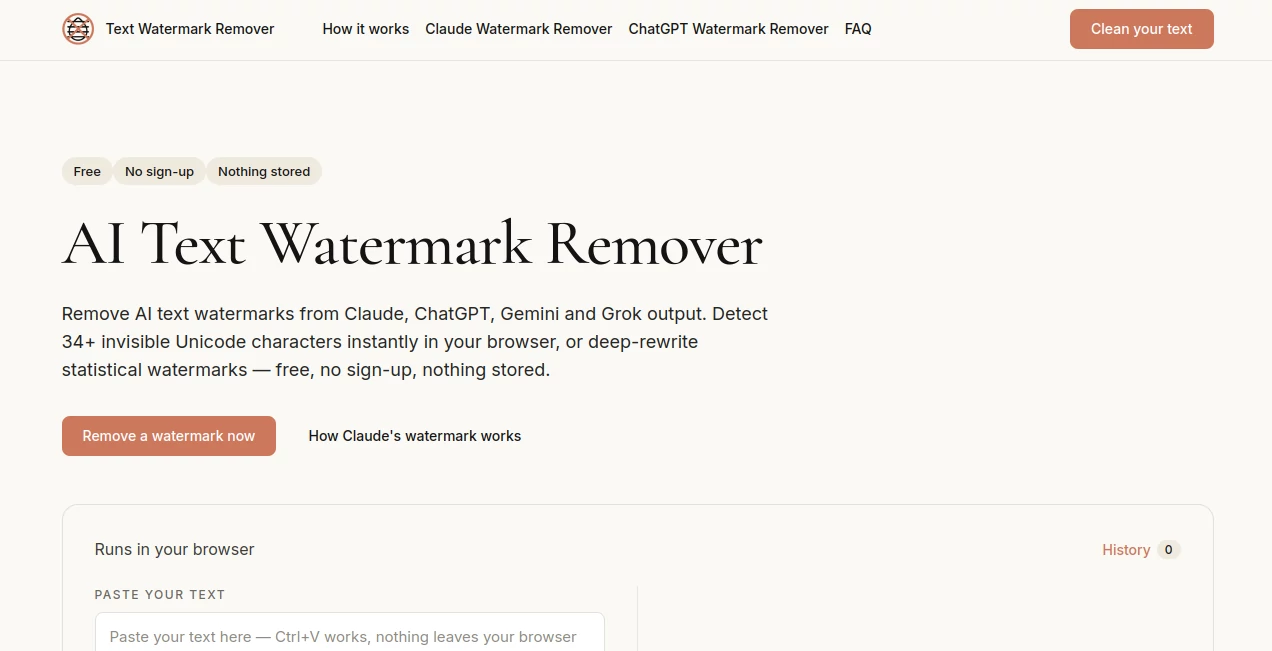
Text Watermark Remover is a free browser-based utility designed to detect and remove invisible characters and certain statistical patterns that may be associated with AI-generated text. It supports text produced by popular AI systems such as Claude, ChatGPT, Gemini, and Grok, giving users a straightforward way to inspect copied text before using it elsewhere.
The service takes an interesting approach because not every text watermark works in the same way. Some are hidden inside Unicode characters, while others can be associated with patterns in word selection. Instead of treating every case as identical, the platform separates these two situations into different cleaning methods.
For someone who regularly copies AI-generated text into documents, emails, websites, or content management systems, that distinction can be useful. A quick scan can reveal hidden characters that would otherwise be impossible to notice by simply reading the text.
Key Features
- Detection of more than 34 invisible Unicode characters.
- Quick Clean for removing hidden characters directly in the browser.
- Deep Rewrite for attempting to break statistical watermark patterns through paraphrasing.
- Support for text associated with Claude, ChatGPT, Gemini, and Grok.
- No account or registration required.
- Quick Clean works locally in the browser.
- Text formatting such as ordinary spaces, tabs, and line breaks is preserved.
- Text can be checked before being copied into another application or publishing platform.
User Interface
The interface is deliberately simple. Users can paste their text into the main workspace and choose between Quick Clean and Deep Rewrite. A character counter supports text up to 50,000 characters, while Deep Rewrite accepts up to 8,000 characters at a time.
The distinction between the two options is particularly helpful. Quick Clean is intended for invisible character removal, whereas Deep Rewrite takes a substantially different approach by paraphrasing the supplied text. The result can then be copied back to the user's workflow.
Accuracy & Performance
Quick Clean is the faster part of the service because the processing happens locally in the browser. It scans for a broad range of invisible Unicode characters, including zero-width spaces, byte-order marks, directional controls, word joiners, and other characters that can remain hidden inside apparently normal text.
Deep Rewrite is more demanding because it uses an LLM-based rewriting process. The site describes this as a best-effort method rather than promising guaranteed removal of a statistical watermark. That distinction is important: a rewritten passage may weaken an identifiable pattern, but there is no universal guarantee that every future or third-party detector will consider it watermark-free.
Capabilities
The platform handles two fundamentally different watermark scenarios. Its character sweep looks for invisible Unicode code points and removes them without changing ordinary formatting. This makes it useful when the problem is hidden data embedded inside copied text.
Its Deep Rewrite mode takes another route. Rather than looking for invisible characters, it changes the wording and sentence construction through paraphrasing. This is designed for situations where a watermark is connected to statistical word-choice patterns rather than a hidden character.
There is also a useful visual distinction between the original and processed text, making it easier to review the result before copying it elsewhere.
Security & Privacy
Privacy is one of the stronger aspects of the service. Quick Clean operates entirely inside the browser, meaning the text does not need to be uploaded to a remote server for that cleaning process. The website states that Deep Rewrite sends the text through an LLM API once, while the input and output are not written to a database or content log.
The service does maintain anonymous usage information for quotas and sharing credits, but it states that this information is tied to a hashed device identifier rather than the actual text content. For users working with private drafts, this browser-first approach is an important consideration.
Use Cases
There are several practical situations where this type of utility can be helpful. Writers who copy material from AI assistants into a CMS can use Quick Clean to check for invisible Unicode characters before publication.
Students and researchers may also encounter hidden characters when moving text between AI tools, PDFs, websites, and word processors. In those cases, identifying unusual Unicode characters can help explain unexpected formatting or text behavior.
Developers and content teams can use it when troubleshooting text-processing workflows. An invisible character can sometimes survive copying and cause unexpected differences in search, validation, parsing, or formatting.
For text containing a suspected statistical watermark, Deep Rewrite offers a separate option. The important point is to treat the result as a rewriting tool with best-effort watermark weakening rather than as a guaranteed way to defeat every detection system.
Pros and Cons
Pros:
- Free Quick Clean with unlimited use.
- No registration is required.
- Local browser processing for invisible-character cleaning.
- Detects more than 34 types of invisible Unicode characters.
- Supports both character-based cleaning and statistical-pattern rewriting.
- Clear explanation of the difference between the two methods.
- Preserves normal spaces, tabs, and line breaks.
Cons:
- Deep Rewrite is limited compared with Quick Clean.
- Statistical watermark removal is explicitly best-effort rather than guaranteed.
- Deep Rewrite has a smaller character limit than Quick Clean.
- Removing a watermark does not necessarily make text pass unrelated AI-content detectors.
Pricing Plans
The core Quick Clean feature is free and unlimited, with no account or subscription required. Because the processing takes place in the browser, users can clean text without consuming a paid rewrite allowance.
Deep Rewrite uses an LLM API and therefore has usage limits. The website currently provides up to 10 rewrites per device per day at no charge. Users can also earn additional Deep Rewrite credits through its sharing mechanism. There is no traditional paid subscription or paywall for the core cleaning functionality.
How to Use Text Watermark Remover
Start by pasting the text you want to inspect into the main input area. If you are looking for hidden Unicode characters, select Quick Clean. The service scans the text and removes supported invisible characters while leaving normal formatting such as spaces, tabs, and line breaks intact.
If the text is suspected of containing a statistical watermark, Deep Rewrite can be selected instead. The service sends the text through its rewriting process and returns a paraphrased version intended to weaken the original statistical pattern.
After processing, review the result carefully and copy it only when you are satisfied with the wording and formatting. For important academic, professional, or publishing work, users should also follow the rules and disclosure requirements of the environment where the text will be used.
Comparison with Similar Tools
Many text-cleaning utilities focus primarily on visible formatting problems or a small selection of zero-width characters. This service takes a broader approach by checking more than 34 invisible Unicode characters and by separating character-based watermarking from statistical watermarking.
Another difference is transparency. The platform does not claim that a simple Unicode cleanup can remove every kind of AI watermark. Instead, it explains that character-based and statistical approaches require different techniques. That makes the workflow more useful for users who want to understand what is actually happening to their text rather than simply pressing a generic “remove watermark” button.
Conclusion
For anyone who frequently moves AI-generated text between chatbots, documents, websites, and publishing systems, this is a practical utility worth keeping in the toolkit. Its strongest feature is the straightforward Quick Clean workflow, which combines broad Unicode detection with local browser processing.
The Deep Rewrite option adds another layer for text where the issue may involve statistical word-choice patterns. Its best-effort positioning is sensible, since watermarking and detection technologies can change over time.
Overall, the combination of easy access, privacy-conscious local cleaning, broad Unicode coverage, and a separate rewriting mode makes the service a useful addition for writers, developers, researchers, and anyone who wants to inspect AI-generated text more closely.
Frequently Asked Questions (FAQ)
Is the text cleaning feature free?
Yes. Quick Clean is free and unlimited, and it does not require an account.
What types of hidden characters can it detect?
It detects more than 34 invisible Unicode characters, including zero-width spaces, narrow no-break spaces, byte-order marks, word joiners, directional controls, and Unicode tag characters.
Does Quick Clean upload my text?
No. Quick Clean runs locally in the browser, so the text does not need to be sent to a server for that operation.
Can it remove a statistical AI watermark?
Deep Rewrite is designed to weaken statistical watermark patterns by paraphrasing text. However, the service explicitly describes this as a best-effort process and does not guarantee that a result will pass every watermark detector.
Does removing invisible characters make text undetectable as AI-generated?
No. Invisible-character cleaning and AI-content detection are different things. Removing hidden Unicode characters does not automatically change the writing style or guarantee that text will pass an AI detector.
Do I need to create an account?
No. The core features are available without registration.
How much text can I process?
The main text area supports up to 50,000 characters, while Deep Rewrite supports up to 8,000 characters per rewrite.
Is Deep Rewrite unlimited?
No. Deep Rewrite has a daily usage limit because it relies on an LLM API. The site currently provides up to 10 rewrites per device per day, with additional credits available through its sharing system.
AI Rewriter , AI Content Detector , AI General Writing , AI Writing Assistants .
These classifications represent its core capabilities and areas of application. For related tools, explore the linked categories above.
Text Watermark Remover details
Website unavailable — View Alternatives
Pricing
- Freemium
Apps
- Web App
Categories

Text Watermark Remover Alternatives Product

StyleBias

ieltswriting…

LyricStudio

YooPrompt

LinkedIn Spe…

Sourcetable

ModelsLab

Harvey

AiZolo