

















The Influencer AI
Verified Blue CheckMark
Verified Blue CheckMark products are featured above free or unverified listings.
This badge indicates authenticity and builds trust, giving your product higher visibility across the platform.
Upgrade to get verified
Verified Blue CheckMark products are featured above free or unverified listings. This badge indicates authenticity and builds trust, giving your product higher visibility across the platform.
Upgrade to get verified
What is The Influencer AI?
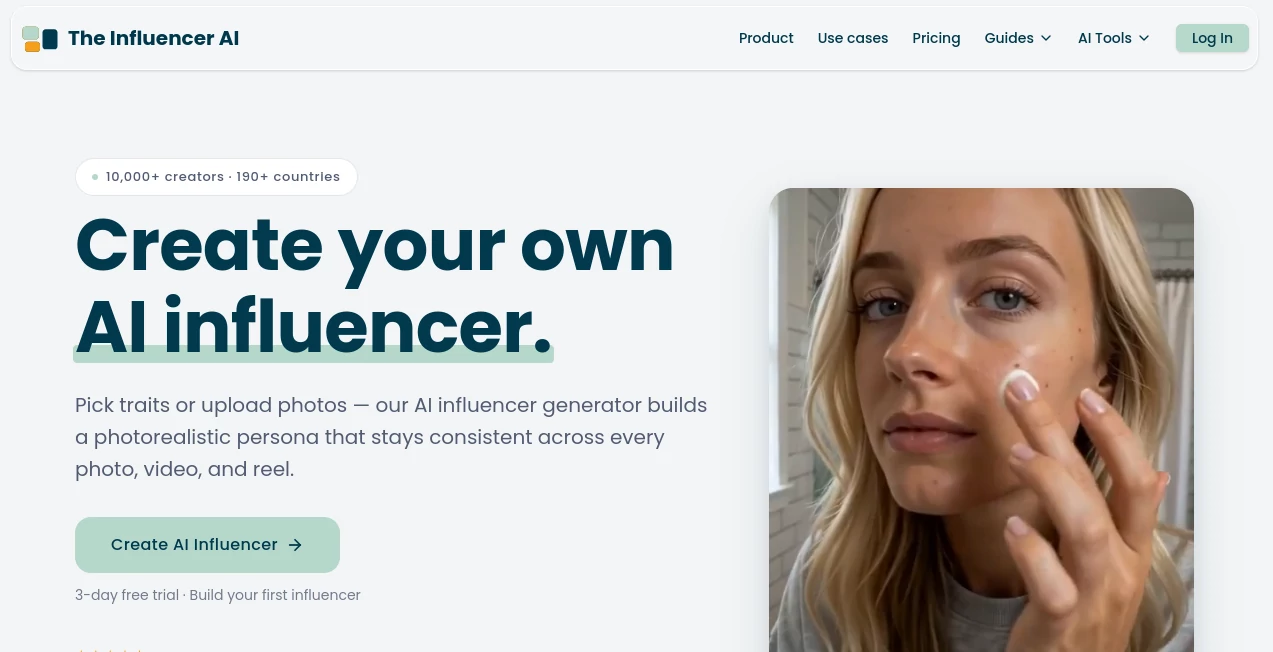
There’s something powerful about having a digital persona that looks the same across every photo, reel, and campaign—always on-brand, always available, never tired or camera-shy. This platform makes that possible in a way that feels almost too good to be true. You build one consistent character (either from scratch by choosing traits or by training on your own photos), and then generate unlimited content with the same face, style, and vibe. I’ve seen creators go from zero to posting professional-looking reels daily without ever stepping in front of a camera. The consistency is what hooks people — your audience starts to recognize and connect with the persona just like a real influencer.
Introduction
Creating content at scale is exhausting. Coordinating with real influencers or UGC creators brings scheduling headaches, high costs, and inconsistent quality. This tool changes the game by letting you build and direct your own photorealistic AI influencer that stays perfectly on-character across every output. Whether you want a virtual model for product promos, a talking head for tutorials, or a lifestyle persona for social growth, it handles the heavy lifting. The realism has reached a point where many viewers can’t immediately tell it’s AI — and that’s when the real possibilities open up for creators, brands, and sellers who need volume without the usual production pain.
Key Features
User Interface
The dashboard is clean and creator-friendly. You can either build a persona from traits (gender, age, ethnicity, hair, body type, etc.) or upload 8–12 photos to train a private model of yourself or someone else. Once locked in, generating new content is as simple as typing a scene description or dropping a reference image. Batch generation lets you create dozens of assets in one go, and the preview system helps you iterate quickly. It never feels overly technical — it feels like directing your own talent who never says no.
Accuracy & Performance
The standout feature is character consistency. The same face, build, and style appear reliably across photos, videos, and different scenes. Motion in videos looks natural, lip-sync works well with uploaded audio, and lighting adapts intelligently to the prompt. Generations are fast enough to support real workflows, and the output quality holds up even when pushing creative boundaries. It’s one of the few tools where you can actually plan a content calendar around one persona without visual breaks.
Capabilities
You can generate still photos, talking videos, reels, product promos, virtual try-ons, and motion clips — all with the same locked persona. It supports multiple languages for voiceovers, batch creation (up to 32+ assets per prompt), background changes, outfit swaps, and prop integration. The AI clone option (trained on your photos) lets you appear as yourself in unlimited scenarios. Commercial rights come with paid plans, making it suitable for both personal branding and business campaigns.
Security & Privacy
Your trained models and uploaded photos stay private and locked to your account. The platform doesn’t use your data to train public models. For creators working with brand deals or personal likeness, that control and privacy boundary is a big comfort.
Use Cases
A fashion creator builds one AI model and generates endless outfit videos without buying clothes or filming daily. A marketing team creates consistent brand spokespeople for ads across multiple countries and languages. An e-commerce seller produces product try-on videos at scale for hundreds of SKUs. A YouTuber clones their own likeness to create faceless content while keeping their voice and style. The common thread is freedom — more content, less burnout, full creative control.
Pros and Cons
Pros:
- Outstanding character consistency across photos and videos.
- Fast batch generation that supports real content calendars.
- Multiple creation methods (trait builder + photo training).
- Commercial rights and multilingual support for global reach.
- High realism that often passes as human-created content.
Cons:
- Best results require good prompt writing or reference images.
- Video length is still limited (typically 5–15 seconds per clip).
- Higher-volume plans are needed for serious content businesses.
Pricing Plans
It starts with a usable free tier for testing. Paid plans (Starter, Creator, Professional, Enterprise) scale with credits, video length, and number of custom influencers. The Creator plan at around $39/month is popular for consistent posters, while Professional and Enterprise suit agencies and bigger operations. Many users find the ROI is fast once they start posting regularly with their AI talent.
How to Use The Influencer AI
Sign up and choose your path: either build a persona trait by trait or upload 8–12 clear photos to train your own clone. Once the model is ready, describe the scene you want (“casual morning coffee in a sunlit kitchen, smiling at camera”) or upload a reference. Pick format and style, then generate. Review the outputs, regenerate variations if needed, and download. Save successful prompts as templates for faster future content. The workflow is designed to go from idea to finished asset in minutes, not hours.
Comparison with Similar Tools
Many AI influencer tools struggle with consistency — the face changes slightly between generations or videos look robotic. This platform stands out by prioritizing locked identity and natural motion. While some competitors focus only on still images or very short clips, the combination of photos, videos, try-ons, and multilingual support makes it more complete for real content creation. It feels less like an experiment and more like a professional production assistant.
Conclusion
Content creation doesn’t have to mean burnout or huge budgets. This tool gives creators and brands a reliable, always-available talent they fully control. The realism, consistency, and speed open doors that used to require teams, studios, and endless coordination. Whether you’re building a personal brand, scaling marketing, or just experimenting with new ideas, it delivers results that look and feel professional. In the evolving world of social media, having your own consistent AI influencer isn’t just cool — it’s becoming a serious advantage.
Frequently Asked Questions (FAQ)
How consistent is the AI influencer across outputs?
Extremely — the same face, build, and style stay locked once you confirm the model.
Can I use it for commercial purposes?
Yes, paid plans include full commercial rights for your generated content.
How long does it take to train a personal clone?
Usually around 10 minutes after uploading 8–12 good photos.
What video length can I generate?
Typically 5–15 seconds per clip, depending on your plan; longer content is possible by combining shots.
Do I need advanced prompt skills?
Not really — the trait builder and simple scene descriptions work well, though detailed prompts give even better results.