


















Whatsapp Chat Analyzer
What is Whatsapp Chat Analyzer?
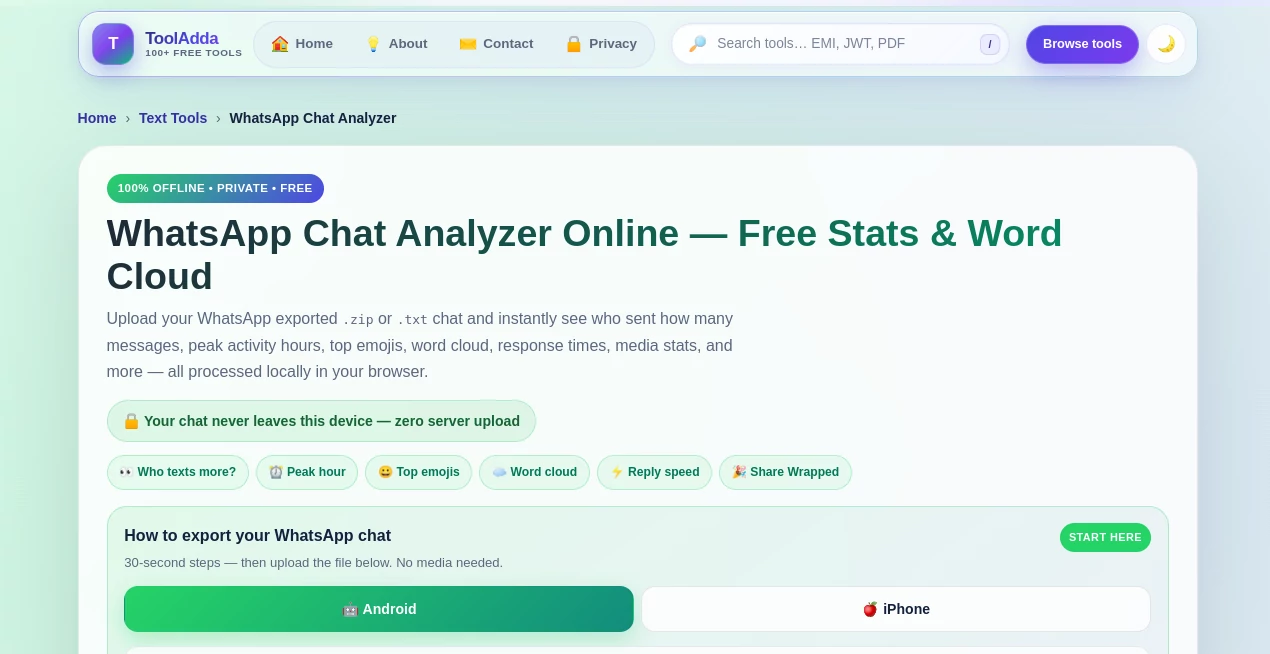
WhatsApp conversations can contain years of messages, inside jokes, useful information, and patterns that are almost impossible to spot by simply scrolling through the chat. ToolAdda's WhatsApp Chat Analyzer turns an exported conversation into a detailed, easy-to-read report without requiring any coding or complicated setup.
You can upload a WhatsApp chat exported as a TXT or ZIP file and quickly see message counts, participant activity, common words, emojis, response times, peak hours, media statistics, and other conversation patterns. It is particularly useful for people who are curious about their messaging habits, as well as groups that want a quick overview of their conversation activity.
One of its strongest advantages is the way the analysis is handled. The chat is processed locally in the browser rather than being uploaded to a remote server, which makes the tool especially appealing when the conversation contains personal or work-related information.
Key Features
- Analyze exported WhatsApp TXT and ZIP chat files
- Count messages and compare activity between participants
- View message shares, word counts, media counts, links, and conversation initiations
- Identify the busiest hours and weekdays
- Explore activity through a visual heatmap
- Discover frequently used emojis and words
- Create a word cloud from conversation vocabulary
- Analyze average and median response times
- Review media and link statistics
- Search the exported conversation for specific keywords
- Generate shareable conversation summary cards
- Export structured statistics as JSON or CSV
User Interface
The interface is organized around a straightforward upload-and-analyze workflow. Users can select their exported chat file or paste chat text directly into the page, adjust options such as date format and response window, and then start the analysis.
Once the report is ready, the information is divided into clear sections covering the overview, senders, activity, emojis, word cloud, response times, media, search, and the shareable Chat Wrapped view. This organization makes it much easier to jump directly to the statistic that matters instead of digging through a long conversation manually.
Accuracy & Performance
The analyzer works directly with the structure of WhatsApp's exported chat logs and supports common Android and iPhone export formats. It can handle multi-line messages, system messages, deleted-message placeholders, and different date formats.
Response-time statistics should be treated as useful estimates rather than absolute measurements. The calculation depends on the selected response window, and long overnight gaps or periods when someone was unavailable can naturally influence the results. For general conversation insights, however, the statistics provide a practical picture of messaging behavior.
Large conversations may take a few seconds to process because the chat is analyzed inside the browser. That local processing is a worthwhile trade-off for users who do not want their private conversations sent to an external server.
Capabilities
The tool goes well beyond a simple message counter. It can show who sends the most messages, compare participant activity, reveal the hours when a conversation is most active, and identify the words and emojis that appear most frequently.
The response-time section adds another interesting layer by showing average and median reply times as well as fast reply pairs. Group conversations are also supported, allowing users to compare the activity of multiple participants rather than limiting the analysis to one-to-one chats.
For users who want to keep the results, JSON and CSV reports make it possible to save the statistics for later analysis. The built-in message search is also useful when looking for a particular word or phrase without manually browsing through thousands of messages.
Security & Privacy
Privacy is one of the most compelling aspects of this tool. According to the website, chat analysis takes place entirely in the browser, meaning the exported conversation is not uploaded to a cloud server. No account is required, and the analysis is cleared from memory when the page is closed.
This approach is particularly valuable for chats containing personal conversations, business discussions, customer information, or other sensitive material. Users should still treat exported WhatsApp files carefully because the original chat file itself contains the conversation data.
Use Cases
There are plenty of practical and entertaining ways to use a WhatsApp conversation analyzer. Someone might use it simply to settle the classic question of who sends more messages in a relationship. A group of friends could discover who dominates the conversation, which day is the busiest, or which emojis define their group.
Work and community groups can also use the statistics to understand general communication patterns. For example, an administrator might examine when a group is most active or search the conversation for a recurring keyword.
Long-term personal chats are another interesting use case. Looking at a word cloud and message timeline can reveal recurring topics, changes in communication habits, or memorable periods in a conversation that would otherwise be difficult to identify.
Pros and Cons
Pros:
- Free to use with no signup required
- Processes conversations locally in the browser
- Supports Android and iPhone chat exports
- Works with TXT files and exported ZIP files
- Provides detailed participant and activity statistics
- Includes word clouds, emoji statistics, and response-time analysis
- Supports group chats
- Includes message search functionality
- Offers JSON and CSV data exports
- Works on mobile browsers as well as desktop browsers
Cons:
- It analyzes exported chat text rather than directly connecting to a WhatsApp account
- Media files themselves are not analyzed
- Very large conversations can take longer to process in the browser
- Response-time figures are statistical estimates rather than definitive measures of behavior
Pricing Plans
The tool is available for free and does not require an account or subscription. There are no stated usage limits for the chat analysis, making it a convenient option for users who want to explore a conversation without committing to a paid service.
The free access is particularly useful because the core experience already includes detailed statistics, visualization features, search, and report exports rather than restricting the main analysis behind a subscription.
How to Use the Analyzer
- Open the WhatsApp conversation you want to analyze.
- Export the chat from WhatsApp and choose the option to export without media.
- Save the resulting TXT file or exported ZIP file.
- Upload the file in the analyzer or paste the exported chat text.
- Choose the appropriate date format if automatic detection does not produce the expected result.
- Select a response-time window when needed.
- Start the analysis.
- Explore the Overview, Senders, Activity, Emojis, Word Cloud, Response Time, Media, and Search sections.
- Download the available JSON or CSV report if you want to keep the results.
Comparison with Similar Tools
Compared with manual counting, this approach is dramatically more convenient. Counting thousands of messages, finding peak activity periods, or comparing participants by hand would be tedious and prone to mistakes. Here, those calculations are generated from the exported conversation within seconds for typical chat sizes.
It also has an important advantage over services that require users to upload conversations to a remote platform. Local browser processing means the chat does not need to leave the user's device for the analysis to work.
Compared with writing a custom Python script, it offers a much easier starting point for non-technical users. There is no installation, programming, or data-processing setup involved. Upload the export, run the analysis, and explore the results.
Conclusion
This WhatsApp analysis tool is a practical way to turn an ordinary exported conversation into meaningful statistics. Its combination of participant comparisons, activity charts, word clouds, emoji rankings, response-time information, search, and downloadable reports gives users considerably more insight than a simple message counter.
The local processing model is arguably its biggest strength. Being able to examine a personal or group conversation without uploading the chat to a third-party server makes the experience more comfortable for privacy-conscious users.
Whether the goal is to settle a friendly argument, explore years of conversation history, understand group activity, or simply discover interesting patterns hidden inside a chat, this is a useful browser-based solution that keeps the process simple and accessible.
Frequently Asked Questions (FAQ)
Is the WhatsApp chat analyzer free?
Yes. The website states that the analyzer is free to use and does not require signup or impose stated usage limits.
Does my WhatsApp chat get uploaded to a server?
No. The website states that the analysis is performed locally in the browser and that the conversation is not uploaded to a server.
What file formats are supported?
You can use the TXT chat export generated by WhatsApp or an exported ZIP file. The recommended approach is to export the conversation without media because the analyzer works with the chat text.
Can I analyze a WhatsApp group chat?
Yes. Group conversations are supported, and participants can be compared individually based on message activity, words, media, links, and conversation initiations.
Can I see who sends the most messages?
Yes. The Senders section provides message counts and percentage shares for participants, along with additional activity statistics.
Can I analyze response times?
Yes. The response-time section provides average and median response statistics and can identify fast reply pairs within the selected response window.
Does it create a word cloud?
Yes. The Word Cloud section highlights frequently used words after common stop words have been removed.
Can I search through the conversation?
Yes. The search feature can find keywords across the exported chat and show the associated sender and timestamp.
Can I download the analysis results?
Yes. The website provides JSON and CSV export options for saving structured chat statistics.
Does it work on mobile devices?
Yes. The analyzer can be used from mobile browsers such as Chrome or Safari after exporting the conversation from WhatsApp.
Does the analyzer read my photos and videos?
No. The analysis focuses on the exported chat text. Media references in the conversation can still contribute to media statistics, but the actual media files are not analyzed.
Does it work offline?
After the page has loaded, the analysis is performed locally in the browser without requiring the conversation to be sent to a server.
Can response-time statistics be considered exact?
They are best viewed as statistical estimates. Overnight gaps, busy periods, and the selected response window can affect the calculated averages and medians.
These classifications represent its core capabilities and areas of application. For related tools, explore the linked categories above.
Whatsapp Chat Analyzer details
Website unavailable — View Alternatives
Pricing
- Free
Apps
- Web App
Categories

Whatsapp Chat Analyzer Alternatives Product

mainaro

UseWok

Friendify

CapyQR

VideoDubber'…

Marketbetter…

Candidate Sc…

Website Traf…

zGEO Ranker
