


















Trivia Pixel
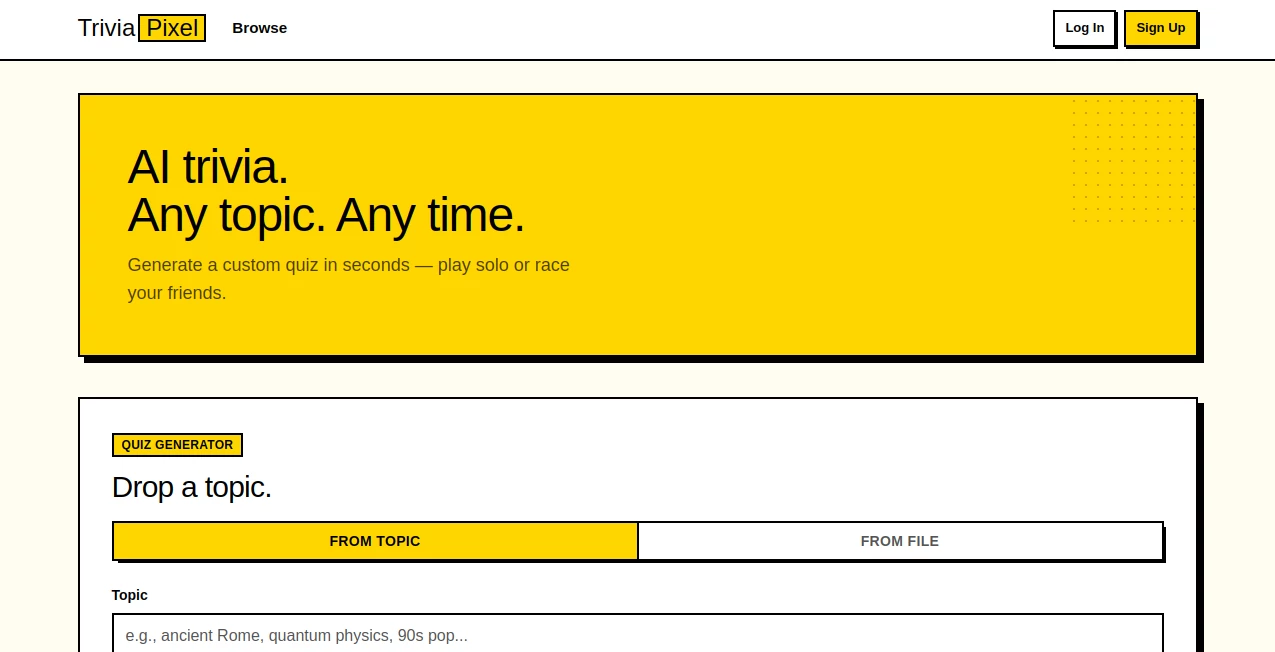
What is Trivia Pixel?
Creating engaging quizzes from scratch can take far more time than most people expect. Whether you're a teacher preparing classroom activities, a content creator looking for audience engagement, or simply someone organizing a game night, building high-quality questions often becomes the biggest challenge. This platform removes that obstacle by transforming almost any topic or document into a complete trivia experience within seconds.
Instead of relying on pre-made question banks, it intelligently generates fresh quizzes based on your chosen subject or uploaded files. Users can select different difficulty levels, define the number of questions, edit generated content, and even compete with friends in real time. The result is an enjoyable experience that combines learning, entertainment, and collaboration without requiring complicated setup or technical knowledge.
One particularly enjoyable aspect is how naturally quizzes adapt to different scenarios. A teacher can upload lesson notes, while a group of friends might simply enter "Space Exploration" or "World History" and instantly begin playing together. The flexibility makes the platform appealing for both educational and recreational purposes.
Key Features
User Interface
The interface is refreshingly straightforward. Users simply choose whether to generate a quiz from a topic or upload a supported document such as PDF, DOCX, PPTX, TXT, or Markdown files. Difficulty settings, question count, and question types can all be customized before generating the quiz. Navigation remains clean, making it easy even for first-time visitors.
Accuracy & Performance
The AI generates questions remarkably fast while allowing users to edit any question afterward. This combination of automation and manual refinement provides greater confidence in the final quiz. Image-based questions are also supported for visual subjects such as flags, maps, and logos, making quizzes more engaging and interactive. The platform generates quizzes within seconds and supports multiple-choice as well as true-or-false formats.
Capabilities
- Generate quizzes from virtually any topic.
- Create quizzes directly from uploaded documents.
- Choose easy, medium, or hard difficulty.
- Select between 3 and 20 questions.
- Support for multiple-choice and true/false questions.
- Edit generated questions before sharing.
- Create multiplayer competitions with friends.
- Share quizzes through public links.
- Replay quizzes as many times as desired.
- Optional account creation for saving quiz libraries.
- Automatic image support for visual learning topics.
Security & Privacy
Privacy receives noticeable attention. Users can generate and play quizzes without creating an account, while registration is only necessary for saving personal quiz collections or hosting competitions. The service also states that it does not track or sell user data, giving privacy-conscious users additional peace of mind.
Use Cases
- Teachers preparing classroom quizzes.
- Students reviewing course materials.
- Corporate training sessions.
- Online community events.
- Family game nights.
- Content creators increasing audience engagement.
- Live trivia competitions.
- Knowledge assessment after presentations.
- Study groups revising documents together.
- Event organizers creating interactive entertainment.
Pros and Cons
Pros
- Extremely fast quiz generation.
- Supports both topics and uploaded documents.
- Question editing after generation.
- Multiplayer competitions available.
- No account required for basic use.
- Supports image-based questions.
- Simple and beginner-friendly interface.
- Strong privacy approach.
Cons
- AI-generated questions may occasionally benefit from manual review.
- Advanced library features require signing in.
- Question quality can vary depending on uploaded source material.
Pricing Plans
The platform offers free quiz generation without requiring an account for standard usage. Users can immediately create and play quizzes, while additional account-based features such as saving quizzes and managing personal libraries become available after registration. Pricing for premium capabilities may evolve as the platform expands.
How to Use TriviaPixel
Start by choosing whether to create a quiz from a topic or upload a document. Select the desired difficulty level, choose how many questions you want, and decide whether to include multiple-choice or true/false questions. Generate the quiz, review the automatically created questions, make edits if needed, and either play individually or launch a multiplayer competition by sharing the game with friends.
Comparison with Similar Tools
Many quiz generators focus solely on predefined templates or manually created question banks. This platform distinguishes itself by allowing AI-powered quiz creation from both free-form topics and uploaded documents. The ability to edit generated questions, support visual content, instantly share quizzes, and host multiplayer competitions creates a balanced solution for both education and entertainment. The fact that users can begin without registration also removes unnecessary friction compared to many competing services.
Conclusion
This platform successfully combines artificial intelligence with interactive learning and entertainment. Its document-based quiz generation, customizable difficulty, multiplayer competitions, and intuitive workflow make it suitable for educators, students, businesses, and casual users alike. Instead of spending valuable time writing questions manually, users can focus on learning, teaching, or simply enjoying a competitive trivia session. The thoughtful balance between automation, customization, and privacy makes it a valuable addition to any collection of AI-powered educational tools.
Frequently Asked Questions (FAQ)
Can quizzes be generated from documents?
Yes. Users can upload PDF, DOCX, PPTX, TXT, and Markdown files to automatically generate quizzes.
Do I need an account to use the platform?
No. Quiz generation and gameplay are available without registration. An account is only needed for saving quizzes or managing a personal library.
Can I modify generated questions?
Yes. Every generated quiz can be edited before sharing or playing.
Does it support multiplayer games?
Yes. Users can create competitions and invite friends to participate in real-time trivia sessions.
Are image-based questions supported?
Yes. For visual subjects such as maps, flags, and logos, the platform can automatically include images within quiz questions.
AI Knowledge Management , AI Fun Tools , AI Quizzes , AI Education Assistant .
These classifications represent its core capabilities and areas of application. For related tools, explore the linked categories above.

Trivia Pixel Alternatives Product

FeelsTheAura

AI Slop Canv…

UPDF AI

tarotguide

PTEcorepract…

Hall Of Tarot

Minecraft Re…

SuperAI

Speedy Games
