
















Try OC Maker
What is Try OC Maker?
Try OC Maker is an AI-powered creative studio built for people who want to turn original character ideas into polished visual designs without needing advanced drawing skills. Users can describe a character in natural language or provide a reference image, then develop details such as the face, hairstyle, outfit, expression, accessories, weapons, pose, and background.
The platform is particularly well suited to anime and fantasy character creation, but its workflow extends to game concepts, roleplay avatars, story artwork, social content, and other character-focused projects. What makes the experience especially useful is that character creation and animation are brought together, allowing a still OC to become a short moving scene.
Key Features
- AI-powered original character creation from text prompts or reference images.
- Character customization covering faces, hairstyles, outfits, expressions, accessories, weapons, poses, and backgrounds.
- Full-body character creation and character-sheet workflows.
- Reference-image support for developing variations of an existing OC.
- Image-to-video creation for turning character artwork into animated clips.
- Support for different visual directions, including anime, 2D, 3D, and realistic styles.
- Multiple AI models for different creative and editing workflows.
- Focused tools for anime characters, fantasy OCs, avatars, poses, weapons, and character references.
User Interface
The interface is designed around the creative process rather than a complicated collection of professional editing controls. A creator can start with a simple character description and gradually add details as the idea develops. This makes it approachable for someone who has a clear character in mind but does not know how to draw it.
The workflow also encourages experimentation. You can try different hairstyles, clothing, poses, expressions, or scenes without having to rebuild the entire concept from scratch. For character creators, that can make the difference between spending an afternoon fighting with software and actually developing an idea.
Accuracy & Performance
Character consistency is one of the more important aspects of an OC workflow, and the platform provides several ways to improve it. Reusing core details and uploading a clear reference image can help preserve the character's face, hair, outfit, colors, and accessories across new generations.
It is worth keeping expectations realistic: AI-generated characters can still introduce small changes between generations. The platform itself recommends maintaining a fixed character description and using a reference image when consistency matters. For more controlled results, changing one element at a time, such as a pose or background, is a sensible approach.
Capabilities
The image creator can handle everything from a basic character portrait to a more detailed full-body design. Creators can work on expressions, outfits, accessories, weapons, and character sheets, making it useful for both casual character exploration and early-stage visual development.
The video side adds another layer to the workflow. An existing OC image can be used as the starting point for a short animated scene, with options involving poses, facial movement, camera motion, action sequences, and story moments. The platform also provides first- and last-frame control for image-to-video workflows.
Several creative models are available, including Seedream, Nano Banana, Flux, GPT Image, Wan, Seedance, Kling, and Grok Imagine options. This gives creators more flexibility when experimenting with different visual results and creative directions.
Security & Privacy
The website provides dedicated Privacy Policy and Terms of Service pages, along with a Content and Acceptable Use Policy. Because AI character creation can involve uploaded reference images, creators should review the platform's current privacy and usage terms before submitting personal or sensitive material.
Users should also pay attention to intellectual-property considerations. Creating an original character is different from reproducing someone else's protected artwork or character, and commercial use may depend on the applicable license, the content being generated, and local laws.
Use Cases
Anime Character Design: Anime fans can develop original characters with specific hairstyles, outfits, facial features, expressions, and accessories.
Game Development: Indie developers can create early visual concepts for heroes, villains, NPCs, and other characters before investing in final production artwork.
Comics and Stories: Writers and comic creators can turn characters that previously existed only in their imagination into visual references for stories and scenes.
Roleplay Avatars: Detailed character descriptions and reference images can be transformed into avatars that better match a character's personality and backstory.
Social Content: Creators can develop character artwork and short animated clips for social media, community posts, and other digital content.
Character Exploration: When an idea feels incomplete, generating different outfits, poses, colors, or accessories can help reveal a direction that was not obvious at the beginning.
Pros and Cons
Pros
- Designed specifically around original character creation.
- Works with both text prompts and reference images.
- Offers detailed control over many character elements.
- Supports character consistency workflows.
- Combines character image creation with image-to-video animation.
- Useful for anime, fantasy, gaming, roleplay, comics, and social content.
- Provides access to several different generation models.
Cons
- AI generations can still change small character details between results.
- Getting highly consistent characters may require careful prompting and reference images.
- Users creating commercial work should check the applicable usage rights before selling generated content.
- Some advanced creative workflows may require experimentation to find the model and prompt combination that works best.
Pricing Plans
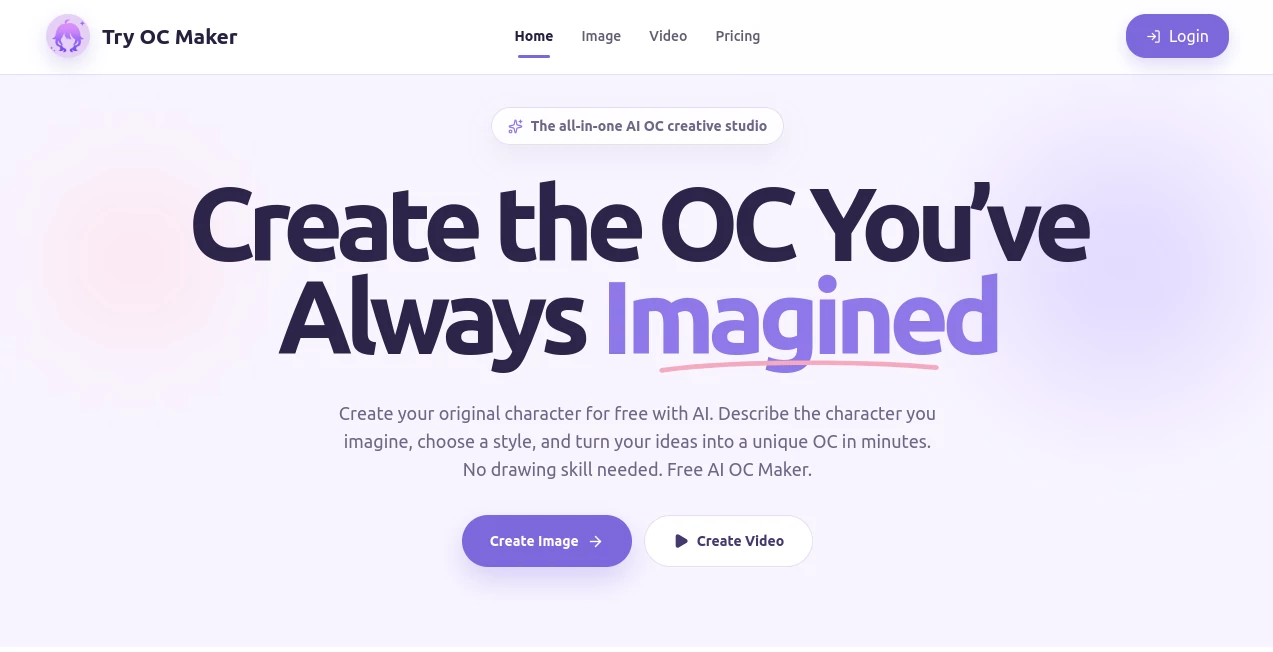
The homepage presents the service as a free AI OC maker and invites users to begin creating their original characters. The available creation experience can include both image and video workflows, while the exact availability of individual models or generation features may vary. Before starting a commercial project, it is sensible to check the current pricing and usage terms on the platform itself, particularly if you expect to generate a large number of images or videos.
How to Use Try OC Maker
Start by describing the character you have in mind. Include useful visual details such as hair color, eye color, clothing, personality, accessories, pose, and overall style. A prompt such as “full-body fantasy mage with silver hair, dark blue robes, a staff, calm expression, and a moonlit forest background” gives the generator considerably more direction than simply asking for a fantasy character.
You can also upload a clear reference image when you want to develop an existing OC. Keep the important character details consistent, then request a specific change such as a different pose, expression, outfit, or background.
Once the character design is ready, the image-to-video workflow can be used to introduce movement. Describe the action or camera movement you want and experiment with short scenes. For more complex projects, creating individual character assets first and animating them afterward can produce a more organized workflow.
Comparison with Similar Tools
General-purpose AI image generators can produce characters, but they are not always designed around maintaining one original character through multiple outfits, poses, expressions, and scenes. This platform takes a more character-centric approach, putting OC creation at the center of the workflow.
Dedicated anime character generators may be a better fit when the only goal is producing a single anime portrait. However, creators who want character sheets, reference-image workflows, multiple variations, and animation in the same creative environment may find this approach more convenient.
Traditional illustration software still provides greater manual control for artists who want to draw every detail themselves. For users who want to move quickly from an idea to a visual concept, however, AI generation can serve as a useful starting point rather than replacing the entire artistic process.
Conclusion
Creating an original character often starts with something surprisingly simple: a hairstyle, a personality, a costume, or a scene that suddenly appears in someone's imagination. Turning that idea into a consistent visual design is usually the harder part. This platform makes that transition considerably more accessible by combining AI character generation, reference-image workflows, detailed customization, and animation in one creative environment.
It is a strong option for anime fans, storytellers, indie game developers, roleplay creators, and anyone who wants to explore an OC without spending years learning digital illustration first. The ability to take a character from an initial concept to different designs and eventually a moving clip gives the workflow plenty of room to grow.
Frequently Asked Questions (FAQ)
Can I create a full-body character?
Yes. The platform supports full-body character creation and recommends prompts containing terms such as “full body,” “head to toe,” “full-length portrait,” and “visible feet” when a complete character view is required.
Can I use a reference image?
Yes. A clear reference image can be uploaded to help maintain the character's identity while creating new poses, outfits, expressions, or style variations.
Can I keep the same character across multiple generations?
You can improve consistency by reusing the same core character description and reference image. Important details such as the face, hair, eyes, clothing, colors, and accessories should remain consistent, although small variations can still occur with AI generation.
Can I create different poses for the same OC?
Yes. You can keep the character description or reference image and change the requested action or pose, such as sitting, running, fighting, or holding a weapon.
Can I animate an OC image?
Yes. The image-to-video workflow can turn an existing character image into a short animated scene with elements such as character movement, facial motion, camera movement, and action.
Can I create character sheets?
Yes. The platform supports character-sheet workflows, including prompts for full-body views, front and side views, expressions, and weapon designs. Creating individual views separately can help produce cleaner results.
Is this only for anime characters?
No. Although anime and original character creation are central to the experience, the platform also supports different visual directions, including 2D, 3D, and realistic styles, as well as fantasy characters, game concepts, roleplay avatars, story posters, and social clips.
Can AI-generated characters be sold commercially?
Commercial use depends on the applicable license, the generated content, and local laws. Users should review the current usage terms before selling artwork, merchandise, adoptables, or other commercial designs, especially when recognizable copyrighted characters or third-party artwork are involved.
Do I need drawing skills?
No. The service is designed to let users create characters through descriptions and reference images, making it accessible even if they have little or no traditional drawing experience.