
TubeVocab
What is TubeVocab?
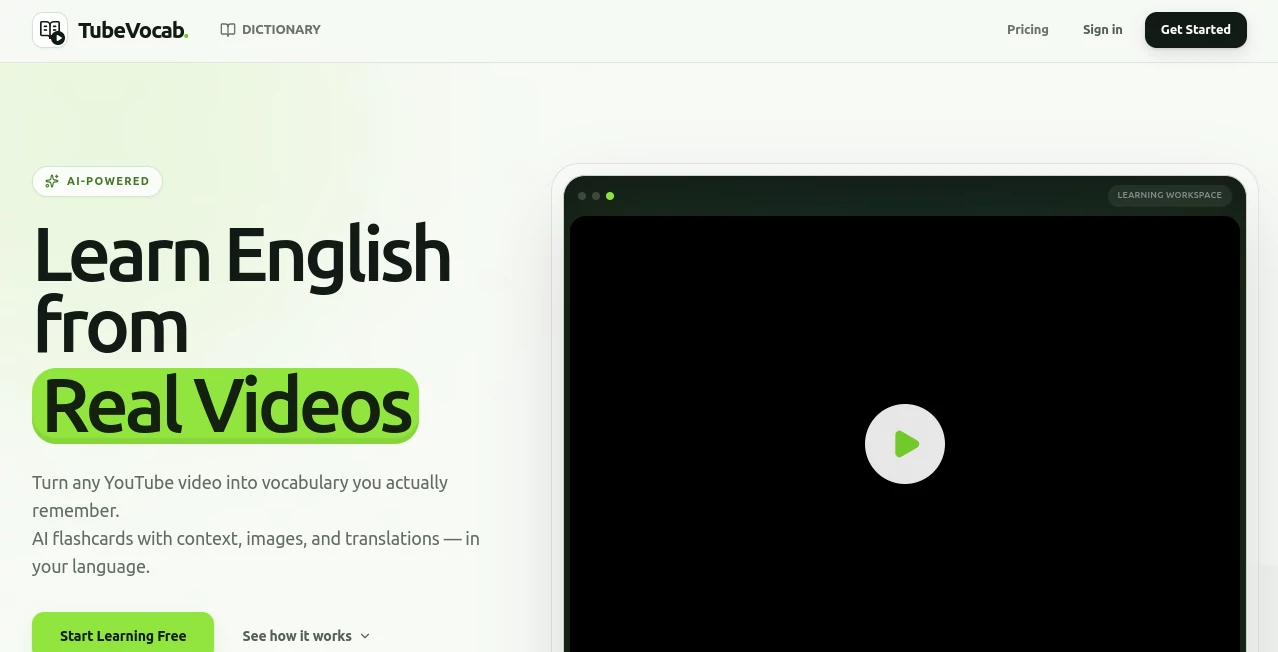
Learning English becomes far more enjoyable when it happens through content you already love. Instead of memorizing isolated vocabulary lists, this platform transforms YouTube videos into interactive language lessons where every unfamiliar word becomes a learning opportunity. By combining AI-powered vocabulary extraction, contextual translations, and smart review techniques, it helps learners build practical English skills naturally.
The experience feels less like studying and more like exploring interesting videos while gradually expanding your vocabulary. Words are collected directly from authentic conversations, making it easier to understand how native speakers actually communicate. Whether you enjoy technology channels, documentaries, travel vlogs, interviews, or educational content, every video can become a personalized lesson.
Key Features
User Interface
The interface is clean, distraction-free, and designed to keep learners focused on the video instead of overwhelming them with unnecessary controls. Unknown words can be reviewed quickly, while AI-generated flashcards are organized into an easy-to-manage vocabulary library. Daily progress, learning streaks, and saved videos are presented in a simple dashboard that encourages consistent practice.
Accuracy & Performance
Vocabulary is generated using artificial intelligence together with the context of YouTube subtitles, allowing definitions and translations to match the way words are actually used in conversations. Rather than presenting isolated dictionary entries, the platform helps learners understand vocabulary in meaningful situations, making retention significantly easier. Cross-device synchronization also keeps learning progress available wherever you continue studying.
Capabilities
- Learn vocabulary directly from YouTube videos.
- Create AI-powered flashcards automatically.
- View contextual meanings and translations.
- Review words with spaced repetition.
- Build a personal vocabulary library.
- Resume learning exactly where a video was paused.
- Synchronize progress across devices.
- Integrate vocabulary with Anki for advanced study.
- Support multiple interface languages.
- Chrome extension for seamless YouTube integration.
Security & Privacy
User accounts synchronize vocabulary across devices while keeping authentication secure. The companion browser extension is designed to communicate only with its own service during supported actions and does not advertise analytics-based tracking or the sale of personal data. This privacy-focused approach makes the learning experience feel trustworthy while keeping attention on language development.
Use Cases
- Improve English vocabulary through authentic YouTube content.
- Prepare for IELTS, TOEFL, or other English proficiency exams.
- Learn technical vocabulary from programming and technology videos.
- Expand business English through interviews and presentations.
- Study while watching travel, science, history, or educational channels.
- Create long-term vocabulary collections with spaced repetition.
- Review saved words using Anki integration.
- Practice listening comprehension alongside vocabulary building.
Pros and Cons
Pros
- Turns real YouTube videos into interactive language lessons.
- AI-generated flashcards save significant study time.
- Contextual learning improves vocabulary retention.
- Clean interface minimizes distractions.
- Supports synchronized learning across devices.
- Anki integration benefits advanced learners.
- Works naturally alongside everyday video watching.
Cons
- Mainly designed for English vocabulary learning.
- Some premium features require a subscription.
- Learning quality depends on subtitle availability.
- An internet connection is required for most features.
Pricing Plans
A free plan allows users to explore the core learning experience with usage limitations. Premium subscriptions unlock additional capabilities, higher limits, and more advanced learning features for users who want a richer and more consistent study workflow.
How to Use TubeVocab
- Create a free account.
- Open a YouTube video you want to learn from.
- Import or open the video inside the learning interface.
- Click unfamiliar words to generate AI-powered flashcards.
- Save important vocabulary to your personal library.
- Review saved words regularly using spaced repetition.
- Track daily progress and maintain your learning streak.
Comparison with Similar Tools
Unlike traditional vocabulary applications that rely on static word lists, this solution teaches English through authentic video content. Compared with standard flashcard software, it automatically creates vocabulary from real conversations instead of requiring manual card creation. Learners who enjoy immersive language practice will appreciate the combination of contextual learning, AI-generated flashcards, synchronized progress, and optional Anki integration, making the overall experience more engaging than conventional memorization methods.
Conclusion
For learners who spend time watching YouTube every day, this platform transforms an ordinary habit into a productive language-learning experience. By combining authentic video content, contextual vocabulary, AI-generated flashcards, spaced repetition, and seamless synchronization, it offers an efficient path toward building practical English skills. The thoughtful interface and focus on real-world language make it a valuable companion for beginners as well as advanced learners seeking consistent vocabulary growth.
Frequently Asked Questions (FAQ)
Who is this platform designed for?
It is suitable for English learners of all levels who want to build vocabulary using authentic YouTube content.
Does it support AI-generated flashcards?
Yes. Vocabulary cards are created automatically using artificial intelligence and contextual information from videos.
Can I review my saved vocabulary later?
Yes. Saved words are stored in a personal vocabulary library and can be reviewed with spaced repetition.
Is Anki supported?
Yes. Learners can integrate their vocabulary with Anki for additional review sessions.
Is there a free version?
Yes. A free plan is available, while premium subscriptions provide expanded features and higher usage limits.
AI Transcription , AI Tutorial , AI Knowledge Management , AI Education Assistant .
These classifications represent its core capabilities and areas of application. For related tools, explore the linked categories above.

TubeVocab Alternatives Product

Zeemo AI
TuCanChat

PTEcorepract…

morse code t…

Sourcetable

EasyVC

Wondika

Maestra

FLINT AI