Vibe Motion
What is Vibe Motion?
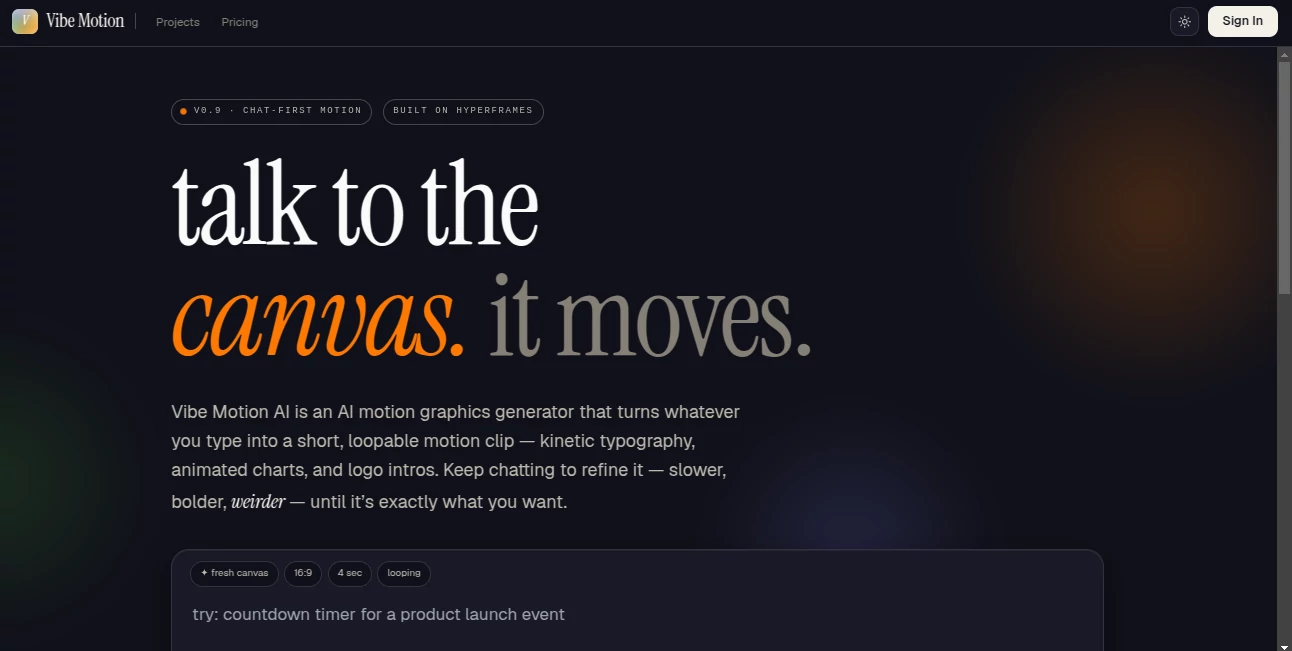
Creating eye-catching motion graphics no longer requires advanced editing skills or complicated timelines. This platform transforms simple text prompts into smooth animated clips through a conversational workflow. Instead of starting from scratch, users describe an idea, preview the result instantly, and continue refining it until every detail feels right. It is an enjoyable way to produce professional-looking motion content for presentations, social media, product showcases, and educational projects.
Key Features
User Interface
The clean chat-based workspace makes animation feel natural. Every adjustment happens through conversation, allowing users to change colors, timing, style, or movement without navigating complex menus.
Accuracy & Performance
Animations are generated quickly with live previews, making experimentation easy. The responsive editing process helps creators reach polished results without long rendering delays.
Capabilities
- Create motion graphics from text prompts.
- Generate animated charts, logo reveals, and presentation intros.
- Produce looping clips for marketing and social media.
- Refine animations through continuous chat instructions.
- Export high-quality videos suitable for professional use.
Security & Privacy
User-generated projects remain under the creator's control, while commercial usage is supported through eligible paid plans. The platform also provides clear usage policies for responsible content creation.
Use Cases
- Creating engaging promotional videos.
- Designing animated presentations.
- Producing educational explainers.
- Building social media content.
- Visualizing business reports with animated charts.
Pros and Cons
- Pros
- Simple conversational workflow.
- Fast preview and editing process.
- No professional animation experience required.
- Suitable for marketing, education, and business.
- Cons
- Advanced exports require a paid subscription.
- Highly customized cinematic projects may still need traditional editing software.
Pricing Plans
A free option is available for new users to explore the platform. Premium plans begin at approximately $9 per month, unlocking additional credits, higher usage limits, and commercial features.
How to Use Vibe Motion AI
Open a new project, describe the animation in plain language, review the generated preview, continue refining it through follow-up prompts, and export the finished motion graphic once it matches your vision.
Comparison with Similar Tools
Unlike traditional motion design software that depends on timelines and manual keyframes, this solution focuses on conversation-driven creation. It offers a faster learning curve while still producing polished animations for creators, marketers, educators, and business teams.
Conclusion
This platform makes motion graphics approachable for everyone. The combination of conversational editing, instant previews, and professional-quality exports allows users to create engaging visual content in far less time than traditional workflows. It is an excellent choice for anyone looking to turn creative ideas into animated videos with minimal effort.
Frequently Asked Questions (FAQ)
Do I need animation experience?
No. The platform is designed for beginners and professionals alike using natural language prompts.
Can I create videos for social media?
Yes. It supports content suitable for platforms such as Instagram, TikTok, YouTube, and business presentations.
Is there a free version?
Yes. New users can start with free access before upgrading to premium plans.
Can I edit generated animations?
Yes. Every project can be refined through additional chat instructions until the desired result is achieved.
AI Animated Video , AI Video Generator , AI Video Editor , AI Text to Video .
These classifications represent its core capabilities and areas of application. For related tools, explore the linked categories above.

Vibe Motion Alternatives Product

Aura AI

kling 3 AI

Seedance AI

ViraFlow

Seedance 2
Grok Imagine…
Kling-4 Vide…

Ltx 2.3

Sora 2 AI